Install
This is the repository archive. It installs, but the folder name will carry the branch suffix and updates will not flow.
Install straight from GitHub with WP-CLI:
wp plugin install https://github.com/giaesp/x-fields/archive/refs/heads/main.zipSimple, secure custom fields for WordPress: field groups, placement rules, repeaters, relationships and front-end forms.
X-Fields is a fork of Custom Field Suite by Matt Gibbs, security-hardened, made PHP 8 compatible and redesigned. Maintained by Gianluca Esposito.
Requirements
- WordPress 6.2+ (tested up to 7.1)
- PHP 7.4+ (tested up to 8.4)
Installation
Install from the WordPress.org plugin directory (once approved), or download the latest zip from Releases and install it from Plugins → Add New → Upload, or clone into wp-content/plugins/x-fields.
If Custom Field Suite is installed, deactivate it first: X-Fields imports its field groups and values automatically on activation (the CFS tables are kept as a backup).
Usage
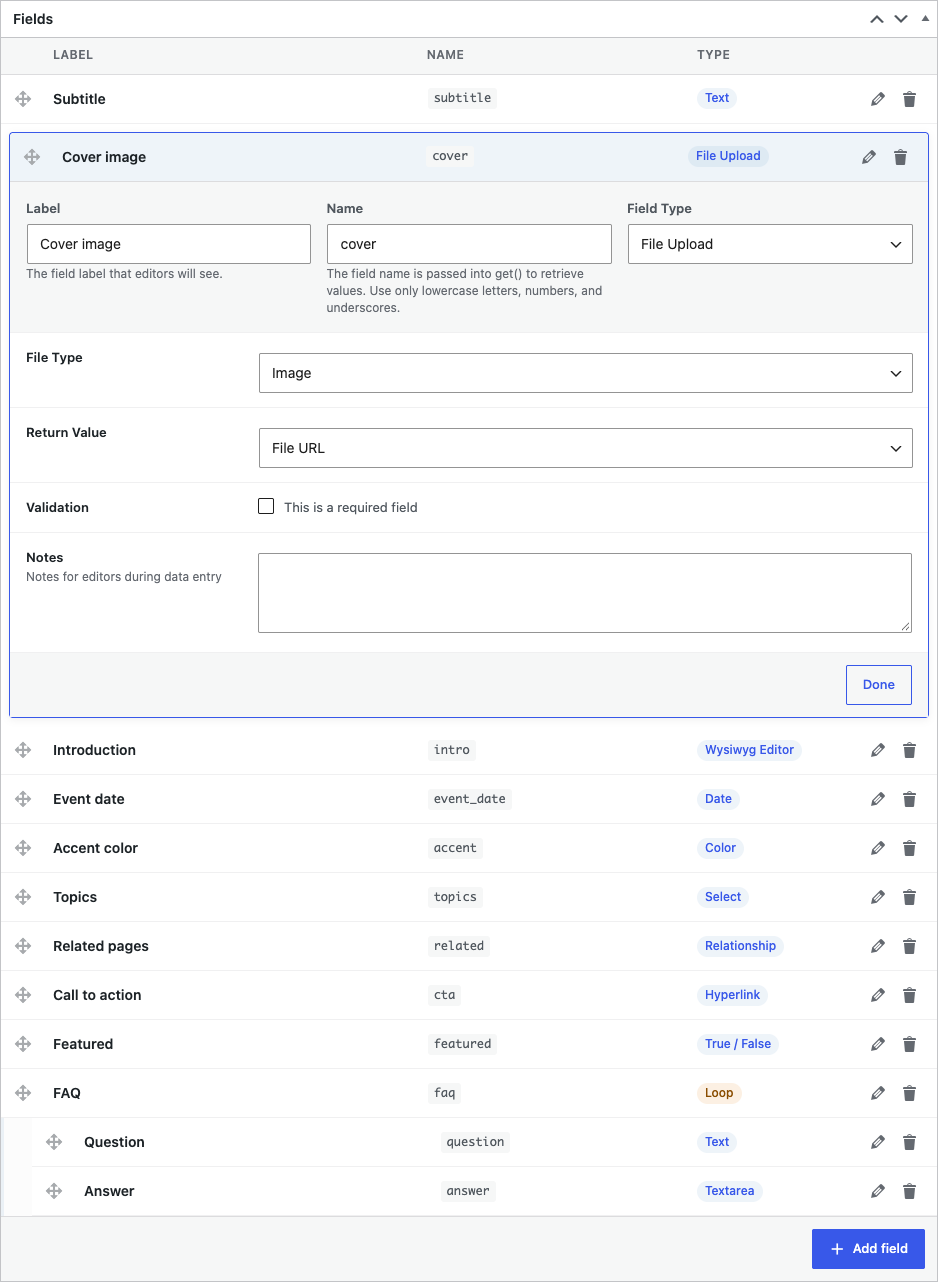
- Settings → X-Fields → Add New: create a field group and add fields.
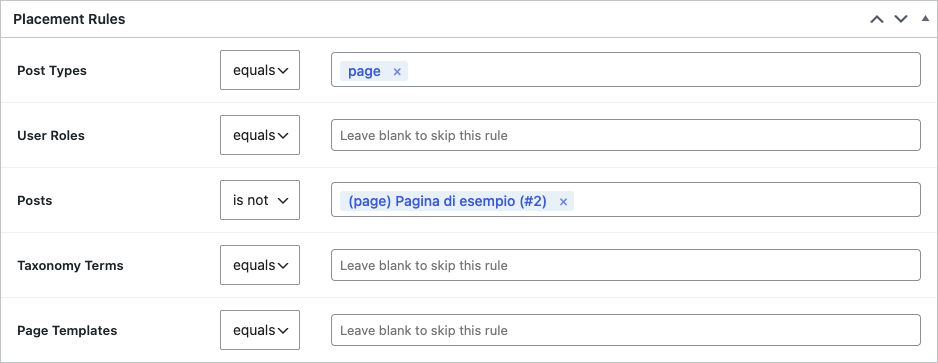
- In Placement Rules choose where it appears (post types, templates, terms, roles…).
- Read values in your theme:
// Single value (always escape output)
echo esc_html( XFields()->get( 'subtitle' ) );

// Another post
$cta = XFields()->get( 'cta', $post_id );

// All fields of the current post
$fields = XFields()->get();

// Repeater (Loop)
foreach ( (array) XFields()->get( 'faq' ) as $row ) {
    printf( '<h3>%s</h3>%s', esc_html( $row['question'] ), wp_kses_post( $row['answer'] ) );
}

// Posts that reference this post through a Relationship field
$ids = XFields()->get_reverse_related( get_the_ID(), [ 'field_name' => 'related', 'post_type' => 'page' ] );
Saving from code
XFields()->save( [ 'subtitle' => 'Hello' ], [ 'ID' => $post_id ] );Front-end form
echo XFields()->form( [
    'post_id'              => false,       // false = create a new post
    'field_groups'         => [ 123 ],     // required for new posts
    'post_title'           => 'Title',     // label, or false to hide
    'post_status'          => 'pending',
    'post_type'            => 'post',
    'confirmation_url'     => home_url( '/thanks/' ),
    'submit_label'         => 'Send',
] );
Values submitted by users without the unfiltered_html capability are filtered with KSES, and shortcodes from anonymous visitors are neutralized. After submit, visitors are redirected only within the site: to use an external confirmation_url, whitelist its host with the allowed_redirect_hosts filter.
Validation
Required fields and min/max limits are checked in the browser and on the server. Front-end forms reject invalid submissions; in the admin the post is saved and a notice lists the problems. Add your own rules:
add_filter( 'xfields_validate_input', function( $errors, $field_data, $group_ids ) {
    // $field_data is keyed by field ID: [ 12 => [ 'value' => '...' ] ]
    return $errors;
}, 10, 3 );
Permissions
Managing field groups and tools requires manage_options. Change it with:
add_filter( 'xfields_manage_capability', fn() => 'edit_theme_options' );Field types
| Type | Notes |
|---|---|
| Text, Textarea | Textarea can convert newlines to <br> |
| WYSIWYG | Official WordPress editor (wp.editor): Visual/Code tabs, Add Media |
| Date | Native date or date-time picker; stored as YYYY-MM-DD / YYYY-MM-DD HH:MM |
| Color | WordPress color picker; stored as hex |
| True / False | Checkbox, returns 1 / 0 |
| Select | Single or multiple; optional search box (Tom Select) |
| File | Media library; returns URL or attachment ID |
| Relationship, Term, User | Two-column picker with search and drag & drop ordering |
| Loop | Repeater; can be nested; dynamic row labels ({field_name:Fallback}) |
| Hyperlink | URL + text + target; returns HTML or an array |
| Tab | Groups fields into tabs |
Bundled libraries
Only one third-party library is bundled — everything else comes from WordPress core:
| Purpose | Library |
|---|---|
| Searchable selects | Tom Select 2.6.2 (Apache-2.0), sources in assets/vendor/tom-select/ |
| WYSIWYG | WordPress wp.editor (TinyMCE + Quicktags) |
| Color picker | WordPress wp-color-picker (Iris) |
| Date / time | Native browser inputs |
| Media, sorting | WordPress wp.media, jQuery UI Sortable |
Hooks (selection)
| Hook | Type | Purpose |
|---|---|---|
xfields_field_types |
filter | Register custom field types |
xfields_matching_groups |
filter | Override which groups apply to a post |
xfields_pre_save_input / xfields_after_save_input |
action | Before/after a form save |
xfields_pre_render_fields |
filter | Alter fields before rendering |
xfields_validate_input |
filter | Add server-side validation errors |
xfields_manage_capability |
filter | Capability to manage field groups (default manage_options) |
xfields_field_relationship_query_args |
filter | Customise the Relationship post query |
xfields_relationship_display / xfields_term_display / xfields_user_display |
filter | Item label in pickers (receives escaped text) |
Upgrading from 1.x
Version 2.0 uses longer, WordPress.org-compliant prefixes:
| 1.x | 2.x |
|---|---|
XF() |
XFields() |
xf_* hooks / options |
xfields_* |
XF_* constants |
XFIELDS_* (e.g. XFIELDS_REMOVE_ALL_DATA) |
post type xf_group |
xfields_group |
Data is migrated automatically on update (tables, field groups, values, options). Update the calls in your theme, e.g. XF()->get( 'subtitle' ) → XFields()->get( 'subtitle' ).
Multilingual (Polylang)
- Field groups are configuration and are never translated.
- When you create a translation, X-Fields copies the source values so you only translate them.
- Strings in the admin are translatable (text domain
x-fields, Italian included).
Uninstall
Data is kept by default. To remove everything on uninstall add to wp-config.php:
define( 'XFIELDS_REMOVE_ALL_DATA', true );Screenshots
| Field group editor | Placement rules |
|---|---|
|
 |
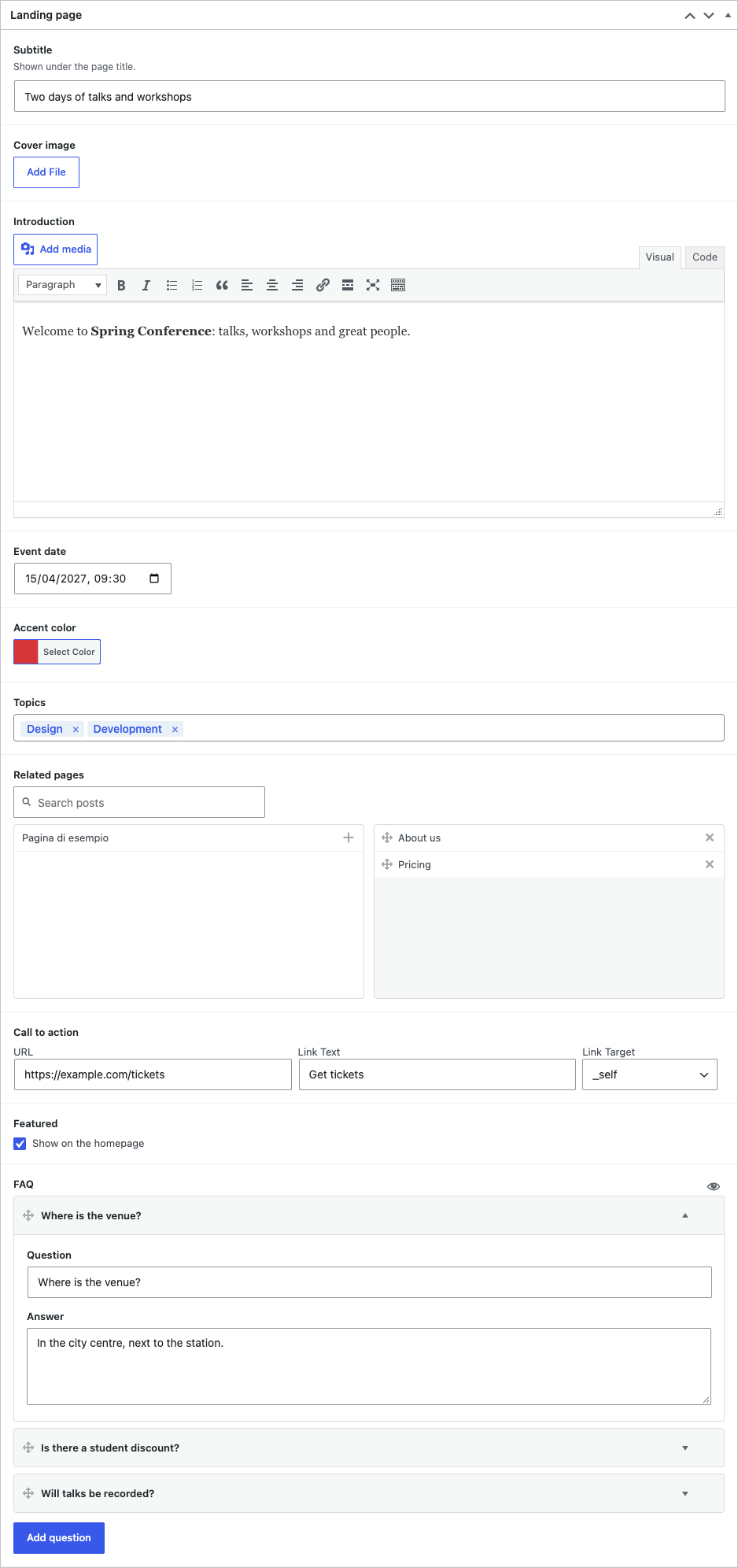
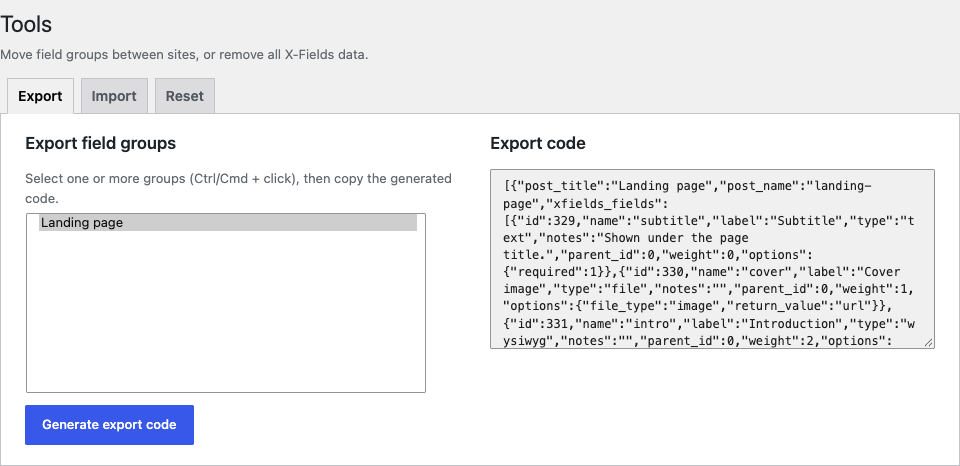
| Fields on the edit screen | Tools |
|---|---|
 |
 |
Development
composer install
composer lint        # PHP syntax (all PHP files)
composer phpcs       # WordPress security + PHP compatibility rules
wp eval-file tests/smoke-test.php      # functional & security tests (inside a WordPress install)
wp eval-file tests/migration-test.php  # 1.x → 2.x and Custom Field Suite migrations
wp plugin check x-fields               # official Plugin Check (with the plugin-check plugin)
Releases follow Semantic Versioning; see CHANGELOG.md.
To release: update the version in x-fields.php (header + XFIELDS_VERSION) and readme.txt, update the changelog and this README, then tag vX.Y.Z. GitHub Actions builds the zip and — once the SVN_USERNAME / SVN_PASSWORD secrets are set — publishes it to WordPress.org together with the assets in .wordpress-org/.
Contributing
See CONTRIBUTING.md. Issues and pull requests are welcome.
Security
Please report vulnerabilities privately via GitHub Security Advisories, not public issues. See SECURITY.md.
License
GPL-2.0-or-later. Copyright © 2026 Gianluca Esposito; © 2011–2024 Matt Gibbs (Custom Field Suite).