Install
This is the repository archive. It installs, but the folder name will carry the branch suffix and updates will not flow.
Install straight from GitHub with WP-CLI:
wp plugin install https://github.com/fyrins/table-reflow/archive/refs/heads/main.zip
Makes core/table blocks reflow into stacked cards on small screens. Server-rendered PHP + CSS, no JavaScript, ARIA roles preserved.
A data table wider than a phone screen forces sideways scrolling, which WCAG 2.2 success criterion 1.4.10 Reflow rules out at 320 CSS pixels. This plugin adds one option to the table block: below a chosen width, each row becomes a card and each value is preceded by its column name.
- Plugin page: submitted, awaiting review on wordpress.org
- Requires WordPress 6.7, PHP 7.4
- Licensed GPL-2.0-or-later
What it looks like
The table is untouched above the chosen width, and stacks below it. Same markup, same reading order, same ARIA roles.
|
Above the breakpoint |
Below the breakpoint |
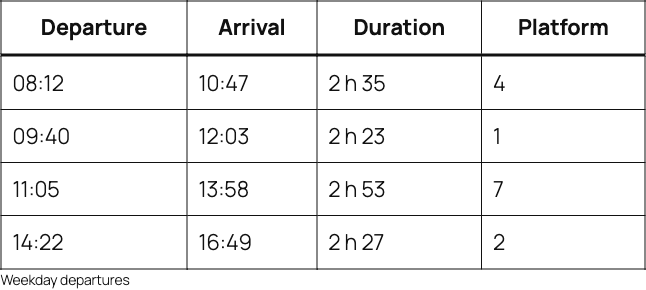
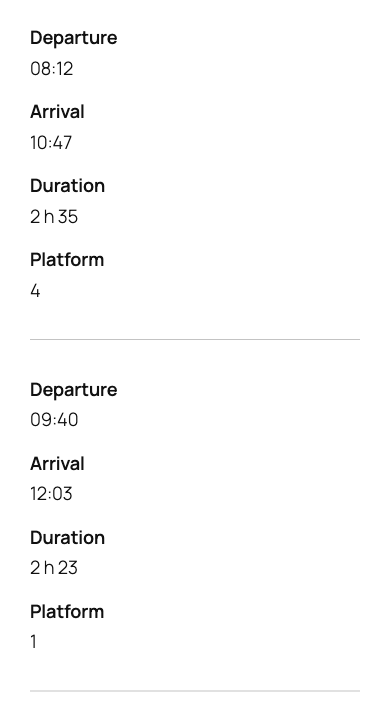
One toggle and one width in the block sidebar, nothing else to configure.
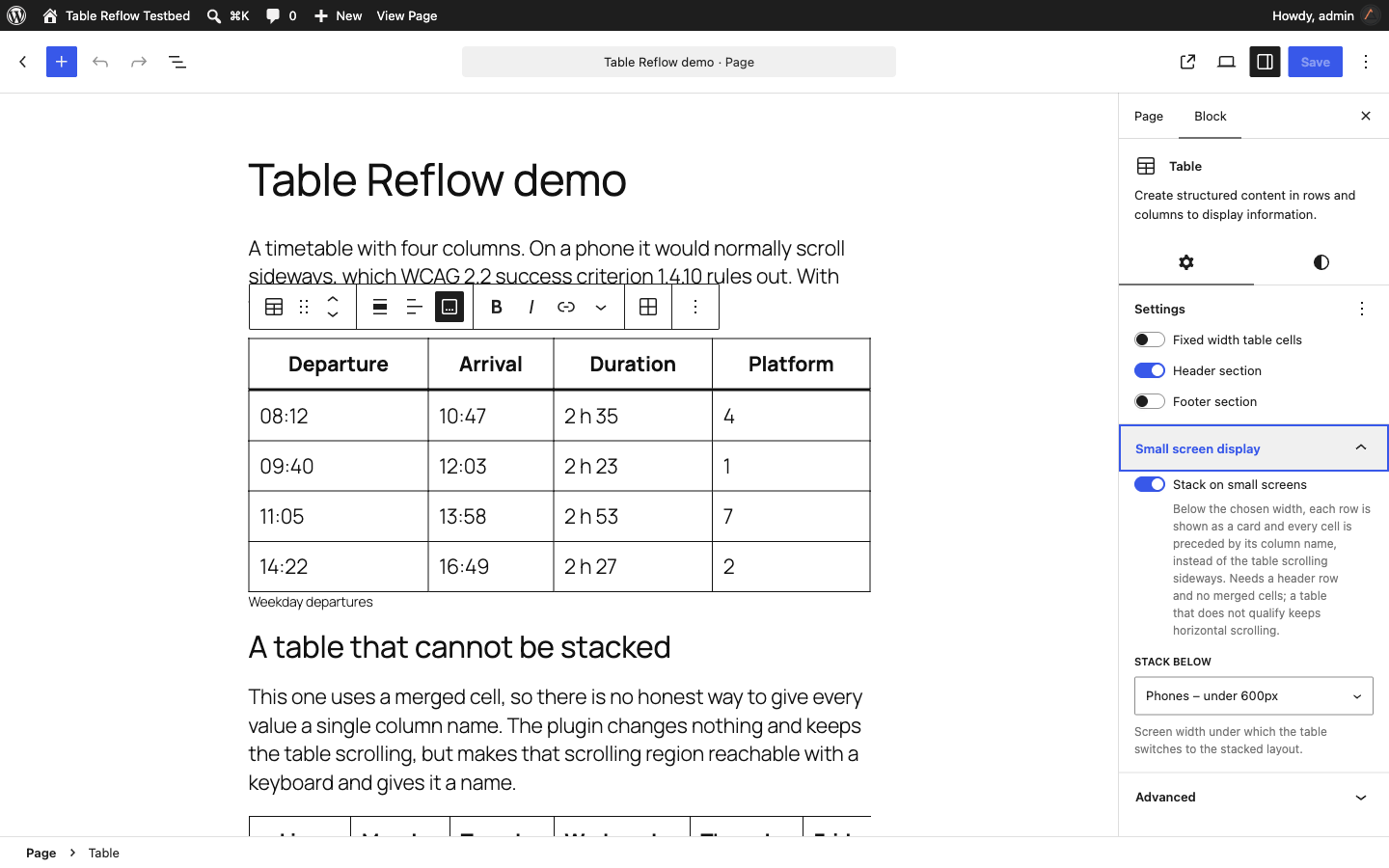
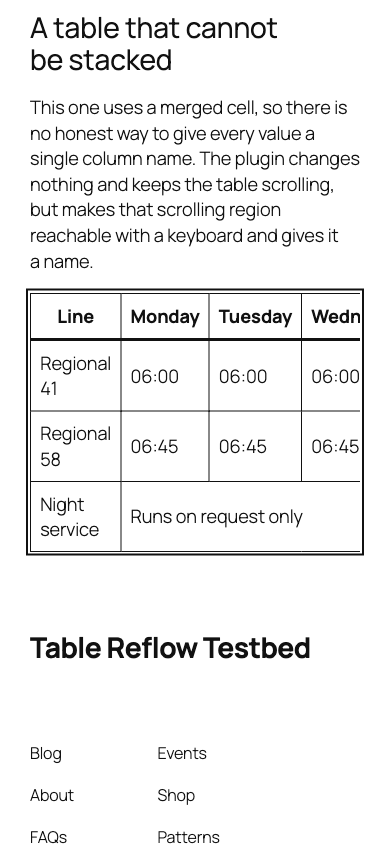
Tables that cannot be labelled honestly, because of merged cells or a missing header row, are left alone and keep scrolling. Their container is then made keyboard reachable and given an accessible name, which the block does not do on its own.
Why 6.7 and not lower
WP_HTML_Processor only learned to parse table elements in WordPress 6.7, when the in table, in table body, in row and in cell insertion modes landed. On 6.6 and below, create_fragment() bails on a <table> and there are no breadcrumbs to tell a thead > th apart from a row header. The plugin would silently do nothing, so 6.7 is a hard floor rather than a preference.
How it works
Everything happens on the server, in a render_block filter on core/table.
- Analysis pass. The markup is walked with
WP_HTML_Processor. Breadcrumbs give each node its real position in the parsed tree, which is what separates athintheadfrom athused as a row header. The pass collects the column labels and checks the structure. - Write pass. A second processor writes classes, ARIA roles and
data-labelattributes. Every write is checked; if a role cannot be written, the whole transformation is abandoned rather than shipping a table without semantics. - Fallback. A table that fails the checks keeps horizontal scrolling. Its container is made keyboard reachable and given an accessible name, which the block does not do by itself.
The Tag Processor can only read and write attributes, never insert a node, so the visible column name is restored with content: attr(data-label). Generated content is not announced reliably by every screen reader, so it is a visual convenience only. The same information always travels through the explicit roles and the visually hidden header row.
Bail-out conditions
The table is left alone, and kept scrollable, when any of these is true:
| Condition | Why |
|---|---|
No thead, or an empty one |
There is no column name to put next to a value |
A th inside tbody or tfoot |
Headers are in the first column, not the first row |
Any colspan or rowspan |
One cell would map to several columns |
| A body row with a different cell count than the header row | The column mapping would drift |
More than one thead row |
One cell would map to several labels |
No explicit tbody tag |
An implied tbody has no tag to carry role="rowgroup" |
| A nested table | There is no single column mapping |
Nothing is written into your content
The two block attributes have no source, so they live in the block comment, which block validation ignores. The classes are added on the server at render time, never in the saved markup.
This matters in both directions. Adding a class through blocks.getSaveContent.extraProps would be safe on activation, because an absent attribute falls back to its default and regenerates identical markup. It would not be safe on deactivation: every styled table would carry a class in the database that the regenerated markup no longer produces, and the editor would flag them all as containing unexpected content. Rendering server-side avoids both cases, and uninstalling the plugin leaves no broken block behind.
Accessibility notes
No plugin makes a site conformant with an accessibility standard, and this one makes no such claim. It removes one specific failure, a table that forces horizontal scrolling on a narrow screen, and tries hard not to introduce new ones along the way. Everything below is what the code actually does, not a promise about your site.
display: block strips the implicit ARIA role of every table element, so the plugin writes table, rowgroup, row, columnheader and cell back explicitly. Without them the header-to-cell relationship is gone (WCAG 1.3.1).
The header row is clipped, not set to display: none, so it stays in the accessibility tree. No flex or grid reordering is used, so the reading order never diverges from the visual order (WCAG 1.3.2).
No colour is hard coded. Labels inherit their cell's text colour through currentcolor, which preserves whatever contrast the theme already provides in light and dark schemes alike (WCAG 1.4.3). Labels are distinguished from values by weight and spacing, never by colour alone.
See tests/test-cases.md for the full matrix of table structures, with the expected NVDA and VoiceOver output for each.
Filters
// Change the breakpoints offered in the inspector.
// Any value added here needs matching rules in a stylesheet you enqueue yourself:
// a CSS media query condition cannot read a custom property.
add_filter(
    'table_reflow_breakpoint_values',
    function ( $values ) {
        $values[] = '1024';
        return $values;
    }
);

// Change the breakpoint used by tables that do not specify one.
add_filter(
    'table_reflow_default_breakpoint',
    function () {
        return '782';
    }
);

// Rename the scrollable region announced for tables that cannot be stacked.
// Only used when the block has no caption of its own.
add_filter(
    'table_reflow_scrollable_label',
    function () {
        return __( 'Data table, scroll to see more', 'your-theme' );
    }
);
CSS custom properties
Redefine any of these on .table-reflow, or anywhere above it:
| Property | Default | Role |
|---|---|---|
--table-reflow-label-color |
currentcolor |
Colour of the column name |
--table-reflow-label-weight |
600 |
Weight of the column name |
--table-reflow-label-spacing |
0.25em |
Gap between a label and its value |
--table-reflow-cell-spacing |
0.5em |
Vertical padding of a stacked cell |
--table-reflow-row-spacing |
1.5em |
Gap between two stacked rows |
--table-reflow-row-border-width |
1px |
Width of the row separator |
Install from this repository
git clone git@github.com:Fyrins/table-reflow.git
cd table-reflow
composer install          # linters
npm ci && npm run build   # editor script and stylesheet
The build step is not optional: build/ is not committed, and the plugin enqueues from it. Symlink or copy the folder into wp-content/plugins/ and activate it. Nothing in vendor/ or node_modules/ ships in the package.
Development
npm start                 # watch mode on src/
npm run build             # production build

composer lint             # PHPCS, WordPress Coding Standards
composer lint:fix         # PHPCBF
npm run lint:js           # ESLint, WordPress config
npm run lint:css          # stylelint, WordPress config
The editor script is written with JSX in src/index.js and the stylesheet in
src/style.scss. The four breakpoint blocks in the compiled CSS are generated
from a single @each loop: a media query condition cannot read a CSS custom
property, so each breakpoint needs its own rules, and maintaining four
near-identical blocks by hand is how they drift apart.
@wordpress/scripts also writes build/index.asset.php, which carries the exact
dependency array and a content hash used as the asset version. Both are read by
Table_Reflow_Plugin::register_assets() instead of being declared by hand.
phpcs.xml.dist enforces the WordPress ruleset, the table_reflow prefix on every global symbol, the table-reflow text domain on every translated string, and PHP 7.4 compatibility.
The plugin must also pass Plugin Check with no error and no warning. CI runs both on every push and pull request.
Contributing
See CONTRIBUTING.md.
License
GPL-2.0-or-later. See LICENSE.