Install
This is the repository archive. It installs, but the folder name will carry the branch suffix and updates will not flow.
Install straight from GitHub with WP-CLI:
wp plugin install https://github.com/fundiin/fundiin_wordpress_plugin/archive/refs/heads/main.zipCompatibilities and Dependencies
- Wordpress: 5.0.0+
- WooCommerce: v3.0+ (classic_checkout must be enabled)
- PHP: 7.4+
Version 2.0.9 contains security changes and an API authentication migration. Read SECURITY.md and CHANGELOG.md before upgrading.
Merchant export routes now require a WordPress account with manage_woocommerce.
For server integrations, use a dedicated authorized account with a WordPress
Application Password over HTTPS. Legacy RSA signatures alone no longer authorize
these routes. Application Passwords require WordPress 5.6 or later.
Run the standalone security regression suite with php tests/security.php.
How to install Fundiin WooCommerce plugin
Option 1: Download from GitHub
-
Download the latest release code from our repo on GitHub at:
-
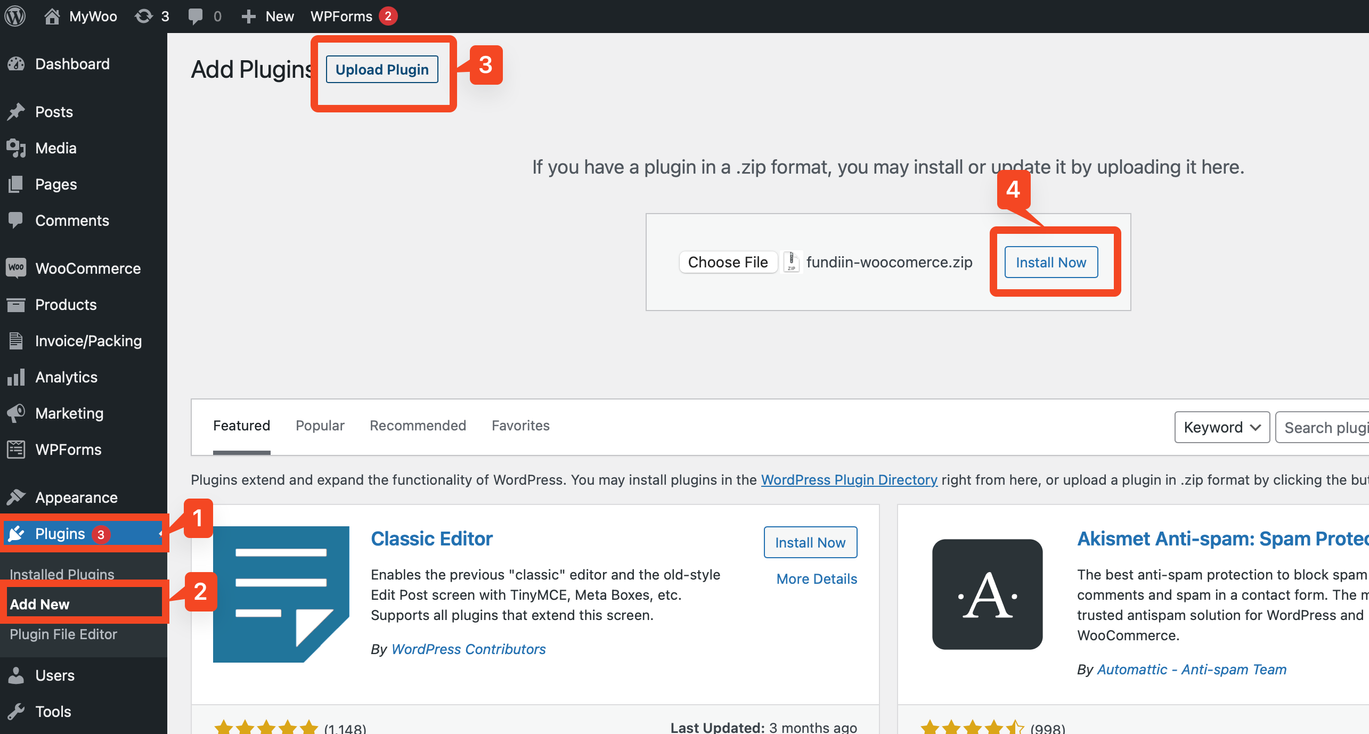
Go to your WordPress Dashboard Admin.
-
Click on Plugins → Add new.
-
Select Upload Plugin, then choose the zip file that you downloaded from GitHub.
-
Click Install now.
-
After installation, click Activate to enable the plugin.
Option 2: Install from Official WordPress Plugin Store
-
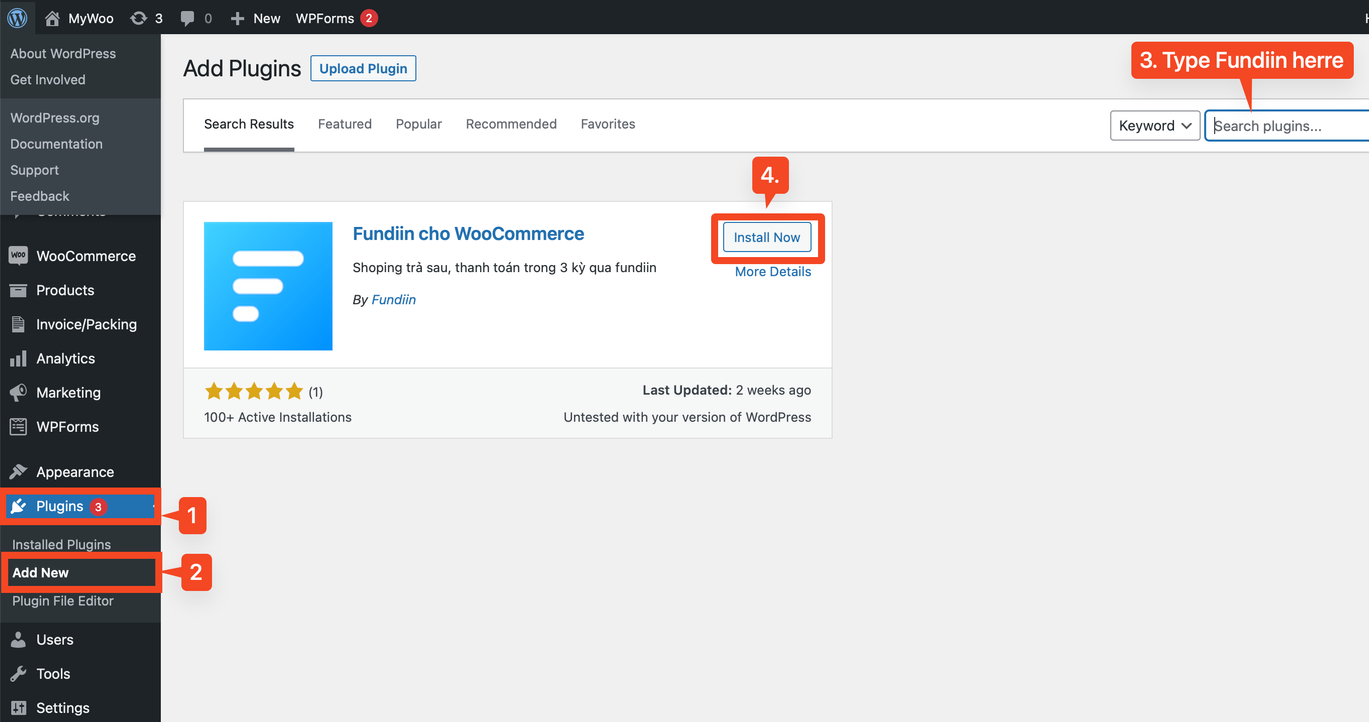
Navigate to your WordPress Dashboard Admin.
-
Click on Plugins → Add New.
-
In the search box, type "Fundiin."
-
Click Install now next to the "Fundiin" plugin.
-
After installation, click Activate to enable the plugin.
Activating the Plugin (if needed)
If you forget to activate the plugin, follow these steps:
-
Go to Plugins → Installed Plugins.
-
Find Fundiin for WooCommerce in the list.
-
Click Activate next to the "Fundiin for WooCommerce" plugin.
-
Configuration
:::warning ⚠️ Warning: Before proceeding with this step, you must complete all the paperwork with our Business Development Team and wait for them to activate your business accounts. If not, none of the following steps will work. :::
To Activate and Configure the Plugin:
-
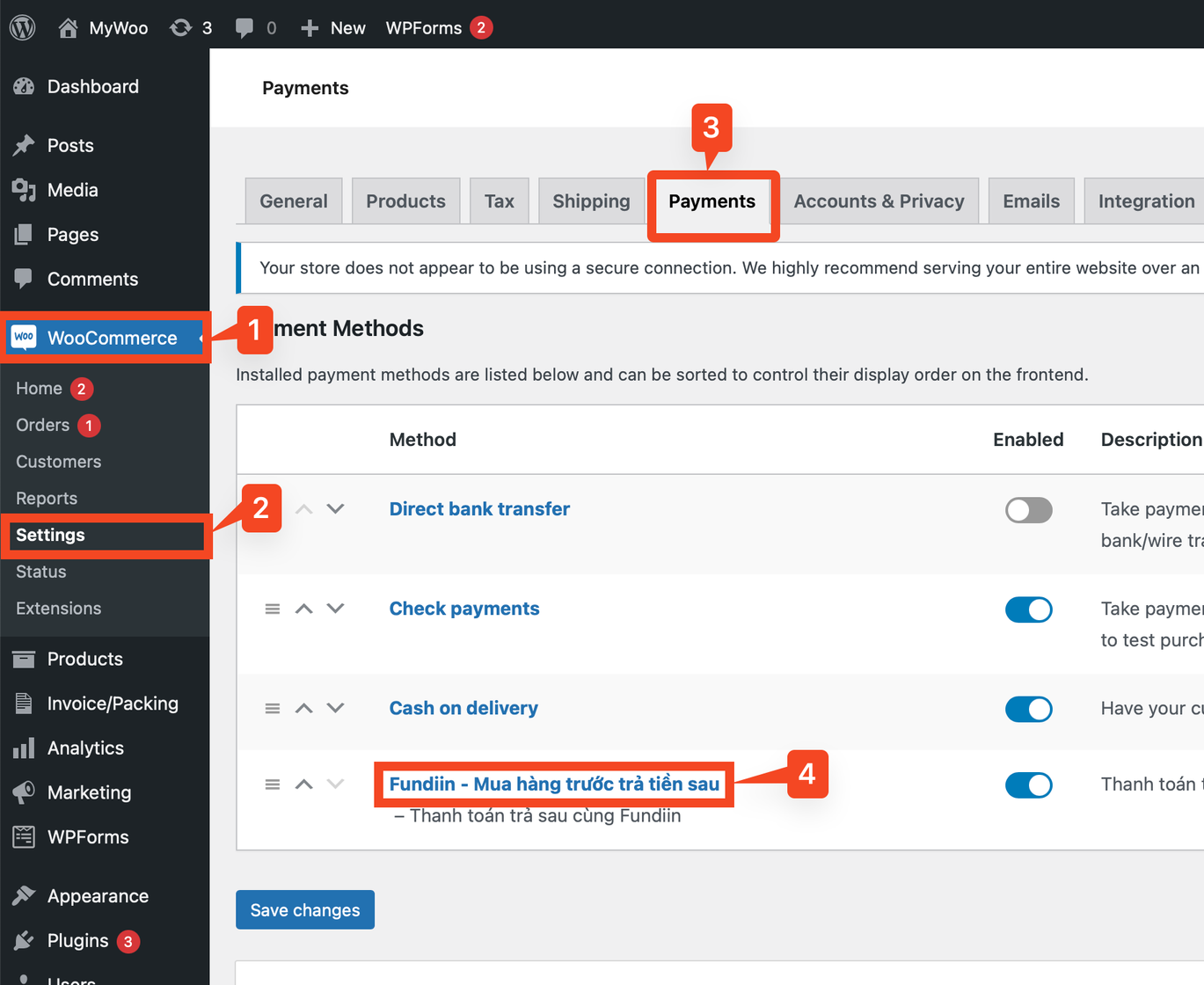
Go to WooCommerce → Settings.
-
Click on Payments.
-
Locate and select "Fundiin" in the list of payment methods.
-
Fill in all the required credentials on this page.
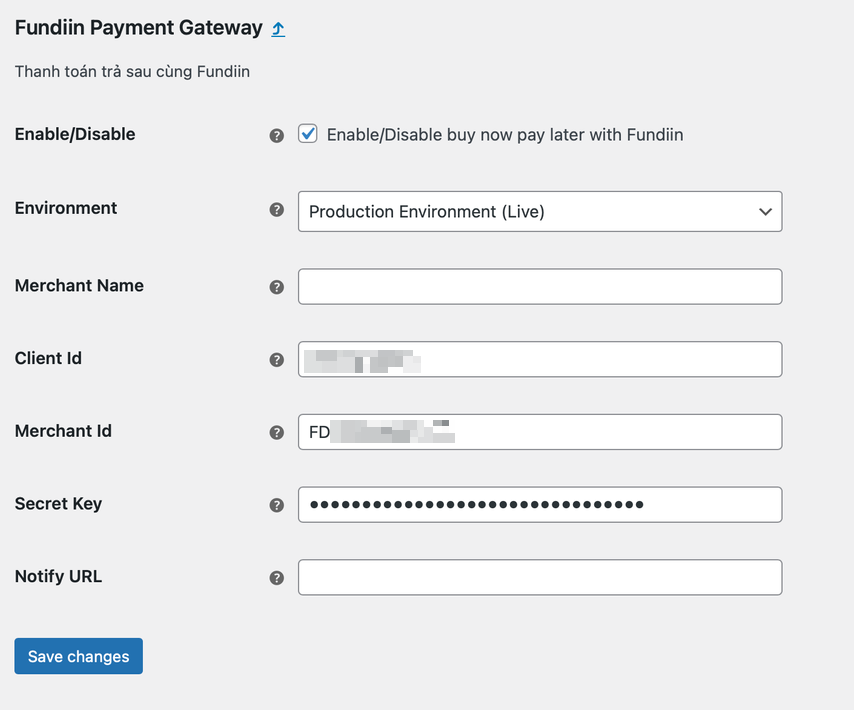
- Enable/Disable: Toggle to "On" to enable the Fundiin Payment Method or "Off" to disable it.
- Environment: Set to "Production Environment (Live)" if you have finished the setup and want to go live.
- Client ID: Provided by Fundiin.
- Merchant ID: Provided by Fundiin.
- Secret Key: Provided by Fundiin.
- Notify URL (IPN): This is the URL to receive the webhook when a payment is completed or cancelled. It will override the default webhook for WooCommerce. If you don't use this feature, you can leave it empty.
For more information on webhook setup, Payment Notification.
:::warning ⚠️ Warning: THE SANDBOX ENVIRONMENT IS RESERVED FOR TESTING, AND ALL TRANSACTIONS IN THE SANDBOX HAVE NO VALUE. :::
After you finish all the setup, you already to go.