Notion to WordPress
Transform Notion pages into WordPress posts with one click — Say goodbye to copy-pasting and achieve fully automated content publishing and synchronization.
Install
Upload it under Plugins → Add New Plugin → Upload Plugin, then activate.
Install straight from GitHub with WP-CLI:
wp plugin install https://github.com/frank-loong/notion-to-wordpress/releases/download/v1.1.1-beta.1/notion-to-wordpress-1.1.1-beta.1.zip🏠 Home • 📚 User Guide • 📊 Project Overview • 🚀 Developer Guide • 🔄 Changelog
🌐 Language: English • 中文
 Notion-to-WordPress
🚀 Transform Notion into WordPress with one click — Say goodbye to copy-pasting and achieve fully automated content publishing and synchronization
Overview
Notion-to-WordPress is a modern WP plugin that syncs every block of your Notion database—posts, pages, images, math, Mermaid charts—straight to WordPress and keeps them in perfect harmony.
Write in Notion, rank with WordPress. Stop copying, start creating.
🖼️ Demo Showcase
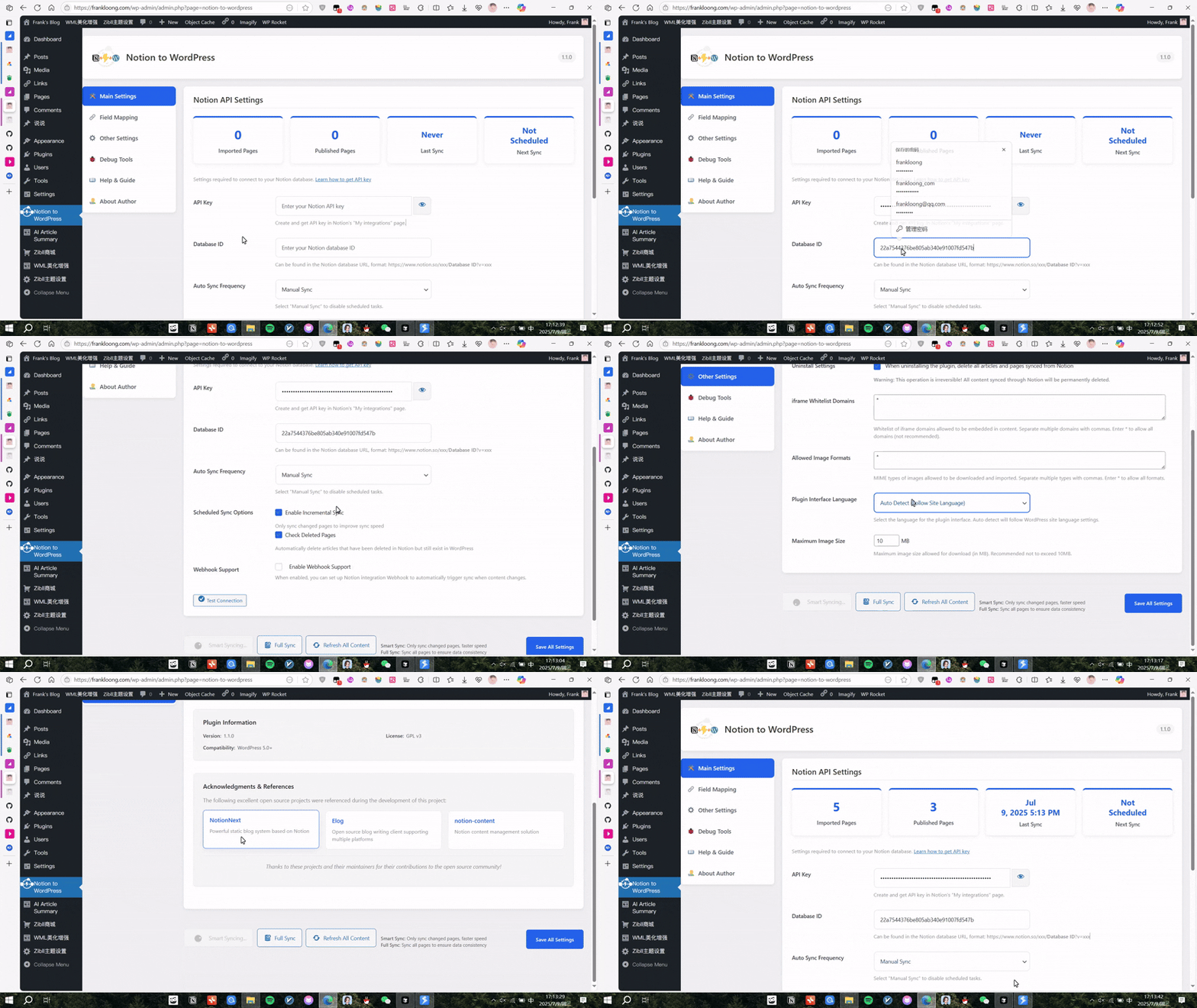
▲ Intuitive plugin admin panel: configure, sync, and monitor with ease
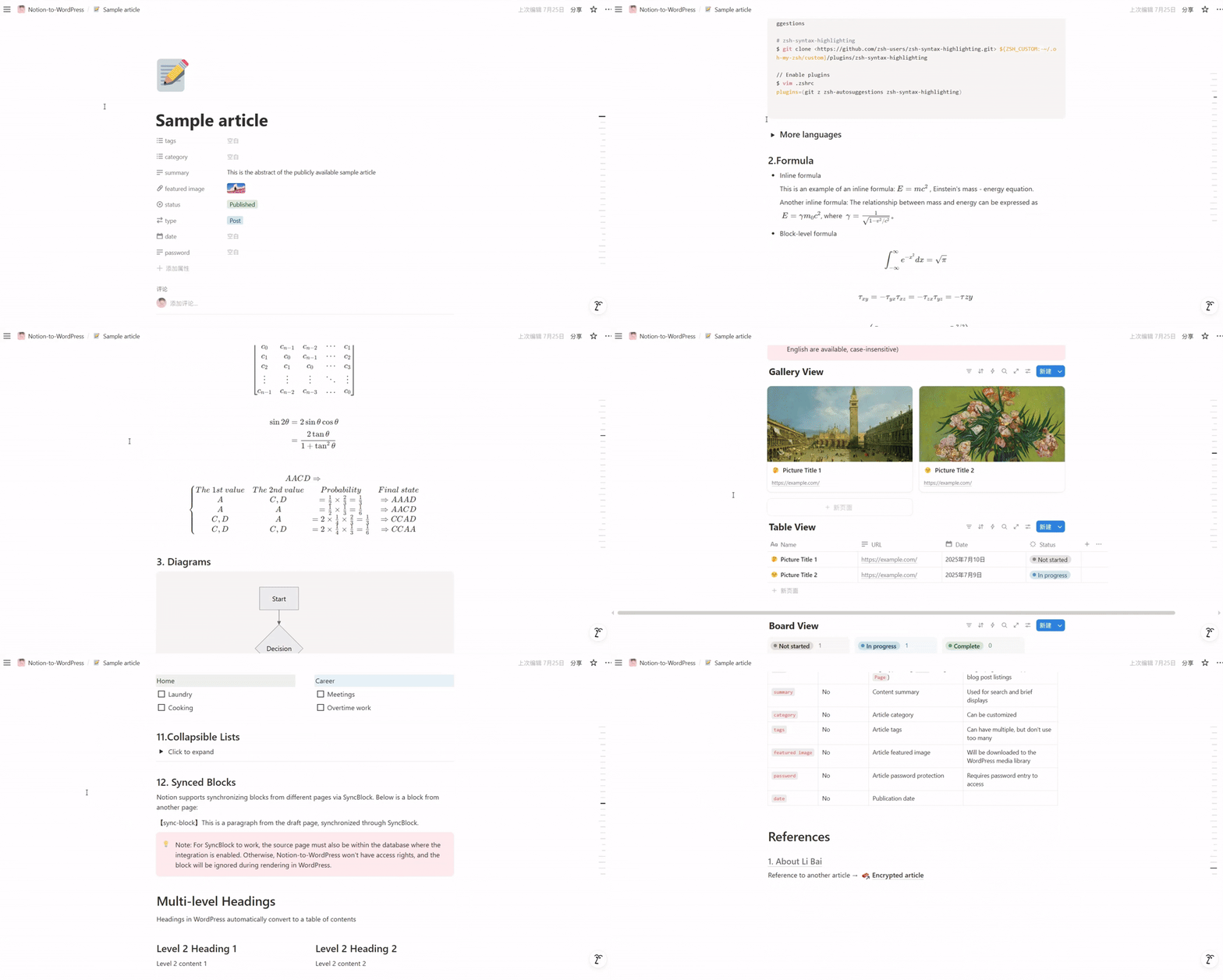
▲ Write and organize content in Notion — your familiar workspace
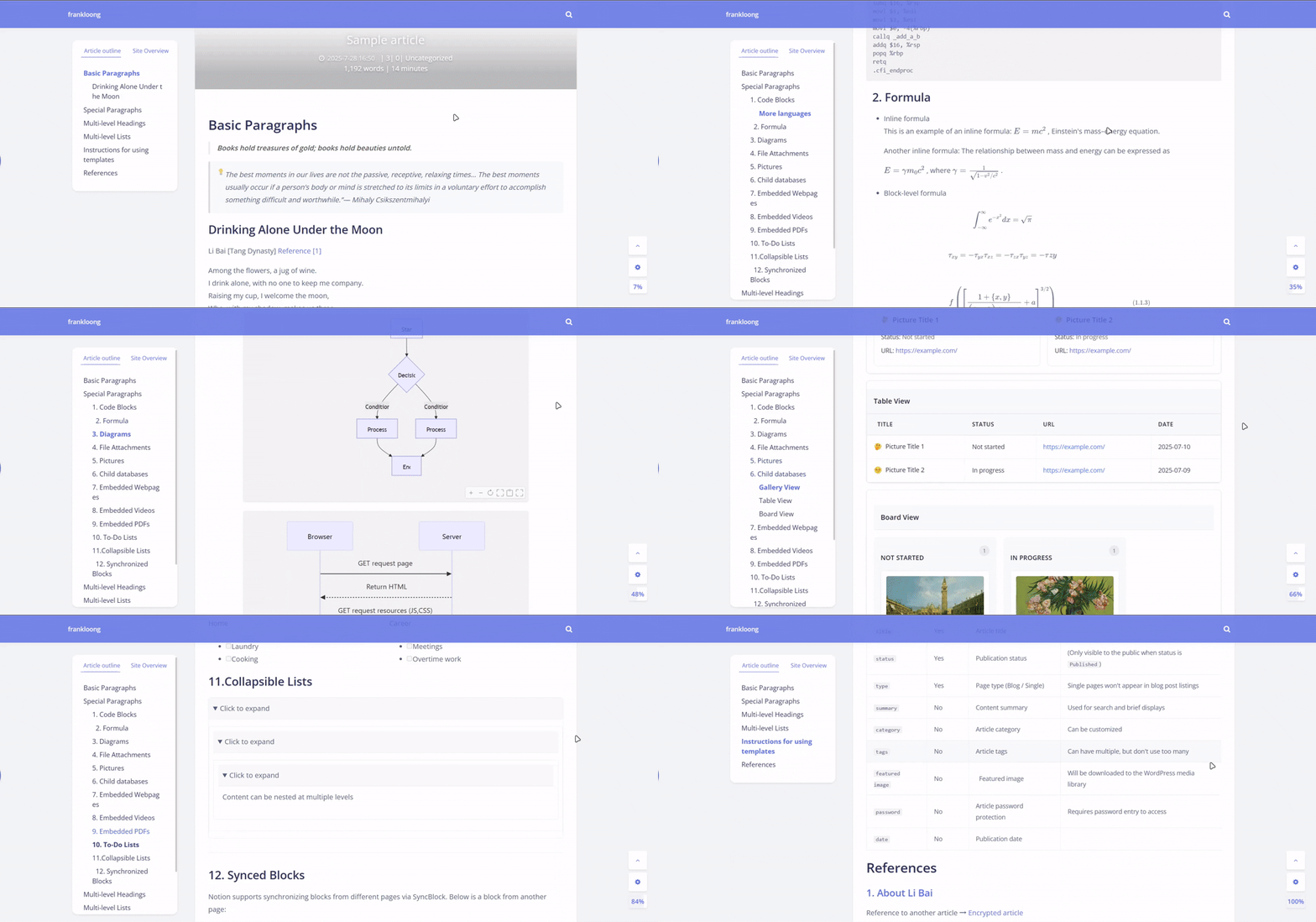
▲ One-click sync: Notion content instantly published to WordPress, pixel-perfect
Highlights
- ⚡ Lightning-fast import – manual, one-click refresh, scheduled Cron, or instant Webhook
- 🧠 Smart incremental sync – only syncs changed content for optimal performance
- 🔄 Triple sync modes – Manual control + Automated scheduling + Real-time webhooks
- 🗑️ Intelligent deletion detection – automatically cleans up removed Notion pages
- 🧠 Visual field mapping – bind Notion properties to categories, tags, custom fields & featured image
- 📐 Pixel-perfect rendering – KaTeX math, mhchem, Mermaid flow & sequence diagrams out-of-the-box
- 🔒 Secure by design – nonce + capability checks, strict CSP, MIME & size validation for downloads
- 🗂 Fits every scenario – blogs, knowledge bases, course sites, team collaboration, you name it
- 🌍 Multilingual – i18n built-in (English & Simplified Chinese)
- 📝 Clean uninstall – optional removal of settings, logs & imported content
Need help or dive deeper? Visit the User Guide 📚 – English | 中文, which includes templates, screenshots, and troubleshooting.
Quick Start
🚀 3-Step Setup
- Install – upload the ZIP in
Plugins → Add Newand activate - Configure – get your Notion API token and database ID
- Sync – click "Manual Sync" and watch your content appear in WordPress!
🚀 Key Features
Triple Sync Modes
- 🖱️ Manual Sync – On-demand control with instant feedback
- ⏰ Scheduled Sync – Automated background processing
- ⚡ Webhook Sync – Real-time updates as you type in Notion
Smart Technology
- Incremental Sync – Only processes changed content
- Intelligent Deletion – Auto-cleanup of removed pages
- Rich Content Support – Math, diagrams, images, and more
💡 Use Cases
Content Creation
- Blogs & News Sites – Write in Notion's familiar interface, publish to WordPress automatically
- Knowledge Bases – Create organized documentation with Notion's hierarchy
- Team Collaboration – Collaborative writing in Notion, professional publishing in WordPress
- Online Courses – Structure learning materials in Notion, deliver through WordPress
Publishing Workflow
- Real-time Publishing – Webhook triggers instant sync when content changes
- Scheduled Updates – Queue content for future publishing
- Draft Management – Keep works-in-progress in Notion until ready
📈 Performance & Reliability
Production Ready
- Smart Sync – Incremental technology for optimal performance
- Large Scale – Handles databases with 1000+ pages efficiently
- Error Recovery – Advanced error handling with detailed logging
- Enterprise Grade – Security hardened following WordPress standards
Contributing ⭐
If this project helps you, please smash that Star! PRs, issues, translations and ideas are warmly welcome.
- 🚀 Developer Guide - Complete development and contributing guide
- Open an Issue
- Feature Requests
Acknowledgments
This project was inspired by and references the following excellent open-source projects:
- NotionNext - A powerful static blog system based on Notion, providing valuable insights for Notion API integration and content processing
- Elog - An open-source blog writing client that supports multiple platforms, offering great reference for multi-platform content synchronization
- notion-content - Content management solutions that helped shape our approach to Notion content handling
We extend our heartfelt gratitude to these projects and their maintainers for their contributions to the open-source community, which made this project possible.
📄 License
This project is open-source under the GPL-3.0 license.
🌟 Star History
⬆️ Back to Top • 📚 User Guide • 📊 Project Overview • 🚀 Developer Guide • 🔄 Changelog
© 2025 Frank-Loong · Notion-to-WordPress v2.0.0-beta.1
Releases
1 release. Each count is every asset in that release; expand a row for the breakdown.