Install
This is the repository archive. It installs, but the folder name will carry the branch suffix and updates will not flow.
Install straight from GitHub with WP-CLI:
wp plugin install https://github.com/forwardjumpmarketingllc/genesis-cmb2-meta-boxes/archive/refs/heads/master.zipNo built-in updater. New versions won't appear under Dashboard → Updates. Install new releases yourself, or let Git Updater track the repository.
README
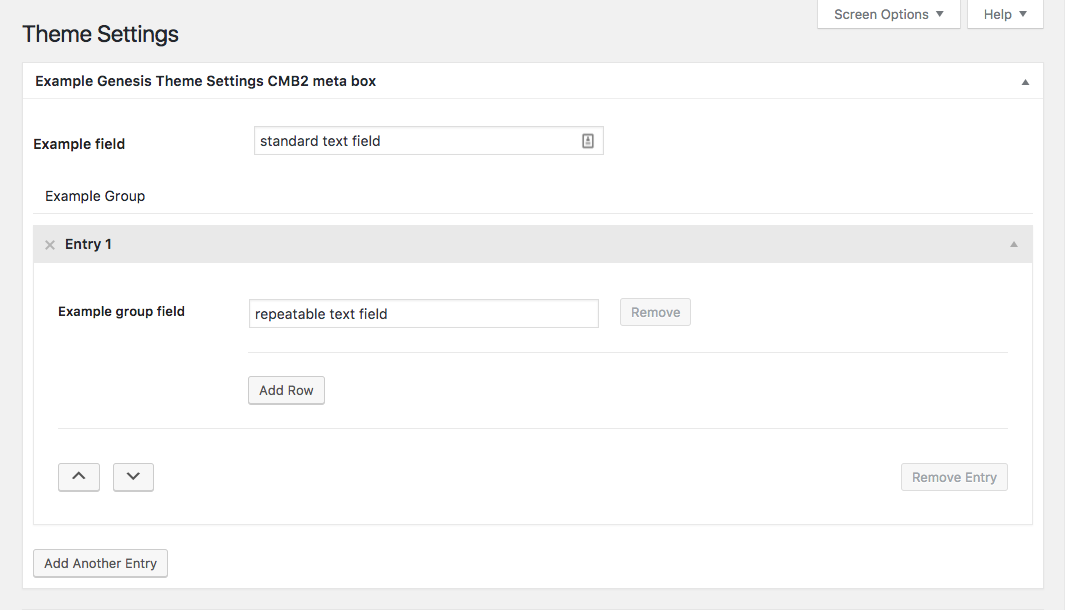
This plugin simplifies adding CMB2 meta boxes to the Genesis Theme Settings and Genesis CPT Archive Settings pages. Group fields are now supported.
Requirements
PHP 5.4+
Installation
Download the zip file and install it using the WordPress plugin installer.
Usage
Meta boxes can be added to the Genesis Theme Settings page or to Genesis CPT Archive Settings pages. Make sure your custom post types have support for 'genesis-cpt-archives-settings'.
- Use the helper function
genesiscmb2_add_theme_settings_box()to add meta boxes to Genesis Theme Settings. - Use the helper function
genesiscmb2_add_cpt_archive_box()to add meta boxes to Genesis CPT Archive Settings. For example:
<?php

add_action( 'init', 'register_genesis_cpt_settings_metaboxes' );
/**
 * Register Genesis CPT Archive Settings meta boxes.
 */
function register_genesis_cpt_settings_metaboxes() {

    $cpt_config = [
        [
            'metabox' => [
                'title'        => 'Example Genesis CPT Settings CMB2 meta box', // String. Translation function is handled by the class.
                'object_types' => [ 'new-post-type', 'new-post-type-2' ], // Array. CPT slug(s).
            ],
            'fields'  => [
                [
                    'name' => 'Example field',
                    'id'   => 'example_cmb2_field',
                    'type' => 'text',
                ],
                // Add additional field array(s) here.
            ],
        ],
        // Add additional meta box array(s) here.
    ];

    genesiscmb2_add_cpt_archive_box( $cpt_config );

}
- See example configuration arrays in the
configdirectory. In general, use the same arguments for creating meta boxes and fields as you normally would with CMB2. It is not necessary to include'id'or'context'in the'metabox'array. - Retrieve the custom field values using
genesis_get_option( $field_id )andgenesis_get_cpt_option( $field_id ).
Credits
Major props to Justin Sternberg for the heavy lifting. This plugin is simply a repackaging of the Justin's example code provided in the CMB2 Snippet Library.