Install
This is the repository archive. It installs, but the folder name will carry the branch suffix and updates will not flow.
Install straight from GitHub with WP-CLI:
wp plugin install https://github.com/flynsarmy/wp-flyn-syntax/archive/refs/heads/master.zipFlyn-Syntax provides clean syntax highlighting for embedding source code within pages or posts.
Flyn-Syntax provides clean syntax highlighting using GeSHi -- supporting a wide range of popular languages. It supports highlighting with or without line numbers and maintains formatting while copying snippets of code from the browser.
It avoids conflicts with other 3rd party plugins by running an early pre-filter and a late post-filter that substitutes and pulls the code snippets out first and then pushes them back in with highlighting at the end. The result is source code formatted and highlighted the way you intended.
Flyn-Syntax supports WordPress Gutenberg.
Want to contribute? Flyn-Syntax can be found on Github. Fork and submit your pull requests today!
Installation
git clone https://github.com/Flynsarmy/wp-flyn-syntax /path/to/wp-content/plugins/flyn-syntaxcomposer install- Activate the plugin through the 'Plugins' menu in WordPress.
- Create a post/page that contains a code snippet following the syntax from the Usage below.
Screenshots
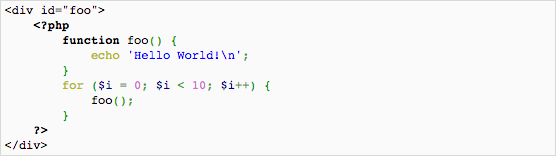
- PHP, no line numbers.
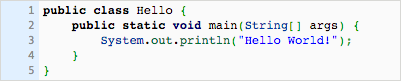
- Java, with line numbers.
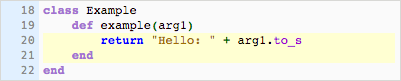
- Ruby, with line numbers starting at 18.
- Build in code editor (classic mode).
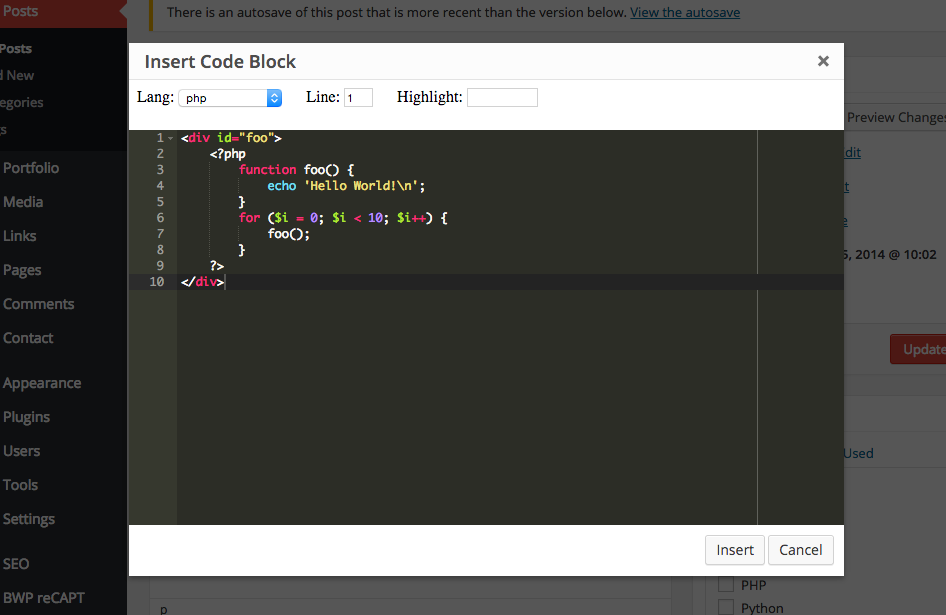
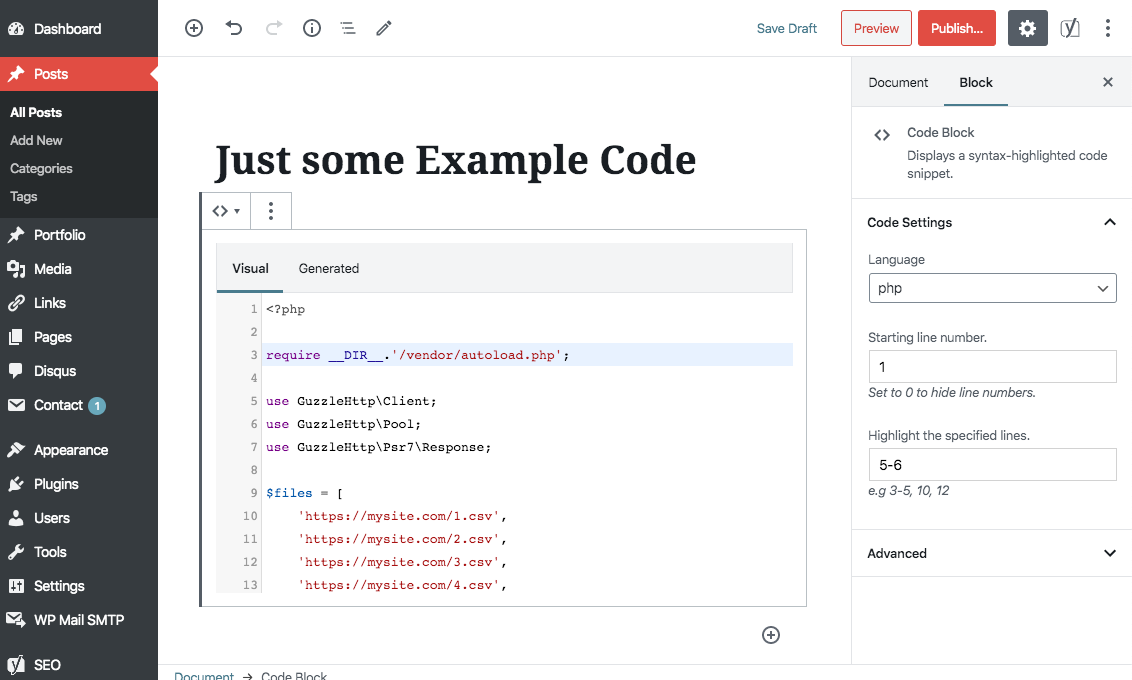
- Build in code editor (gutenberg).
Usage
Classic Mode
Click the Insert code block button added by this plugin in the post editor WYSIWYG. A modal will appear with a code editor.
Gutenberg
Add a Code Block block. Set your language, starting line and line highlights on the right.
Manual
Wrap code blocks with <pre lang='LANGUAGE' line='1' escaped='1|true' highlight='1,2,5-7' src='http://github.com/my/repo'> and </pre> where
langis a GeSHi supported language syntax. See below for a full list of supported languages. (required)lineshows line numbers starting with the given integer (optional, default false)escapedis whether the code is already escaped (optional, default false)highlightdetermines the line numbers to highlight. Individual lines or a range may be specified. (optional)srcadds a caption to the top of the code block (optional)
Example 1: PHP, no line numbers
<pre lang="php">
<div id="foo">
<?php
  function foo() {
    echo "Hello World!\\n";
  }
?>
</div>
</pre>
Example 2: Java, with line numbers
<pre lang="java" line="1">
public class Hello {
  public static void main(String[] args) {
    System.out.println("Hello World!");
  }
}
</pre>
Example 3: Ruby, with line numbers starting at 18
<pre lang="ruby" line="18">
class Example
  def example(arg1)
    return "Hello: " + arg1.to_s
  end
end
</pre>
Example 4: If your code already has html entities escaped, use escaped="true" as an option
<pre lang="xml" escaped="true">
<xml>Hello</xml>
</pre>Example 5: PHP, with line numbers and highlighting lines 2, 4, 5, 6
<pre lang="php" line="1" highlight="2,4-6">
<div id="foo">
<?php
  function foo() {
    echo "Hello World!\\n";
  }
?>
</div>
</pre>
Example 6: PHP, with a caption (file and/or file path of the source file)
<pre lang="php" src"https://github.com/shazahm1/Connections/blob/master/connections.php">
<div id="foo">
<?php
  function foo() {
    echo "Hello World!\\n";
  }
?>
</div>
</pre>
Supported Languages
The following languages are most supported in the lang attribute:
apl, clike, clojure, cmake, cobol, coffeescript, commonlisp, css, d, dart, diff, eiffel, erlang, go, groovy, handlebars, haskell, haskelll haxe, htmlembedded, htmlmixed, idl, javascript, jsx, julia, lua, mathematica, mirc, nginx, nsis, octave, oz, pascal, perl, php, powershell, properties, python, q, rpm, ruby, rust, sas, sass, scheme, shell, smalltalk, smarty, sparql, sql, swift, tcl, twig, vb, vbscript, verilog, vhdl, vue, xml, yaml, z80,
See the GeSHi Documentation for a full list of supported languages.
(Bold languages just highlight the more popular ones.)
Styling Guidelines
Flyn-Syntax colors code using the default GeSHi colors. It uses a style tag above
the code block to ensure code highlights work in RSS feeds and includes a default
flyn-syntax.css stylesheet for basic layout. If you don't like the default
styling, add the following to your themes functions.php:
add_action('wp_print_styles', function() {
    wp_deregister_style('flyn-syntax-css');
});
and copy the contents of wp-content/plugins/flyn-syntax/flyn-syntax.css to
your themes style.css with your changes.
Advanced Customization
Flyn-Syntax supports a flyn_syntax_init_geshi action hook to customize GeSHi
initialization settings. Blog owners can handle the hook in a hand-made plugin
or somewhere else like this:
<?php
add_action('flyn_syntax_init_geshi', function(GeSHi $geshi) {
    $geshi->set_brackets_style('color: #000;');
    $geshi->set_keyword_group_style(1, 'color: #22f;');
});
?>
This allows for a great possibility of different customizations. Be sure to review the GeSHi Documentation.
Changelog
v2.1 (2020-04-07)
- Improved Gutenberg support
- Updated build process
- Updated screenshot
v2.0 (2019-08-12)
- Added Gutenberg support
v1.1.2 (2015-02-05)
- Fixed escaped attribute on generated
PREtag
v1.1.1 (2015-01-24)
- Remove 'already escaped?' option from code editor modal
- Add newlines at the end of inserted code blocks so cursor isn't trapped in the pre element in visual mode
v1.1 (2014-12-04)
- Added Ace code editor modal for creating code blocks
v1.0 (2014-12-03)
- Initial release
This plugin was created from WP-Syntax through frustration with its bugs and lack of updates.