Install
This is the repository archive. It installs, but the folder name will carry the branch suffix and updates will not flow.
Install straight from GitHub with WP-CLI:
wp plugin install https://github.com/flexseth/gutenberg-block-editor-for-woocommerce-products/archive/refs/heads/main.zipEnable the Block Editor for WooCommerce Products
Create and edit WooCommerce products with the Block Editor.
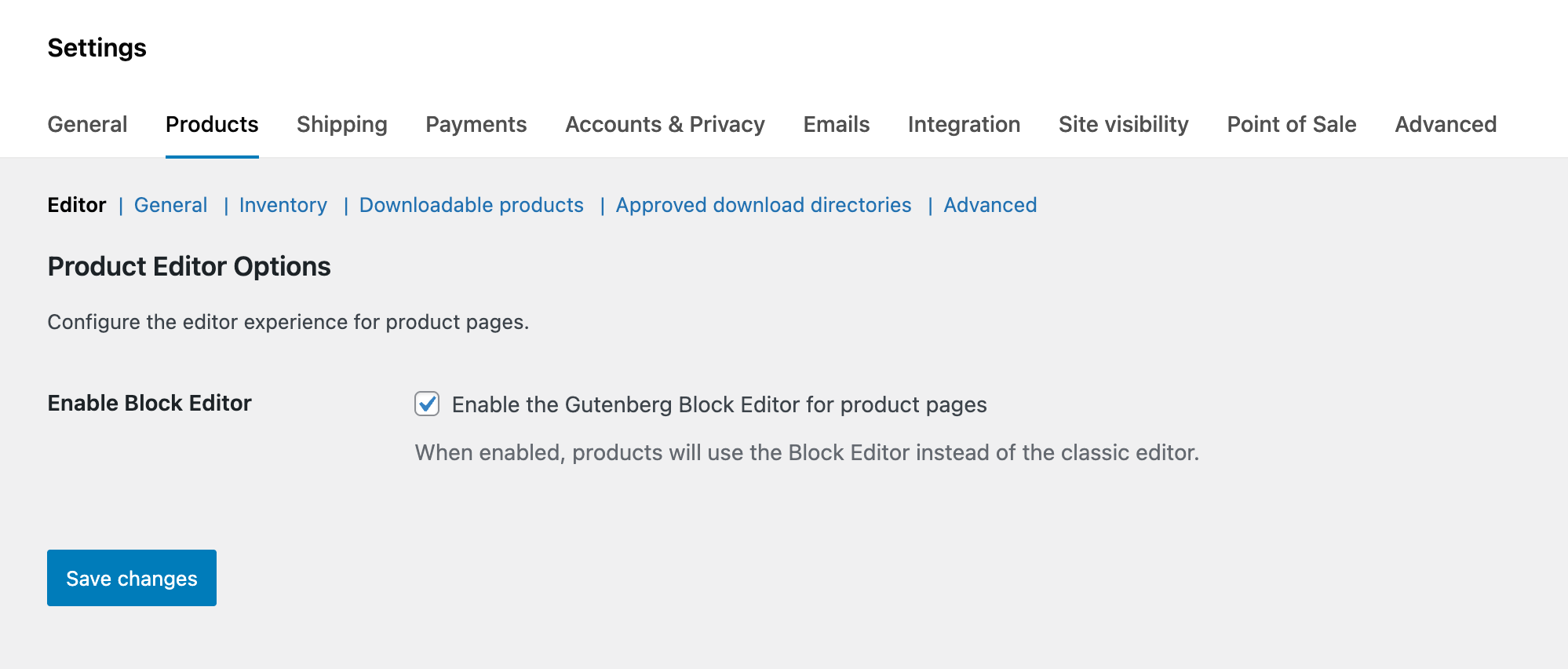
Step 1: Turn on the Block Editor
WooCommerce > Settings > Products > Editor
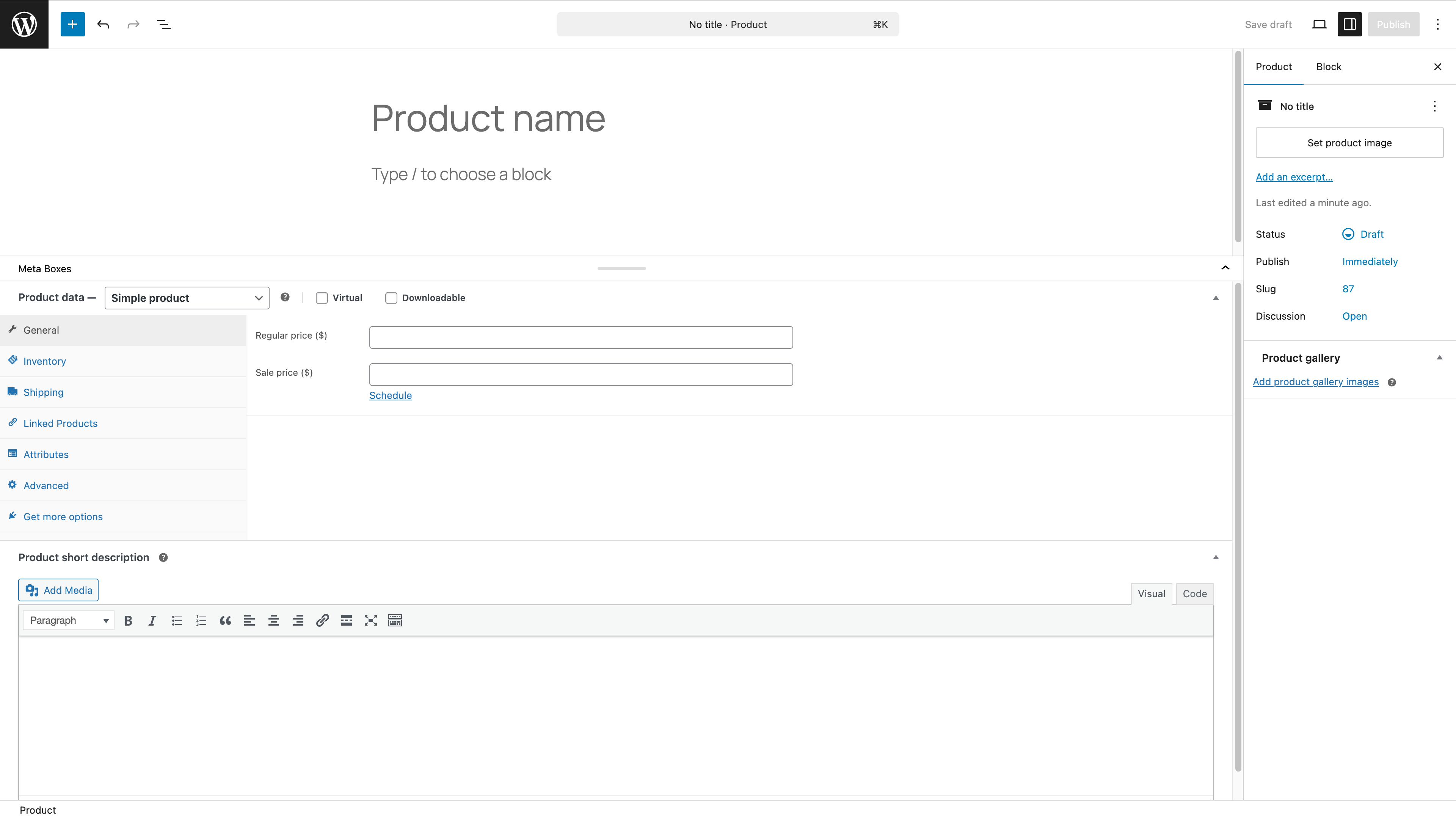
Create and edit products
Activate and make a new product, or edit an existing one.
Description
By default, WooCommerce uses its own classic editor for product pages. This plugin enables the modern WordPress Block Editor - Gutenberg - for WooCommerce products, allowing you to use blocks and the full site editing experience when creating and editing products.
Features
- Enables Block Editor for WooCommerce product post type
- Makes WooCommerce product categories and tags available in the REST API
- Lightweight and simple implementation
- No configuration needed - just activate and use
Usage
Once activated, the plugin automatically enables the Block Editor for all WooCommerce products. Simply create or edit a product, and you'll see the Block Editor interface instead of the classic editor.
Requirements
- WordPress 5.8 or higher
- PHP 7.4 or higher
- WooCommerce plugin installed and activated
Installation
- Download the plugin files
- Upload the
flexy-wc-product-block-editordirectory to/wp-content/plugins/ - Activate the plugin through the 'Plugins' menu in WordPress
- WooCommerce products will now use the Block Editor
Alternatively, you can enable the Block Editor through WooCommerce settings.
Technical Details
The plugin uses two main WordPress filters:
use_block_editor_for_post_type- Enables the block editor for the 'product' post typewoocommerce_taxonomy_args_product_cat&woocommerce_taxonomy_args_product_tag- Makes product taxonomies available in the REST API for use with the block editor
License
This plugin is licensed under the GPL v2 or later.