Install
This is the repository archive. It installs, but the folder name will carry the branch suffix and updates will not flow.
Install straight from GitHub with WP-CLI:
wp plugin install https://github.com/ferdituinman/replace-emdash-for-wordpress/archive/refs/heads/main.zip
Emdash Replacer helps make your text feel more natural by automatically replacing long AI-style dashes.
Many AI tools use the em dash noticeably often. In most cases, this can quickly make a text feel polished in a slightly unnatural way, or make it recognizable as "AI-written." This plugin replaces those dashes in WordPress content with an alternative that better matches everyday web writing.
The plugin is designed for editors, marketers, bloggers, and website owners who use AI for writing but do not want their content to instantly feel like AI-generated text. Emdash Replacer runs quietly in the background and helps make your content feel a little more human, calmer, and more consistent.
A WordPress plugin that replaces em-dashes (—) with regular hyphens (-), configurable per location.
Features
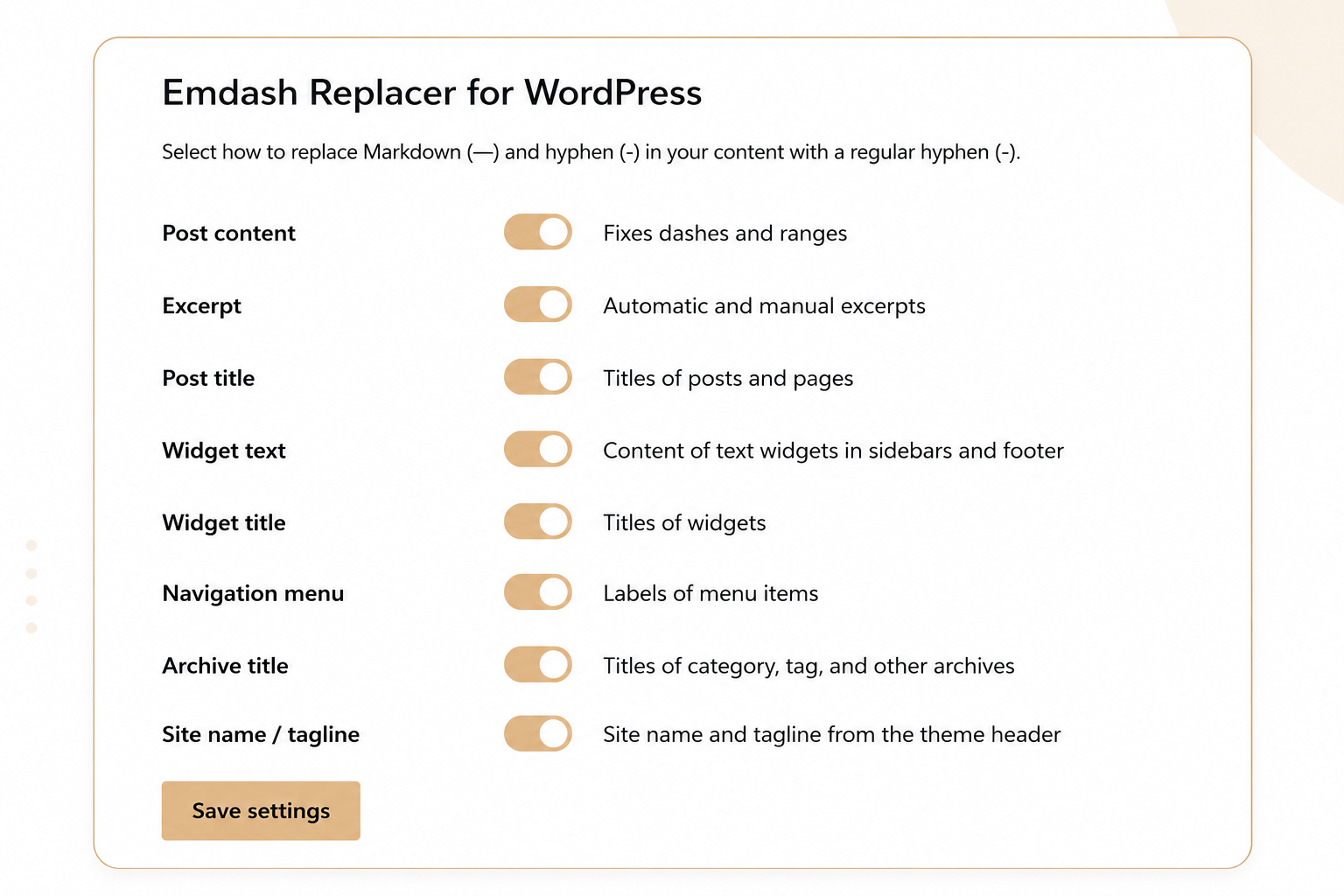
- Per-location toggles: post content, excerpts, titles, widgets, navigation menus, archive titles, and site name/tagline
- All locations enabled by default
- Settings page under Settings → Emdash Replacer for WordPress
- No JavaScript required
Installation
Option 1 — Upload via WordPress dashboard:
- Download the ZIP file from GitHub (click Code → Download ZIP).
- In WordPress, go to Plugins → Add New → Upload Plugin.
- Upload the ZIP file and click Install Now.
- Activate the plugin.
- Configure which locations to apply replacement under Settings → Emdash Replacer for WordPress.
Option 2 — Manual FTP/SFTP:
- Download the ZIP file and unzip it.
- Upload the
emdash-replacerfolder to/wp-content/plugins/. - Activate the plugin via Plugins in WordPress.
- Configure which locations to apply replacement under Settings → Emdash Replacer for WordPress.
Screenshot
Requirements
- WordPress 5.0 or higher
- PHP 7.4 or higher
License
GPL-2.0-or-later — see LICENSE