Install
This is the repository archive. It installs, but the folder name will carry the branch suffix and updates will not flow.
Install straight from GitHub with WP-CLI:
wp plugin install https://github.com/fedya-dev/dontouch/archive/refs/heads/main.zipNo built-in updater. New versions won't appear under Dashboard → Updates. Install new releases yourself, or let Git Updater track the repository.
DonTouch is a WordPress plugin designed to deter content theft and scraping by obfuscating copied text. It intercepts the user's copy action and intelligently adheres to a "homoglyph substitution" strategy, replacing similar-looking Latin characters with their Cyrillic counterparts (and vice-versa).
This makes the copied text look identical to the human eye but confuses search engines, plagiarism checkers, and automated scripts.
🚀 Features
- Homoglyph Obfuscation: Automatically swaps characters like
A,B,E,K,M,H,O,P,C,T,Xbetween Latin and Cyrillic alphabets. - Smart Filtering:
- Minimum Length: Only processes text selections longer than a configurable limit (default: 150 characters) to avoid annoying users copying short phrases.
- Code Detection: detects and ignores text that looks like code (HTML tags, function definitions, etc.) to preserve technical accuracy.
- Source Attribution: Optionally attempts to append a source link (e.g., "Source: example.com") to the copied text.
- Customizable:
- Set the maximum/minimum character length trigger.
- Enable/Disable source link appending.
- Customize the source prefix text.
- Lightweight: Pure JavaScript implementation for the copy logic, with minimal overhead.
📦 Installation
- Download the plugin folder
dontouch. - Upload the folder to your
wp-content/plugins/directory. - Activate the plugin through the 'Plugins' menu in WordPress.
⚙️ Configuration
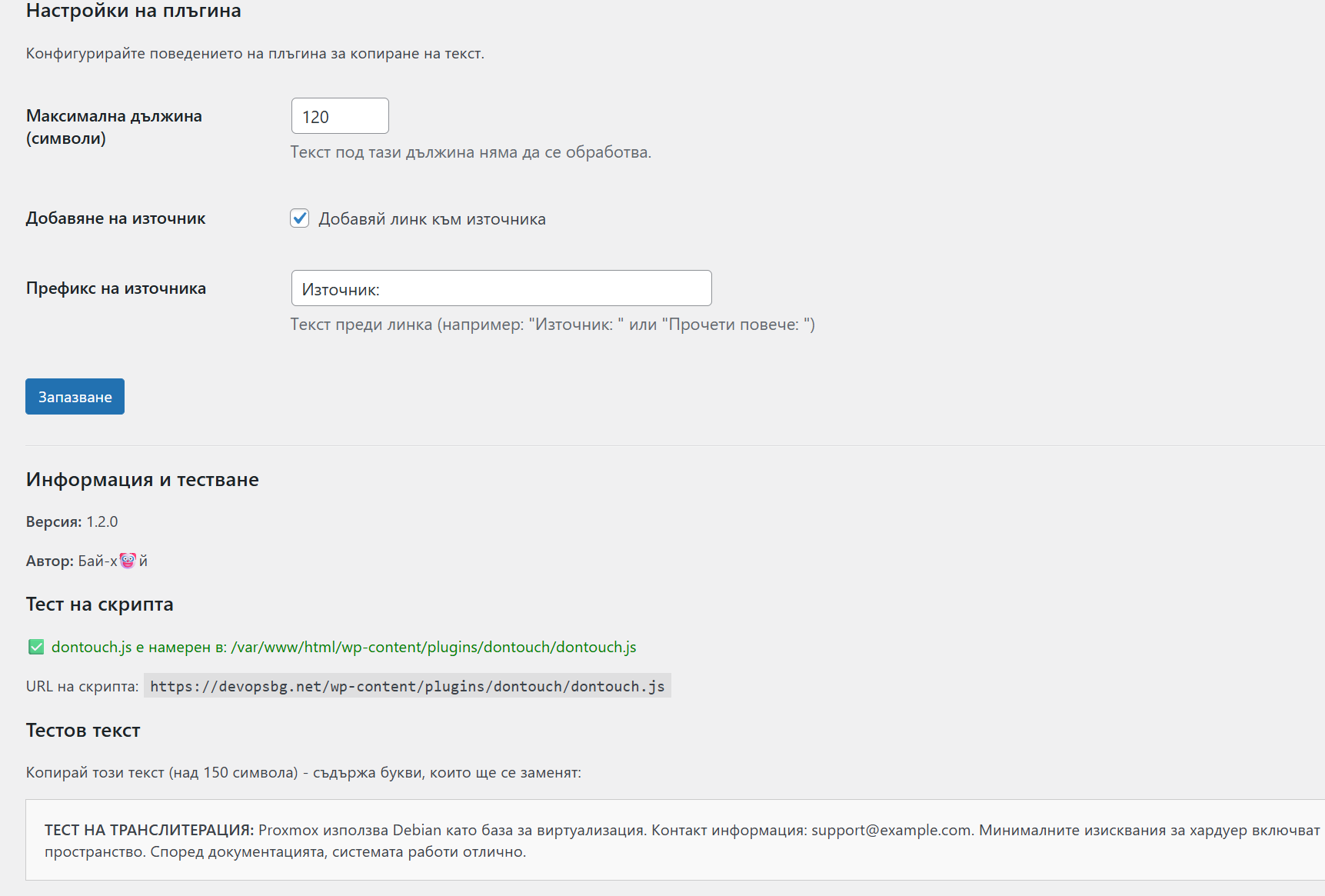
Go to Settings > Не пип, че пляс! in your WordPress admin dashboard.
- Maximum Length (characters): The minimum number of characters required to trigger the obfuscation (Default: 150).
- Add Source: Check this box to append the site's hostname to the copied text.
- Source Prefix: The text to display before the source link (Default: "Източник: ").
🧪 How It Works
When a user selects text and presses Ctrl+C (or uses the context menu):
- The plugin checks if the text length > configured limit.
- It checks if the text looks like code (avoids modifying code snippets).
- If checks pass, it iterates through the text and swaps characters based on a predefined homoglyph map.
- Optionally appends the source URL.
- Replaces the clipboard data with the modified text.
Example:
- Original:
Proxmox - Copied:
Рrохmох(Looks the same, but uses Cyrillic 'Р', 'о', 'х', 'о', 'х')
👨💻 Author
Бай-х🤡й