Webhook Automation
A custom WordPress automation plugin that sends form submission data to external APIs using dynamic webhooks and AJAX-powered admin management.
Install
This is the repository archive. It installs, but the folder name will carry the branch suffix and updates will not flow.
Install straight from GitHub with WP-CLI:
wp plugin install https://github.com/fatema025/wordpress-webhook-automation/archive/refs/heads/main.zipWebhook Automation Plugin
A custom WordPress automation plugin that sends WordPress form submission data to external systems using webhooks.
🚀 Overview
This plugin allows administrators to configure webhook endpoints and automatically send dynamic form submission data to external APIs, CRMs, automation platforms, or custom systems.
The plugin includes:
- Webhook management dashboard
- Dynamic field mapping
- Contact Form 7 integration
- AJAX-powered admin functionality
- Webhook testing tools
✨ Features
✅ Webhook Management
- Add and manage webhooks
- Configure request methods (POST/GET)
- Add custom headers and request bodies
✅ Dynamic Field Mapping
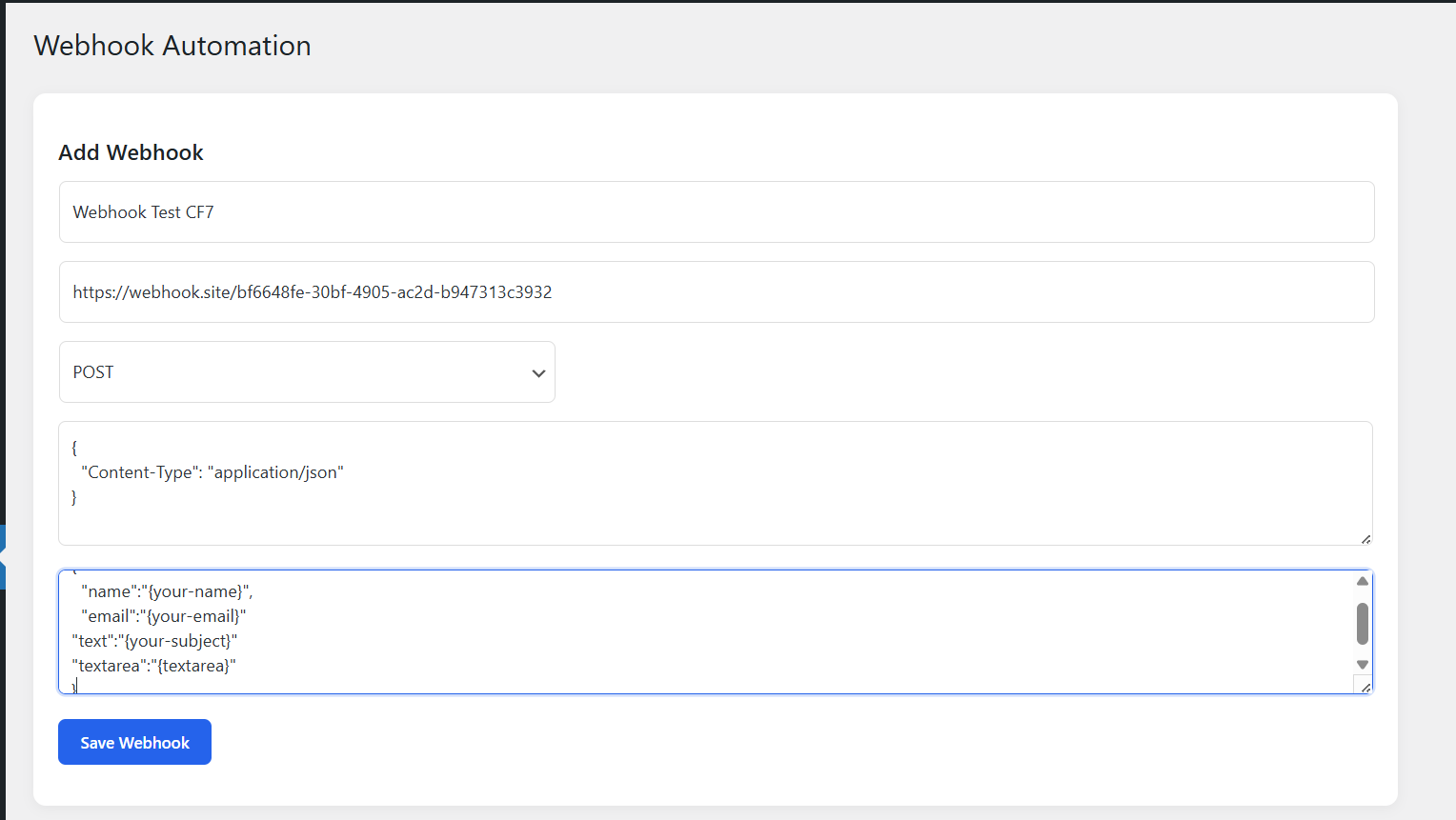
Supports placeholders such as:
{
"name": "{your-name}",
"email": "{your-email}"
}
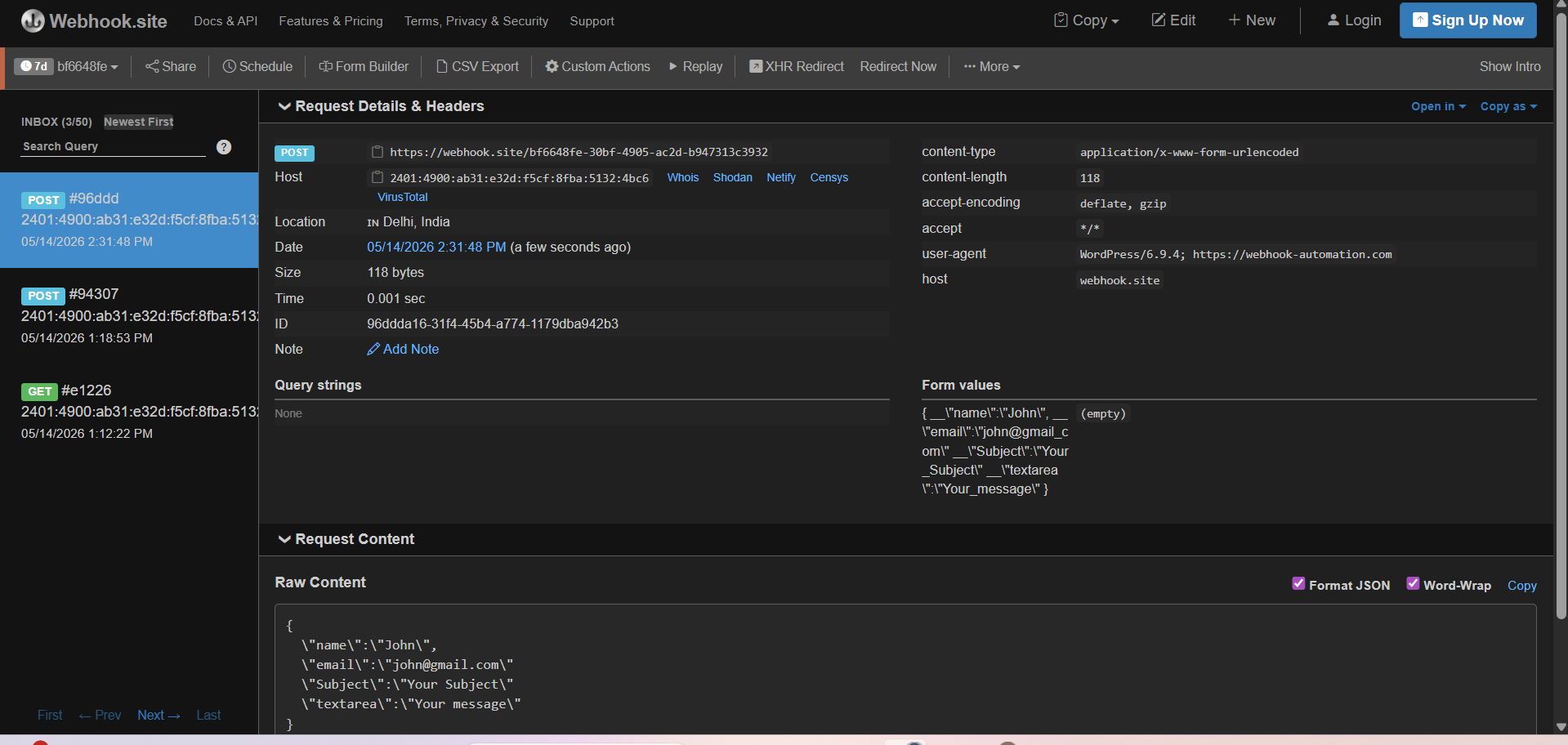
Form submission values are automatically replaced dynamically.
✅ Contact Form 7 Integration
Automatically triggers webhook requests after form submissions using WordPress hooks.
✅ AJAX Admin Dashboard
The plugin dashboard includes:
- Create webhook
- Test webhook
- Delete webhook
- List saved webhooks
without page reloads.
✅ API Communication
Uses the WordPress HTTP API:
wp_remote_request()to securely send requests to external systems.
🛠 Technologies Used
- WordPress Plugin Development
- PHP
- AJAX
- JavaScript
- MySQL
- WordPress Hooks
- REST/API Integrations
📸 Screenshots
🔹 Webhook Dashboard

🔹 Create Webhook
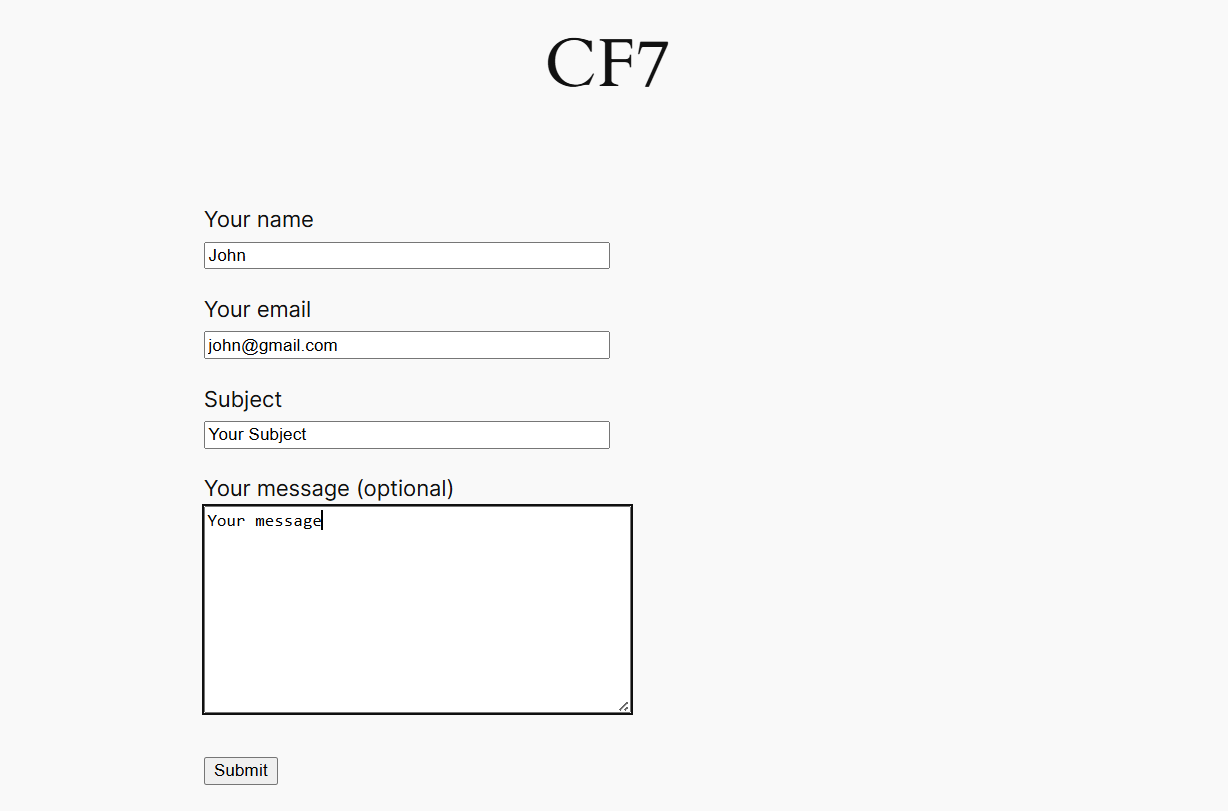
🔹 Webhook Test Response
🔹 Webhook Sent Data
⚙️ Installation
- Upload plugin to:
wp-content/plugins/-
Activate plugin from WordPress admin panel
-
Navigate to:
Webhook Automation🚀 Example Workflow
User submits form
→ Plugin captures data
→ Dynamic placeholders replaced
→ Webhook request sent
→ External system receives data
🔥 Real Use Cases
- CRM integrations
- Automation workflows
- Lead management systems
- Third-party API integrations
- Custom webhook processing
📌 Future Improvements
- Retry failed webhooks
- Webhook logs
- Multiple form integrations
- Conditional webhooks
- Response viewer
👩💻 Author
Fatema P.
WordPress Plugin Developer | API Integration & Automation Developer