API Sync Plugin
A WordPress automation plugin that fetches external API data using cron jobs, stores responses in the database, and displays sync logs in an admin dashboard.
Install
This is the repository archive. It installs, but the folder name will carry the branch suffix and updates will not flow.
Install straight from GitHub with WP-CLI:
wp plugin install https://github.com/fatema025/wordpress-api-sync-plugin/archive/refs/heads/main.zipA custom WordPress automation plugin that fetches data from external APIs on scheduled intervals and stores the responses inside WordPress.
🚀 Overview
This plugin automates API synchronization workflows using WordPress cron jobs.
Administrators can:
- Configure API endpoints
- Schedule sync intervals
- Store API responses
- View sync logs
- Run manual sync operations
✨ Features
✅ API Settings Management
Configure:
- API Name
- API Endpoint URL
- Sync Interval
✅ Automated Cron Sync
Uses WordPress cron jobs to automatically fetch external API data on scheduled intervals.
Supported intervals:
- Hourly
- Daily
✅ External API Fetching
Uses:
wp_remote_get()to fetch JSON data from external APIs.
✅ Database Storage
Stores API responses inside a custom database table for:
- history
- analytics
- logs
- reporting
✅ Admin Dashboard
Dashboard includes:
- Sync settings
- Manual sync button
- Synced records table
- Response preview
- Delete functionality
✅ Manual Sync
Admins can instantly trigger sync without waiting for cron schedules.
🛠 Technologies Used
- WordPress Plugin Development
- PHP
- AJAX
- WordPress Cron Jobs
- API Integrations
- JSON Processing
- MySQL
- Admin Dashboard Development
📸 Screenshots
🔹 Create API
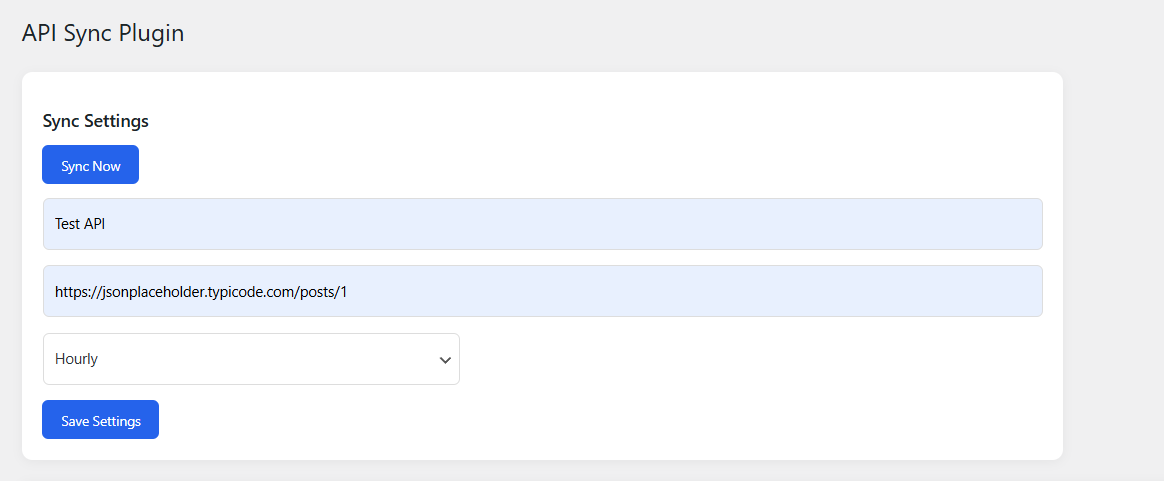
🔹 API Sync Dashboard

🔹 Manual Sync Action

🔹 API Manual Sync Dashboard

⚙️ Installation
- Upload plugin to:
wp-content/plugins/-
Activate plugin
-
Navigate to:
API Sync🚀 Example Workflow
Admin configures API
→ WordPress schedules cron job
→ Plugin fetches API data automatically
→ Response stored in database
→ Dashboard displays synced records
🔥 Real Use Cases
- Product inventory sync
- Weather data sync
- CRM/ERP synchronization
- External analytics import
- News aggregation systems
📌 Future Improvements
- Multiple API endpoints
- Custom intervals
- JSON field mapping
- Retry failed syncs
- API authentication support
👩💻 Author
Fatema P.
WordPress Plugin Developer | API Integration & Automation Developer