Install
This is the repository archive. It installs, but the folder name will carry the branch suffix and updates will not flow.
Install straight from GitHub with WP-CLI:
wp plugin install https://github.com/faridhonarvar/peyvanda/archive/refs/heads/main.zip
Inline related posts, related products and "Read more" boxes, right inside your content.
Lightweight, theme-safe and RTL-ready WordPress plugin.
English
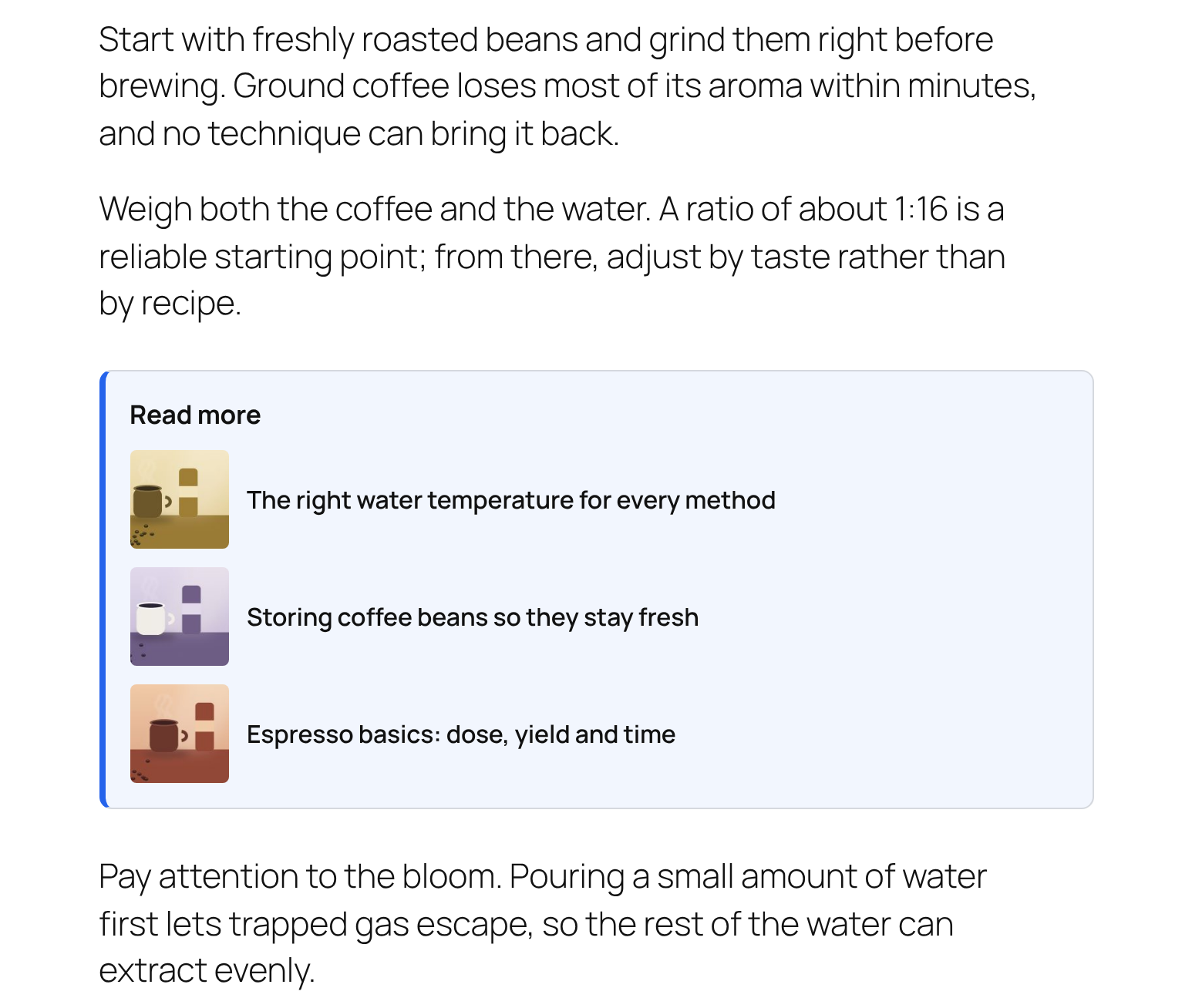
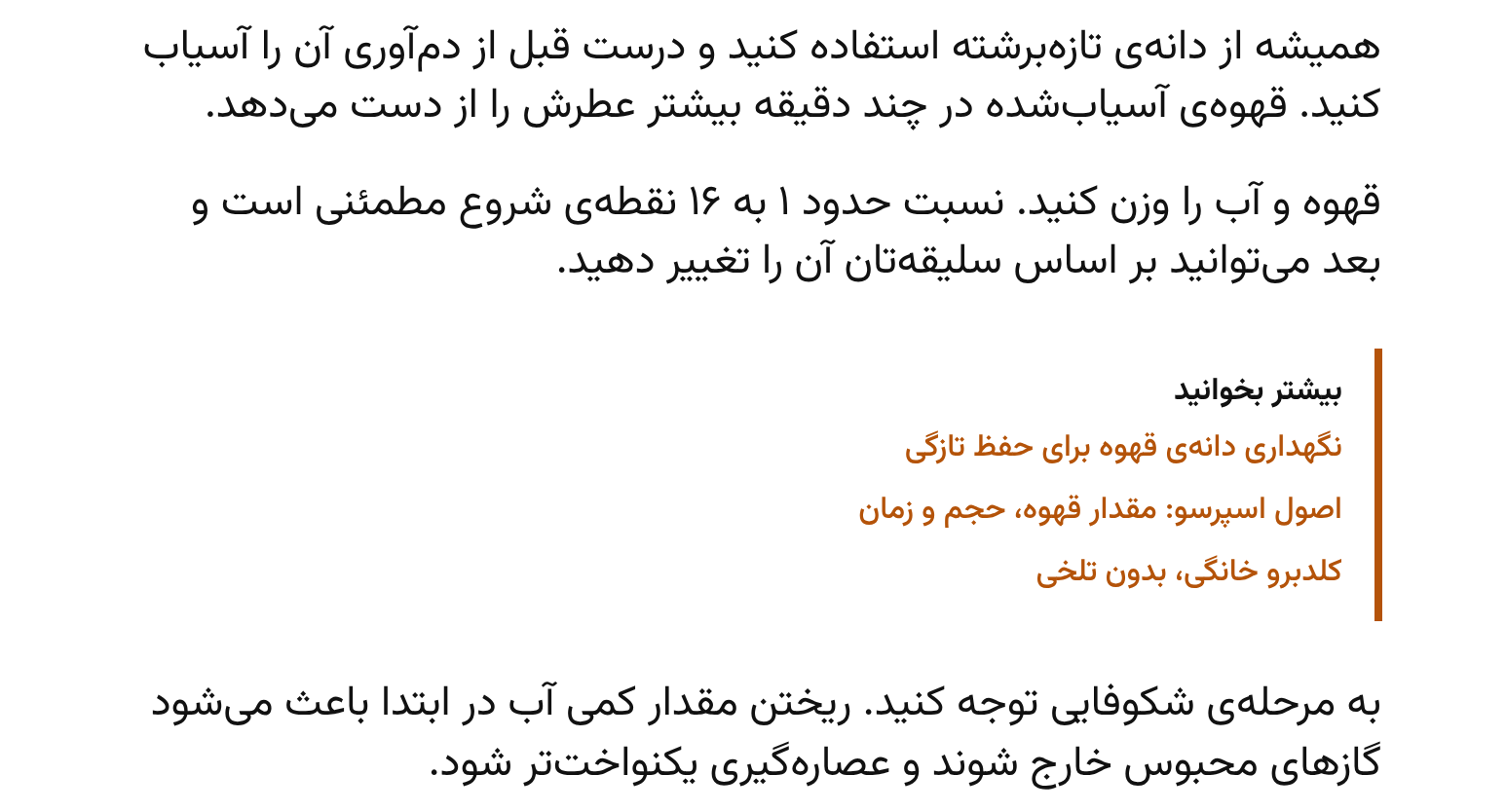
Peyvanda shows "Read more" and "Related products" boxes in the middle of your posts (after paragraph N), where readers actually see them, instead of only at the end of the page.
Screenshots
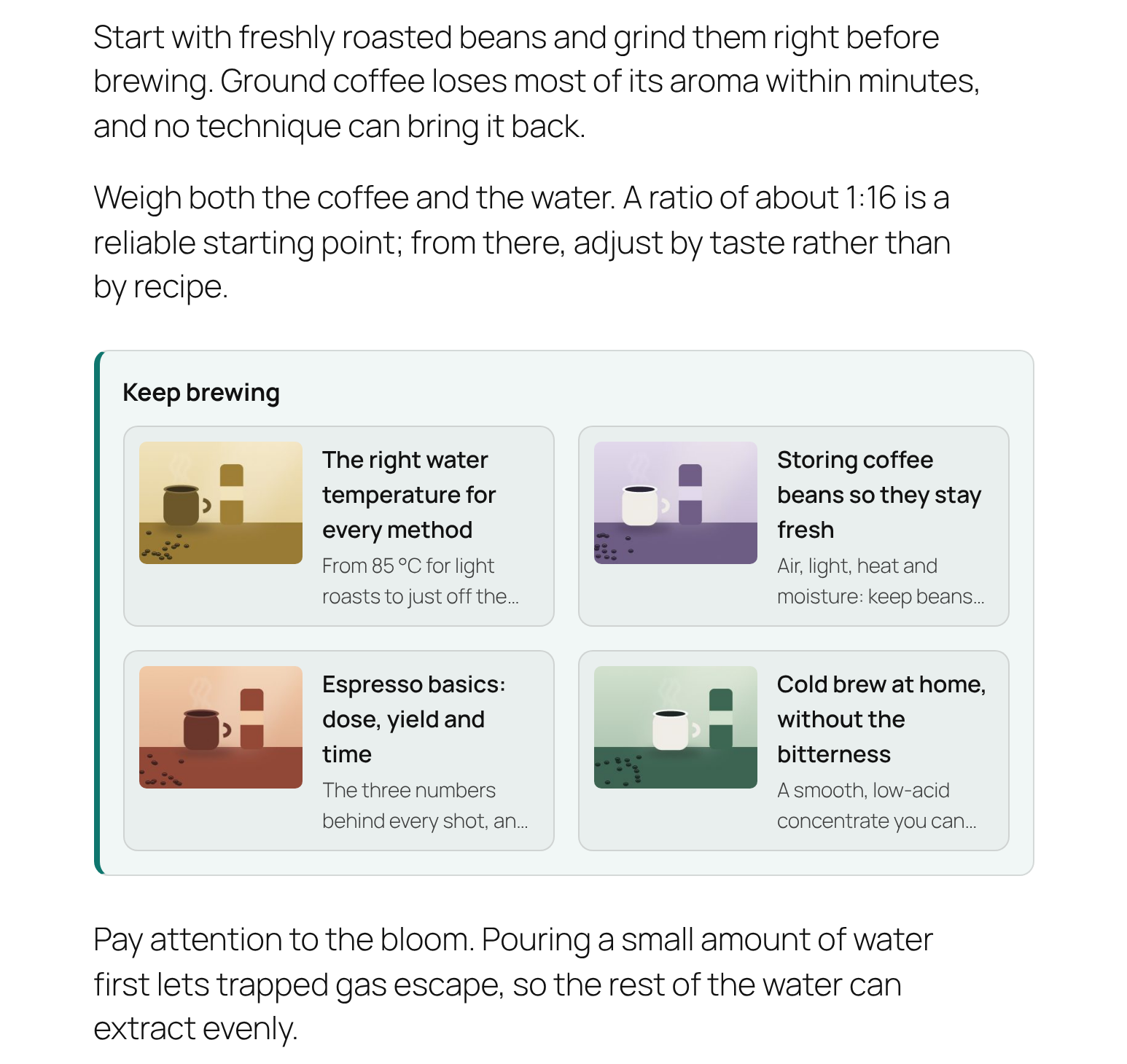
| Thumbnail list | Horizontal cards | Persian (RTL) |
|---|---|---|
 |
 |
 |
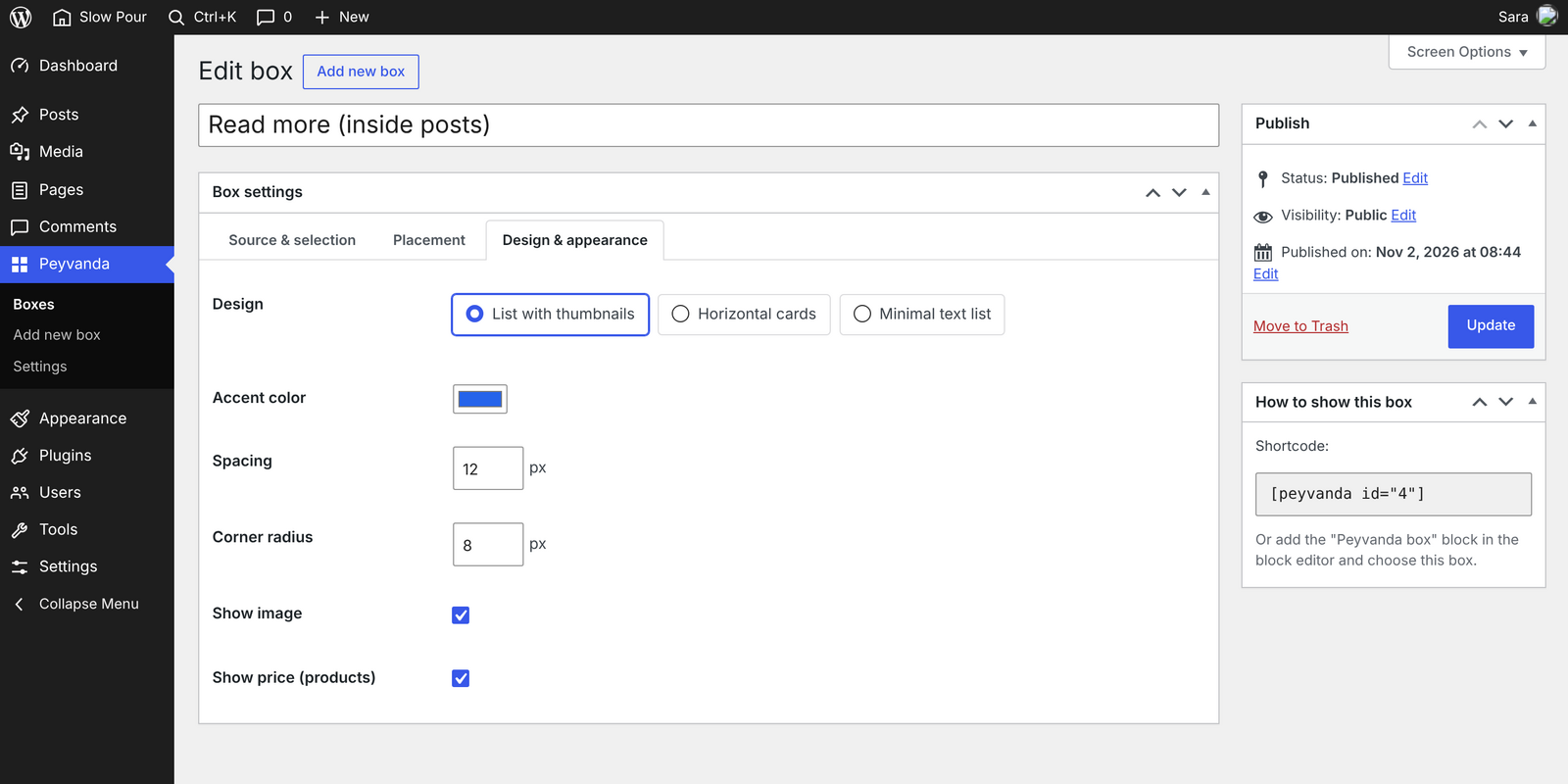
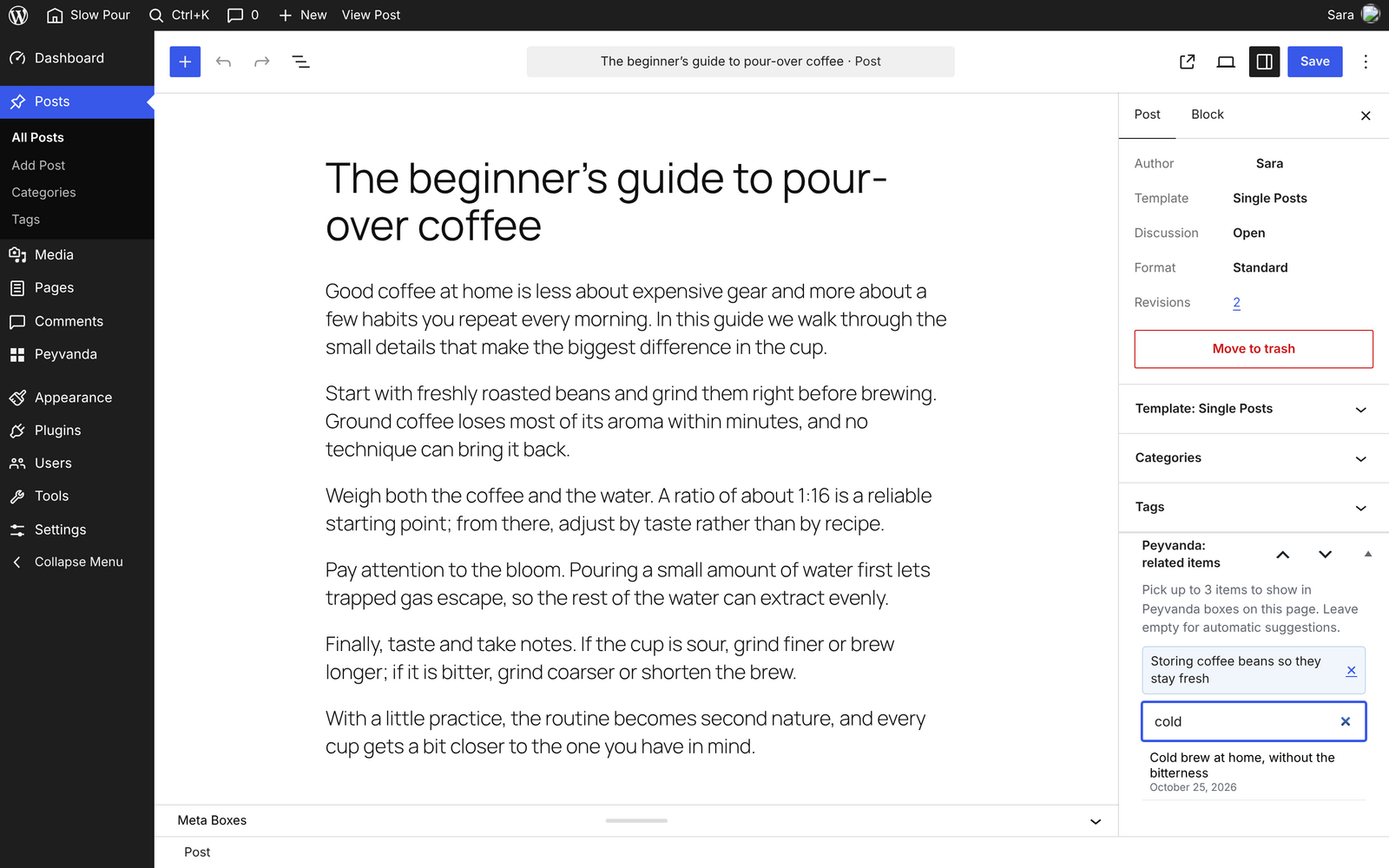
| Box editor | Manual picks in the post editor |
|---|---|
 |
 |
Features
- Automatic insertion after paragraph N. It never lands inside tables, quotes, lists, code or columns.
- Shortcode
[peyvanda id="12"], a "Peyvanda box" block, and a "Peyvanda marker" block that lets authors choose the exact spot. - Sources: posts and WooCommerce products (image, name, price).
- Automatic matching by shared tags and categories, with a fallback to the latest posts or best-selling products.
- Manual picks: choose up to 3 items per post with a live search. Manual picks always come first.
- 3 designs: list with thumbnails, horizontal cards, minimal text list. You can set the accent color, spacing and corner radius.
- Bilingual: English and Persian (RTL) out of the box.
Fast and safe by design
- Zero front-end JavaScript.
- Each design's CSS is under 4 KB and loads only on pages that show a box.
- Related items are calculated when you save a post, not on every page view.
- Styles are fully scoped to the box, and the font is inherited from your theme.
- No external requests, no tracking, no obfuscated code.
Installation
- Download
peyvanda.zip. - In WordPress, go to Plugins → Add New → Upload Plugin, choose the zip and activate it.
- A starter "Read more" box is created automatically. Edit it under Peyvanda → Boxes.
Requirements: WordPress 6.4+, PHP 7.4+. WooCommerce is optional.
For developers
Filters and actions: peyvanda_items, peyvanda_should_render, peyvanda_item_html, peyvanda_manual_items, peyvanda_manual_metabox_limits, peyvanda_box_settings_tabs, peyvanda_sanitize_box_settings, peyvanda_max_auto_boxes, peyvanda_register_designs, peyvanda_register_sources, peyvanda_save_box_settings, peyvanda_loaded.
composer install
composer phpcs                              # WordPress Coding Standards
WP_CORE_DIR=/path/to/wordpress composer test  # PHPUnit
php bin/i18n.php                            # rebuild .pot / .mo / JSON translations
فارسی
پیوندا باکسهای «بیشتر بخوانید» و «محصولات مرتبط» را وسط محتوا نمایش میدهد، یعنی بعد از پاراگراف N و نه فقط انتهای صفحه. اینطوری بازدید صفحات، زمان ماندن کاربر و فروش محصولات بیشتر میشود.
امکانات
- درج خودکار بعد از پاراگراف N. باکس هیچوقت داخل جدول، نقلقول، لیست، کد یا ستون قرار نمیگیرد.
- شورتکد
[peyvanda id="12"]، بلاک «باکس پیوندا» و بلاک «نشانگر» برای تعیین جای دقیق باکس در متن. - منبع آیتمها: نوشتهها و محصولات ووکامرس (تصویر، نام، قیمت).
- انتخاب خودکار بر اساس برچسب و دستهبندی مشترک. اگر آیتم مرتبط کافی نبود، جدیدترین نوشتهها یا پرفروشترین محصولات نمایش داده میشوند.
- انتخاب دستی: تا ۳ آیتم برای هر نوشته با جستجوی زنده. آیتمهای دستی همیشه اول نمایش داده میشوند.
- ۳ طرح: لیست با تصویر کوچک، کارت افقی، لیست متنی مینیمال. رنگ اصلی، فاصله و گردی گوشه قابل تنظیم است.
- دوزبانه: فارسی (راستچین) و انگلیسی.
سریع و بیدردسر
- صفر جاوااسکریپت در سایت.
- CSS هر طرح زیر ۴ کیلوبایت است و فقط در صفحاتی که باکس دارند لود میشود.
- آیتمهای مرتبط هنگام ذخیرهی نوشته محاسبه میشوند، نه هنگام هر بازدید.
- ظاهر باکس کاملاً ایزوله است و با قالب تداخل ندارد. فونت هم از قالب گرفته میشود.
- بدون تماس با سرور خارجی، بدون ردیابی، بدون رمزگذاری کد.
نصب
- فایل
peyvanda.zipرا دانلود کنید. - در پیشخوان وردپرس به افزونهها ← افزودن ← بارگذاری افزونه بروید، فایل را انتخاب و افزونه را فعال کنید.
- یک باکس «بیشتر بخوانید» خودکار ساخته میشود. از منوی پیوندا ← باکسها میتوانید آن را ویرایش کنید.
پیشنیاز: وردپرس ۶.۴ به بالا، PHP ۷.۴ به بالا. ووکامرس اختیاری است.
Made by Farid Honarvar · Licensed under GPL-2.0-or-later