Install
This is the repository archive. It installs, but the folder name will carry the branch suffix and updates will not flow.
Install straight from GitHub with WP-CLI:
wp plugin install https://github.com/facilo-es/prop-65-warnings/archive/refs/heads/main.zipWhat it is: a free WordPress plugin that shows the California Proposition 65 warning on the WooCommerce products you choose, written from the wording in the regulation, on the product page or behind a WARNING link.
Who it's for: online shops that sell into California and need a Prop 65 website warning on some of their products, without paying a developer to add one.
How to use it: 1) upload the zip in Plugins → Add New → Upload Plugin and activate it, 2) in WooCommerce → Prop 65 Warnings, add a warning (what it is, the hazard, the chemical) and pick its products or categories, 3) open one of those products and check the warning.
It doesn't tell you which products need a warning or which chemical to name, and it isn't legal advice: those decisions stay with you, your supplier and your lawyer.
Download prop-65-warnings-for-woocommerce.zip (latest version) · Free, no trial, nothing locked
What your customers see
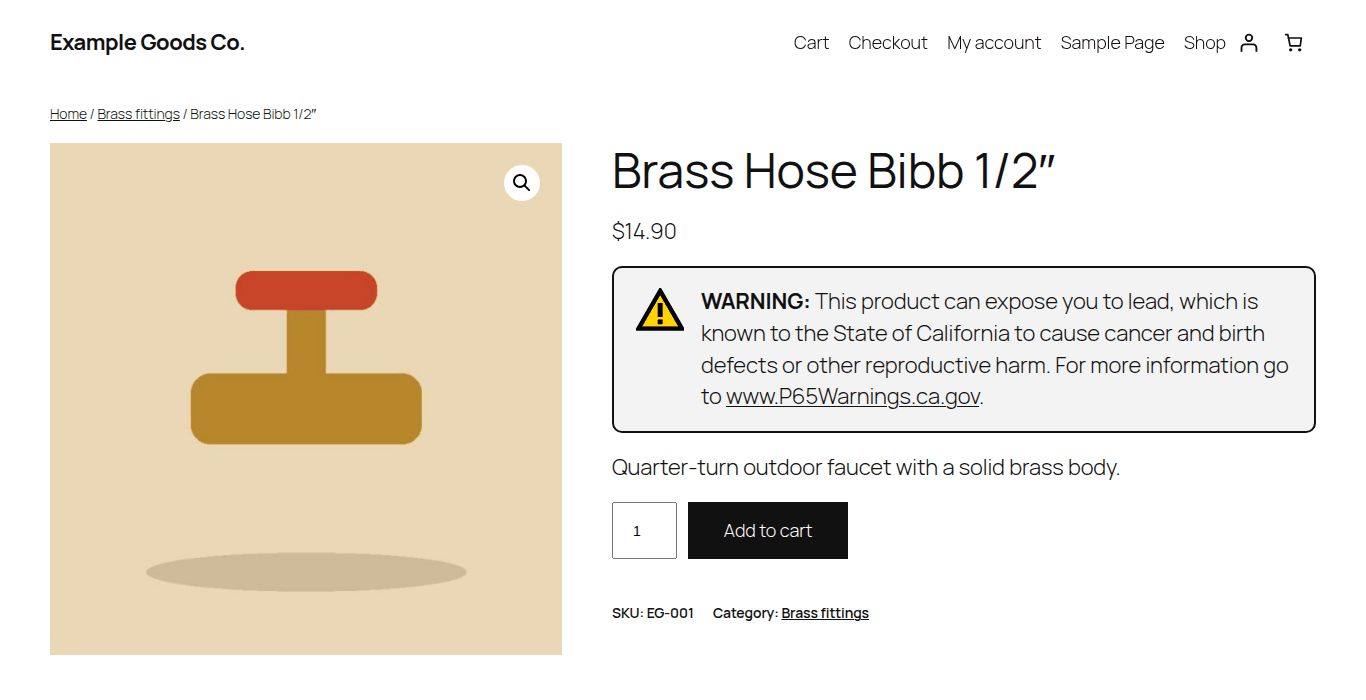 The full warning on the product page, above Add to cart, with the yellow triangle symbol. It uses your theme's own font and colours.
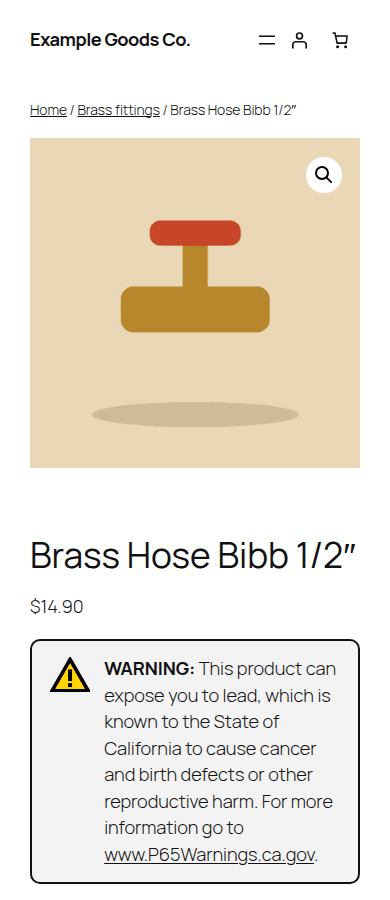 On a phone the warning stays before the Add to cart button.
What you see
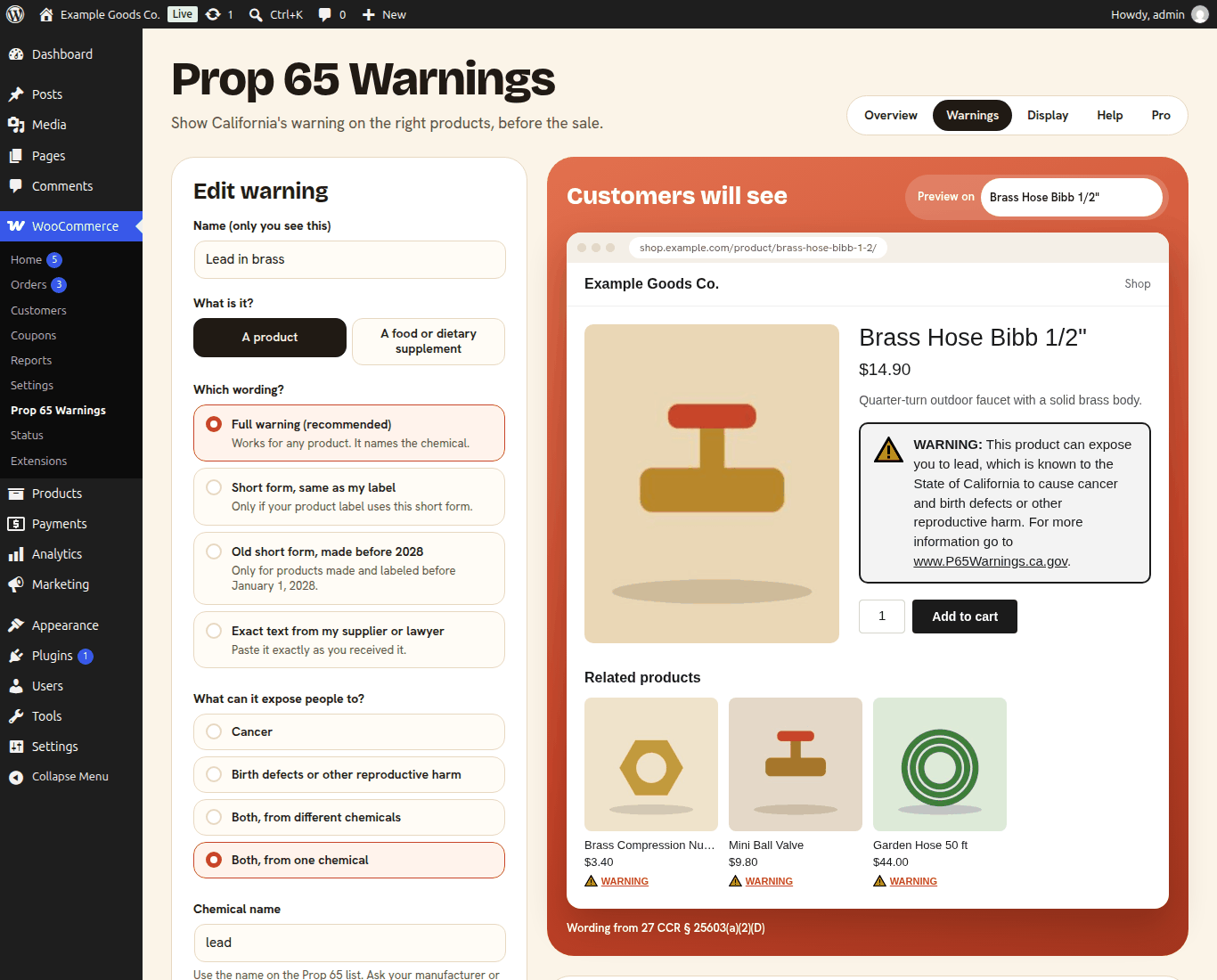 Write a warning: choose a product or a food, the wording, the hazard and the chemical, and see it on one of your products as you go. The rule it follows is shown under the preview.
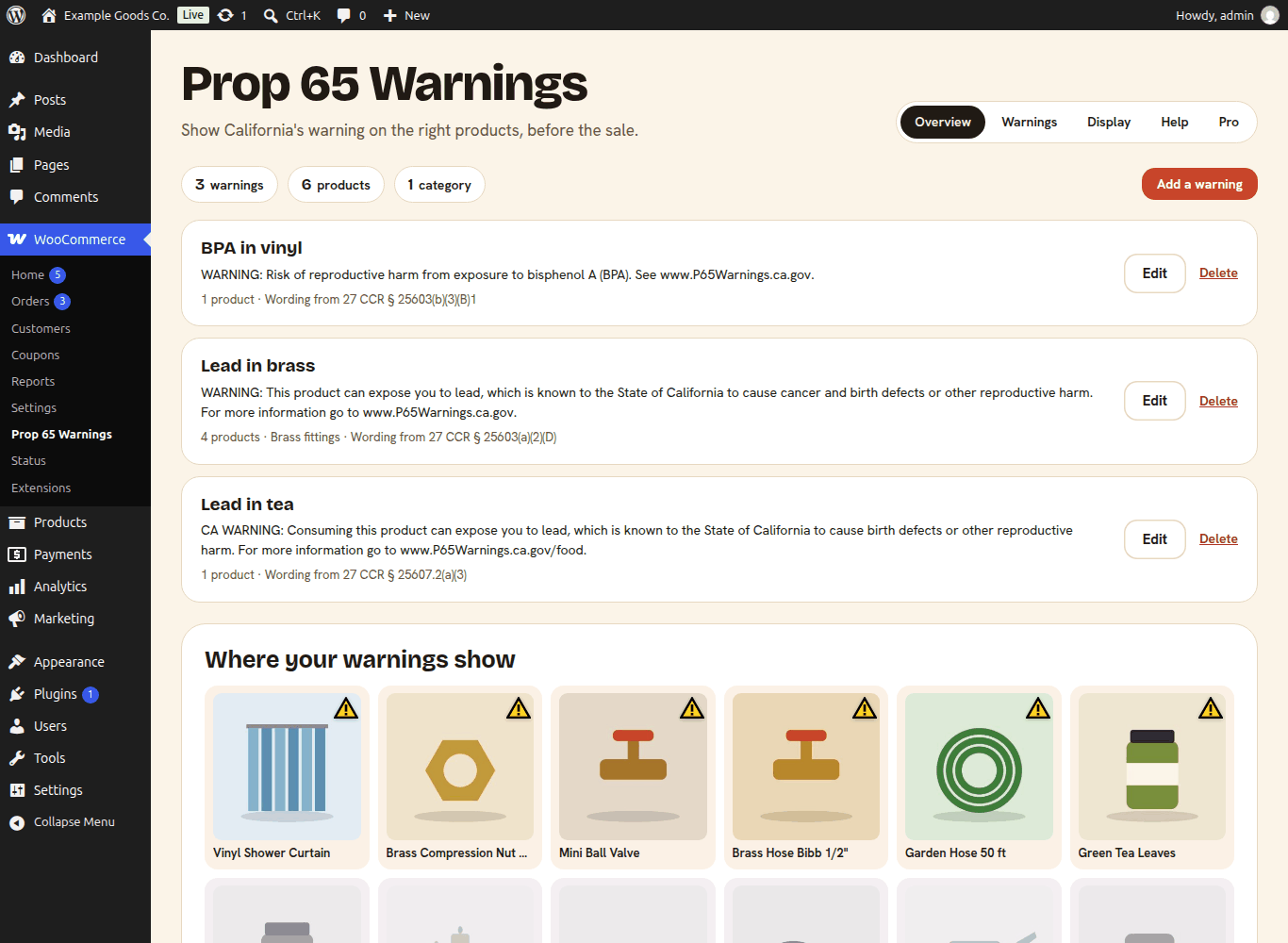 The overview: every warning you have, and which products show one.
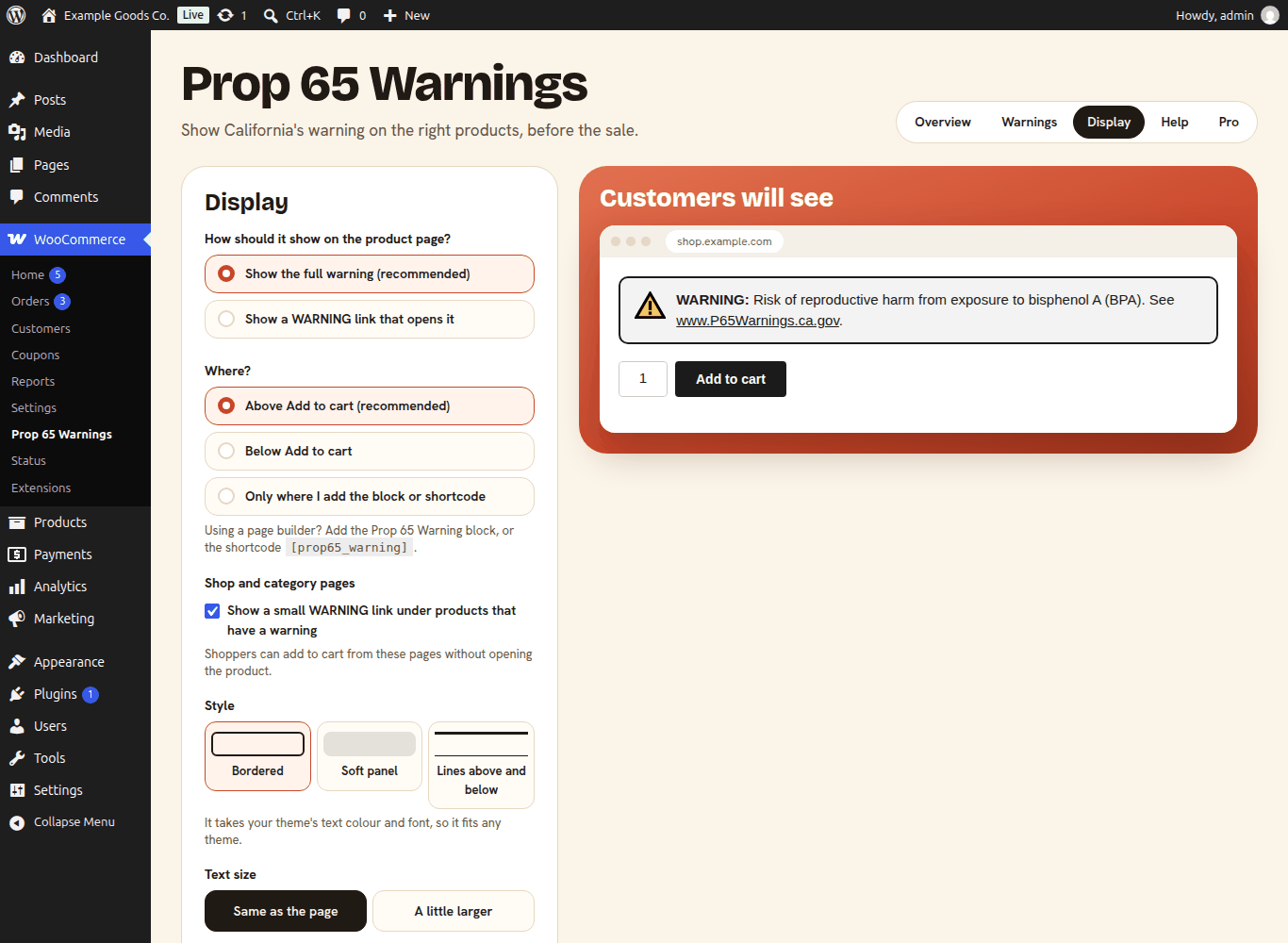 Display: the full warning or a WARNING link, above or below Add to cart, or only where you put the block or shortcode.
What your shop gets
- The right words, without the guesswork. Pick the hazard and name the chemical, and the warning is written for you from 27 CCR 25603.
- Food and dietary supplements covered, with their own wording and web address from 27 CCR 25607.2.
- Only the products you choose. Set a warning on a category and it reaches every product inside; leave out the exceptions.
- Both online methods: the full warning on the page, or a WARNING link that opens it. Shop and category grids get a small WARNING link too, because shoppers can add to cart from there.
- Your label's short form, or your supplier's exact text, when that's what your label or your supplier's warning materials say.
- Works with your theme, classic or block, with a Prop 65 Warning block and a
[prop65_warning]shortcode for page builders. - Light on your shop. It loads only on products with a warning, contacts no outside server and stores nothing about your customers.
Download and install
- Download prop-65-warnings-for-woocommerce.zip (latest version).
- In WordPress, go to Plugins → Add New → Upload Plugin, choose the zip and activate it. WooCommerce must be active.
- Open WooCommerce → Prop 65 Warnings, click Add a warning, choose its products or categories and save. Then open one of those products to see it.
Updates: new versions come out as GitHub releases. Download the new zip and upload it the same way, and WordPress offers to replace the installed version.
Prop 65 Warnings Pro: a record for every order, less manual work
Pro is a separate paid plugin that works alongside this free one. Its code is not in this repository.
- A record for every order, with the exact wording shown and the date, ready to export if a notice arrives.
- The full warning box only on California orders. Shoppers elsewhere see a small CA WARNING link.
- Confirmation at checkout, on block and classic checkout.
- Update your whole catalog from one CSV file, with a check before anything changes.
- The official chemical list built in, and warnings per variation.
- See which products still use the old short form ahead of 2028.
USD 59 a year for one site, USD 149 a year for up to five sites. Secure payment through Freemius, with a 14-day refund. Buy Prop 65 Warnings Pro
Does it keep working if I don't renew? Yes. This free plugin is free for good. If a Pro licence ends, Pro keeps working, records and export included; only updates, new chemical lists and support stop.
FAQ
Which warnings can it show? For consumer products: the full warning (27 CCR 25603(a)), the short form your label uses (25603(b)), the old short form with no chemical name for products made and labeled before January 1, 2028, or your supplier's or lawyer's exact text. The hazard can be cancer, birth defects or other reproductive harm, or both. Food and dietary supplements get the CA WARNING wording from 27 CCR 25607.2. The warning itself always stays in English, as the rule's wording, even when your admin screens are in another language.
Which products? Any WooCommerce product you choose, one by one or by category, with exceptions. The free plugin sets warnings per product; warnings per variation are in Pro.
Does it protect my shop from a Prop 65 claim? No. It shows the warning you set up. No plugin can promise a legal result, and this isn't legal advice. Whether you need a warning, and which chemical to name, is for you, your supplier and your lawyer.
Does it show the warning only to California customers? The free plugin shows it to everyone. Pro can keep the full box to California orders.
What is it compatible with? WordPress 6.6 or newer (tested up to 7.1), PHP 7.4 or newer and WooCommerce 9.0 or newer (tested up to 11.2). Classic and block themes; tested on Storefront and Twenty Twenty-Five. The free plugin doesn't change your cart or checkout.
What does it store? Your warnings and which products they apply to. Nothing about your customers.
Who makes it? Facilo, a small studio in Spain, with help from AI coding assistants and automated tests. Questions: support@facilo.es.
Licence: GPLv2 or later.