Install
Upload it under Plugins → Add New Plugin → Upload Plugin, then activate.
Install straight from GitHub with WP-CLI:
wp plugin install https://github.com/escalated-dev/escalated-wordpress/releases/download/v1.6.9/escalated.zipالعربية • Deutsch • English • Español • Français • Italiano • 日本語 • 한국어 • Nederlands • Polski • Português (BR) • Русский • Türkçe • 简体中文
Escalated for WordPress
A full-featured helpdesk and ticketing system for WordPress with multi-role support, SLA tracking, escalation rules, inbound email processing, macros, and a REST API. No external services required.
escalated.dev — Learn more, view demos, and compare Cloud vs Self-Hosted options.
Screenshots
| Ticket List | Ticket Detail |
|---|---|
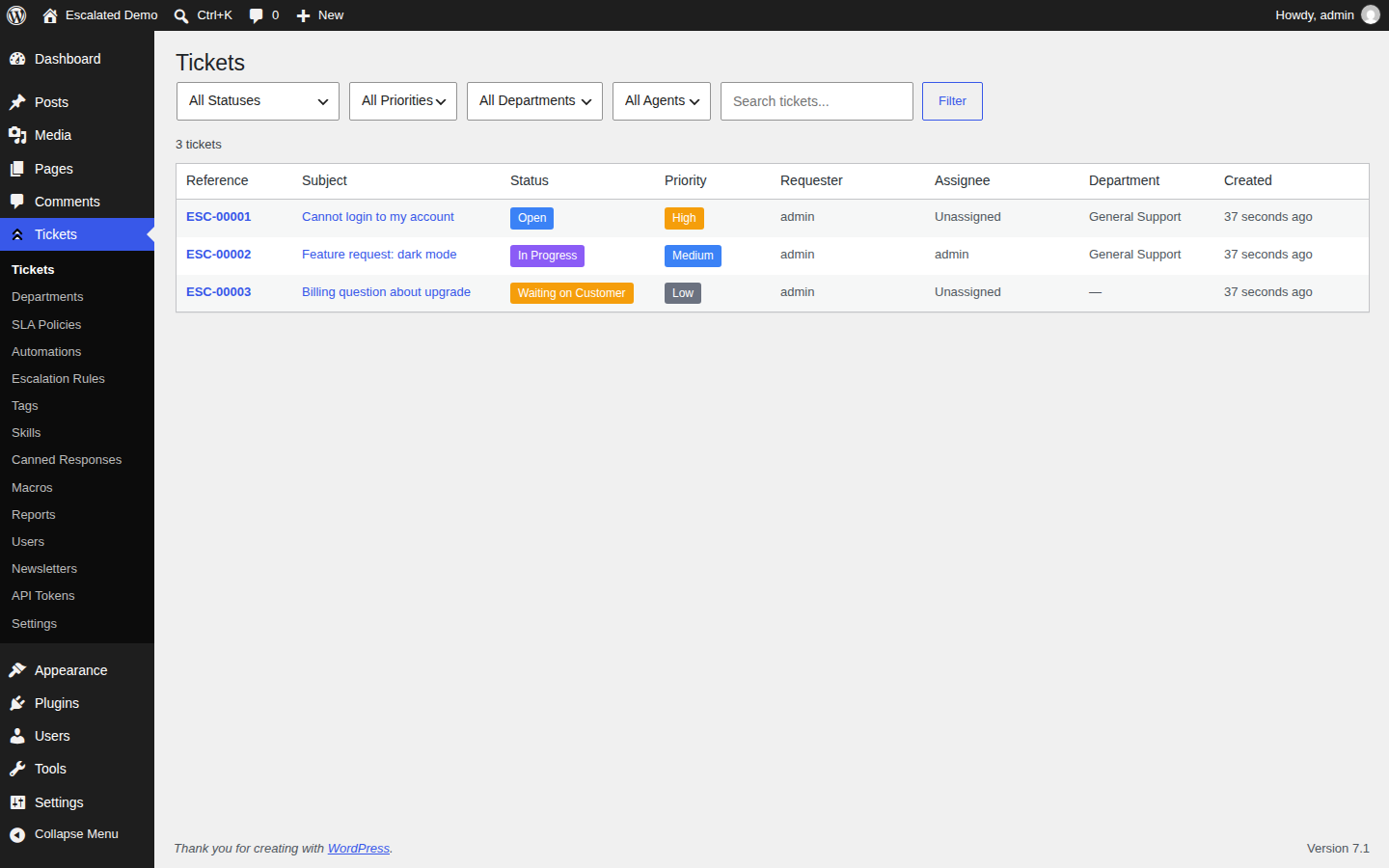 |
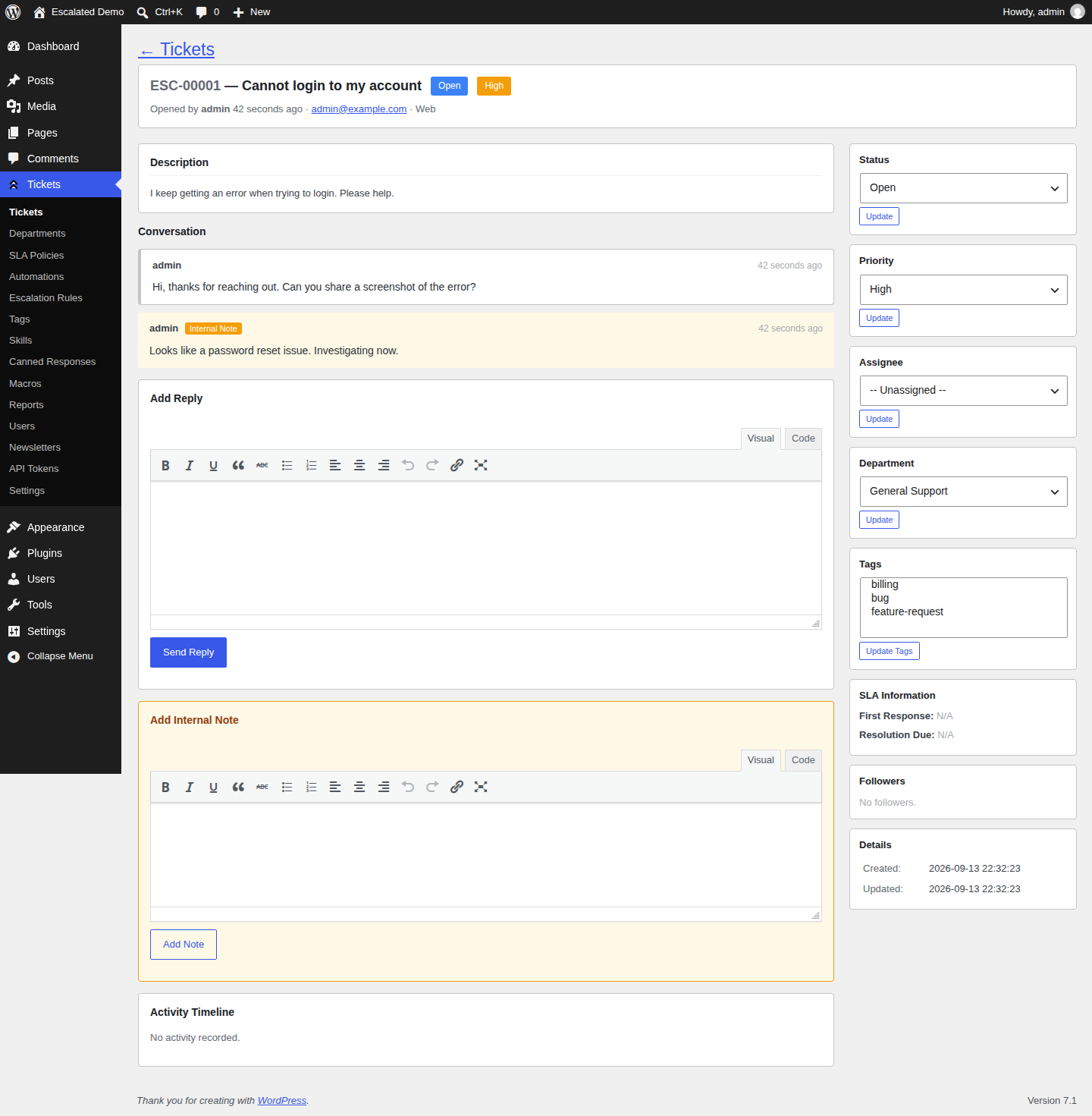 |
| Departments | SLA Policies |
|---|---|
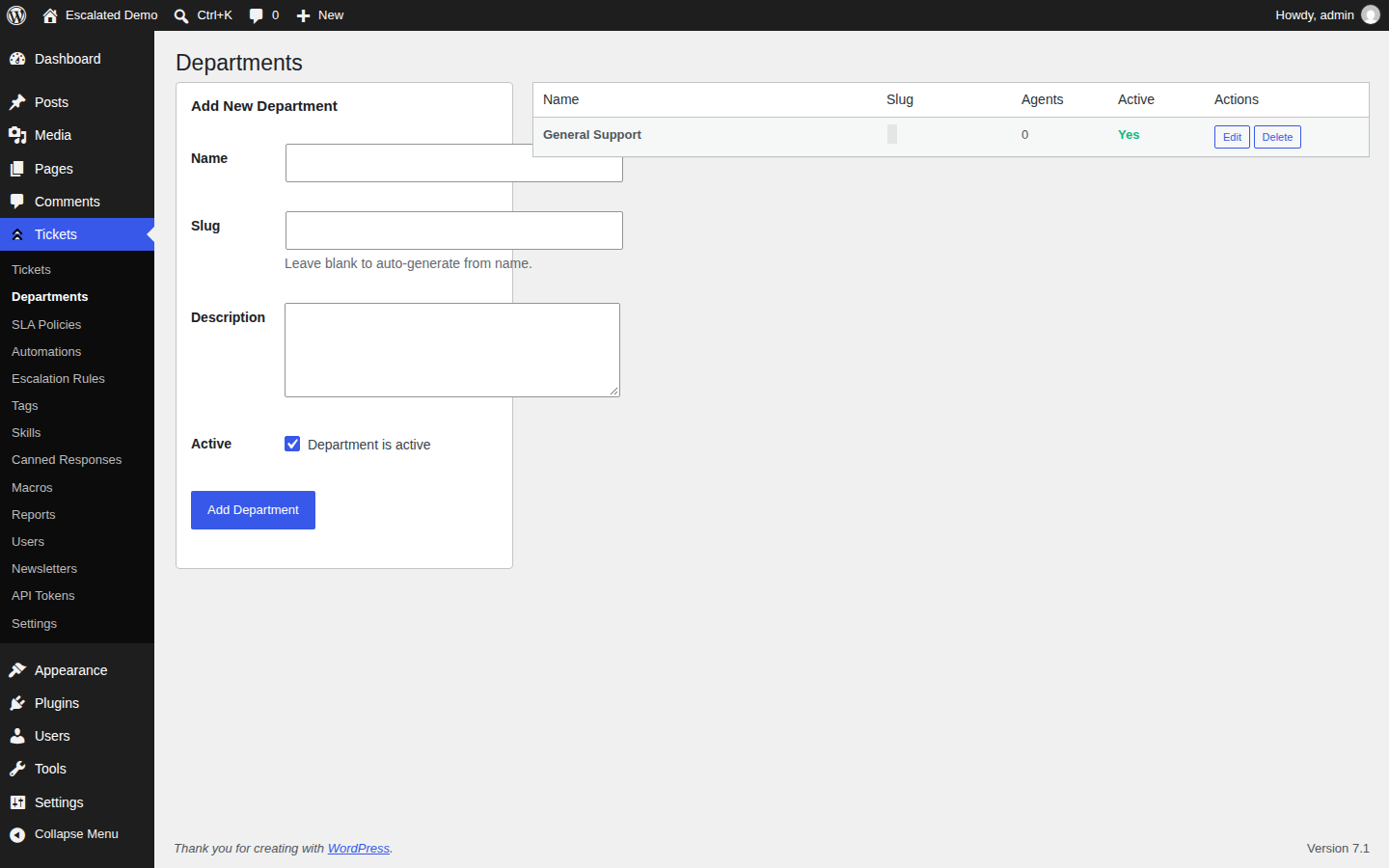 |
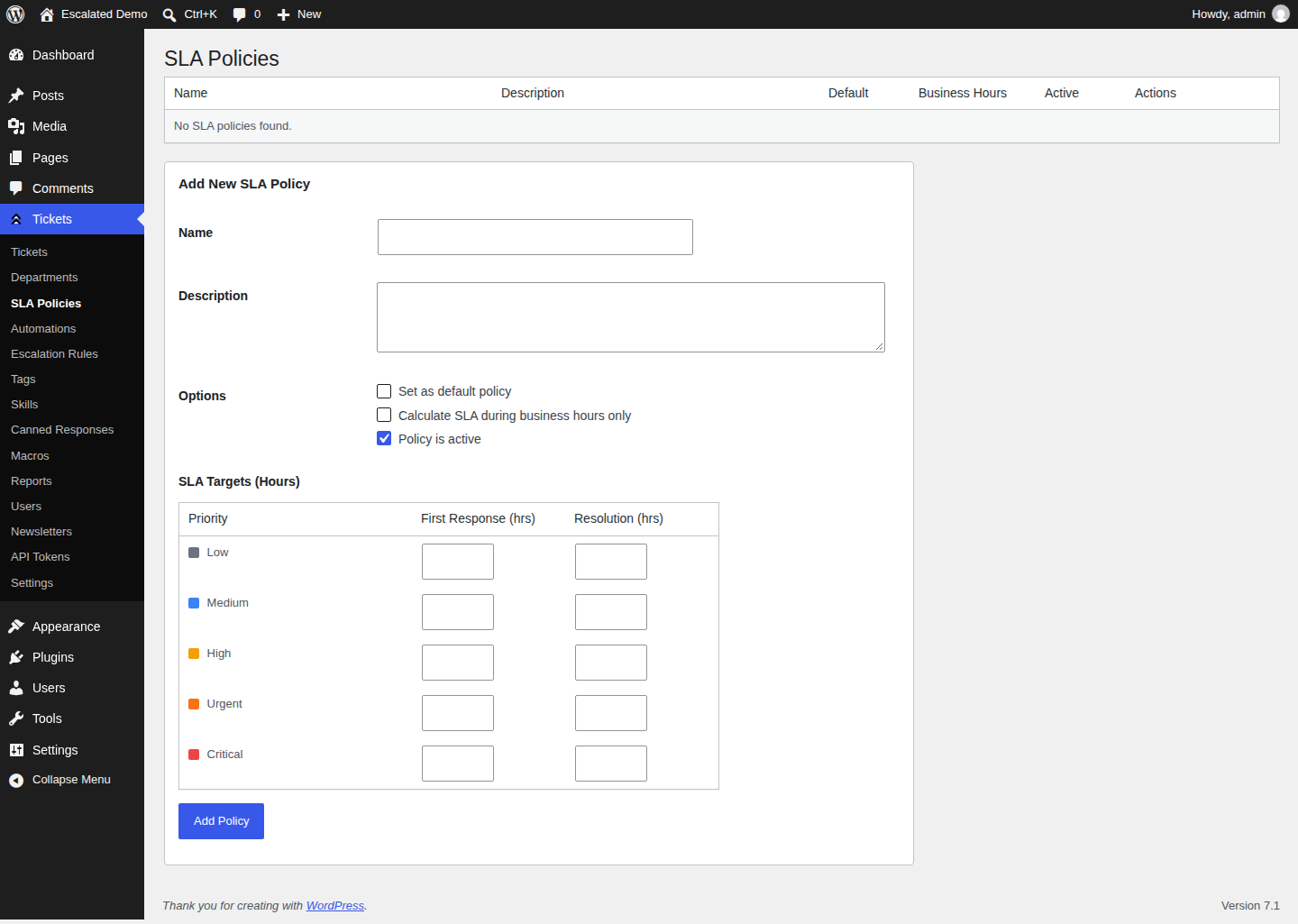 |
| Reports | Settings |
|---|---|
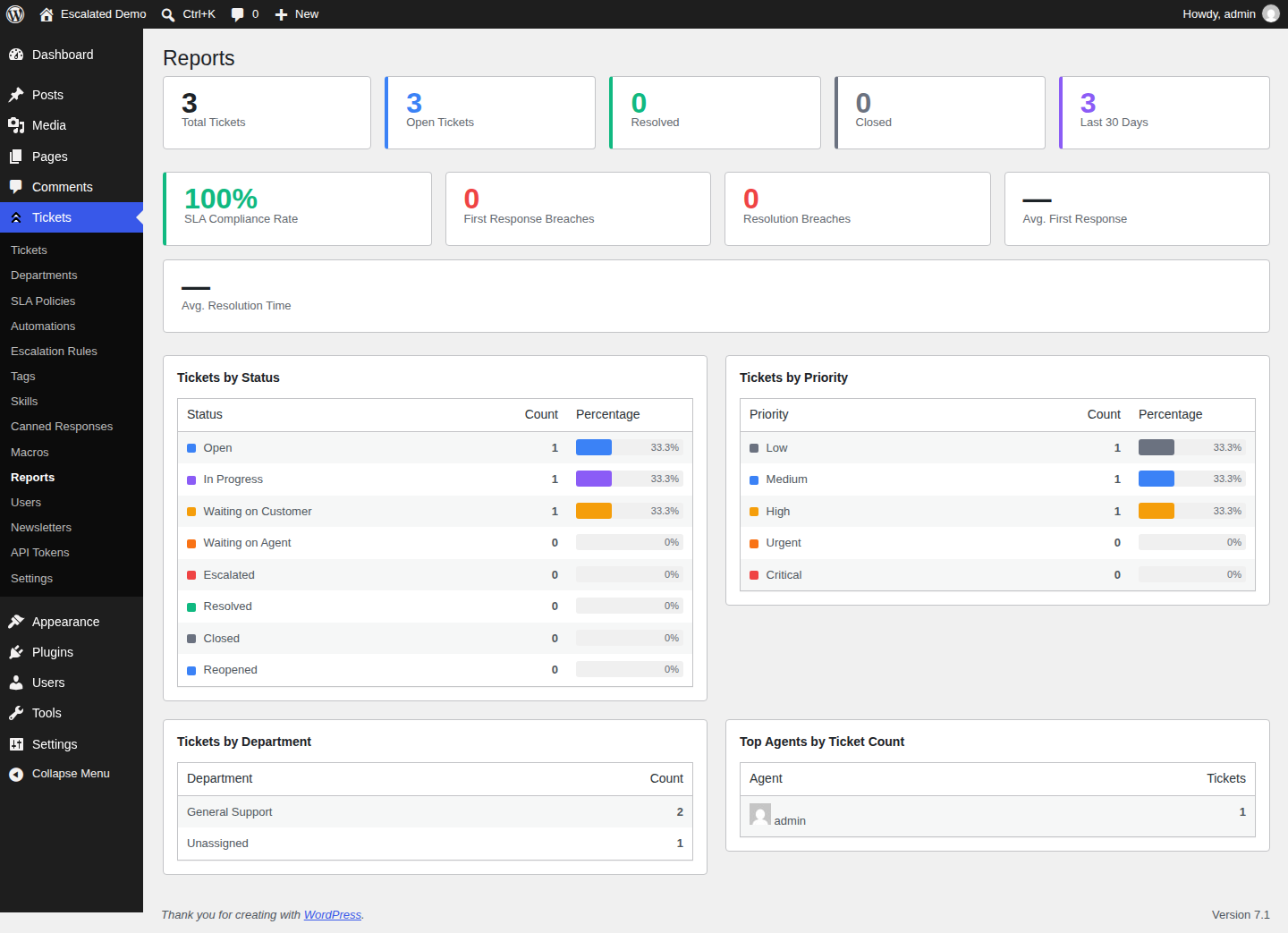 |
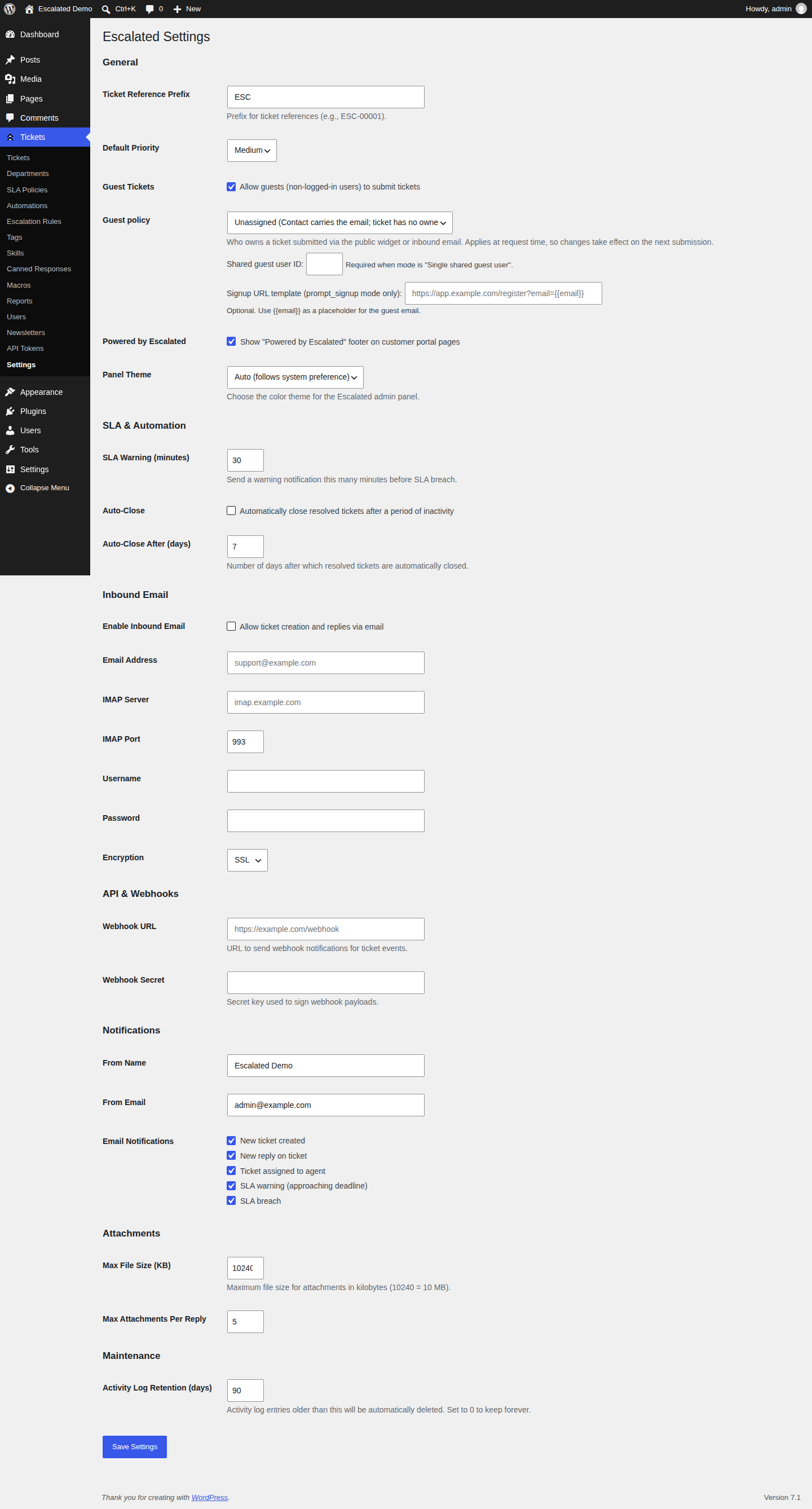 |
| Automations | Macros |
|---|---|
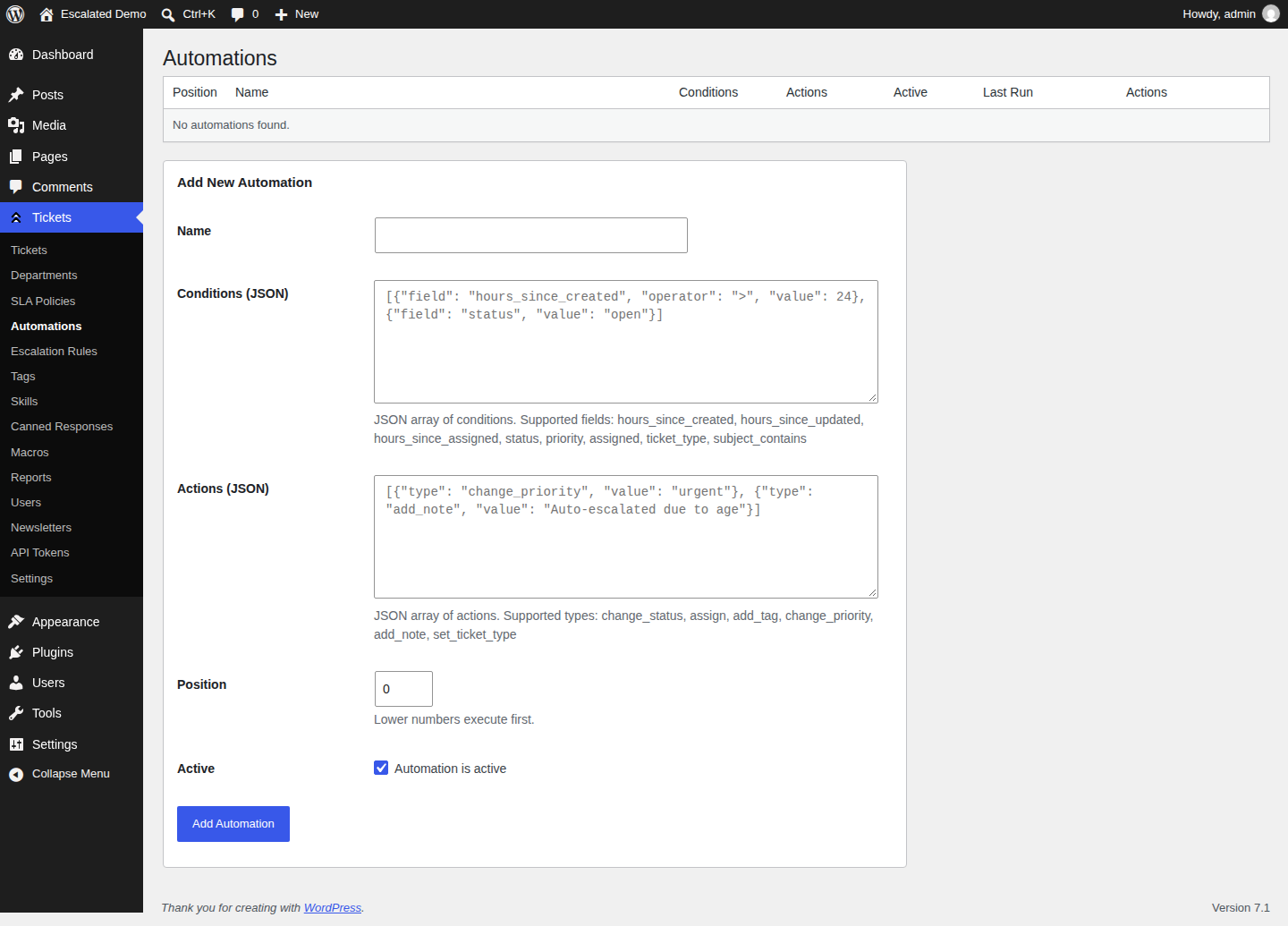 |
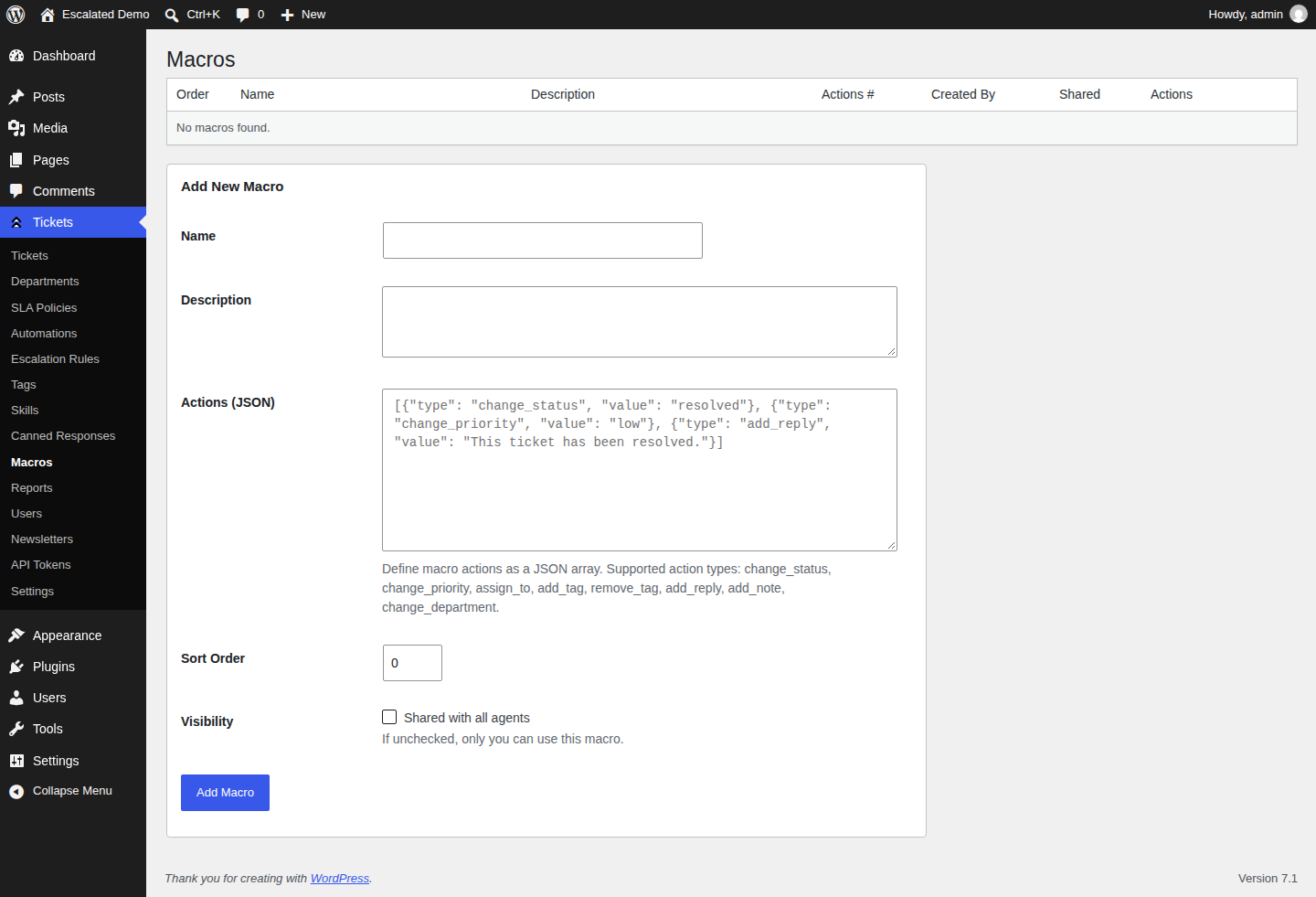 |
Screenshots are auto-generated via Playwright on every release. See
.github/workflows/screenshots.yml.
Download
- Latest plugin package: escalated.zip
- All releases: Releases
Features
- Ticket management with threaded conversations, internal notes, and activity timeline.
- Custom support roles:
escalated_adminandescalated_agent. - Department-based routing and assignment workflows.
- SLA policies with first-response and resolution targets.
- Automated escalation rules and scheduled SLA checks.
- Customer-facing frontend ticket pages via shortcodes.
- Guest ticket submission and secure guest ticket access.
- Inbound email ingestion via Mailgun, Postmark, and Amazon SES webhooks.
- Canned responses, macros, and tag management.
- Bearer token REST API with per-token abilities and rate limiting.
- Attachment support with configurable upload limits.
- Satisfaction ratings and reporting views.
Requirements
- WordPress
6.0+ - PHP
8.1+
Installation
- Place this plugin in your WordPress plugins directory:
wp-content/plugins/escalated
- Activate Escalated from the WordPress Plugins screen.
- Go to Escalated in wp-admin and configure:
- Departments
- SLA Policies
- Escalation Rules
- Settings
Frontend Shortcodes
Use these shortcodes on WordPress pages:
[escalated_tickets]- Logged-in requester ticket list.[escalated_create_ticket]- Logged-in requester new ticket form.[escalated_view_ticket]- Ticket detail view:- Logged-in users: expects
?ticket=ESC-123 - Guests: expects
?guest_token=<token>
- Logged-in users: expects
[escalated_guest_create]- Guest ticket creation form (if enabled in settings).
REST API
- Namespace:
/wp-json/escalated/v1 - Auth:
Authorization: Bearer <api-token> - Default rate limit:
60requests/minute per token (configurable viaapi_rate_limitsetting)
Main route groups:
/auth/validate/tickets/departments/tags/canned-responses/macros/agents/dashboard/admin/api-tokens/admin/tickets/{ref}/subjects(attach/detach ticket subjects)
Ticket subjects
A ticket has a requester (who raised it) and a subject line (free text). Tickets can also be about host-app entities — a project, customer, or asset — that are not people. Attach them as subjects so agents see context and can link into your app.
WordPress does not own those models. Register allowed type strings and resolve
each (type, id) via a filter:
// Allow attaching via the agent REST API (empty list disables API attach).
update_option('escalated_ticket_subject_types', ['project', 'customer']);

add_filter('escalated_resolve_ticket_subject', function ($subject, $type, $id) {
    if ($type === 'project') {
        $post = get_post((int) $id);
        if (! $post || $post->post_type !== 'project') {
            return null;
        }

        return new class ($post) implements \Escalated\Contracts\TicketSubject {
            public function __construct(private \WP_Post $post) {}

            public function ticketSubjectTitle(): string
            {
                return $this->post->post_title;
            }

            public function ticketSubjectSubtitle(): ?string
            {
                return 'Project';
            }

            public function ticketSubjectUrl(): ?string
            {
                return get_permalink($this->post);
            }

            public function ticketSubjectColor(): ?string
            {
                return null;
            }

            public function ticketSubjectIcon(): ?string
            {
                return 'folder';
            }
        };
    }

    return $subject;
}, 10, 3);
Programmatic attach/detach/sync (idempotent on ticket_id + type + id):
use Escalated\Services\TicketSubjectService;

TicketSubjectService::attach($ticket_id, 'project', '42', 'project');
TicketSubjectService::detach($ticket_id, 'project', '42');
TicketSubjectService::sync($ticket_id, [
    ['type' => 'project', 'id' => '42', 'role' => 'primary'],
    ['type' => 'customer', 'id' => '7'],
]);
Serialized on each ticket as subjects[]:
{ type, id, role, title, subtitle, url, color, icon, missing }
(title falls back to type#id when the resolver returns null.)
Admin REST (logged-in user with escalated_ticket_edit):
POST /wp-json/escalated/v1/admin/tickets/{ref}/subjects— body:type,id, optionalroleDELETE /wp-json/escalated/v1/admin/tickets/{ref}/subjects/{link_id}
Custom Ticket Actions
Host plugins can add custom buttons to the agent ticket screen and handle clicks
with normal WordPress hooks. Register actions via the escalated_ticket_actions
filter:
add_filter('escalated_ticket_actions', function (array $actions): array {
    $actions[] = [
        'key' => 'sync-crm',
        'label' => 'Sync CRM',
        'variant' => 'primary',           // primary | secondary | danger
        'confirmation' => 'Sync this ticket to the CRM?',
        'metadata' => ['icon' => 'refresh-cw'],
        // 'visible' / 'enabled' may be bool or callable($ticket, $user_id)
        'enabled' => fn ($ticket, $user_id) => empty($ticket->metadata['crm_synced']),
    ];

    return $actions;
});
Visible actions appear on the ticket detail response as custom_actions (each
with a url and method). Triggering one
(POST /wp-json/escalated/v1/tickets/{ref}/actions/{key}) validates the action
is visible (404) and enabled (403), then fires the
escalated_ticket_action_triggered hook:
add_action('escalated_ticket_action_triggered', function ($ticket, $action_key, $user_id, $payload, $metadata) {
    if ($action_key !== 'sync-crm') {
        return;
    }
    // your handler
}, 10, 5);
Escalated also records an internal note on the ticket whenever an action fires, for auditability.
Inbound Email Webhooks
Inbound route pattern:
POST /wp-json/escalated/v1/inbound/{adapter}
Supported adapters:
mailgunpostmarkses
Scheduled Tasks (WP-Cron)
On activation, Escalated schedules:
escalated_check_sla(every minute)escalated_evaluate_escalations(every 5 minutes)escalated_auto_close(daily)escalated_purge_activities(weekly)
Translations
Escalated for WordPress consumes translations from the central
escalated-dev/locale
Composer package, which is the single source of truth for translations
across every Escalated host plugin.
At runtime the plugin loads translations in two layers (later layer wins):
- Central —
vendor/escalated-dev/locale/languages/escalated-{locale}.mo(installed automatically viacomposer install). - Local overrides —
languages/overrides/escalated-{locale}.mo(drop your own compiled.mohere to override individual entries without forking the central package).
If the central package is not yet installed, the plugin falls back to
the legacy in-tree languages/*.po/*.mo files so existing sites keep
working.
To submit translation fixes, open a PR against
escalated-dev/escalated-locale.
Do not edit the in-tree .po files — they exist only as a fallback
and will be removed once the central package reaches a stable release.
Development
Install dependencies:
composer installRun tests (WordPress test suite required):
vendor/bin/phpunit -c phpunit.xml.distIf needed, set WP_TESTS_DIR to your local WordPress tests library path before running PHPUnit.
Also Available For
- Escalated for Laravel — Laravel Composer package
- Escalated for Rails — Ruby on Rails engine
- Escalated for Django — Django reusable app
- Escalated for AdonisJS — AdonisJS v6 package
- Escalated for Filament — Filament v3 admin panel plugin
- Escalated for WordPress — WordPress plugin (you are here)
- Shared Frontend — Vue 3 + Inertia.js UI components
Newsletters (optional, partial port)
Schema, models, and renderer for the admin-only newsletter broadcast feature. Off by default — flip escalated_newsletters_enabled option (or pass 1 through the standard Escalated settings UI) to turn it on. WP-special: uses WP options, WP-Cron, and WP capabilities (see CLAUDE.md / spec).
// Plug in a Markdown renderer (Parsedown, league/commonmark, etc.)
add_filter('escalated_newsletter_markdown_renderer', function ($_, $md) {
    return Parsedown::instance()->text($md);
}, 10, 2);
Custom themes go in templates/newsletter_themes/<slug>.php and receive $subject, $body (pre-rendered safe HTML), $unsubscribe_url, $view_in_browser_url, $brand (associative array).
Ships:
- 5 new tables created by
Escalated\Activator::create_newsletter_tables()(auto-called by the activator) marketing_opt_out_atcolumn added toescalated_contacts- 5 model wrappers under
includes/Models/Newsletter/ includes/Services/Newsletter/NewsletterRenderer.php— full renderer- Two starter themes in
templates/newsletter_themes/{default,branded}.php
Follow-up PR: WP-Cron tick for dispatcher, planner/tracker services, admin pages (custom or via the Inertia frontend), REST API endpoints for tracking + unsubscribe + view-in-browser, ESP webhook endpoints.
Database connection
By default Escalated's tables live in your WordPress database. Point them
somewhere else — a schema shared with a legacy system, a separate reporting
store, or simply out of the WordPress database — by defining the connection in
wp-config.php:
define('ESCALATED_DB_NAME', 'support');

// Optional. Each falls back to the WordPress value when omitted.
define('ESCALATED_DB_USER', 'support_user');
define('ESCALATED_DB_PASSWORD', 'secret');
define('ESCALATED_DB_HOST', 'db.internal');
define('ESCALATED_DB_PREFIX', 'wp_');
Define nothing and Escalated uses the global $wpdb — the same instance, the
same prefix, the same queries. An unconfigured site is unchanged.
WordPress has no connection registry, so a second database means a second
wpdb. Escalated builds one lazily and reuses it: wpdb connects in its
constructor, so resolving per query would open a connection per query.
Your users stay in WordPress
ESCALATED_DB_NAME moves Escalated's own tables and nothing else. The plugin
never queries wp_users, wp_posts or wp_options directly — it reaches user
data through get_userdata(), get_user_by() and WP_User_Query, which use
the WordPress connection as they always have. Escalated stores user ids as plain
unconstrained columns precisely so the two can live on different databases, and
a test asserts no plugin code issues raw SQL against a core table.
Creating the tables
Activation creates Escalated's tables on whichever connection is configured, so define the constants before activating the plugin. On an existing install, defining them afterwards does not move any data — create the tables on the new database and copy the rows across first.
License
MIT
Releases
17 releases. Each count is every asset in that release; expand a row for the breakdown.
Active-site estimate ≈10 comes from the v1.6.2 cohort. Method.