Install
This is the repository archive. It installs, but the folder name will carry the branch suffix and updates will not flow.
Install straight from GitHub with WP-CLI:
wp plugin install https://github.com/epfl-si/wp-plugin-epfl-ws/archive/refs/heads/master.zipEPFL Web Services Plugin
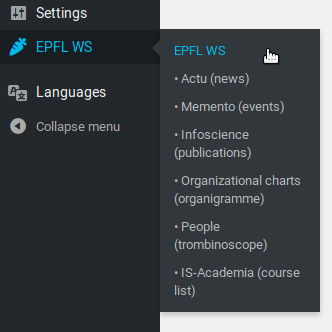
This Wordpress plugin aim to unify all EPFL web services in one place.
- EPFL Actu (news)
- EPFL Memento (events)
- EPFL Infoscience
- IS-Academia
- EPFL Organizational Charts (organigramme)
- EPFL People (trombinoscope)
About
EPFL Actu (news)
The Actu part of this plugin is separeted in two parts, one is the shortcode and the second is the Actu custom post.
Actu custom post type and taxonomy
For each entry in actus.epfl.ch that the WordPress administrators are interested in, there is a local copy as a post inside the WordPress database. This allows e.g. putting actus news into the newsletter or using the full-text search on them.
The "Actu" custom post type integrates with WP Subtitles, if installed (https://wordpress.org/plugins/wp-subtitle/). Note that only Actu items fetched after WP Subtitles is installed, can get a subtitle.
Actu Shortcode
Actu Shortcode allows you to integrate EPFL News (actus) in any Wordpress pages
or posts. To do so, just use the [actu] shortcode where ever you want to
display the news.
In addition, you can be very picky on which news you want, by passing some arguments to the shortcode. Here are some example:
[actu][actu tmpl=full channel=10 lang=en limit=3][actu tmpl=short channel=10 lang=en limit=20 category=1 title=EPFL subtitle=EPFL text=EPFL faculties=6 themes=1 publics=6]
Note that you don't have to specify any of these if you don't want to filter on something.
Actu Shortcode Info
- ShortCode
[actu]available from page, post or text widget; - Actu shortcode can takes arguments:
tmpl: the template you want to usefull: all information;short: compact;widget: title and first image only.
channel: the channel's ID (e.g. sti=10). You can search your channel's ID here: https://actu.epfl.ch/api/v1/channels/?name=sti;lang: english (en) or french (fr);limit: the number of news you want;categoryis in [1: EPFL, 2: EDUCATION, 3: RESEARCH, 4: INNOVATION, 5: CAMPUS LIFE];publicsis in [1: Prospective Students, 2: Students, 3: Collaborators, 4: Industries/partners, 5: Public, 6: Media];themesis in [1: Basic Sciences, 2: Health, 3: Computer Science, 4: Engineering, 5: Environment, 6: Buildings, 7: Culture, 8: Economy, 9: Energy];facultiesis in [1: CDH, 2: CDM, 3: ENAC, 4: IC, 5: SB, 6: STI, 7: SV];search,title,subtitle,textare search arguments you can use to get news across the school on, in example, keywords.
EPFL Memento (events)
💡 Please be aware that this shortcode still relate on the old https://wiki.epfl.ch/api-rest-actu-memento/mementoAPI and will switch to the https://memento.epfl.ch/api/v1/events/new one whenever it's ready. 💡
Memento Shortcode allows you to integrate EPFL Events (memento) in any Wordpress
pages or posts To do so, just use the [memento] shortcode where ever you want
to display the news In addition, you can be very picky on which news you want,
by passing some arguments to the shortcode.
Here are some example:
[memento][memento tmpl=full channel=STI lang=en limit=3][memento tmpl=short channel=STI lang=en limit=20]
Memento Shortcode Info
- ShortCode
[memento]available from page, post or text widget; - Actu shortcode can takes arguments:
tmpl: the template you want to usefull: all information;short: compact;widget: title and first image only.
channel: the channel's name (e.g.sti).lang: english (en) or french (fr);limit: the number of news you want;
EPFL Infoscience
Infoscience Shortcode allows you to integrate any infoscience exports on a Wordpress page or post.
- First head to https://infoscience.epfl.ch/;
- Run a search with wanted parameters (e.g.
unit:sti); - Click on the link
Integrate these publications into my website; - Select wanted parameter (as grouped by year, detailed format, etc.);
- When ready, save your export and copy the link (similar to
https://infoscience.epfl.ch/curator/export/12913/?ln=en); - Use the shortcode with the url parameter:
[infoscience url=https://infoscience.epfl.ch/curator/export/12913/?ln=en].
IS-Academia
IS-Academia is the management tools for studies at EPFL. This shortcode allows you to integrate EPFL automatic course list (IS-Academia) in any Wordpress pages or posts.
To do so, just use the [isacademia unit=sgm-ens lang=en] shortcode where ever you want to display it.
https://jahia.epfl.ch/external-content/course-plan
In addition, you can pass some arguments to the shortcode.
Here are some example:
- per laboratory:
unit=XXX,XXX>the acronym of the laboratory(s) - per section:
unit=XXX-ens - per teacher:
scipers=123456,123457 - per semester:
sem=eteorsem=hiver - per cursus:
cursus=ba(bachelor's),cursus=ma(master's),cursus=phd(phd) - sorting:
display=byprof - selecting the detail level:
detail=S> name of course with link + teachersdetail=M> the same + description and languagedetail=L> the same + curriculum + academic year
This page https://jahia.epfl.ch/external-content/automatic-course-list#faq-488738 summarize the options.
EPFL Organizational Charts (organigramme)
EPFL People (trombinoscope)
People Shortcode allows you to integrate EPFL People (trombinoscope) in any
Wordpress pages or posts. To do so, just use the [people unit=sti-it lang=fr]
shortcode where ever you want to display the news. In addition, you can be very
picky on which news you want, by passing some arguments to the shortcode.
Here are some example:
[people tmpl=default_aZ_pic_side lang=en unit=STI-IT][people tmpl=default_aZ_pic_side lang=en unit=STI subtree=1 struct=1 function=prof nophone=0 nooffice=0 responsive=0]
If you need more specific tuning, you can use [people url=XXX], with composing a valid URL from https://jahia.epfl.ch/contenu-externe/liste-de-personnes/composer:
[people url=https://people.epfl.ch/cgi-bin/getProfiles?lang=en&unit=STI&subtree=1&nophone=1&function=professeur+ordinaire]