Worknoon Chat
WordPress chat integration plugin for eCommerce platforms.
by Worknoon Assessment · github.com/ennygabby01/worknoon-chat-wordpress
Install
No release zip yet. The repository archive installs, but the folder name will carry the branch suffix and updates will not flow:
wp plugin install https://github.com/ennygabby01/worknoon-chat-wordpress/archive/refs/heads/main.zipWordPress plugin integration for the Worknoon realtime chat assessment.
Demo Video
Related Repositories
Technologies
- WordPress plugin API
- PHP 8.1+
- WordPress REST API
- Custom post types
- Shortcodes
- Vanilla JavaScript
- CSS
What It Provides
chat_sessioncustom post type for local WordPress chat session records.[worknoon_chat]shortcode for embedding a floating iframe chat launcher.- WordPress REST API routes under
/wp-json/worknoon-chat/v1. - Namespaced PHP classes loaded through the plugin autoloader.
- Admin settings for backend API URL, frontend app URL, widget title, default chat context, site-wide widget toggle, and widget position.
- Escaped frontend output, sanitized settings, and nonce-protected session creation.
- Uninstall cleanup for plugin options and
chat_sessionrecords.
Requirements
- WordPress 6.4 or newer.
- PHP 8.1 or newer.
- Authenticated WordPress user for starting a chat session.
- Worknoon frontend app URL for the iframe widget.
- Worknoon backend API URL when direct backend bridging is enabled.
Installation
- Copy this folder into
wp-content/plugins/worknoon-chat. - Activate Worknoon Chat from the WordPress admin plugins screen.
- Open Chat Sessions > Settings.
- Set the frontend app URL for the active Next.js chat environment.
- Set the backend API URL for the active environment when direct backend calls are enabled.
- Enable Site-wide Widget to show the floating launcher on every public page, or add
[worknoon_chat]to a specific page, post, or widget area.
Local Commands
make lint
make package
make clean
make lint runs PHP syntax checks. make package creates dist/worknoon-chat.zip.
Shortcode
[worknoon_chat]Optional attributes:
[worknoon_chat context="support" title="Need help?"]You can also override the frontend URL and floating position:
[worknoon_chat url="https://chat.example.com" position="bottom-right"]Supported contexts:
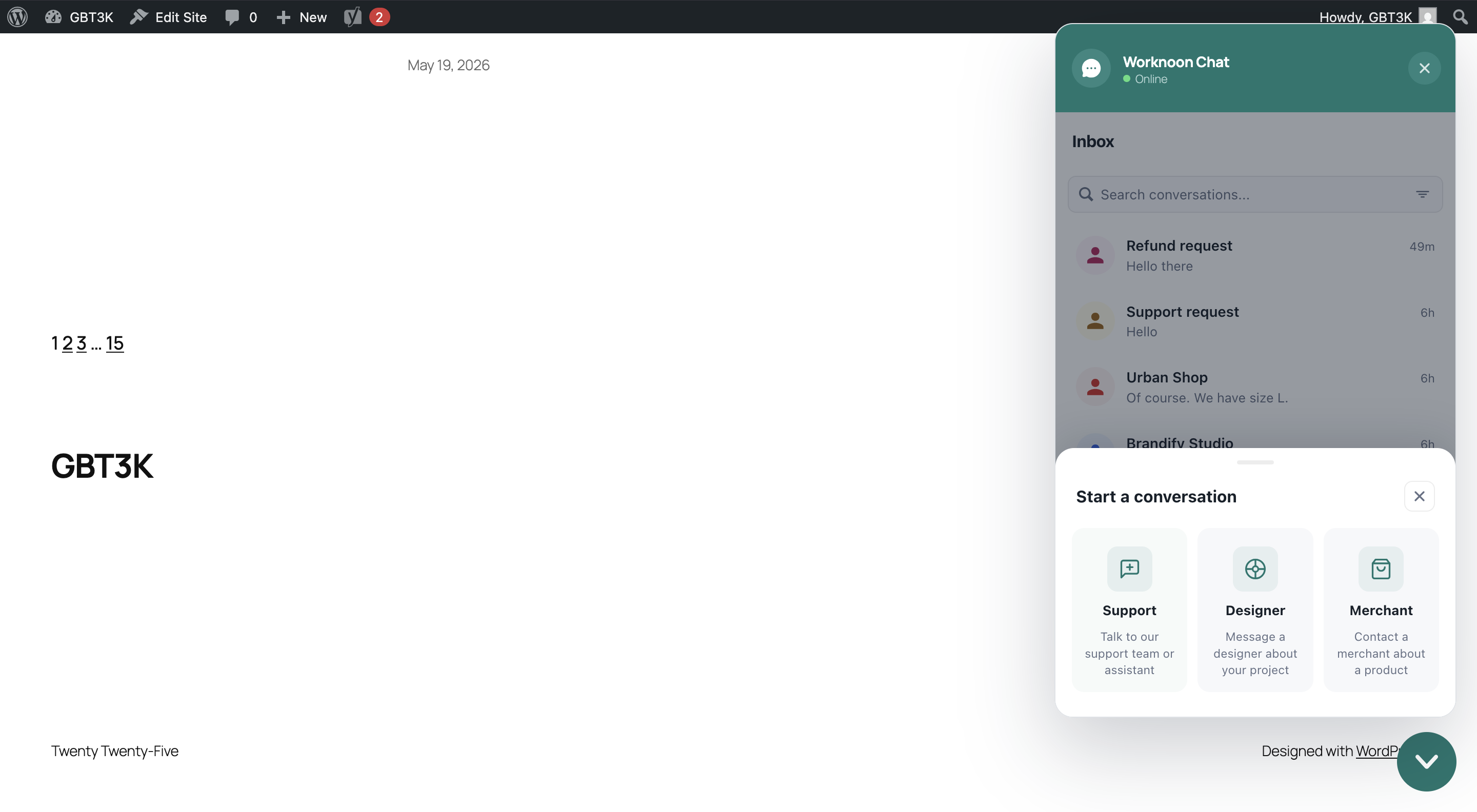
supportdesignermerchant
The context is passed to the frontend iframe and stored on the local chat_session record. It is not a WordPress post type; it simply tells the chat frontend whether to start a support, designer, or merchant flow.
Supported positions:
bottom-rightbottom-left
Widget Architecture
The WordPress plugin owns the commerce-site embed surface: shortcode rendering, floating launcher, iframe container, local chat_session records, settings, and WordPress REST endpoints.
The Next.js frontend owns the chat product UI inside the iframe. The iframe URL receives:
embed=wordpresscontextsourceUrl
The backend remains the source of truth for authentication, conversations, messages, read state, and realtime events.
The Next.js frontend must allow the WordPress site to frame it. In local development, configure the frontend with the WordPress origin:
WORDPRESS_FRAME_ANCESTORS=http://localhost:8080,http://172.20.10.4:8080Use the actual WordPress origin/port for your environment.
Screenshots
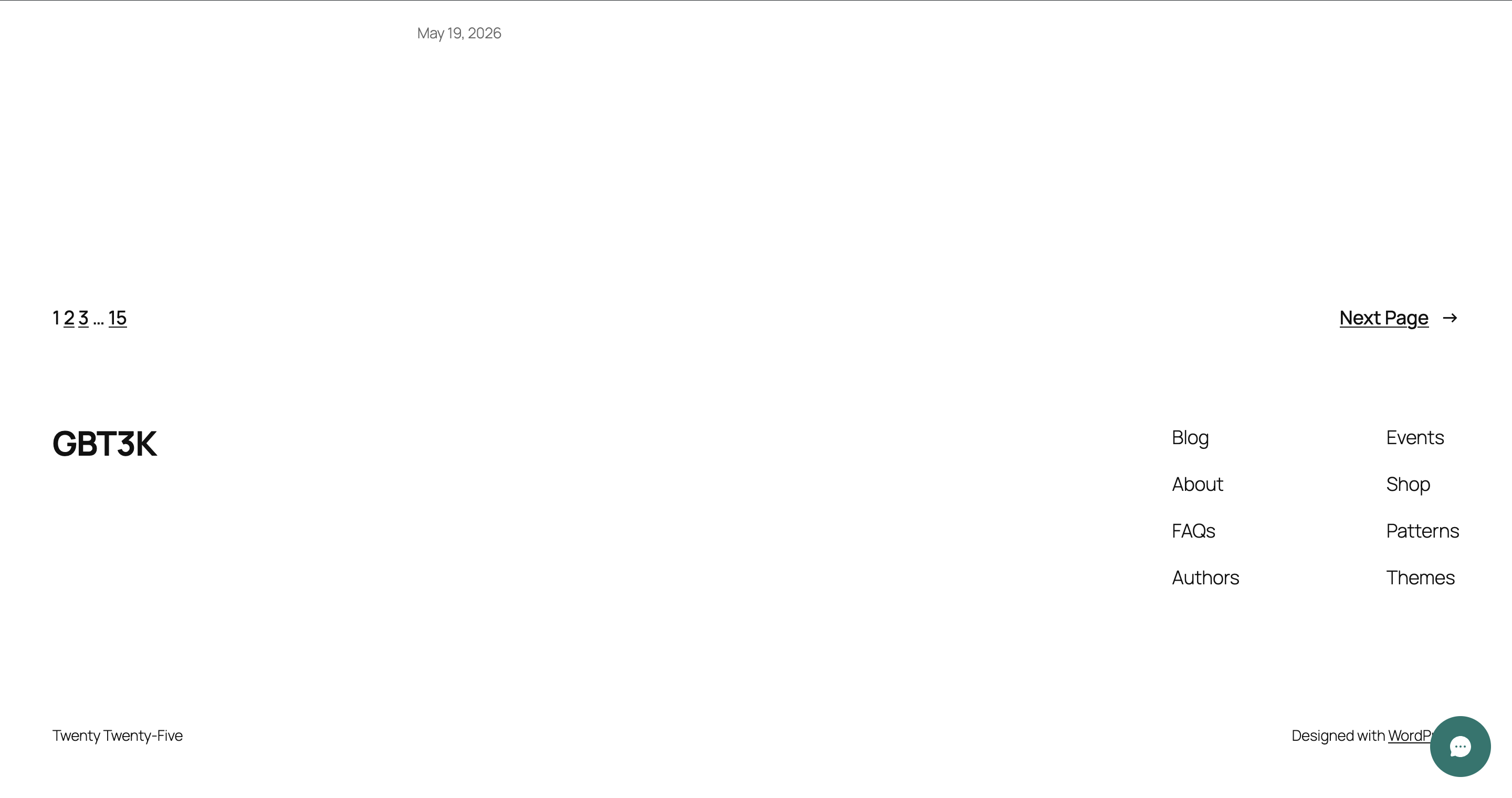
Widget closed:
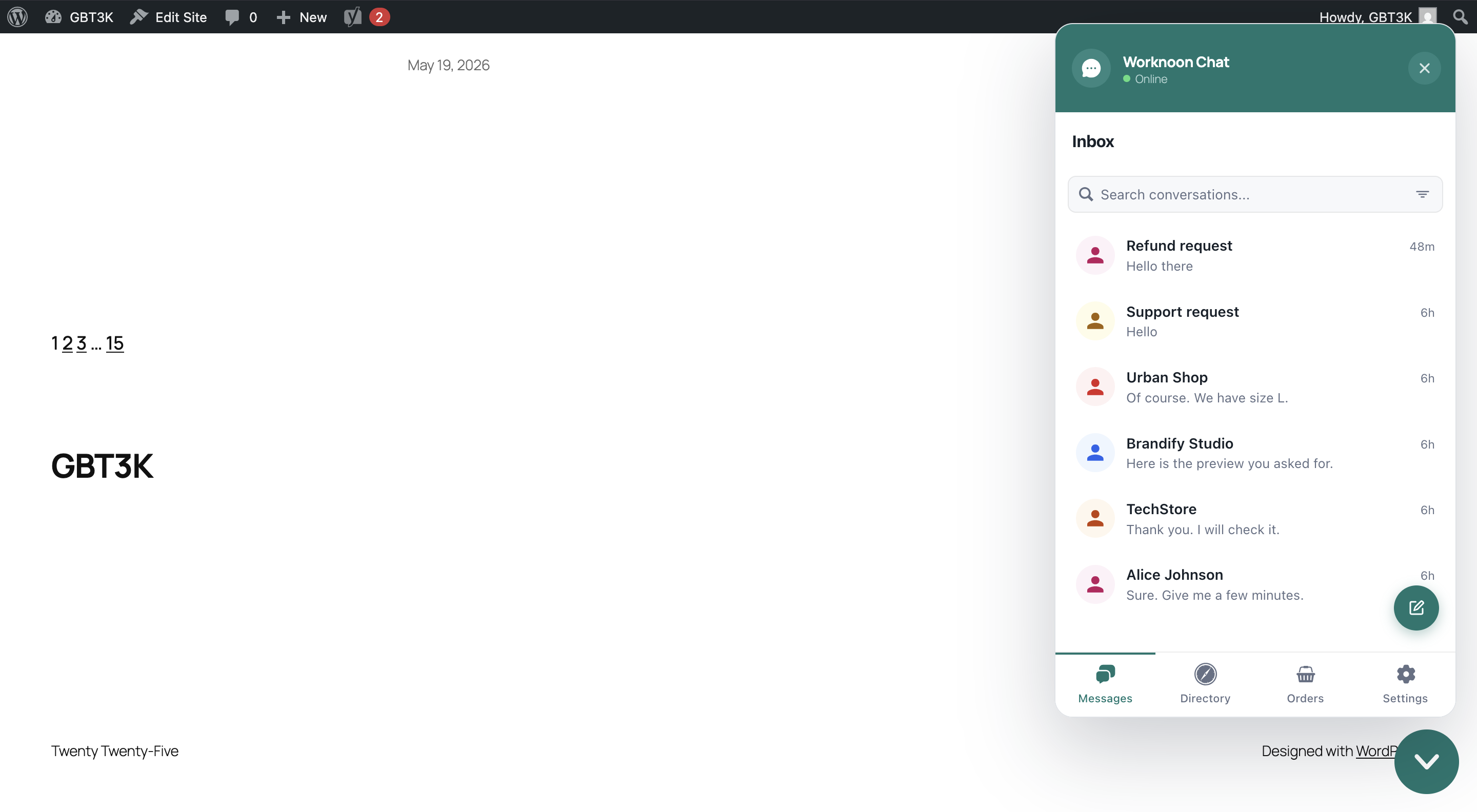
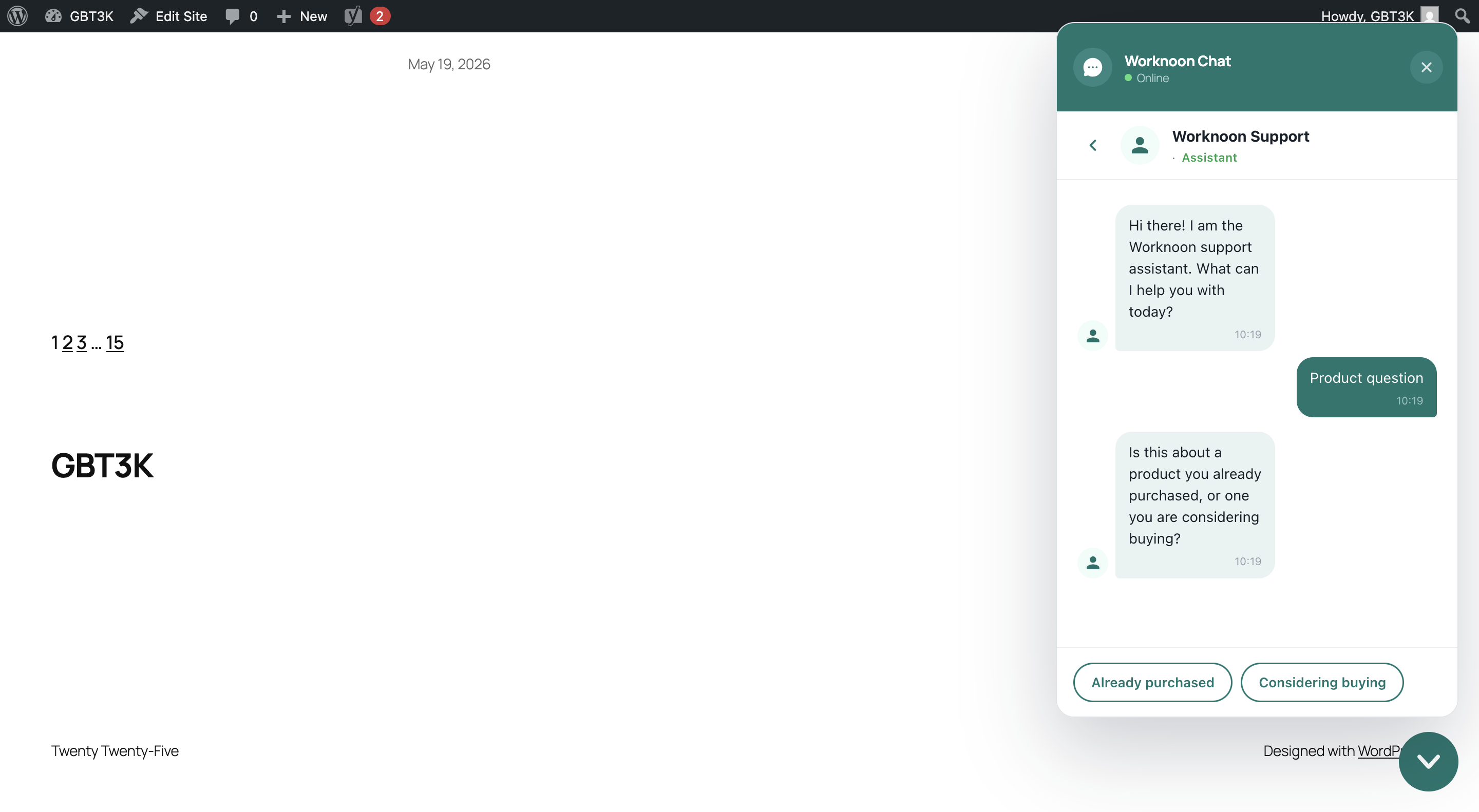
Widget open:
REST Routes
GET /wp-json/worknoon-chat/v1/config
Returns public widget configuration.
POST /wp-json/worknoon-chat/v1/sessions
Creates a private chat_session post for the current WordPress user. Requires a valid X-WP-Nonce header.
Architecture
The plugin keeps the WordPress integration thin:
worknoon-chat.phpbootstraps constants, autoloading, activation, and deactivation.src/PostType/ChatSessionPostType.phpregisters thechat_sessioncustom post type.src/Settings/SettingsRepository.phpowns settings defaults and sanitization.src/Admin/AdminPage.phprenders and saves plugin settings.src/PublicView/ChatShortcode.phprenders the shortcode and site-wide widget.src/Rest/RestController.phpexposes the public config and session-record routes.assets/cssandassets/jscontain separate admin and public widget assets.
Challenges and Tradeoffs
- The PDF allowed either a plugin or a Storefront child theme. I chose a plugin because the required deliverables were a custom post type, shortcode, and REST API integration, and a plugin is more portable for an ecommerce site.
- I avoided rebuilding the chat UI inside WordPress. WordPress owns the embed shell, settings,
chat_sessionrecords, and site context; the Next.js app owns the actual chat experience. - I had to clarify shortcode context values.
support,designer, andmerchantare not WordPress post types; they are chat-entry contexts passed to the frontend and stored with the local session record. - The site-wide toggle and shortcode needed to behave consistently. They now share the same render path: global settings drive the automatic widget, while shortcode attributes can override context, title, URL, and position per page.
- The widget initially risked clobbering an existing page scroll-lock state. It now preserves any existing inline
bodyoverflow value and restores it when the panel closes. - The plugin records local sessions only for authenticated WordPress users. The backend remains the source of truth for chat users, conversations, messages, read state, and realtime behavior.
Current Status
This plugin covers the required WordPress path from the assessment: custom post type, shortcode, and REST integration surface. The public shortcode now renders a floating iframe widget pointed at the configured Next.js frontend.
Validation
make lint