Terminal Out Analytics WP Registry grade A. No security issues foundWP RegistryNo security issues foundOpen the reportA
Privacy-first, self-hosted analytics for WordPress.
Install
Upload it under Plugins → Add New Plugin → Upload Plugin, then activate.
Install straight from GitHub with WP-CLI:
wp plugin install https://github.com/emninoze/terminal-out-analytics/releases/download/v1.1.1/terminal-out-analytics.zip
Terminal Out Analytics
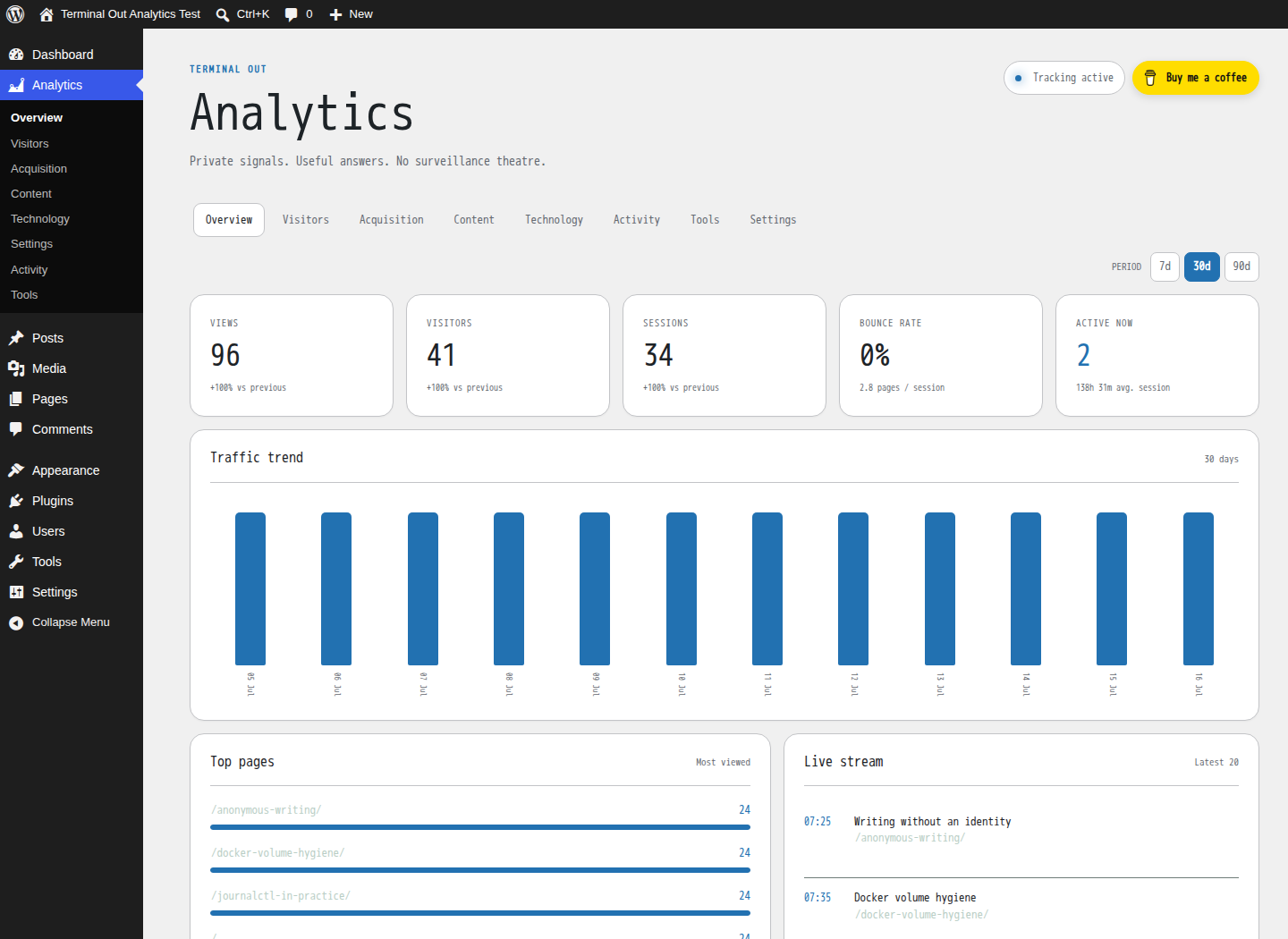
Private signals. Useful answers. No surveillance theatre.
Self-hosted analytics for WordPress — traffic, visitors, content, acquisition, technology and technical activity in one responsive dashboard.
Download · Report a bug · Buy me a coffee
Analytics that stays yours
Terminal Out Analytics records events in your own WordPress database and serves its tracker from your own site. It does not load a third-party analytics script, create a tracking cookie, or require a SaaS account.
- Page views, visitors, sessions, bounce rate and duration
- Live stream and complete visitor journeys
- Referrers, landing pages and UTM campaigns
- Posts, pages, devices, browsers and operating systems
- Countries, cities, regions, operators and ASN information
- Custom JavaScript events, known crawlers, HTTP errors and suspicious requests
- Configurable retention, CSV exports and maintenance diagnostics
- Native WordPress and optional Terminal dashboard appearances
- Responsive administration screens designed for desktop and mobile

Privacy by default
The default CNIL-oriented mode disables detailed visitor journeys, campaign parameters, remote GeoIP and readable IP storage. It uses daily rotating, site-specific pseudonymous identifiers, domain-only referrers and aggregated exports. Advanced analytics remain available only after statistics consent.
Add [terminal_out_analytics_privacy] to the privacy page to provide allow, refuse and current-browser erasure controls.
Geolocation is optional:
- trusted proxy or CDN headers;
- compatible City and ASN MMDB databases supplied by the site owner;
- an optional ipwho.is fallback, disabled by default.
When remote GeoIP is enabled, the visitor IP is sent to ipwho.is. This behavior is disclosed in the plugin settings, privacy-policy helper and WordPress readme.
Installation
Recommended
- Download
terminal-out-analytics.zipfrom the latest release. - In WordPress, open Plugins → Add New Plugin → Upload Plugin.
- Upload the ZIP and activate it.
- Review Analytics → Settings before collecting production traffic.
From source
composer install --no-dev --optimize-autoloaderCopy the repository directory to wp-content/plugins/terminal-out-analytics, then activate the plugin.
Custom events
Once the local tracker is loaded, record an event from a theme or plugin:
window.termouanTrack('newsletter_signup', 'footer-form');Event names are normalized and event values are limited to 255 characters.
Requirements and compatibility
| Component | Supported |
|---|---|
| WordPress | 6.5 or newer |
| PHP | 8.1 or newer |
| Tested through | WordPress 7.0 |
| Database | MySQL or MariaDB supported by WordPress |
Version 1.1.1 requires WordPress 6.5 or newer and PHP 8.1 or newer.
Security
Please do not publish suspected vulnerabilities in a public issue. Follow the instructions in SECURITY.md. Administrative actions require the manage_options capability and state-changing operations use WordPress nonces.
Contributing
Bug reports and focused pull requests are welcome. See CONTRIBUTING.md before opening a change.
License
Terminal Out Analytics is free software licensed under the GNU General Public License v2.0 or later.
Built by emninoze for WordPress publishers who prefer useful statistics without surrendering their audience data.
Releases
3 releases. Each count is every asset in that release; expand a row for the breakdown.