Resource Access Gate WP Registry grade A. No security issues foundWP RegistryNo security issues foundOpen the reportA
Free forever open-source WordPress plugin for unlimited email-gated resource downloads
Install
Upload it under Plugins → Add New Plugin → Upload Plugin, then activate.
Install straight from GitHub with WP-CLI:
wp plugin install https://github.com/elig-45/resource-access-gate/releases/download/1.6.1/email-download-gate-1.6.1.zipResource Access Gate
Unlimited email-gated resource downloads for WordPress — free forever and free software.

Features · Quick start · Screenshots · Download
Resource Access Gate is a lightweight plugin for publishers, consultants, agencies, creators, and teams who want to share PDFs, reports, templates, white papers, decks, or private files without adding a heavy marketing platform.
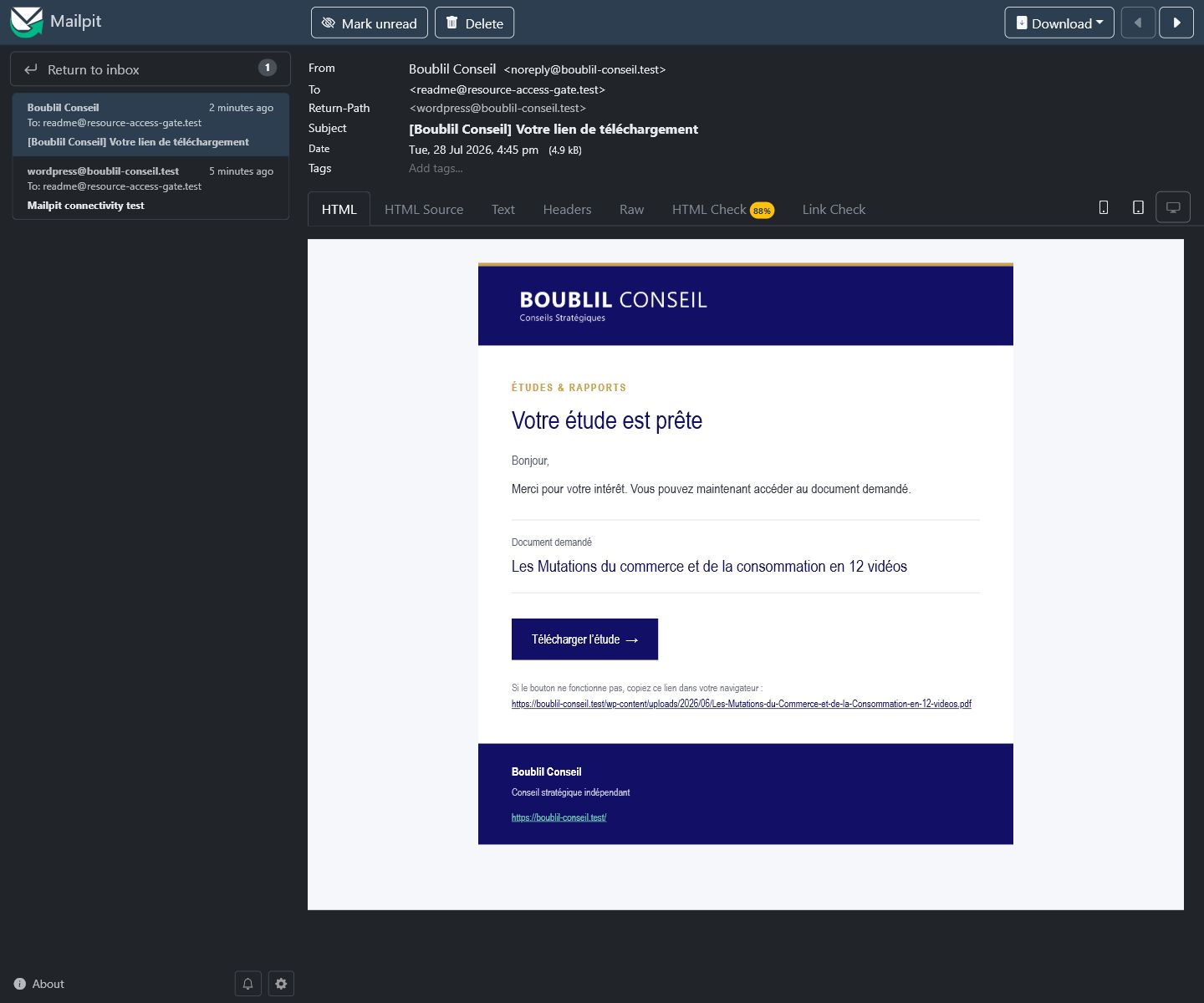
Visitors enter a valid email address, the download link appears instantly, and the same link is sent in a branded, responsive HTML email with a plain-text fallback. Requests are stored in WordPress and can be reviewed or exported from the admin area.
Free Means Free
This is not a freemium plugin.
- No premium tier
- No paid unlocks
- No artificial resource limits
- No submission caps
- No vendor account required
- No bundled tracking or front-end branding links
- Free software under GPL-3.0-or-later
The only practical limits are your WordPress hosting, database, and email delivery setup.
Why Use It
- No third-party service required
- Works with a simple shortcode
- Keeps resource URLs out of the initial page HTML
- Sends download links with WordPress mail
- Supports localized French and English front-end messages and emails
- Stores contacts and requests in dedicated database tables
- Displays a configurable privacy notice and automatically purges expired data
- Limits repeated requests and rejects honeypot submissions
- Provides CSV export for follow-up workflows
- Ships as a small, understandable WordPress plugin
Quick Start
- Copy
email-download-gateintowp-content/plugins/. - Activate Resource Access Gate in WordPress.
- Open Resources in the admin menu.
- Add a resource ID, title, and file URL.
- Place the shortcode where the form should appear:
[resource_access_gate id="resource-id"]To render the form in an accessible modal opened by another element, give that
element a data-rag-open attribute matching the modal ID:
<button type="button" data-rag-open="report-modal">Open the report form</button>
[resource_access_gate id="resource-id" mode="modal" modal_id="report-modal"]
Screenshots
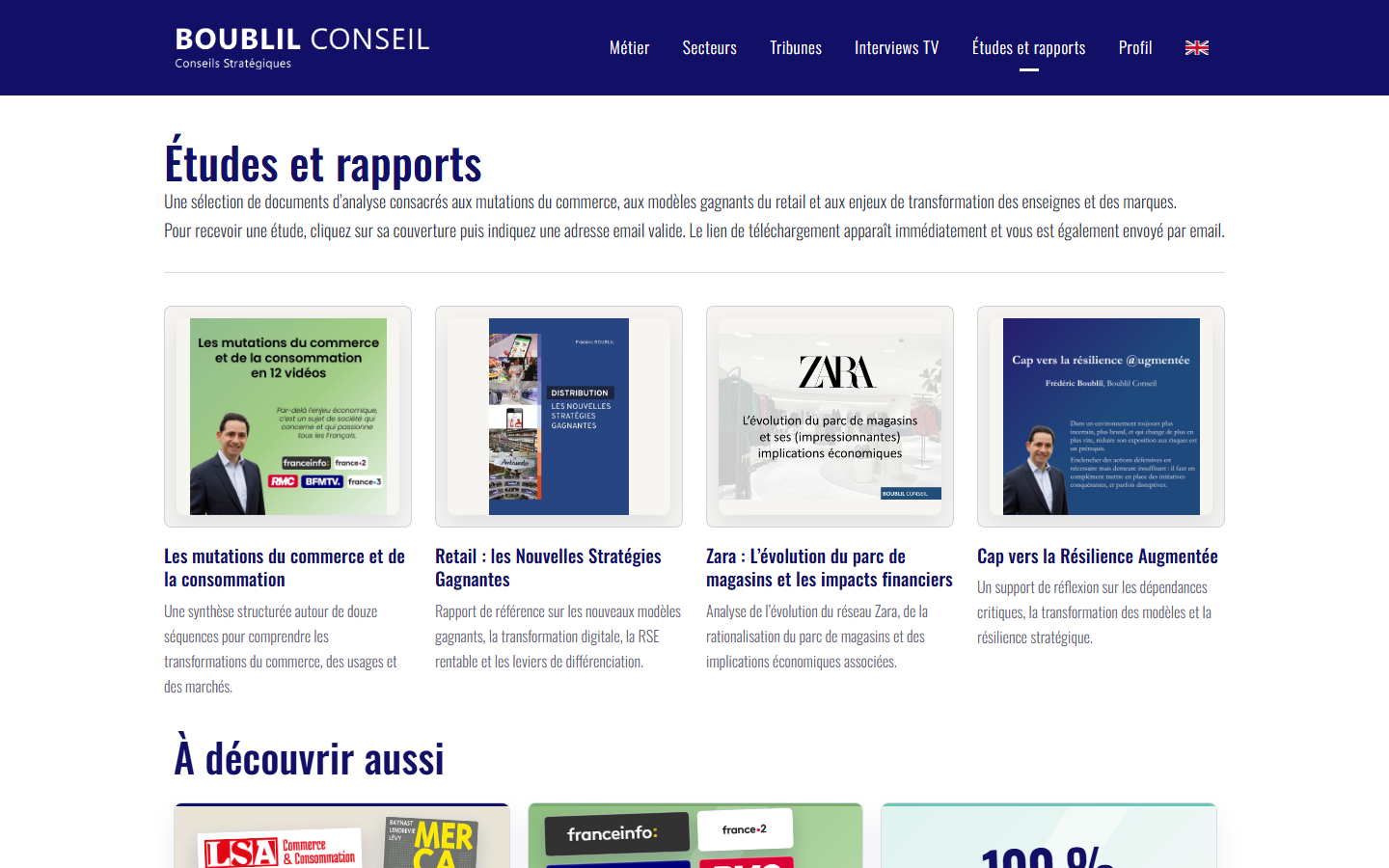
|
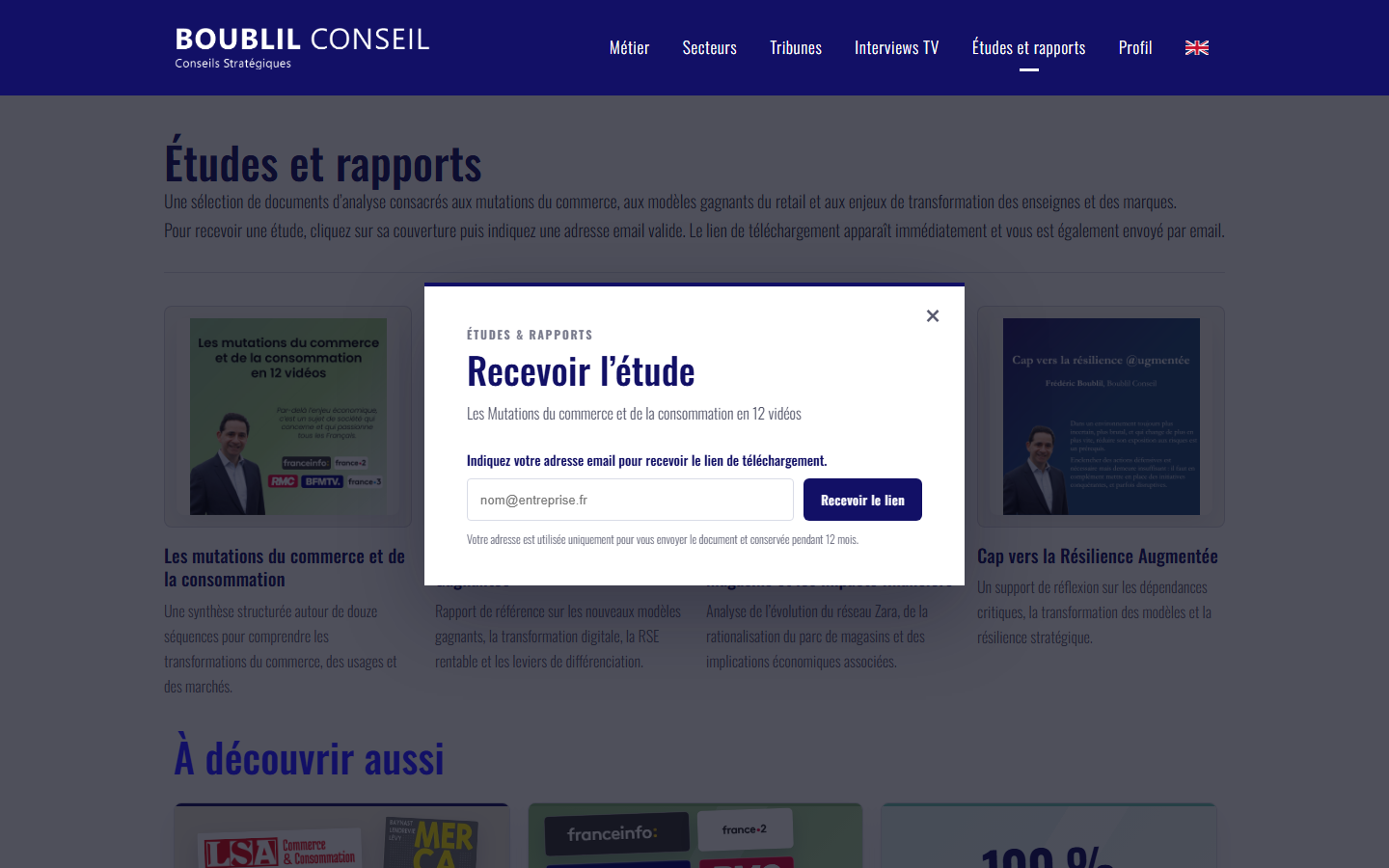
|
| Studies and reports grid | Accessible request modal |
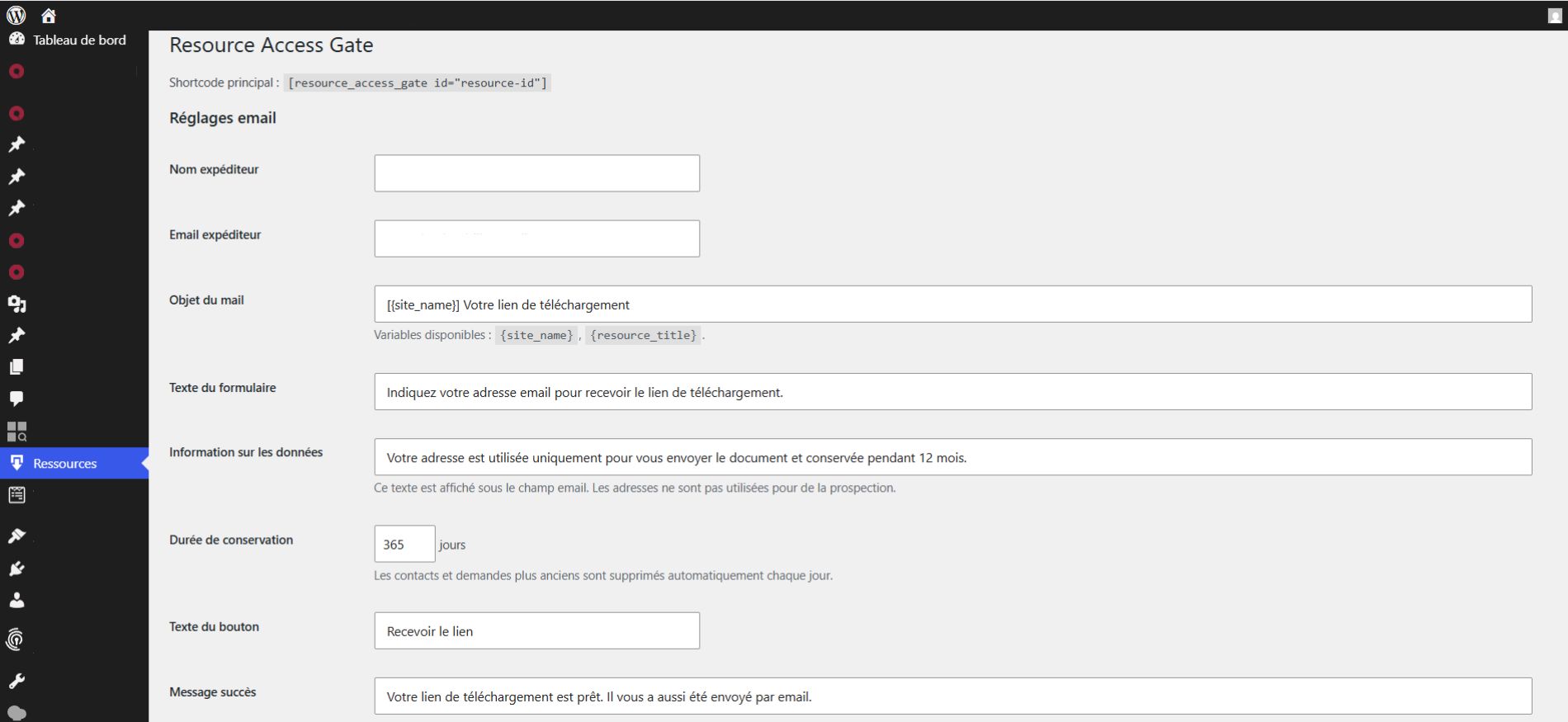
|
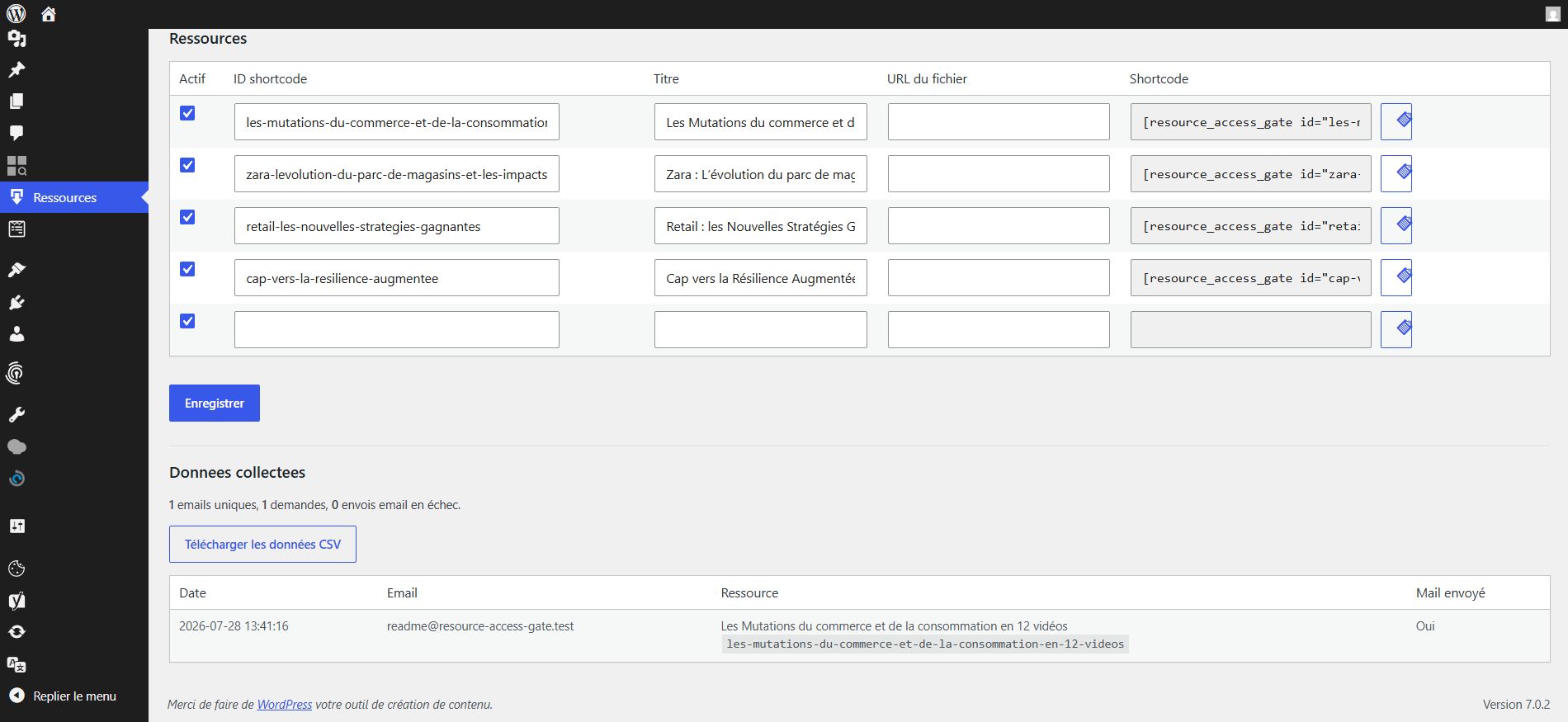
|
| Email and retention settings | Resources and request log |
|
|
| Branded HTML email received in Mailpit |
Screenshot notice: all examples visible in these screenshots—including names, logos, trademarks, publication covers, report content, and site content—remain all rights reserved by their respective rights holders. They are shown solely for documentation and illustrative purposes. The GPL-3.0-or-later license for Resource Access Gate does not grant any rights to this underlying example content.
How It Works
The public page only receives the resource ID. After a valid email is submitted, WordPress validates the request, logs the contact and request, sends the email, and returns the download URL to the browser.
This keeps the visitor flow simple while avoiding resource links being exposed in the initial HTML.
Admin Features
- Configure sender name and sender email
- Customize email subject and front-end messages
- Configure the privacy notice and retention duration
- Add, edit, enable, and disable resources
- View recent download requests
- Track whether the email was sent successfully
- Export all requests as CSV
Privacy
Resource Access Gate stores submitted email addresses, requested resource IDs, timestamps, email-send status, and hashed request metadata such as IP address and user agent. It does not send this data to an external service.
Sites using this plugin should mention the collection of email addresses in their own privacy policy.
Mail Delivery
The plugin uses wp_mail() and sends a responsive HTML template with a plain-text alternative. The template automatically reuses the active Bridge logo when available and follows the Boublil Conseil color palette. For reliable delivery in production, configure WordPress with a proper SMTP or transactional email setup.
WordPress.org
The repository includes a readme.txt formatted for the WordPress.org Plugin Directory.
For WordPress.org submissions, the Contributors field uses the WordPress.org username. GitHub links use the GitHub username.
Requirements
- WordPress 5.8 or later
- PHP 7.4 or later
Tested locally up to WordPress 7.0.
License
Copyright (C) 2026 Eli Gold.
Resource Access Gate source code and original documentation are free software
distributed under the GNU General Public License, version 3 or (at your
option) any later version (GPL-3.0-or-later). You may use, study, modify,
and redistribute them under the terms in LICENSE.
Third-party examples visible in screenshots are excluded from this license, as described in the screenshot notice.
Author
Eli Gold
GitHub: https://github.com/elig-45
Releases
5 releases. Each count is every asset in that release; expand a row for the breakdown.