Install
Upload it under Plugins → Add New Plugin → Upload Plugin, then activate.
Install straight from GitHub with WP-CLI:
wp plugin install https://github.com/eighty20results/e20r-single-use-trial/releases/download/v2.1/e20r-single-use-trial-2.1.zip






E20R Single Use Trial Membership Settings
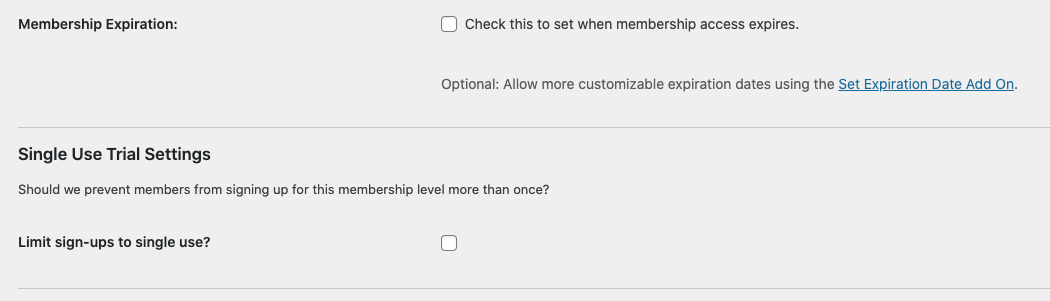
Limits a registered PMPro member from signing up for a specific membership level more than once.
Explore the docs »
View Demo
·
Report Bug
·
Request Feature
Table of Contents
About The Project
Built With
Getting Started
To get a local copy up and running follow these simple steps.
Prerequisites
This is an example of how to list things you need to use the software and how to install them.
- The super manual way: Clone and load all dependencies, then create the archive
git clone https://github.com/eighty20results/e20r-single-use-trial.git
cd e20r-single-use-trial
php composer.phar install
git archive master --format zip -o e20r-single-use-trial.zip
# Install the .zip file on your site
Installation
- Clone the repo
git clone https://github.com/eighty20results/e20r-single-use-trial.git - Install required composer packages
composer.phar update ./composer.json
Usage
Use this space to show useful examples of how a project can be used. Additional screenshots, code examples and demos work well in this space. You may also link to more resources.
For more examples, please refer to the Documentation
Roadmap
See the open issues for a list of proposed features (and known issues).
Contributing
Contributions are what make the open source community such an amazing place to be learn, inspire, and create. Any contributions you make are greatly appreciated.
- Fork the Project
- Create your Feature Branch (
git checkout -b feature/AmazingFeature) - Commit your Changes (
git commit -m 'Add some AmazingFeature') - Push to the Branch (
git push origin feature/AmazingFeature) - Open a Pull Request
License
Distributed under the GPL v2 License. See LICENSE for more information.
Contact
Thomas Sjolshagen - @Eighty20Results - thomas@eighty20results.com
Project Link: https://github.com/eighty20results/e20r-single-use-trial
Acknowledgements
Releases
1 release. Each count is every asset in that release; expand a row for the breakdown.