Install
This is the repository archive. It installs, but the folder name will carry the branch suffix and updates will not flow.
Install straight from GitHub with WP-CLI:
wp plugin install https://github.com/eaykutalp/wordpress-ai-summary-plugin/archive/refs/heads/main.zipNo built-in updater. New versions won't appear under Dashboard → Updates. Install new releases yourself, or let Git Updater track the repository.
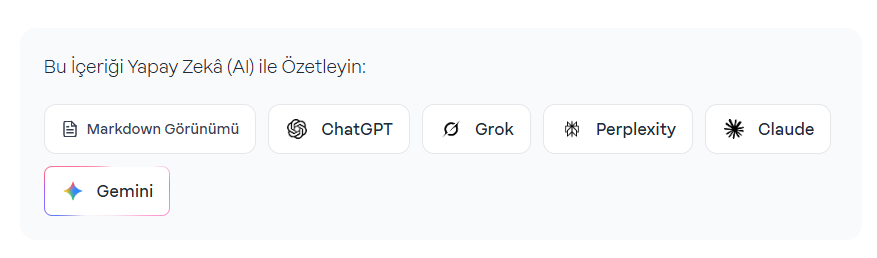
A plugin that displays AI summarization buttons at the beginning of WordPress posts.
Features
- Displays AI summarization buttons at the beginning of WordPress posts
- Supports 5 different AI services: ChatGPT, Grok, Perplexity, Claude, Gemini
- Custom modal window for Gemini (with clipboard support)
- Responsive design
- Animated gradient border (Gemini button)
- Uses plain CSS and JavaScript (No Tailwind CSS)
Installation
- Copy the
wordpress-ai-summary-pluginfolder to your WordPresswp-content/plugins/directory - Go to the "Plugins" section in your WordPress admin panel
- Activate the "AI Summary Plugin"
Usage
Once the plugin is activated, AI summarization buttons will automatically appear at the beginning of the post on all single post pages.
Supported AI Services
- ChatGPT: Direct redirection
- Grok: Direct redirection
- Perplexity: Direct redirection
- Claude: Direct redirection
- Gemini: Modal window with clipboard support
File Structure
wordpress-ai-summary-plugin/
├── ai-summary-plugin.php     # Main plugin file
├── assets/
│   ├── style.css            # CSS styles
│   ├── script.js            # JavaScript functions
│   └── icons/               # AI service icons
│       ├── chatgpt.png
│       ├── gemini.png
│       ├── grok.png
│       ├── perplexity.png
│       └── claude.png
├── sc.png                   # Screenshot
└── README.md               # This file
Customization
CSS Styles
You can customize the appearance by editing the assets/style.css file.
AI Services
You can add new services or modify existing ones by editing the $ai_services array in the ai-summary-plugin.php file.
Icons
You can use custom icons by replacing the PNG files in the assets/icons/ folder. The icon size should be 20x20 pixels.
Technical Details
- WordPress Version: 5.0+
- PHP Version: 7.4+
- Dependencies: None
- Tailwind CSS: Not used (plain CSS)
- jQuery: Not used (vanilla JavaScript)
Security
- All user inputs are sanitized with
esc_attr()andesc_html() - Protected against XSS attacks
- Complies with WordPress security standards
License
GPL v2 or later
Developer
Emre Aykutalp
Website: https://emreaykutalp.com
Version History
1.0.0
- Initial release
- Support for 5 AI services
- Responsive design
- Gemini modal support