Install
This is the repository archive. It installs, but the folder name will carry the branch suffix and updates will not flow.
Install straight from GitHub with WP-CLI:
wp plugin install https://github.com/drewmt/lineweb-share-cards/archive/refs/heads/main.zipWordPress Social Image Generator & Shareable Quote Cards
Lineweb Share Cards is a free WordPress social image generator with an administration studio and a native Gutenberg block. Create branded images from articles, pages, and WooCommerce products, or let visitors download a quote, takeaway, statistic, or product card from your content.
The public block remains readable before JavaScript runs. Visitor PNG generation starts only after an action; the studio generates its preview as you edit. Both run in the browser. There is no account, telemetry, tracking pixel, external image service, or automatic social posting.
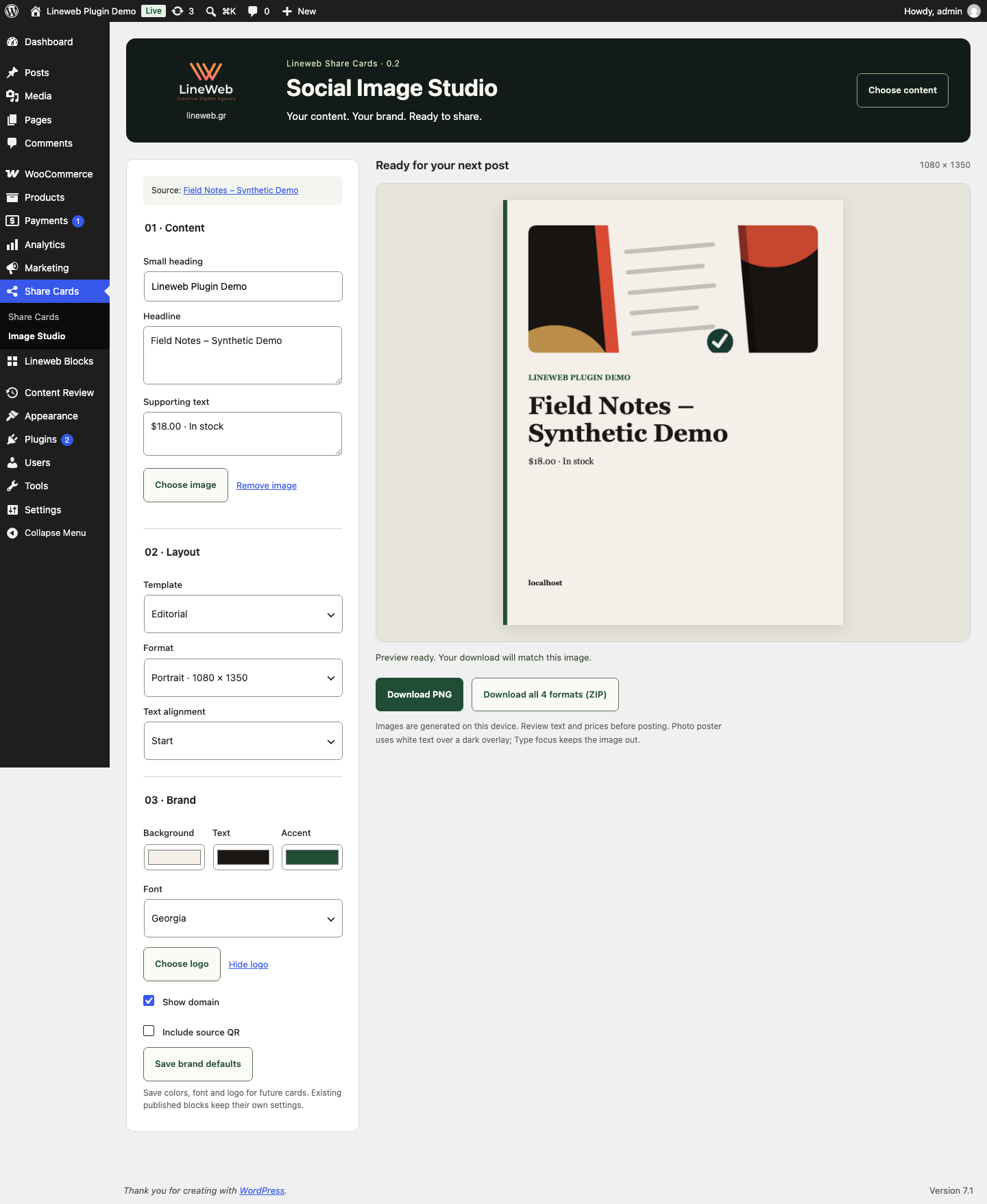
New in 0.2: Social Image Studio
- Open Share Cards → Image Studio, or use Create social image beneath a published article, page, or visible product.
- The title, featured image, source link, and current product price/availability prefill the card. Edit the card's copy without changing the source.
- Choose Editorial, Split frame, Photo poster, or Type focus. Adjust colors, logo, alignment, and a local system font.
- Download the preview as a PNG, or download all four formats in one ZIP: 1080 × 1080, 1080 × 1350, 1200 × 630, and Story 1080 × 1920.
Administrators can save colors, font, and logo as defaults for future studio cards. Existing blocks keep their own settings; Apply saved brand in the editor is an explicit action.
The preview and download use the same renderer. If text needs shortening, the studio warns you. If a selected image cannot be loaded or exported, it blocks the export until you remove or replace the image. Photo poster uses white text over a dark overlay; Type focus omits the image. Story layouts leave space above and below the content, but social platform overlays vary.
Source content must be published, not password protected, and editable by the current user. Product sources must also be catalog-visible. The studio takes a snapshot when opened; reopen it to refresh product data. Review every image before posting. It does not save image drafts or modify products, prices, or article content.
Screenshots
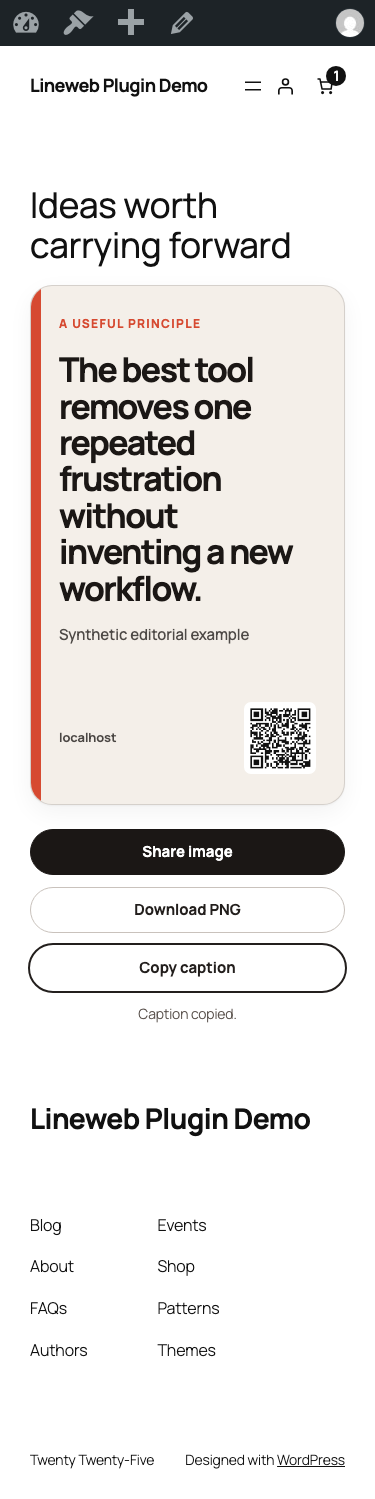
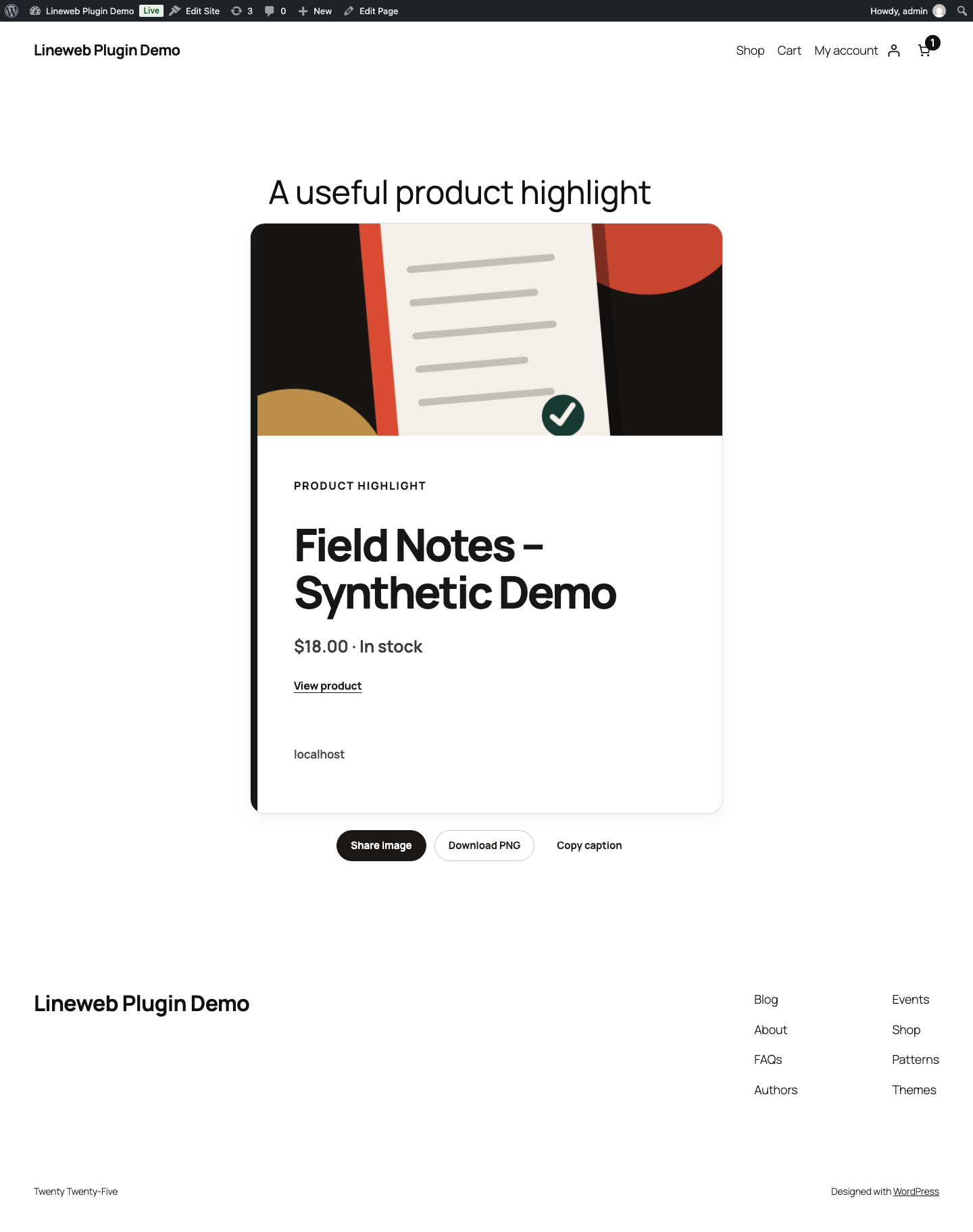
All screenshots use synthetic demonstration content and a local WooCommerce product. No client, customer, order, or analytics data is included.

What the block does
- Quote: a memorable statement with an optional author or source.
- Key takeaway: one practical conclusion from a post, guide, or page.
- Statistic: one number paired with the context needed to understand it.
- WooCommerce product: one manually selected, published, catalog-visible product with its live title, price, stock state, image, and link.
- Exact image formats: square 1080 × 1080, portrait 1080 × 1350, landscape 1200 × 630, and Story 1080 × 1920.
- Site attribution: optional logo, domain, and source-page QR code. All are controlled by the editor.
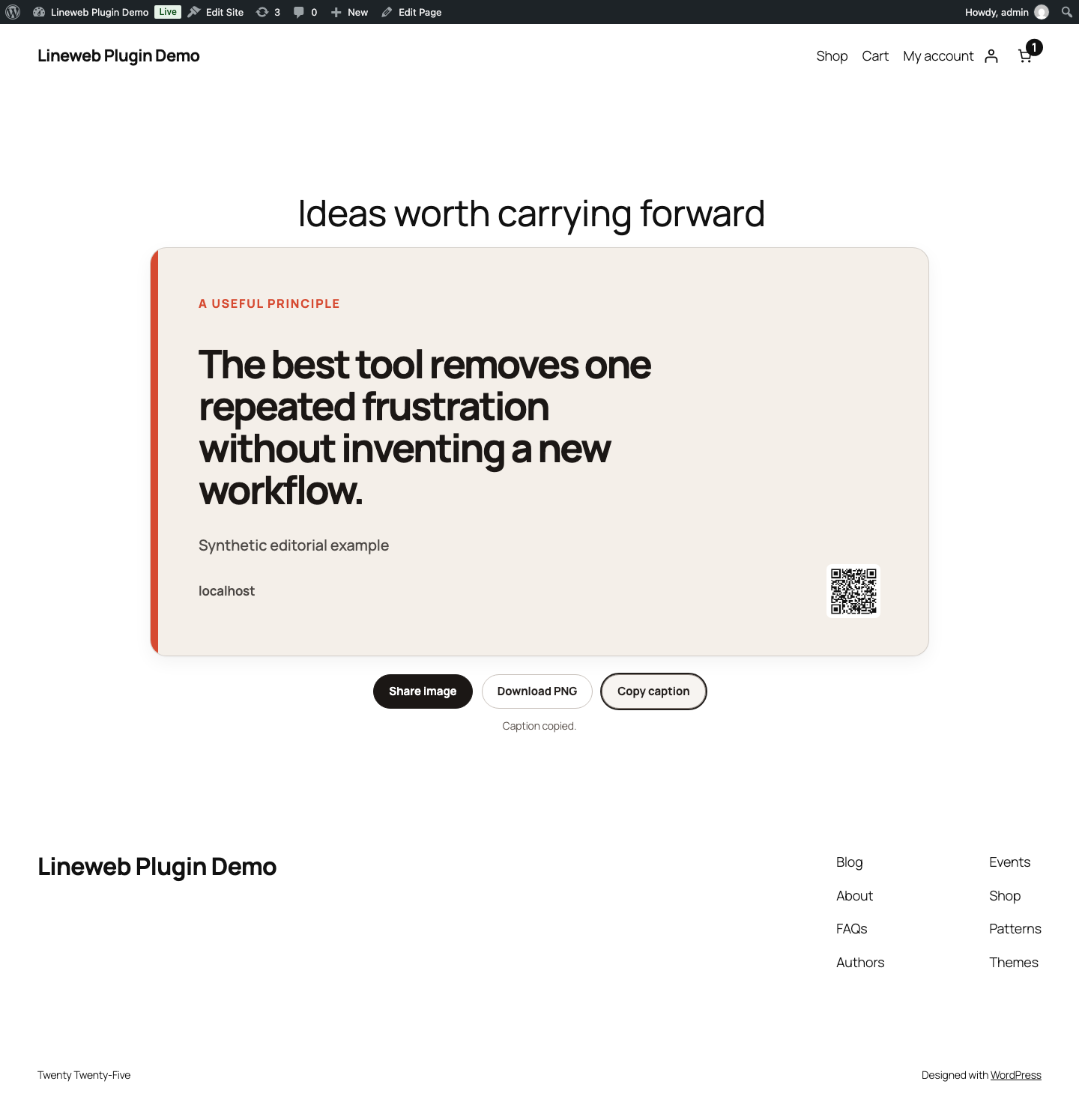
- Visitor actions: native image sharing where the browser supports file sharing, plus reliable PNG download and caption copy fallbacks.
Practical workflow
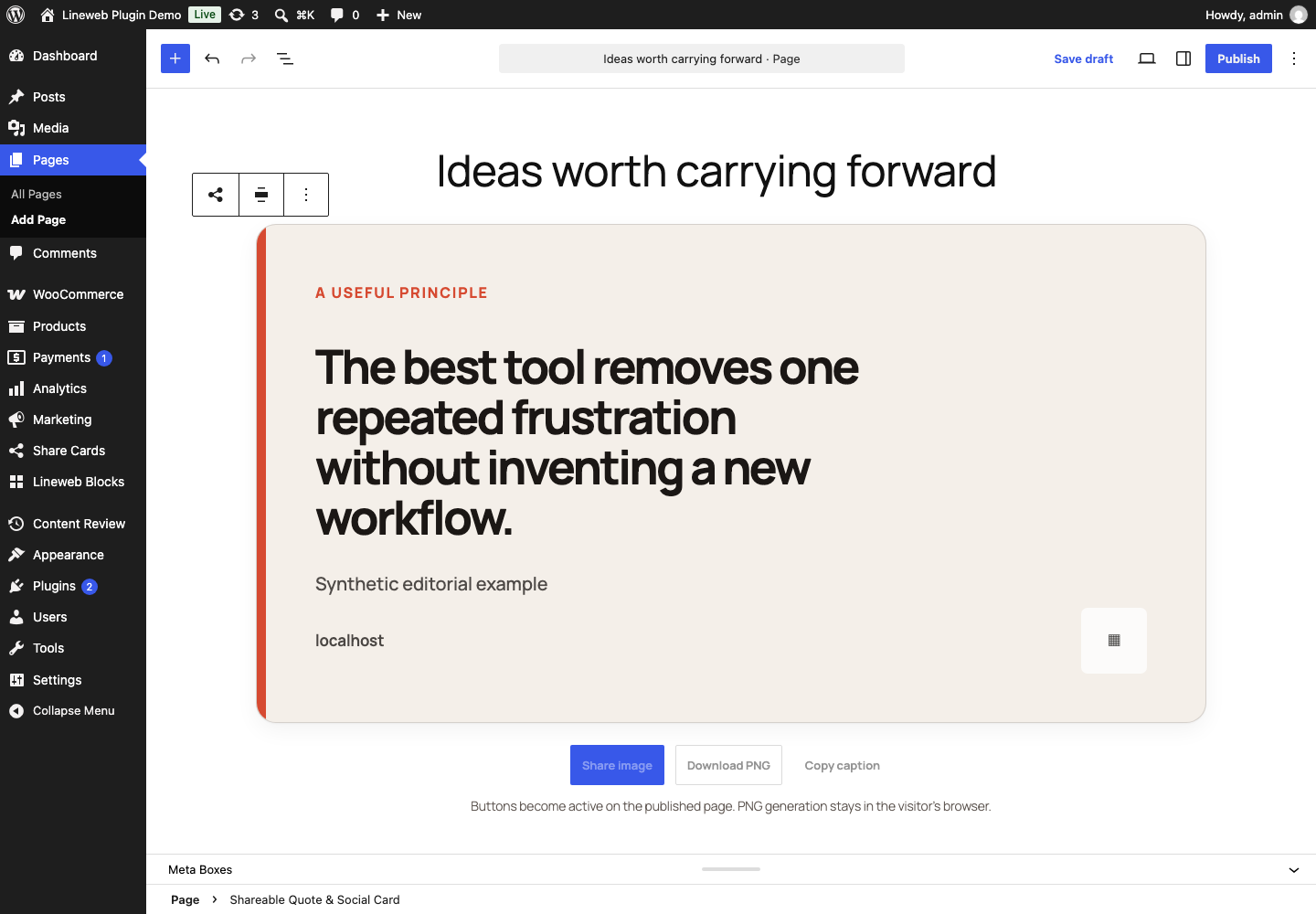
- Edit a post, page, product, or buying guide in the block editor.
- Insert Shareable Quote & Social Card.
- Choose Quote, Key takeaway, Statistic, or WooCommerce product.
- Select a square, portrait, landscape, or Story format and adjust the style controls.
- Decide whether the PNG should include the site logo, domain, and source QR code.
- Publish normally. Visitors can then share, download, or copy from the page.
The WooCommerce option is manual by design. The plugin never inserts promotional cards into product, Cart, Checkout, or Mini-Cart locations automatically.
Honest sharing behavior
Browser and operating-system support differs. The Share image action uses the Web Share API only when the browser confirms that PNG files can be shared. Otherwise, the same action downloads the generated PNG and explains what happened. A separate download action is always available.
The plugin does not claim that a visitor completed a share. It records no share counts, profiles, referrals, or analytics events.
Media Library images normally share the site's origin and can be included in the PNG. If a site serves an image from another domain without browser CORS permission, the readable card still works but the browser omits that image from the exported PNG.
In the administration studio, a missing or blocked selected image instead prevents export and shows a warning so the creator can correct it.
Performance and privacy
- Frontend CSS and the small image-generation module load only on pages containing the block.
- Studio assets and WordPress media tools load only on the Image Studio screen. Other admin pages do not load the renderer.
- No React runtime is added to the frontend.
- Quote, takeaway, and statistic cards require no database queries beyond the page itself.
- Product cards resolve one selected product through WooCommerce CRUD during server rendering.
- Images are created with the browser Canvas API. Nothing is uploaded to Lineweb or another service.
- QR codes are generated locally from the published page URL.
- Saved brand defaults are a single namespaced WordPress option. Editing requires
manage_optionsand WordPress REST authentication; choosing a source requires permission to edit that individual post.
Requirements
- WordPress 6.9 or newer
- PHP 8.3 or newer
- WooCommerce 10.8.1 or newer only for live product cards
Quote, takeaway, and statistic cards work without WooCommerce.
Installation
- Upload the plugin ZIP from Plugins → Add New → Upload Plugin.
- Activate Shareable Quote Images & Social Cards – Lineweb Share Cards.
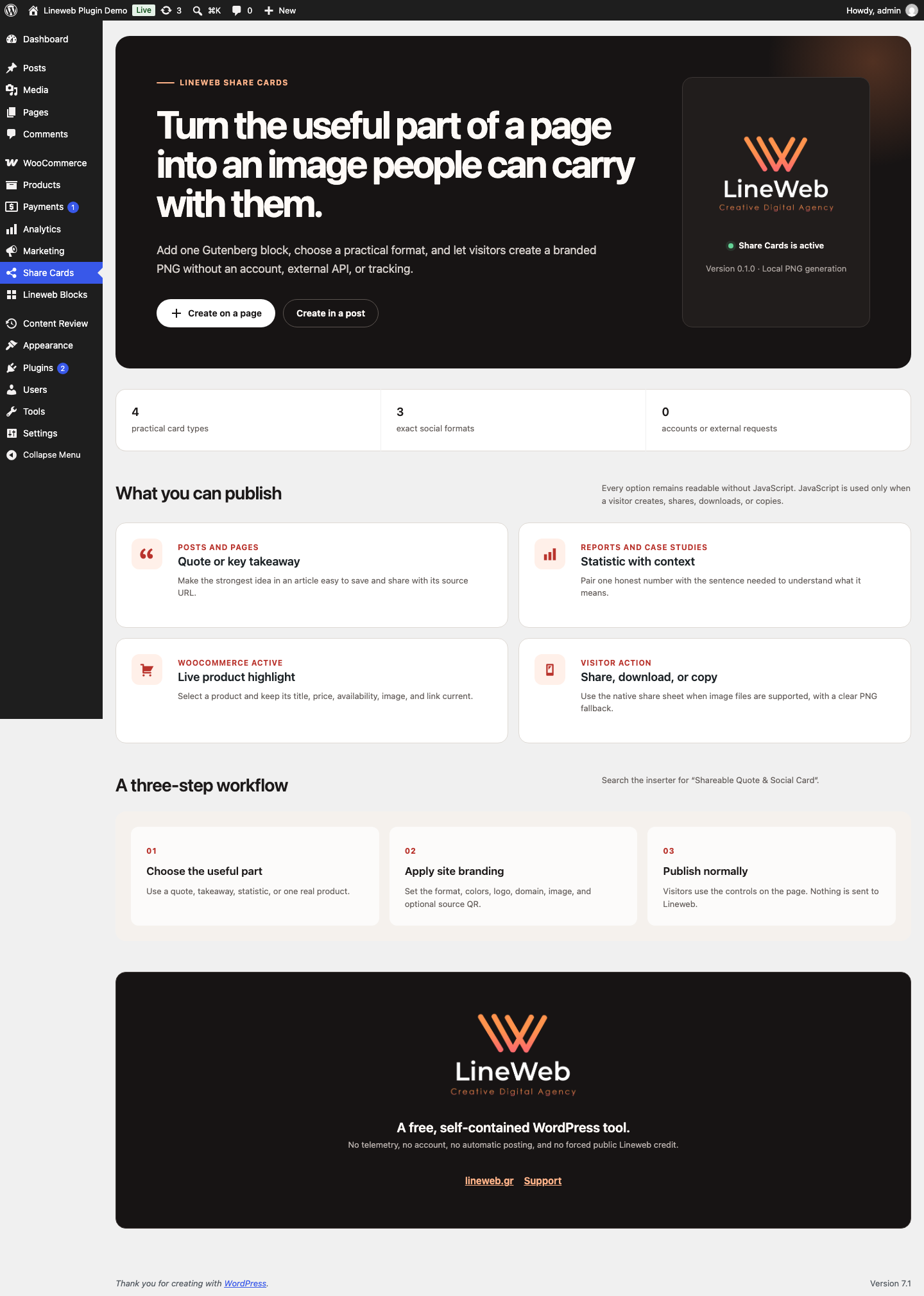
- Open Share Cards in WordPress administration for the quick guide.
- Edit content and insert Shareable Quote & Social Card.
Deliberate boundaries
Lineweb Share Cards does not:
- post automatically to a social network;
- require or create a social account;
- fetch remote templates, fonts, logos, or tracking scripts;
- promise reach, engagement, conversion, or virality;
- add forced Lineweb credit to public cards;
- turn arbitrary page screenshots into images;
- store generated PNG files or visitor captions;
- insert product promotions automatically.
Development
npm install
npm run build
npm run lint:js
npm run lint:css
npm run lint:php
npm run test:unit
The repository also contains a real WordPress browser journey, two-theme checks, RTL output validation, release-ZIP installation, Plugin Check, and WordPress/PHP/WooCommerce compatibility jobs.
Third-party notice
The compiled frontend module includes qrcode, Copyright (c) 2012 Ryan Day, under the MIT License. The complete notice is also included in readme.txt, which ships inside every release ZIP.
Support and security
Read the shared support policy. For reproducible support requests, use the Lineweb contact form and include the plugin version, WordPress version, theme, selected card type, and browser.
Report suspected vulnerabilities privately as described in the security policy. Do not include credentials, customer data, or production database exports.
License
GPL-2.0-or-later.