Install
This is the repository archive. It installs, but the folder name will carry the branch suffix and updates will not flow.
Install straight from GitHub with WP-CLI:
wp plugin install https://github.com/drewmt/lineweb-content-review/archive/refs/heads/main.zipLineweb Content Review — WordPress Editorial Review Workflow
A free WordPress editorial workflow plugin for assigning content owners and review dates to posts, pages, and WooCommerce products.
Content Review turns editorial maintenance into a visible queue without treating WordPress modified timestamps as proof of freshness. It is independently installable, GPL licensed, works without WooCommerce, and recognizes Lineweb Evidence Board review dates when those blocks are present.
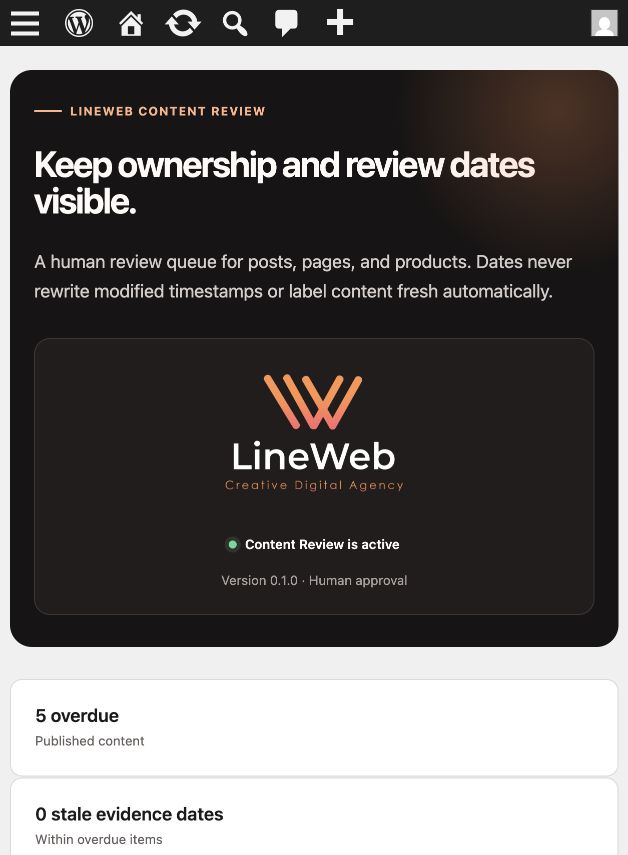
Screenshots
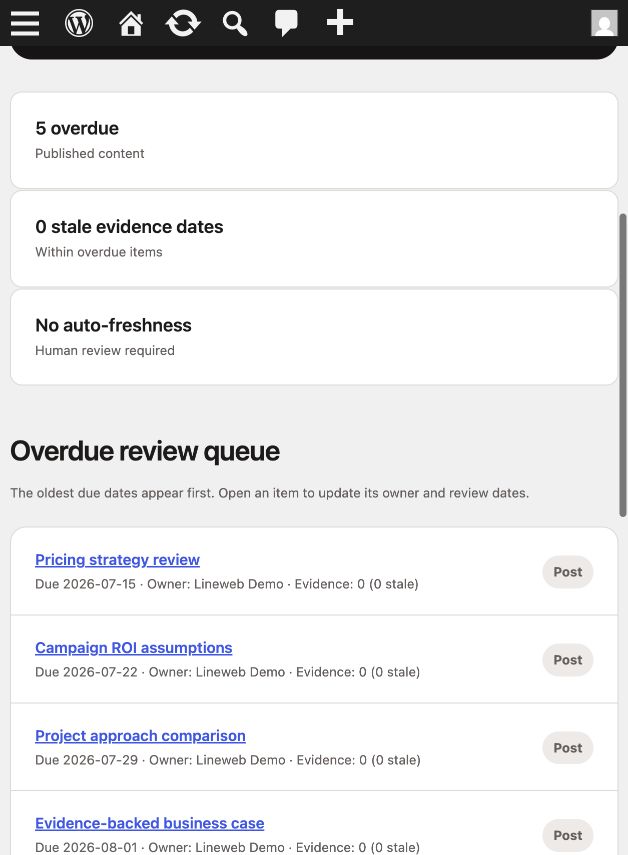
Both screenshots use synthetic local content records and review dates. No client or author data is included.
What it adds
- A Content review meta box on posts and pages, plus products when WooCommerce is active.
- A selectable owner from site administrators, editors, and authors.
- A next review date and last human-review date.
- A dashboard of published items whose review date is due or overdue, oldest first.
- Owner, content type, and Evidence Board date summaries in the queue.
- Detection of Lineweb Evidence Item review dates older than one year.
- An optional weekly email digest, disabled by default.
Practical workflow
- Edit a post, page, or product.
- In the Content review meta box, assign an owner and choose the next review date.
- Record the last human-review date only after someone has actually reviewed the content.
- Open Content Review in WordPress administration to work through due items.
- Open each queue item, verify the content and evidence, then set its next review date.
Only published content with a next review date on or before today appears in the overdue queue. The dashboard shows up to 50 items, ordered by the oldest due date.
Evidence Board integration
When a due item contains lineweb/evidence-item blocks from Lineweb Blocks Suite, Content Review reads their valid reviewedDate values and reports how many are older than one year.
Lineweb Blocks Suite is optional. Content Review continues to manage owners and dates when no Evidence Board is present.
Optional weekly digest
Administrators can enable one weekly overdue-content email from the Content Review dashboard and choose its recipient. The digest is disabled by default, uses the site's WordPress mail configuration, and contains edit links for due items.
Delivery depends on WordPress cron and the site's email configuration.
Requirements
- WordPress 6.9 or newer
- PHP 8.3 or newer
- WooCommerce is optional and required only for product review fields
Installation
- Upload the Lineweb Content Review ZIP from Plugins → Add New → Upload Plugin.
- Activate the plugin.
- Edit a post, page, or product and set its review owner and dates.
- Open Content Review in WordPress administration to view the queue.
- Optionally enable the weekly digest after confirming that site email delivery works.
Privacy
Content Review stores owner IDs and review dates as WordPress post metadata. Digest settings are stored as plugin options. If the optional digest is enabled, WordPress sends the overdue list to the configured recipient through the site's mail setup.
The plugin adds no telemetry, tracking, Lineweb account, or external Lineweb request. Nothing is sent to Lineweb.
Deliberate boundaries
Content Review does not:
- assess whether content is accurate, complete, compliant, or high quality;
- mark content fresh automatically;
- treat a WordPress modified timestamp as proof that a human review happened;
- publish, unpublish, or revise content;
- create a multi-step approval workflow;
- monitor external source pages;
- track editor activity or visitor behavior.
Owners and dates provide a human review queue, not an automated freshness guarantee. Saving a post still follows normal WordPress behavior and may update its modified timestamp; the plugin stores review dates separately.
Support and security
Read the shared support policy. For reproducible support requests, use the Lineweb contact form and include the plugin version, affected content type, user role, and steps to reproduce.
Please report suspected vulnerabilities privately as described in the security policy. Do not include credentials, customer data, or production database exports.
License
GPL-2.0-or-later.