Install
This is the repository archive. It installs, but the folder name will carry the branch suffix and updates will not flow.
Install straight from GitHub with WP-CLI:
wp plugin install https://github.com/dpohl-web/comrad_public/archive/refs/heads/master.zip

Comrad is a powerful and modern WordPress plugin designed to help you create interactive, responsive questionnaires using React and Angular. It provides an intuitive admin interface (Comrad Editor) and uses XML to store each questionnaire.
Description
Build dynamic, responsive questionnaires with React & Angular. Admins, Editors, and Authors can easily create surveys via the Comrad Editor. Store data as XML and embed with a simple shortcode.
Core Features
- Admin UI: Use the built-in Comrad Editor to create questionnaires with pages, categories, and question blocks.
- Roles: Accessible to Administrators, Editors, and Authors.
- Data Storage: Questionnaires are stored as XML files in the plugin's
data/directory. - Input Elements: Support for sliders, checkboxes, radio buttons, text inputs.
- Navigation: Bidirectional question navigation (forward and back).
- Shortcode Support: Embed questionnaires anywhere using a simple shortcode:
[show_my_questionnaire filename="example123"] - Result Output: Users can download or receive results by email.
- Exporting: Results can be exported anonymously as CSV.
- Design Control: Customize colors, fonts, headers, footers to match your brand.
- Embed Friendly: Can be used in external systems like Moodle via iframe.
- Multilingual Ready: All text is translatable using
.po/.mofiles.
Important: Do not delete the data/ folder when uninstalling the plugin. All questionnaires are stored there as XML and will be lost if this folder is removed.
Pro Version Features (available separately):
- Before-and-After Comparison
- Personalized Recommendations & Dynamic Charts (Radar, Bar, Polar, etc.)
Installation
- Upload the
comradfolder to the/wp-content/plugins/directory. - Make sure "exec" is enabled in php.ini of the server. We need it for the pdf creation using PHP WkHtmlToPdf.
- Activate the plugin through the “Plugins” menu in WordPress.
- Navigate to Comrad Editor in the WordPress admin menu to create questionnaires.
- Use the following shortcode in any post or page:
[show_my_questionnaire filename="yourfilename"] - Make sure the
/datadirectory is writable and not deleted during uninstallation.
Frequently Asked Questions
Who can create questionnaires?
Administrators, Editors, and Authors can all access the Comrad Editor.
Where is the data stored?
All questionnaire configurations are stored as XML files in the /wp-content/plugins/comrad/data/ directory.
How do I embed a questionnaire?
Use the shortcode like this: [show_my_questionnaire filename="example123"]
Can I export results?
Yes. Anonymous CSV export is supported, and users can optionally receive results by email.
What happens when I uninstall the plugin?
The plugin files are removed. However, do not delete the data folder unless you want to permanently delete your questionnaires.
Is the plugin multilingual?
Yes. Translations are managed via .po and .mo files in the /languages directory.
Screenshots
-
Comrad Editor - Overview
Overview of the editor interface in the WordPress backend.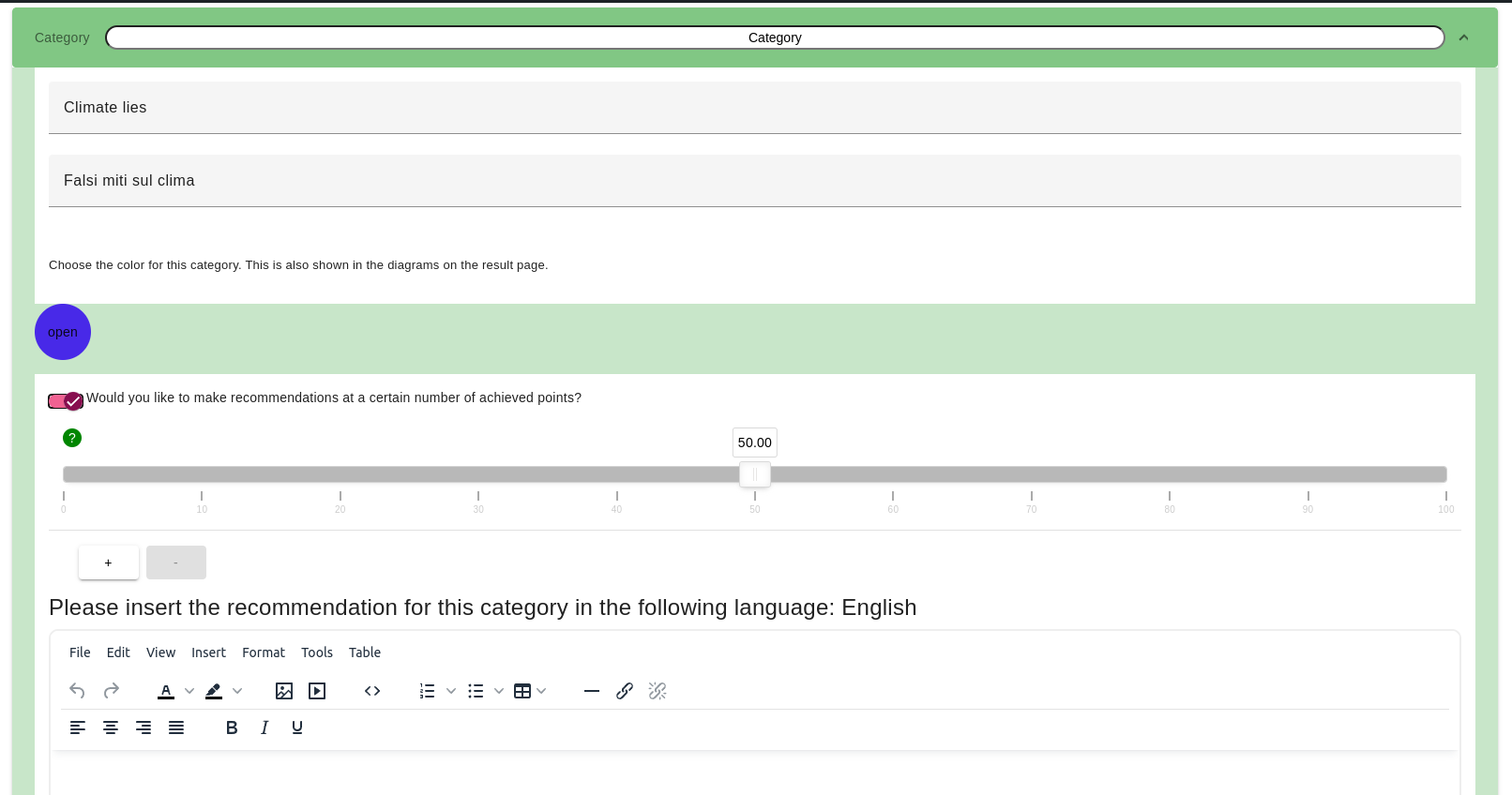
-
Comrad Editor - Question Builder
Example of how to build a questionnaire with sliders, checkboxes, and radio buttons.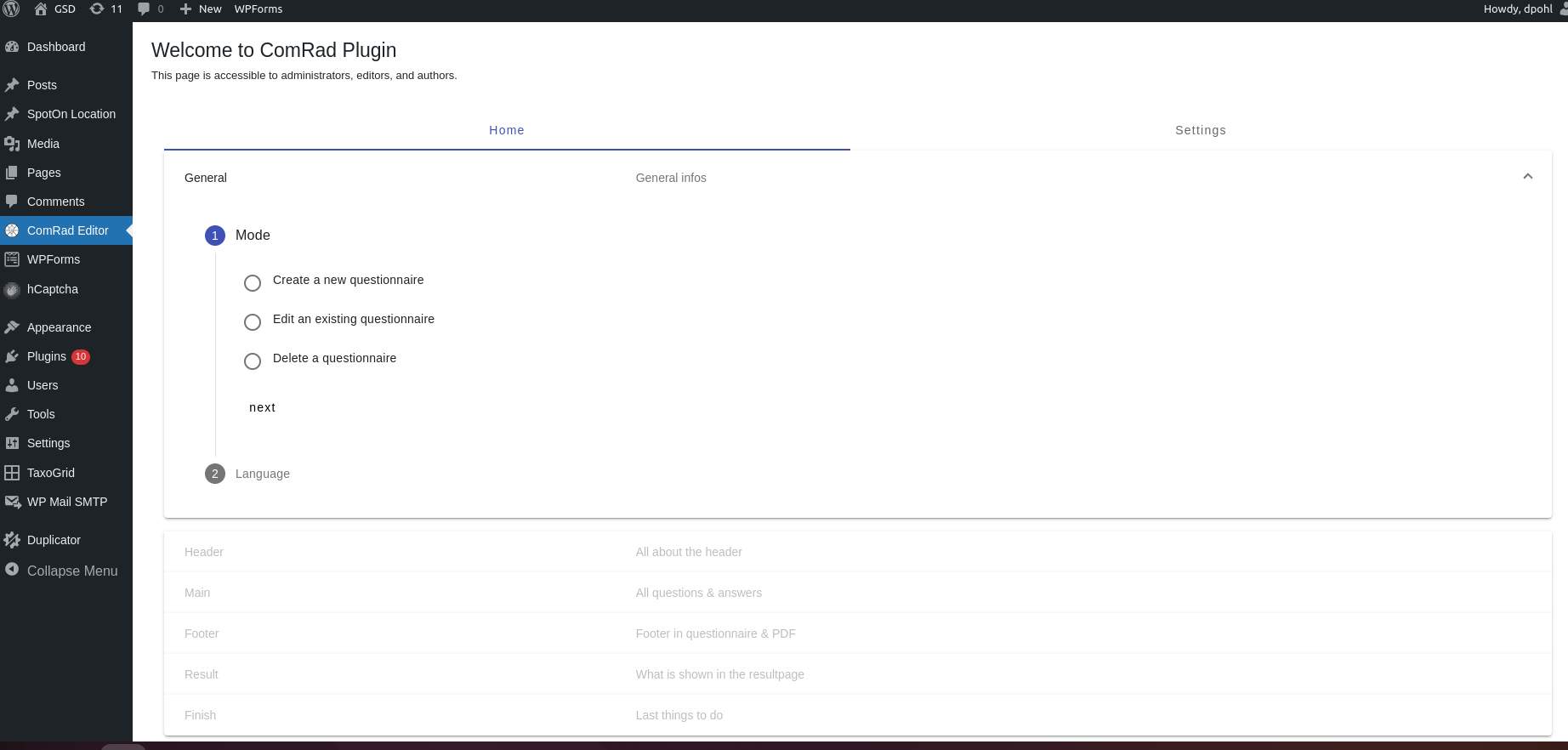
-
Frontend Questionnaire
Embedded questionnaire using the shortcode.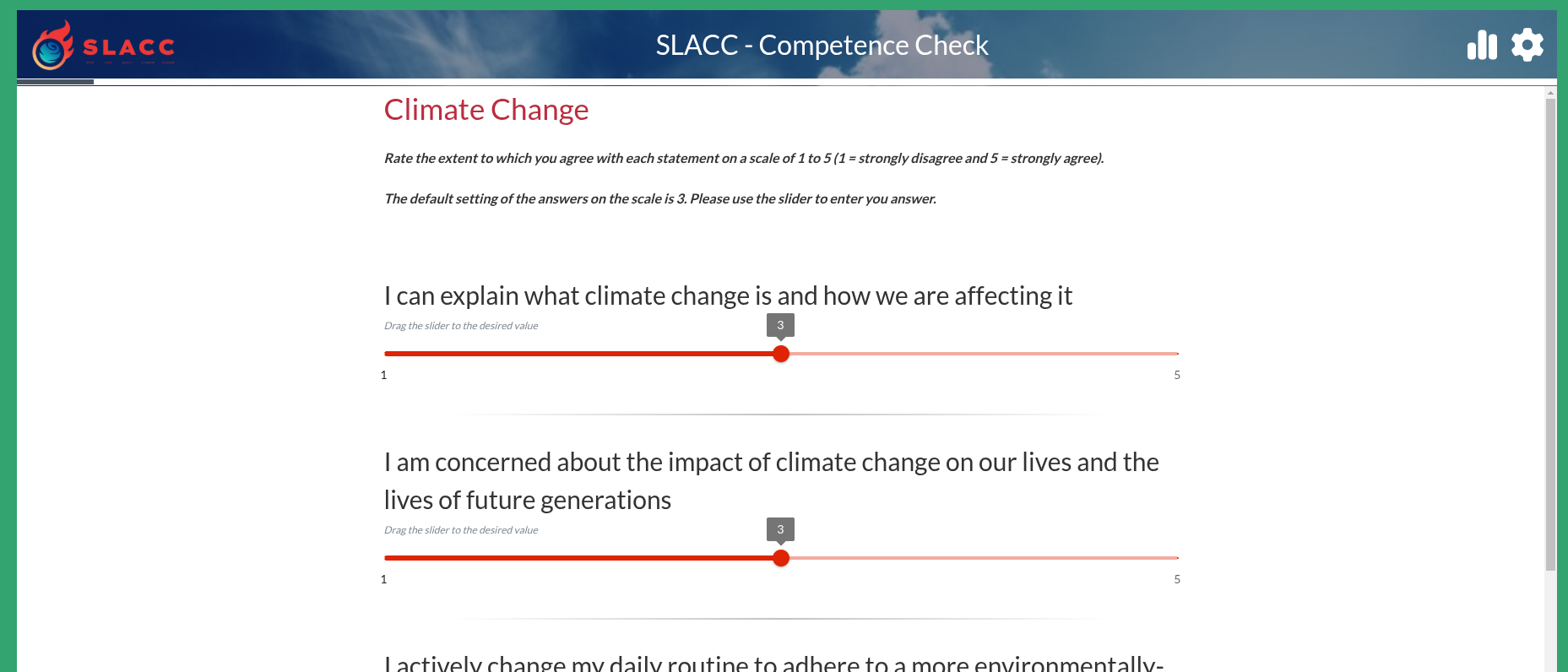
-
Result Page
Overview of the results.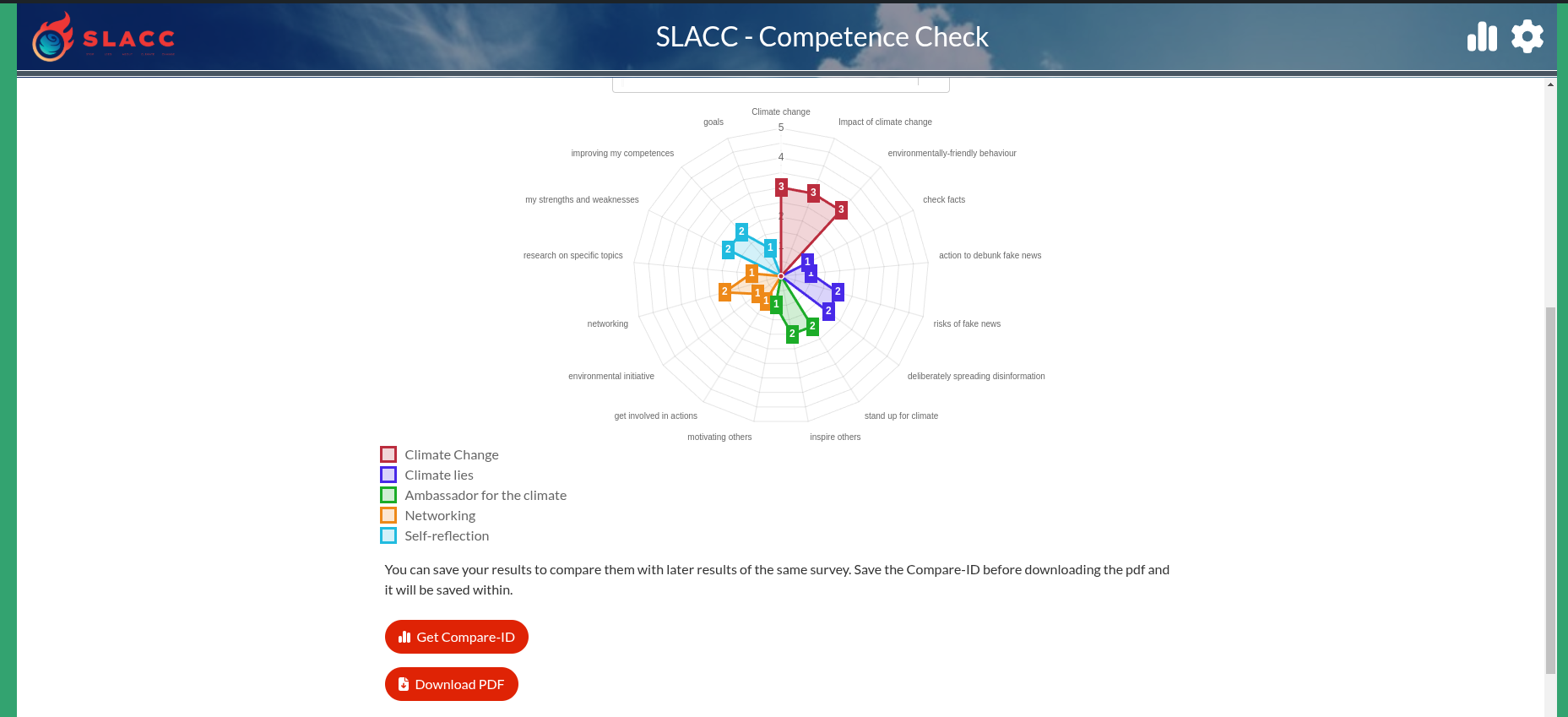
-
Comparison View
Visual comparison between two result sets.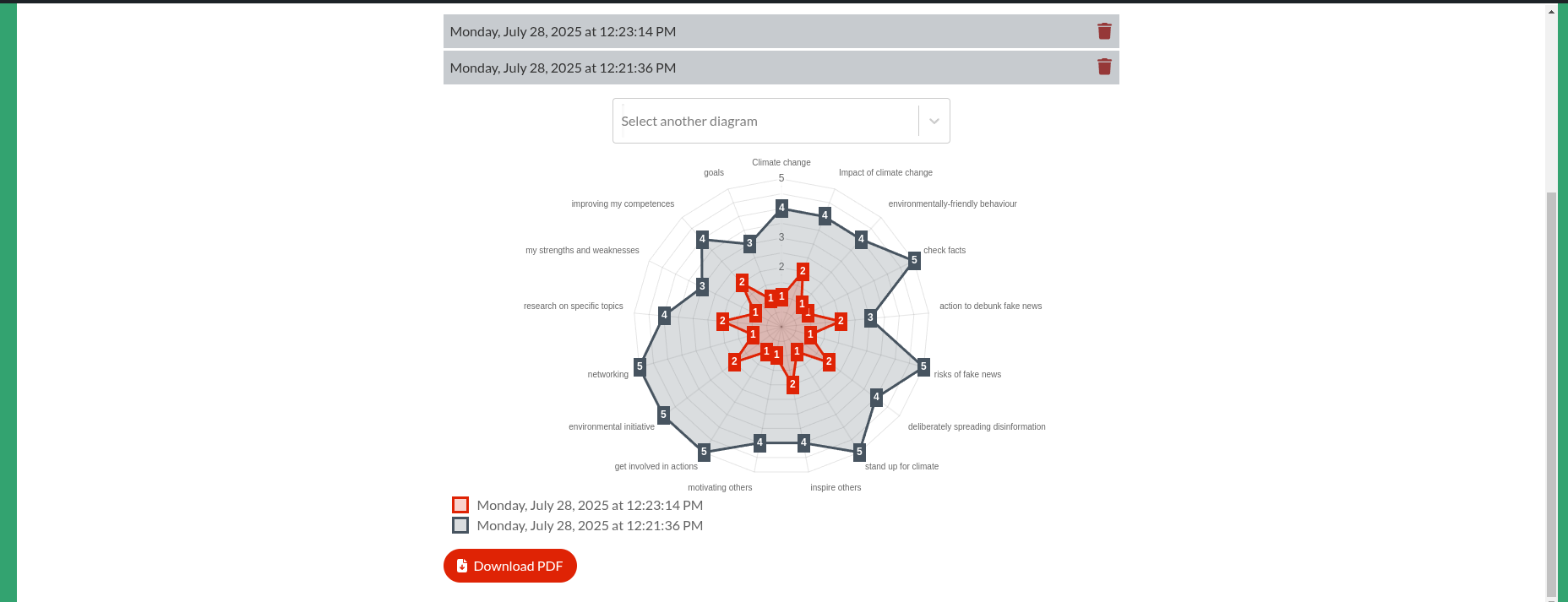
Changelog
1.0.0
- Initial public release.
- Comrad Editor (admin interface)
- Questionnaire embedding via shortcode
- XML data storage
- CSV export and email delivery
- Role-based access (admin, editor, author)
- Design customization options
- Multilingual support
Upgrade Notice
1.0.0
Initial release. Ensure the /data folder is writable and remains intact during updates and uninstallations.
License
This plugin is licensed under the GPLv2 or later. You are free to use, modify, and redistribute it under the same license.