DPO Pay Add-On for Gravity Forms WP Registry grade D+. High-severity findings · 2 findingsWP RegistryHigh-severity findings · 2 findingsOpen the reportD+
This is the DPO Group plugin for Gravity Forms.
★ 3stars
402release downloads
≈40active sites
v1.2.0latest · 1 year ago
Install
Upload it under Plugins → Add New Plugin → Upload Plugin, then activate.
Install straight from GitHub with WP-CLI:
wp plugin install https://github.com/dpo-group/dpo_gravity_forms/releases/download/v1.2.0/gravity-forms-dpo-group-plugin.zipUpdates itself. It ships its own updater, so new versions appear under Dashboard → Updates.
DPO Pay plugin v1.2.0 for Gravity Forms v2.9.10
This is the DPO Pay plugin for WooCommerce. Please feel free to contact the DPO Pay support team should you require any assistance.
Installation
-
Download the Latest Release
- Visit the releases page and download gravity-forms-dpo-group-plugin.zip.
-
Install the Plugina
- Log in to your WordPress Admin panel.
- Navigate to Plugins > Add New > Upload Plugin.
- Click Choose File and locate the
gravity-forms-dpo-group-plugin.zipfile. - Click Install Now.
- Click Activate Plugin.
-
Configure the Plugin
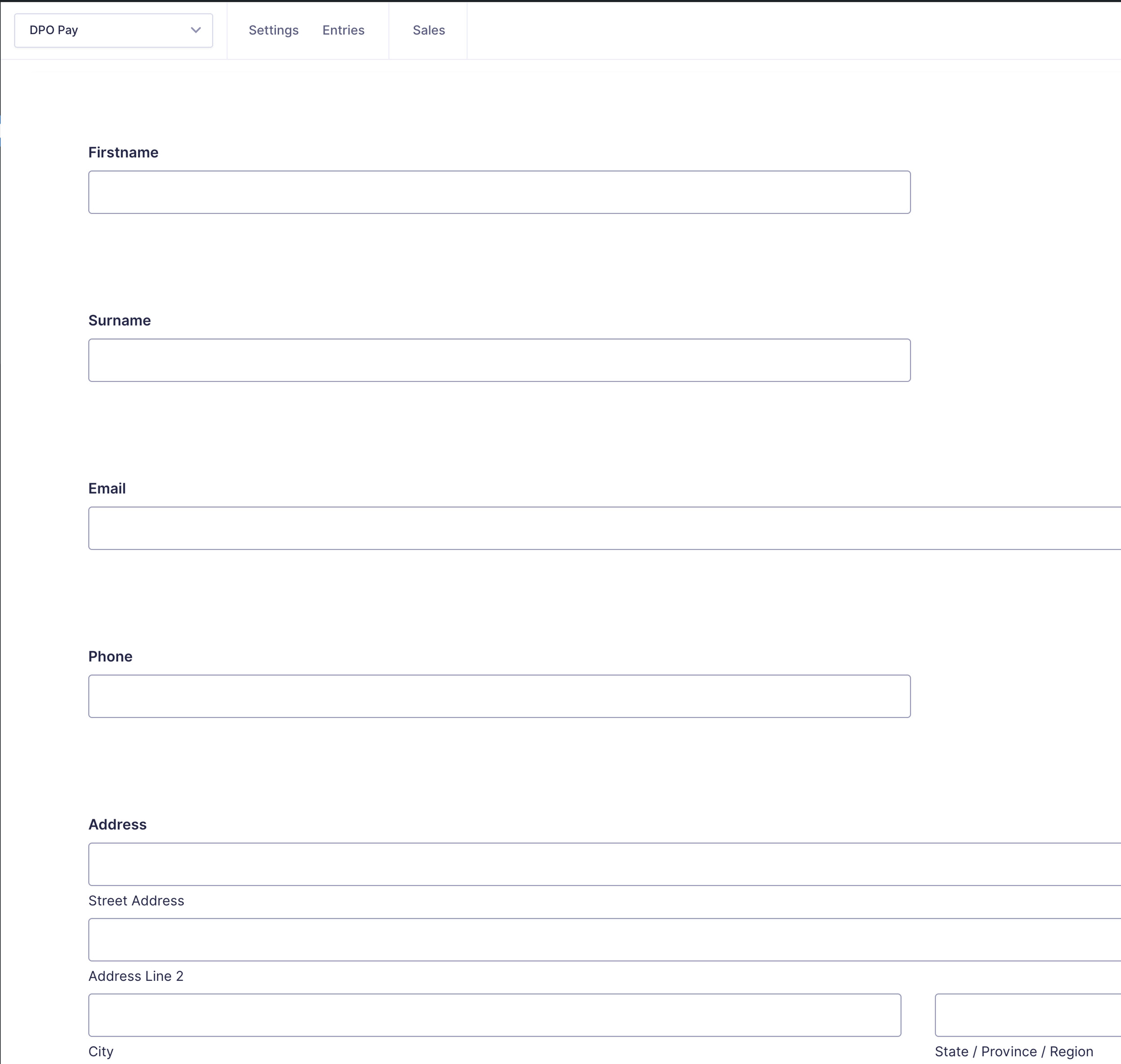
- Click on the Forms link in your WordPress Admin.
- Select the form you want to integrate with DPO Pay.
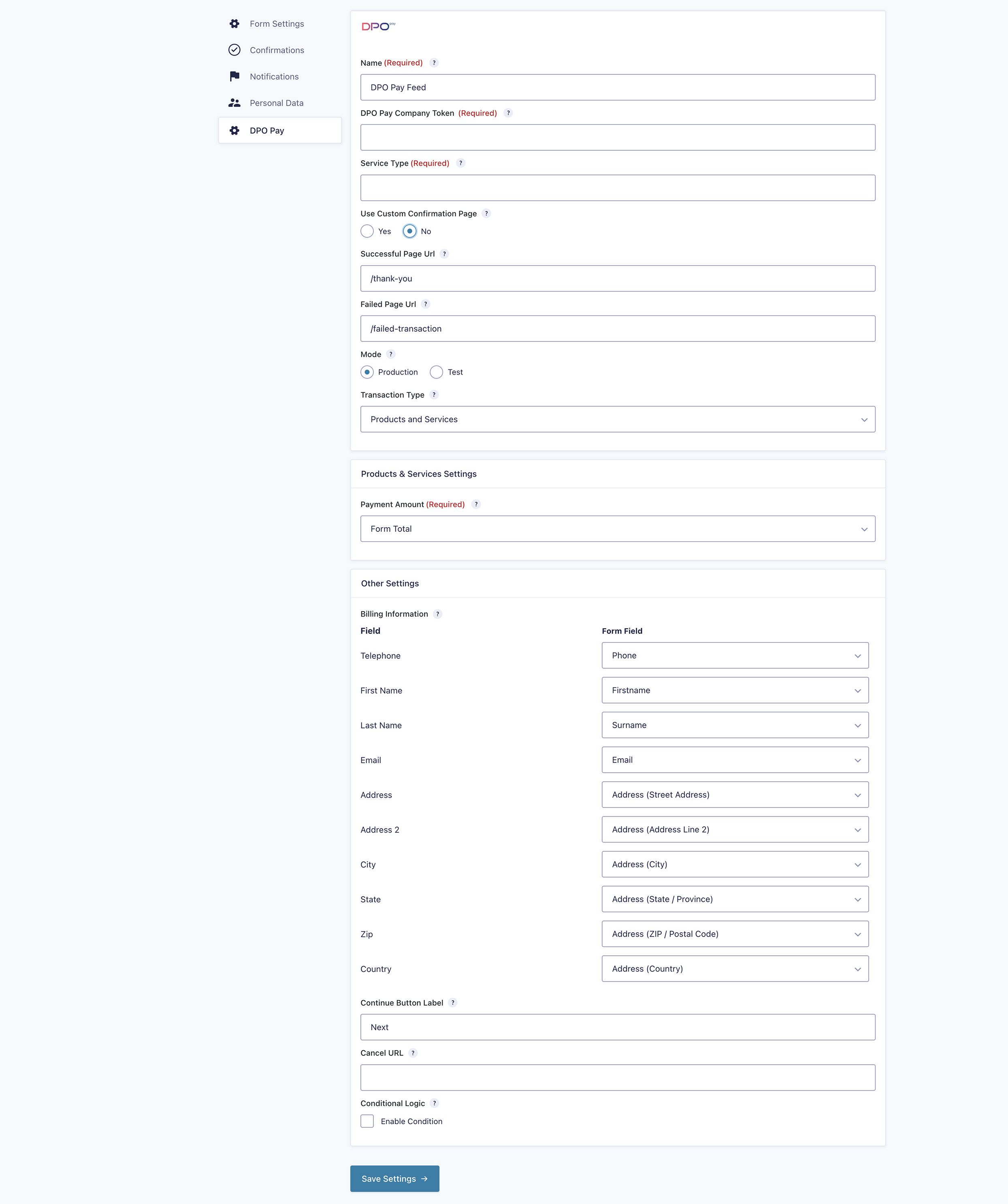
- Under Form Settings, click DPO Pay.
- Under the DPO Pay Feeds section, click Add New and provide the required data:
- Select transaction type: Choose
Products and Services. Additional settings will appear. - Map fields: Match DPO Pay fields with your form fields:
- Ensure your form includes Pricing Fields, Address Fields, and an Email Field.
- Map the DPO Pay country field to the form's country field.
- Map the DPO Pay email field to the form's email field.
- Select transaction type: Choose
- Click Update Settings or Save Settings when done.
- Configure Confirmation Messages
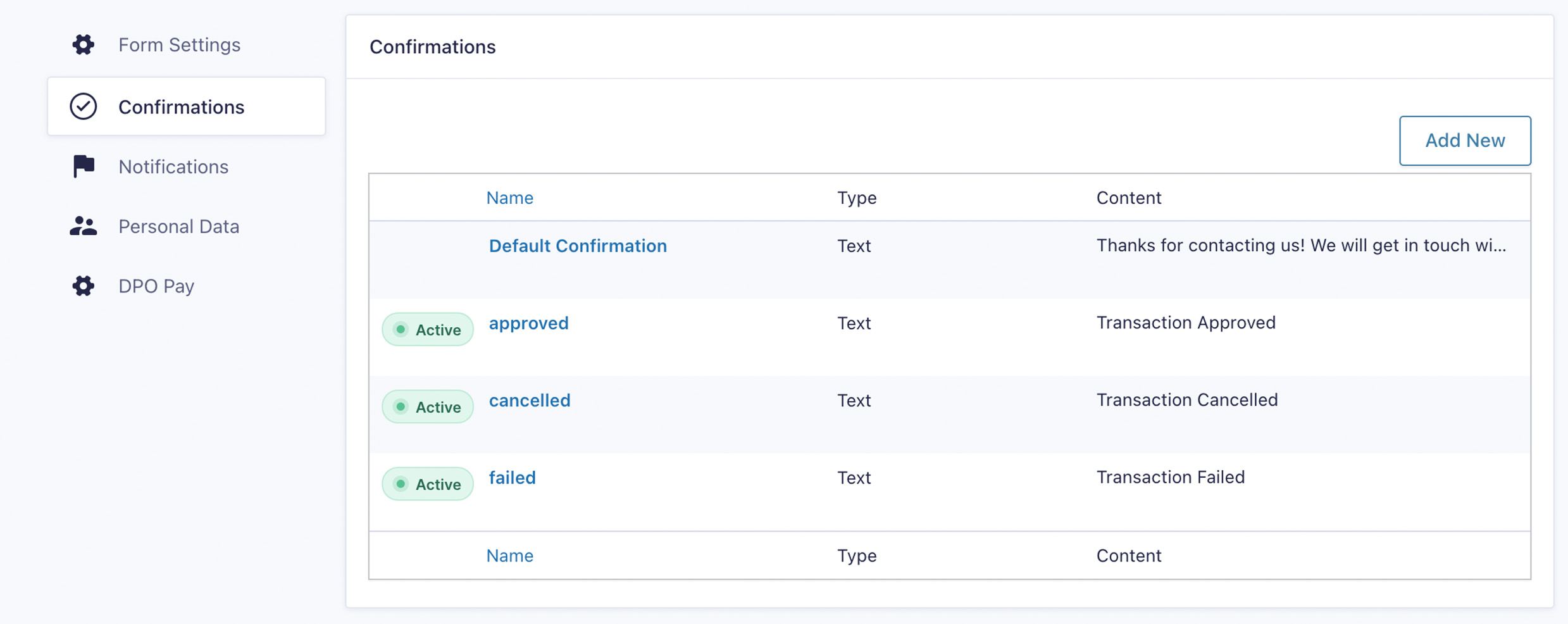
- Go to the Confirmations section.
- Add three new confirmations with the following names:
- Confirmation Name: failed
- Confirmation Name: cancelled
- Confirmation Name: approved
Collaboration
Please submit pull requests with any tweaks, features or fixes you would like to share.
Releases
10 releases. Each count is every asset in that release; expand a row for the breakdown.
Tag
Published
Assets
Downloads
Active-site estimate ≈40 comes from the median of recent superseded releases. Method.