manifest / integrations / sendex-wordpress-plugin
Sendex
A WordPress plugin for sending SMS using Twilio
★ 9stars
Install
This is the repository archive. It installs, but the folder name will carry the branch suffix and updates will not flow.
Install straight from GitHub with WP-CLI:
wp plugin install https://github.com/dongido001/sendex-wordpress-plugin/archive/refs/heads/master.zipNo built-in updater. New versions won't appear under Dashboard → Updates. Install new releases yourself, or let Git Updater track the repository.
A plugin that enables you send SMS using Twilio
How to use
-
First install the plugin to your wordpress site and activate it.
-
Head to Twilio to create an account if you don’t have one already. After that, navigate to the Twilio Console and note down your account
sidandauthtoken keys. They should look like:
    ACCOUNT SID = AC90d5e*******************
AUTH TOKEN = ***************************- Got to the plugin settings page and update your Twilio ACCOUNT SID and AUTH TOKEN:
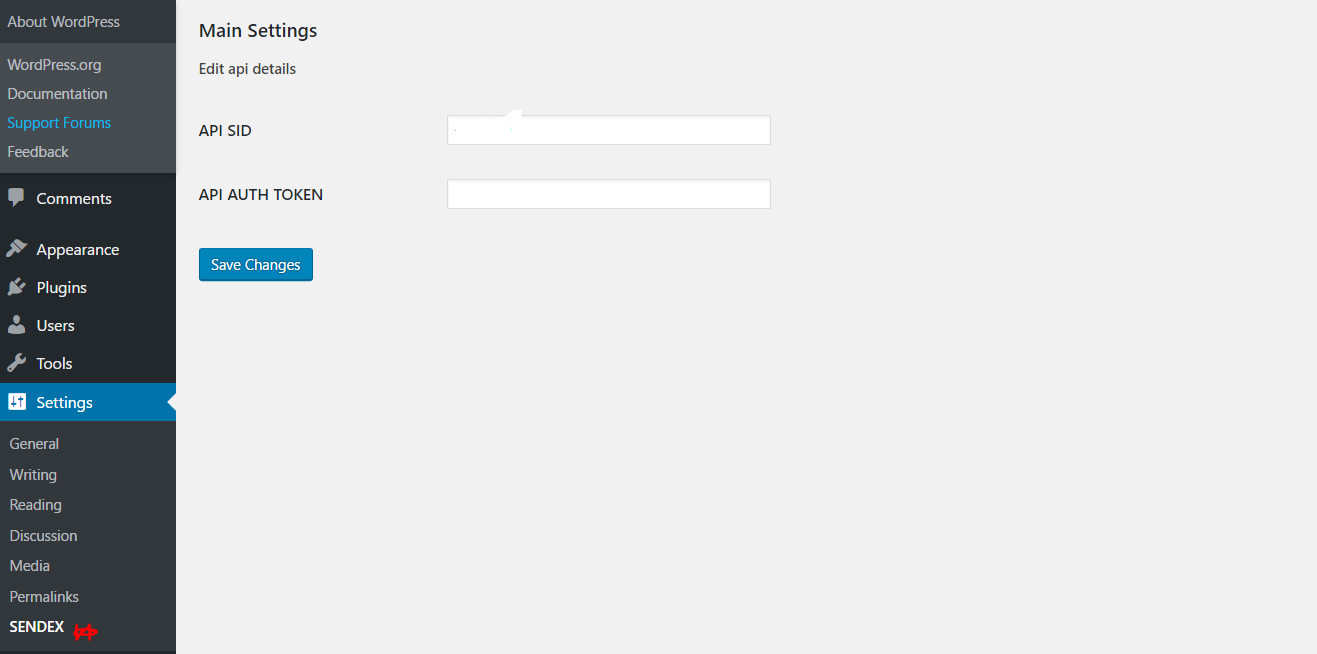
Then hit the Save Changes button once you are done.
- Naviage to the Sendex SMS page by hovering on the
Toolsmenu and then click on SENDEX SMS.
5 Fill in the detail and then send