Install
This is the repository archive. It installs, but the folder name will carry the branch suffix and updates will not flow.
Install straight from GitHub with WP-CLI:
wp plugin install https://github.com/dlinstedt/apls-block-meta-toggle/archive/refs/heads/main.zipAPLS Block Meta Toggle (apls-block-meta-toggle)
A lightweight, highly durable WordPress utility that adds an Inline Height Toggle to the Block Editor toolbar. It minimizes the footer meta box container (ACF, Rank Math, Yoast, and custom metaboxes) down to a clean 32px bar and lets you expand it into a full-height editing viewport with a single click. It works for ANY meta boxes found at the bottom of your content editor.
Unlike other solutions that physically detach or move DOM elements into React modal portals - breaking event listeners and virtual DOM states - APLS Block Meta Toggle operates purely through native CSS and JavaScript height manipulation directly within the WordPress canvas flow.
Screenshots
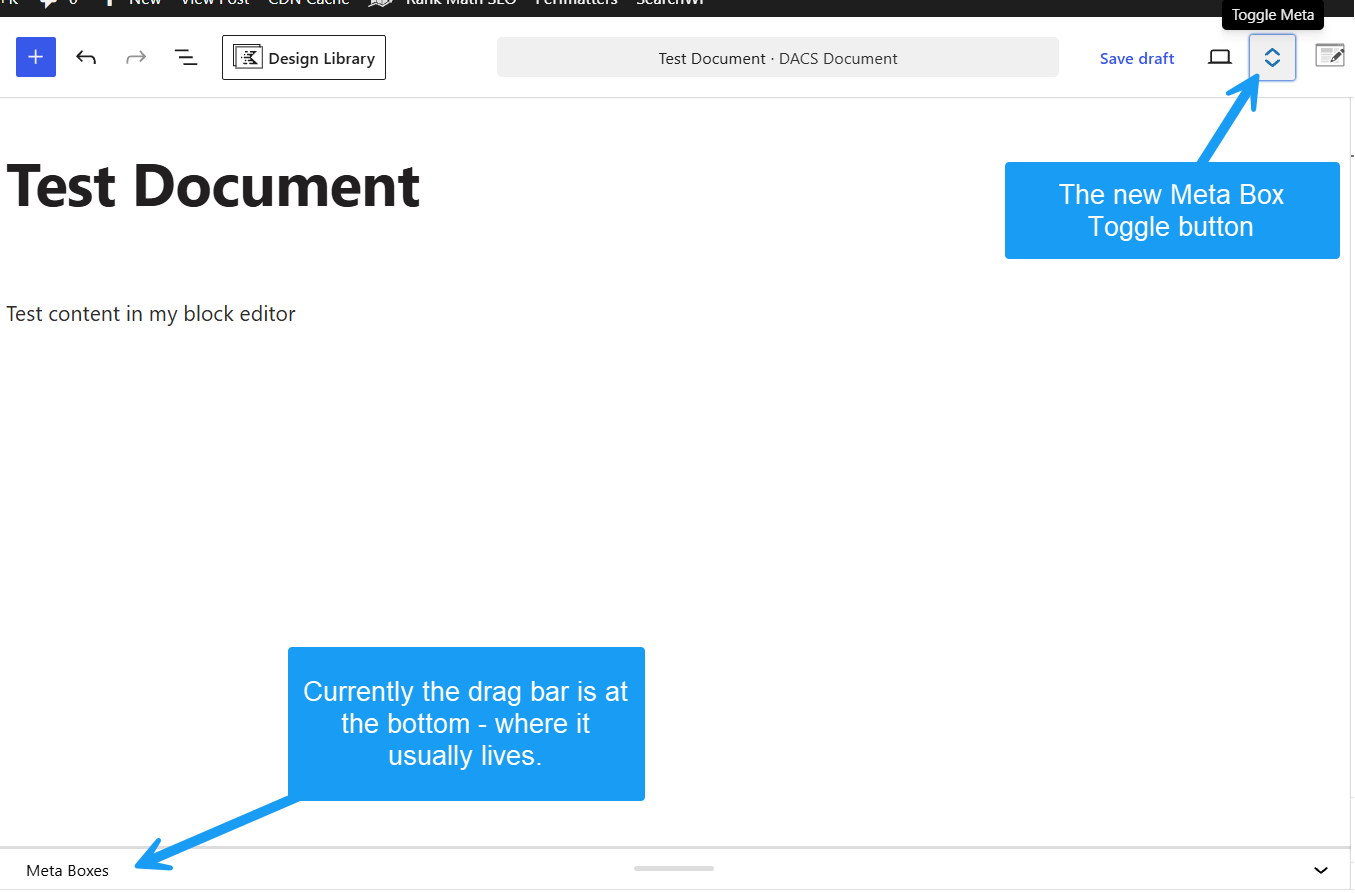 Figure 1: Double Vertical Arrows toggle injected into the top toolbar.
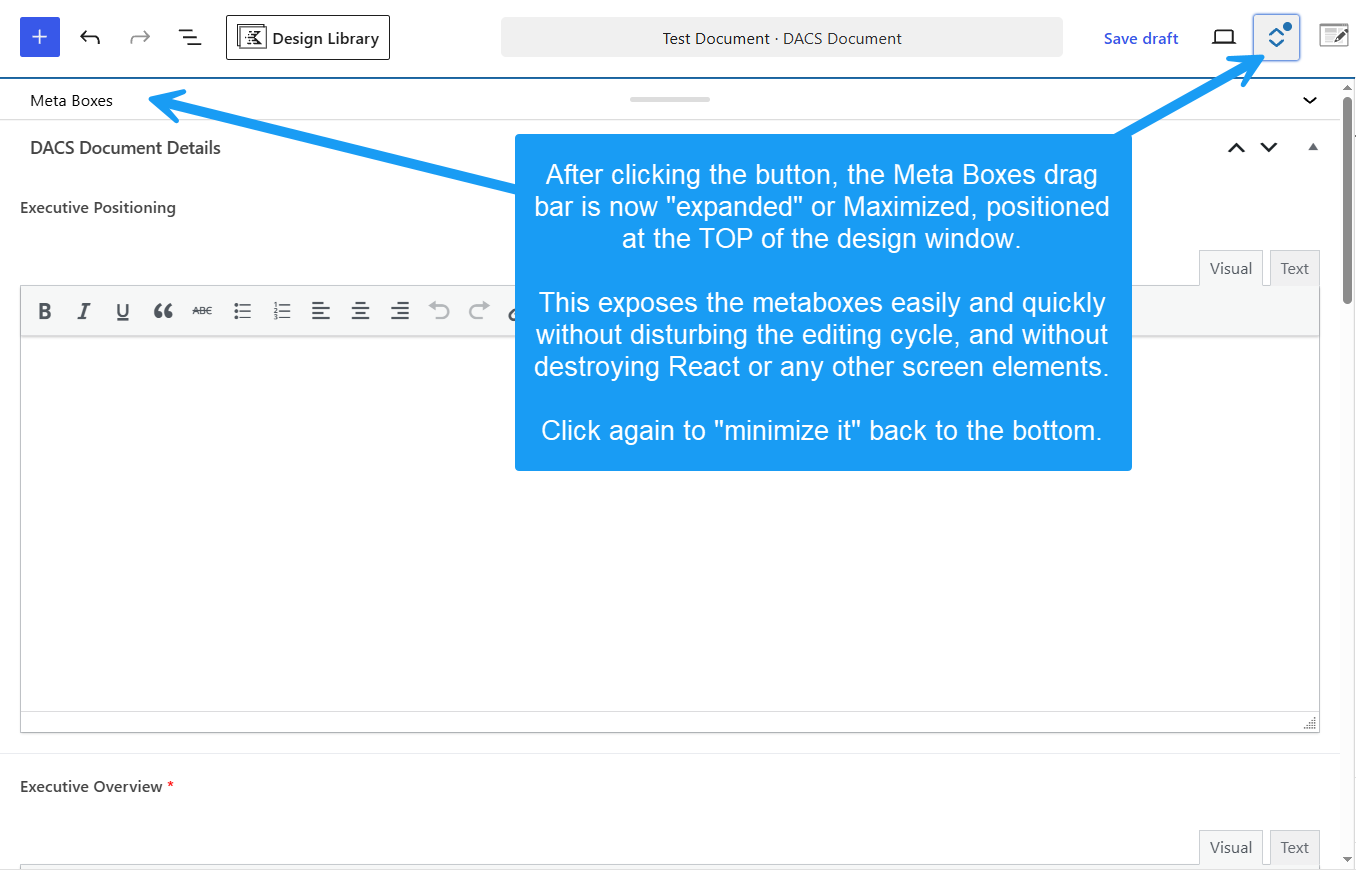 Figure 2: Expanded full-height meta box viewport.
Key Features
- Zero DOM Relocation: Keeps
#poststuffand all meta fields in their native DOM location. Fully preserves ACF repeater fields, Select2 dropdowns, color pickers, and third-party JS listeners. - 100% Core Save Compatible: No hijacked submission handlers or broken auto-save states. Standard WordPress Update/Publish buttons handle all data seamlessly.
- Inline Canvas Viewport: Expands native meta boxes smoothly over the content editor while maintaining full visibility of top toolbars, left admin menus, and right sidebars.
- Auto-Expand Collapsed Panels: Automatically uncollapses hidden or aria-collapsed field liners when maximized.
- Lightweight & Clean: Class-based Singleton architecture with zero database settings or admin clutter.
Installation
As a Standard Plugin
- Download or clone this repository.
- Upload the
apls-block-meta-toggledirectory to your site's/wp-content/plugins/folder. - Activate APLS Block Meta Toggle via Plugins > Installed Plugins in the WordPress admin dashboard.
As an MU-Plugin (Recommended for Agencies)
Drop apls-block-meta-toggle.php directly into /wp-content/mu-plugins/. It will activate automatically across all post types in the Block Editor without cluttering the main plugins list.
How It Works
- On Block Editor load, the plugin injects a Double Vertical Arrows icon (
#apls-block-meta-toggle-btn) into the top header settings bar. - By default, the native
.edit-post-meta-boxes-maincontainer is locked to a clean 32px minimized bar at the bottom of the screen. - Clicking Toggle Meta expands the container to fill the visible editor height (
calc(100vh - 120px)) and smoothly scrolls it into view. - Clicking Toggle Meta again minimizes the panel back to 32px and returns scroll focus smoothly to the main content canvas.
Requirements
- WordPress: 6.0+ (Tested up to 7.1)
- PHP: 7.4 or higher
- Compatible with Advanced Custom Fields (ACF), Rank Math, Yoast, and custom
add_meta_box()calls.
License
GPL-2.0-or-later — Free for personal and commercial use.