Install
This is the repository archive. It installs, but the folder name will carry the branch suffix and updates will not flow.
Install straight from GitHub with WP-CLI:
wp plugin install https://github.com/displaynone/wordpress-bootstrap-tinymce/archive/refs/heads/master.zipNo built-in updater. New versions won't appear under Dashboard → Updates. Install new releases yourself, or let Git Updater track the repository.
Allows to add extra content (Bootstrap classes) to any WordPress widgets. With this plugin there is a new button in the Visual tab from the editor, it allows you to add a Bootstrap structure using a simple modal window.
<div class="row">
  <div class="col-sm-2">Column size 2</div>
  <div class="col-sm-3">Column size 3</div>
  <div class="col-sm-7">Column size 7</div>
</div>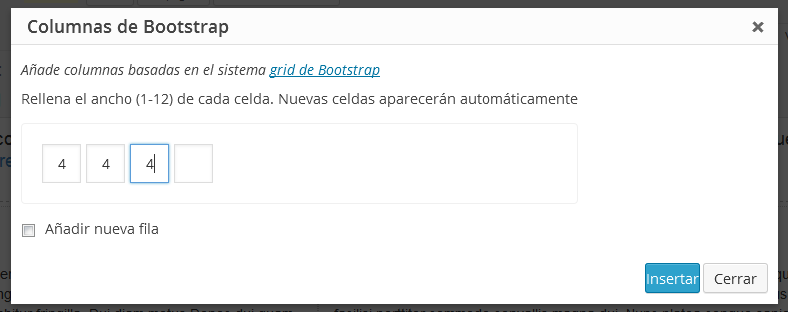
Instalation
- Download, install and active the plugin
- Click in the new button in your Visual tab and set how many columns you need and the size of them
More information in the original post in Sentido Web (in Spanish)