WP Manifestindependent plugin directory
manifest / analytics / disciple-tools-network-dashboard

Disciple.Tools - Network Dashboard WP Registry grade D+. High-severity findings · 3 findingsWP RegistryHigh-severity findings · 3 findingsOpen the reportD+

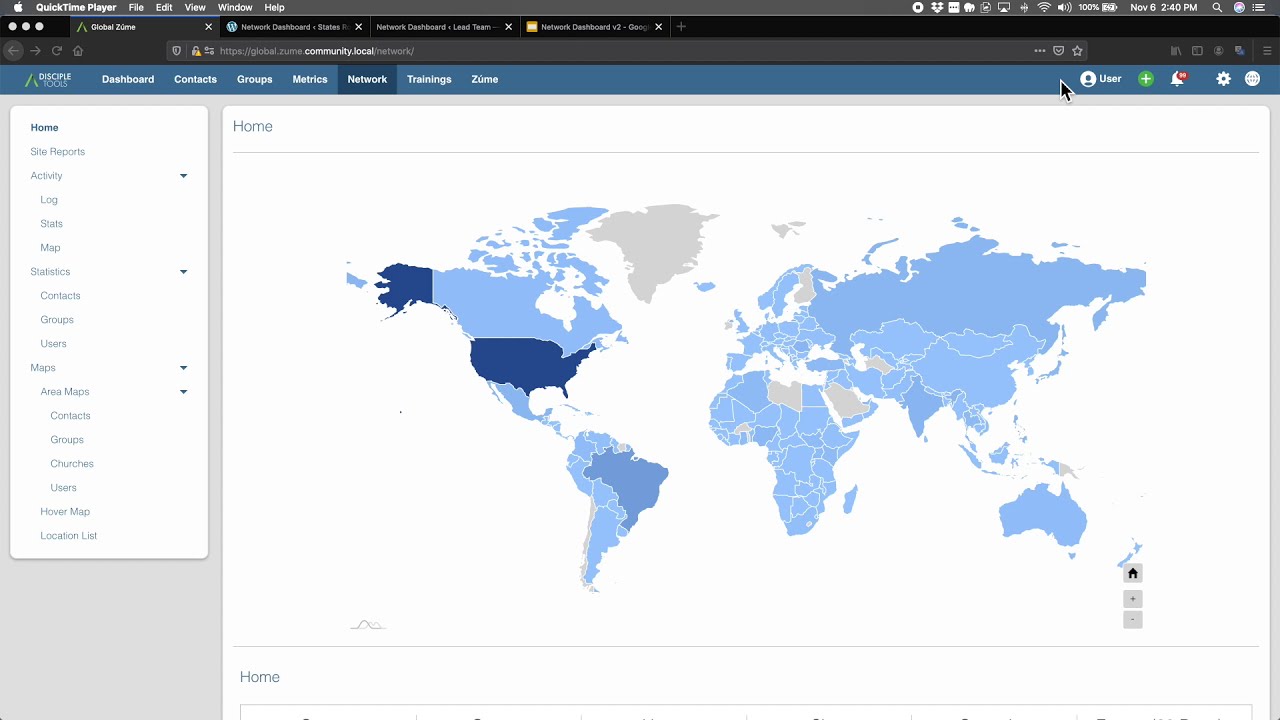
The Network Dashboard facilitates the reporting connection between different Disciple.Tools systems. In this way, multiple groups can work towards saturation for a common area by sharing high level reporting data between their systems.

★ 0stars
1.4krelease downloads
≈80active sites
2.10.4latest · 1 year ago

Install

Download disciple-tools-network-dashboard.zip From the 2.10.4 release on GitHub, Jun 18, 2025

Upload it under Plugins → Add New Plugin → Upload Plugin, then activate.

Install straight from GitHub with WP-CLI:

wp plugin install https://github.com/discipletools/disciple-tools-network-dashboard/releases/download/2.10.4/disciple-tools-network-dashboard.zip
Updates itself. It ships its own updater (Plugin Update Checker), so new versions appear under Dashboard → Updates.

The Network Dashboard creates report data sharing between multiple Disciple.Tools systems. It seeks to facilitate solidarity, saturation, data safety, and prayer guidance.

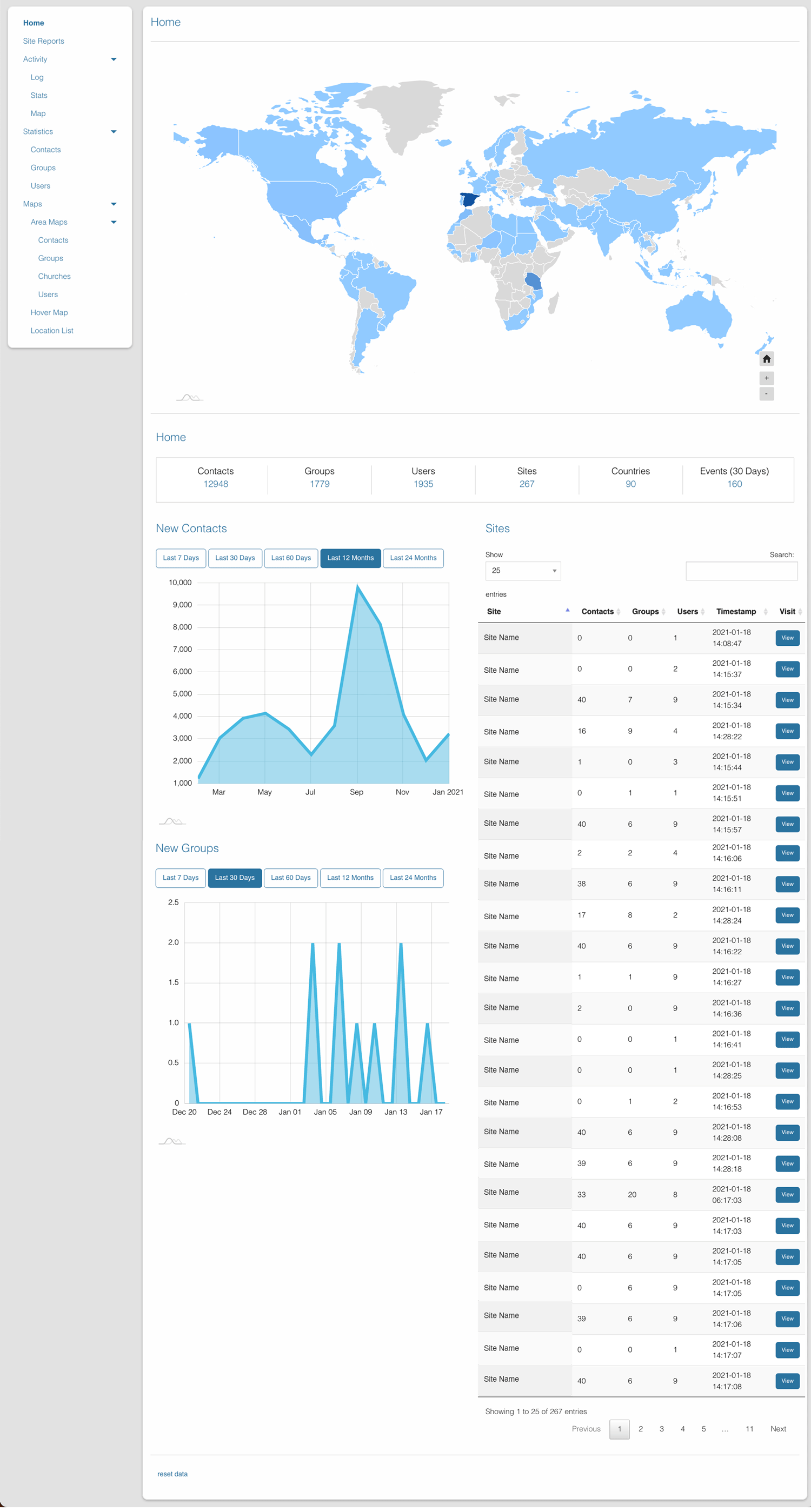
It offers an "out of the box" dashboard of activity and movement progress that can be shared safely between Disciple.Tools partner sites.

The Network Dashboard is a Disciple.Tools power tool!

Purpose

  • Solidarity: Multiple teams working in the same geographic area can combine their Disciple.Tools movement data for solidarity in the kingdom advancement in that area (i.e. solidarity as in: "we're in this together" or "our win is your win, your win is our win. Maranatha!" ).
  • Saturation: Multiple teams can see clearly the saturation of contacts, groups, and workers in their geographic area for the purpose seeing where the kingdom isn't.
  • Data Safety: Great effort has been put into the removal of Personally Identifiable Data (understanding the rising concern with privacy laws) and reducing precision of location data, but in a way that is still valuable to saturation efforts and movement health understanding.
  • Prayer Guidance: Using the new shared activity logging, movement events (new baptisms, new contacts, new churches, etc), will be immediately communicated across the network to feed prayer and praise coverage.

Usage

Will Do

  • Display combined maps and statistics from multiple Disciple.Tools sites.
  • Automatically run daily collections from all connected Disciple.Tools sites.
  • Supports linking and unlinking systems. When a link is removed, data in remote system is removed.
  • Runs on basic Wordpress server without additional Geospacial systems or customer server configurations.

Will Not Do

  • Does not support daisy chaining site reports. I.e. Site-A sends Site-B data, but Site-B never sends Site-A's data to Site-C. The Network Dashboard only passes data to explicit connections. This is to protect the data owners control of how far the data can be transfered and displayed.

Requirements

  • Disciple.Tools Theme installed on a Wordpress Server.
  • Site must have SSL enabled.

Installing

  • Install as a standard Disciple.Tools/Wordpress plugin in the system Admin/Plugins area.
  • Requires the user role of Administrator.

Documentation

View the Documentation Wiki for extensive explanation of the plugin.

Contribution

Contributions welcome. You can report issues and bugs in the Issues section of the repo. You can present ideas in the Discussions section of the repo. And code contributions are welcome using the Pull Request system for git. For a more details on contribution see the contribution guidelines.

Videos

Version 2.0 - Video Walk-through
Alt text View Video

Site-to-Site Linking Walk-through

Alt text View Video

Screenshot

screenshot

Releases

20 releases. Each count is every asset in that release; expand a row for the breakdown.

Tag
Published
Assets
Downloads
2.10.4 latest
Jun 18, 2025 1 year ago
disciple-tools-network-dashboard.zip
103
Apr 30, 2025 1 year ago
disciple-tools-network-dashboard.zip
60
Dec 6, 2024 1 year ago
disciple-tools-network-dashboard.zip
84
Aug 15, 2023 3 years ago
disciple-tools-network-dashboard.zip
208
Jul 17, 2023 3 years ago
disciple-tools-network-dashboard.zip
79
Jan 28, 2023 3 years ago
disciple-tools-network-dashboard.zip
112
2.9
Sep 10, 2022 4 years ago
disciple-tools-network-dashboard.zip
74
2.8
Aug 29, 2022 4 years ago
disciple-tools-network-dashboard.zip
42
2.7
Aug 29, 2022 4 years ago
disciple-tools-network-dashboard.zip
7
Jan 24, 2022 4 years ago
disciple-tools-network-dashboard.zip
65
Dec 17, 2021 4 years ago
disciple-tools-network-dashboard.zip
421
2.6
Sep 30, 2021 5 years ago
disciple-tools-network-dashboard.zip
20
Aug 18, 2021 5 years ago
disciple-tools-network-dashboard.zip
16
2.5
Mar 9, 2021 5 years ago
disciple-tools-network-dashboard.zip
29
2.4
Feb 18, 2021 5 years ago
disciple-tools-network-dashboard.zip
13
2.3
Feb 15, 2021 5 years ago
disciple-tools-network-dashboard.zip
7
2.2
Feb 15, 2021 5 years ago
disciple-tools-network-dashboard.zip
2
2.1
Jan 7, 2021 5 years ago
disciple-tools-network-dashboard.zip
8
2.0
Dec 22, 2020 5 years ago
disciple-tools-network-dashboard.zip
7
0.1
Jan 10, 2019 7 years ago
tag only
—

Active-site estimate ≈80 comes from the median of recent superseded releases. Method.

D+ grade

Security

Disciple.Tools - Network Dashboard 2.10.4 · audited by WP Registry

High-severity findings.

2 high 1 medium
Audited release
2.10.4
Findings
3
Worst severity
high
Content hash
94a9c05967e2a2889378bd17…

Findings

  • high SQL injection via activity-log map boundary filters on dt/v1/network REST

    sql_injection

    DT_Network_Dashboard_Metrics_Base::get_activity_log() builds $additional_where by concatenating filters.boundary n_lat/s_lat/e_lng/w_lng directly into SQL (AND lng < {e_lng} ...) with no floatval, absint, or $wpdb->prepare placeholder. Callers POST JSON to dt/v1/network/base (type=activity or activity_stats) and dt/v1/network/activity/map. REST JSON is php://input so wp_magic_quotes never runs; dt_recursive_sanitize_array only runs sanitize_text_field, which leaves 0 OR SLEEP(5)-- intact. permission_callback is __return_true; the real gate is has_permission() which accepts view_project_metrics / dt_all_access_contacts / view_network_dashboard. The plugin registers role network_dashboard_viewer with view_project_metrics (not manage_options). metrics/loader.php only registers these routes when that cap is present, so WP Subscriber 404s, but a dashboard viewer's cookie plus wp_rest nonce (localized on /network/) is enough. The SELECT is FROM $wpdb->dt_movement_log with attacker-controlled boolean context, so UNION/time-based extraction of wp_users.user_pass and site_link tokens is in scope. actions/sites IN() lists go through dt_array_to_sql (quoted esc_sql) and are not this bug.

    metrics/base.php:670-721

    Recommendation

    Cast each bound to float (or use %f placeholders in prepare) before interpolation; never concatenate request JSON into SQL. Move the four boundary predicates into the prepare() argument list. Replace permission_callback __return_true with a callback that calls dt_network_dashboard_has_metrics_permissions(). Reject non-numeric boundary values.

  • high Public network-dashboard REST accepts any Site Link token, not only network_dashboard_* types

    missing_capability

    dt-public/v1/network_dashboard/collector, trigger_activity, activity, live_stats, and profile all use permission_callback __return_true and DT_Network_Dashboard_Endpoints_Base::process_token(), which only calls Site_Link_System::verify_transfer_token(). That helper succeeds for every published site_link_system key (contact sharing, webform, non-WP token_as_transfer_key static API keys, hourly MD5 tokens). The plugin registers network_dashboard_both/receiving/sending caps via site_link_type_capabilities but no handler ever current_user_can() those caps. Consequence: a partner (or leaked token) from a non-dashboard site-link can POST live_stats and receive the full dt_snapshot_report (contact/group/user counts, location grids), POST activity and receive up to 10,000 movement_log rows, and POST collector to write snapshot post meta. public/log.php is the same token check under SHORTINIT. WP unauthenticated visitors without a token still fail; this is confused-deputy authorization among site-link types, including long-lived token_as_transfer_key keys intended for third-party APIs.

    shared/endpoints-base.php:16-38

    Recommendation

    After verify_transfer_token, require get_post_meta($site_post_id,'type') to be network_dashboard_both, network_dashboard_receiving, or network_dashboard_sending, and/or current_user_can('network_dashboard_receiving') (caps this plugin already adds). Put the same check in public/log.php. Prefer a permission_callback that performs the token+type check so failed auth is 401 instead of a 200 FAIL body.

  • medium Stored XSS in activity feed: remote labels/notes jQuery.append'd without escaping

    xss_stored

    build_log() concatenates $result['label'] and $result['payload']['note'] into message strings with no esc_html. write_activity_list() in network-activity.js does container.append with a template literal containing vv.message — jQuery.append parses HTML, so event-handler payloads execute (img onerror / svg onload). Local insert_log() runs dt_recursive_sanitize_array on payload and sanitize_text_field on labels, but DT_Network_Activity_Log::transfer_insert_multiple() (used when collecting remote activity over REST) inserts label and payload as received. A linked partner — or any actor with a valid transfer_token hitting the collector/activity path — stores HTML that every Network Dashboard Viewer later executes in their browser. Filter buttons elsewhere correctly use lodash.escape; the activity list does not.

    metrics/network-activity.js:128-138

    Recommendation

    Escape vv.message, v.label, and i with lodash.escape (or text nodes) before append. Sanitize remote rows in transfer_insert_multiple the same way insert_log does (dt_recursive_sanitize_array / sanitize_text_field). Escape on the PHP side in build_log as defense in depth.

WP Registry hashes the installable build and reports on that exact bytes-for-bytes copy. Embargoed findings are withheld until they are disclosed, so a clean verdict means nothing public is outstanding. WP Manifest does not audit code itself.