Disciple.Tools - Genmapper WP Registry grade A. No security issues foundWP RegistryNo security issues foundOpen the reportA #2 in Analytics & Tracking
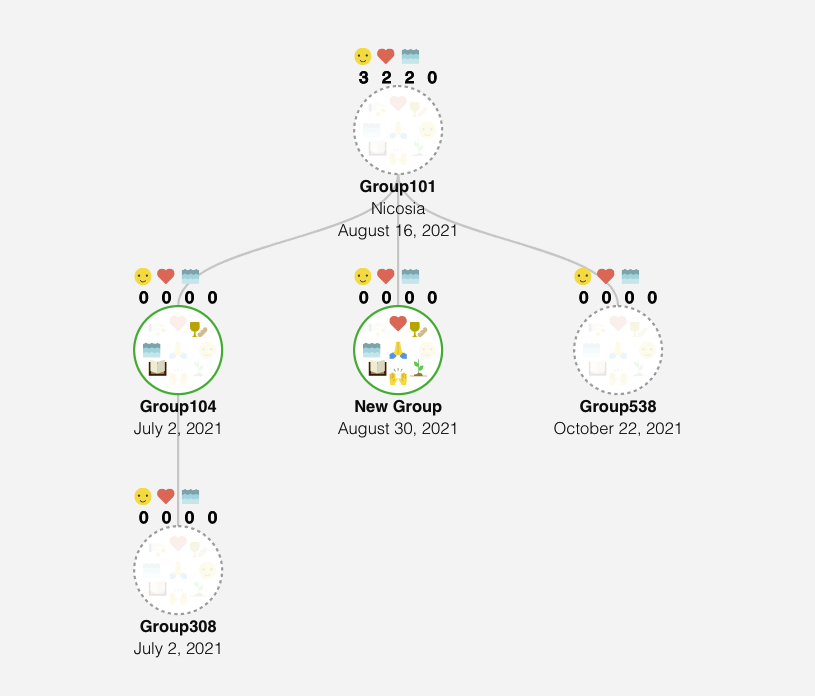
This plugin adds a generation mapping to the metrics section of the Disciple.Tools system. Generation mapping shows parent/child relationship between contact, baptisms, and groups.
Install
Upload it under Plugins → Add New Plugin → Upload Plugin, then activate.
Install straight from GitHub with WP-CLI:
wp plugin install https://github.com/discipletools/disciple-tools-genmapper/releases/download/1.8.0/disciple-tools-genmapper.zip
Disciple.Tools - GenMapper
Add beautiful generation charts to visualize the connections between contacts, groups, churches, and baptisms.
Purpose
Disciple.Tools can track all records generationally. This plugin adds the ability to visualize those connections in trees, so disciple making movement leaders can better understand and respond to fruitful and non-fruitful parts of the network.
Usage
Can Do
- Adds a new section to metrics called Gen Mapper
- Adds baptism metrics
- Adds group metrics
- Adds filtering
- Adds node creation management
Requirements
- Disciple.Tools Theme installed on a Wordpress Server
Installing
- Install as a standard Disciple.Tools/Wordpress plugin in the system Admin/Plugins area.
- Requires the user role of Administrator.
- No further configuration required.
Contribution
Contributions welcome. You can report issues and bugs in the Issues section of the repo. You can present ideas in the Discussions section of the repo. And code contributions are welcome using the Pull Request system for git. For a more details on contribution see the contribution guidelines.
Setup for Developers
Composer
Install via Homebrew or run Installer:
$ brew update
$ brew install composer
Run Composer to install dependencies
$ composer installPHP Code Sniffer
Run ./vendor/bin/phpcs to see list of PHP format errors
Run ./vendor/bin/phpcbf to auto-fix all possible format errors
Unit Testing
Install the wordpress test environment by running tests/install-wp-tests.sh
Run phpunit to run unit tests.
Screenshots
Releases
19 releases. Each count is every asset in that release; expand a row for the breakdown.
Active-site estimate ≈100 comes from the median of recent superseded releases. Method.