Easy Steam Account Link
Wordpress plugin made to vinculate your subscribbed users with steam. Getting information like name, NickName and games users own
by devMiguelCarrero · github.com/devmiguelcarrero/wp-steam-account-link · website
Install
No release zip yet. The repository archive installs, but the folder name will carry the branch suffix and updates will not flow:
wp plugin install https://github.com/devmiguelcarrero/wp-steam-account-link/archive/refs/heads/main.zip
Easy Steam Account Link
- Contributors: devmiguelcarrero
- Donate link: https://www.paypal.com/paypalme/slidmike?country.x=CO&locale.x=es_XC
- Tags: steam, account, connect, games, gaming, esport, esport, link
- Requires at least: 4.7
- Tested up to: 6.0
- Stable tag: 0.1.2
- Requires PHP: 7.0
- License: GPLv2 or later
- License URI: https://www.gnu.org/licenses/gpl-2.0.html
Wordpress plugin made to vinculate your subscribbed users with steam. Getting information like name, NickName and games users own.
Usage
- Download this repo on your WordPress plugins folder run the console command
npm run build - Activate the plugin Easy Steam Account Link in your wp-admin/plugins.php
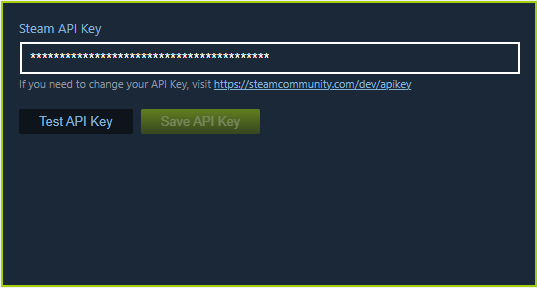
- Go to Tools > Steam Account and add a Steam APiKey (For more information, click here: Steam API Key)
- Paste the shortcode
[WSL_user_steam_vinculation][/WSL_user_steam_vinculation], on the area that you want to display the Steam Account connect widget.
Description
This plugin was made to connect the WordPress User with his/her Steam Account and store related Wordpress info on the site database using the usermeta native table.
For the current use of this plugin, you need to have a Steam Account and create an Steam developer APIKey here Steam API Key and save it on the settings page in your /wp-admin/options-general.php?page=easy-steam-account-link-settings.
You can use the shortcode [WSL_user_steam_vinculation][/WSL_user_steam_vinculation] to display the Steam account vinculation card on the place that you wish.
This plugin stores the following user_meta fields and you can use it in the way that you like using the WordPress PHP Function get_user_meta()}
- wp-steam-account-id
- wp-steam-account-summary
- wp-steam-account-linked
Frequently Asked Questions
How do i check the data stored on the usermeta table?
You can use the php function get_user_meta(): get_user_meta for displaying the user steam accoun information. For example: <?php echo get_user_meta(*the user id*, 'wp-steam-account-summary'); ?>.
User Steam info will be displayed on the admin user section on future releases.
How do i create a Steam API Key?
You can create an Steam developer APIKey here Steam API Key and save it on the settings page in your /wp-admin/options-general.php?page=easy-steam-account-link-settings.
Screenshots

Changelog
0.1.0
- Created main files for the plugin correct functioning
Upgrade Notice
0.1.0
Created main files for the plugin correct functioning