Install
This is the repository archive. It installs, but the folder name will carry the branch suffix and updates will not flow.
Install straight from GitHub with WP-CLI:
wp plugin install https://github.com/devlightening/qr-menu-plugin/archive/refs/heads/main.zip📱 QR-Menu WordPress Plugin
QR-Menu is a user-friendly and dynamic digital menu plugin developed for WordPress-based restaurants. With this plugin, administrators can define products, categorize them, and generate unique QR codes for each menu, allowing customers to access them quickly.
🔧 Technologies Used
- PHP – WordPress plugin development
- HTML – Creating structural content
- CSS – Interface design
- JavaScript (optional) – Interactive features
- WordPress Plugin API – Plugin infrastructure
🚀 Key Features
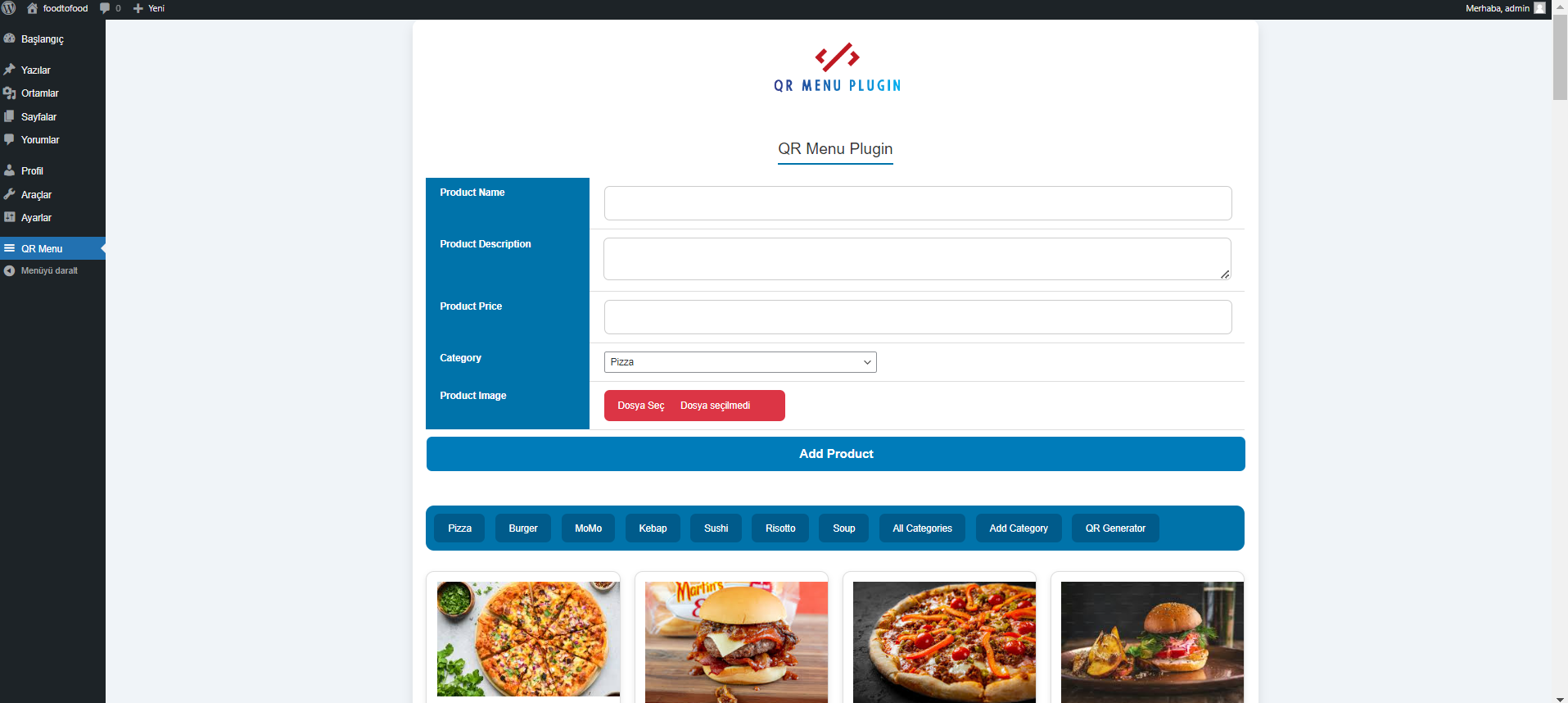
✅ Product Definition
From the admin panel, you can easily:
- Enter product name
- Add a description
- Define a price
- Add a category
- Select a category
- Upload a product image
Image path: Photos/plugin1.png
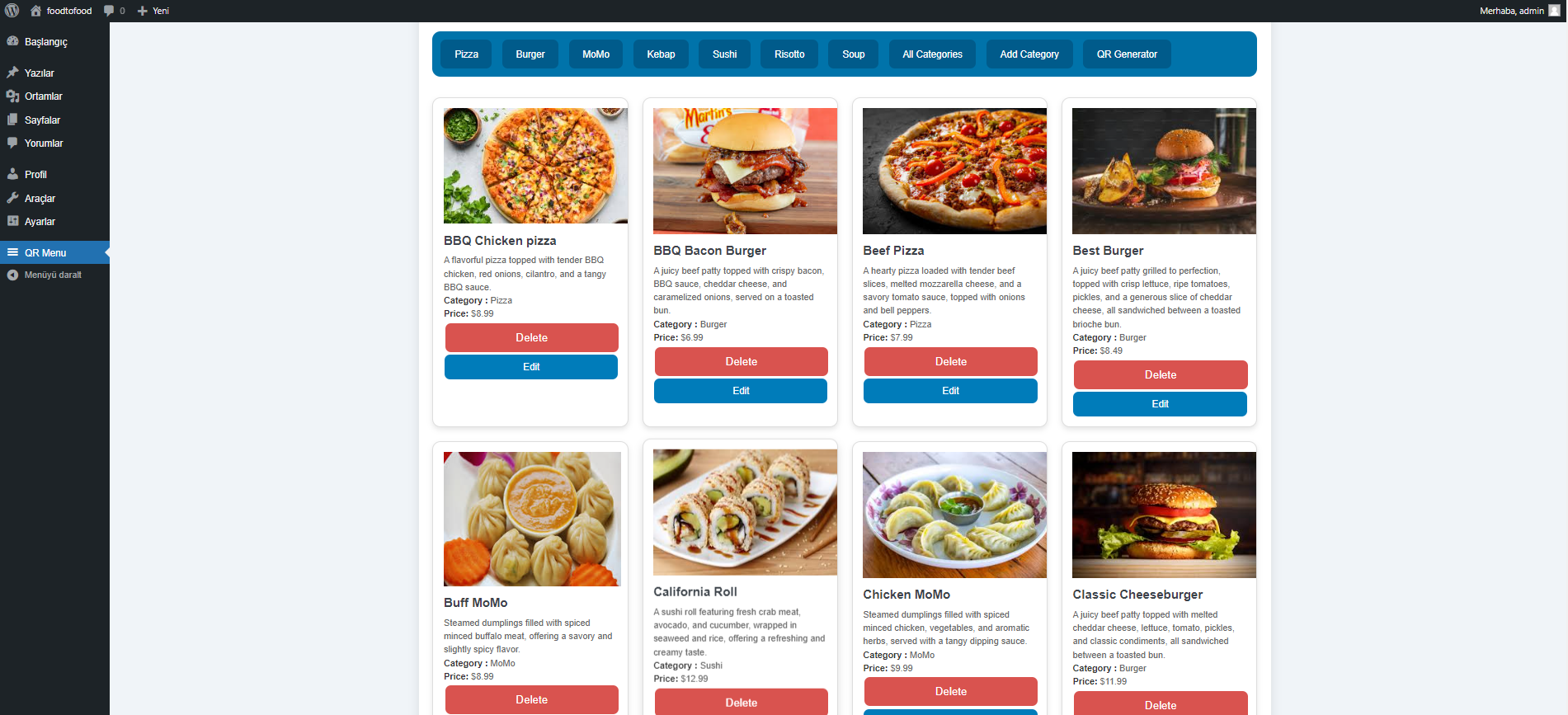
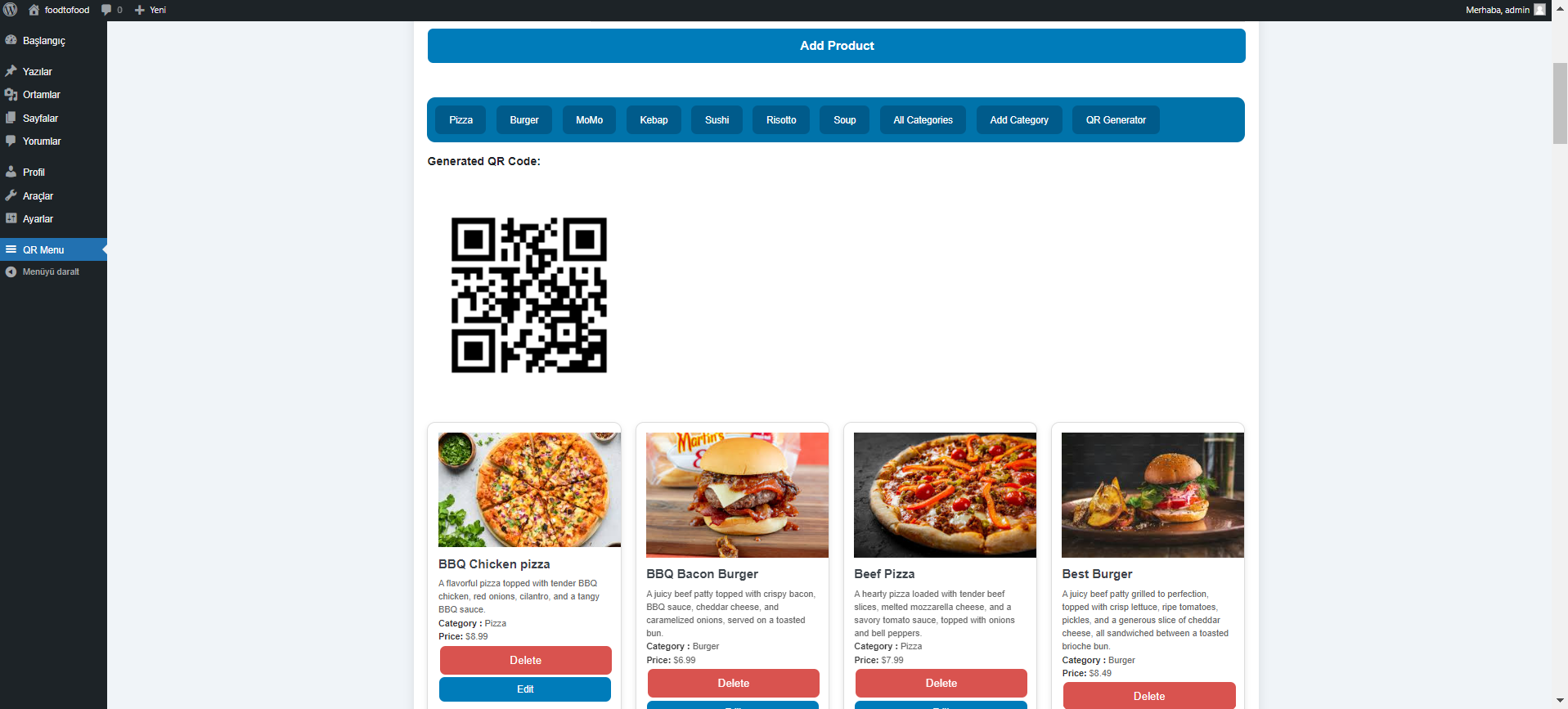
📋 Product Listing
All products are listed on a single screen, where they can be edited or deleted.
Image path: Photos/plugin2.png
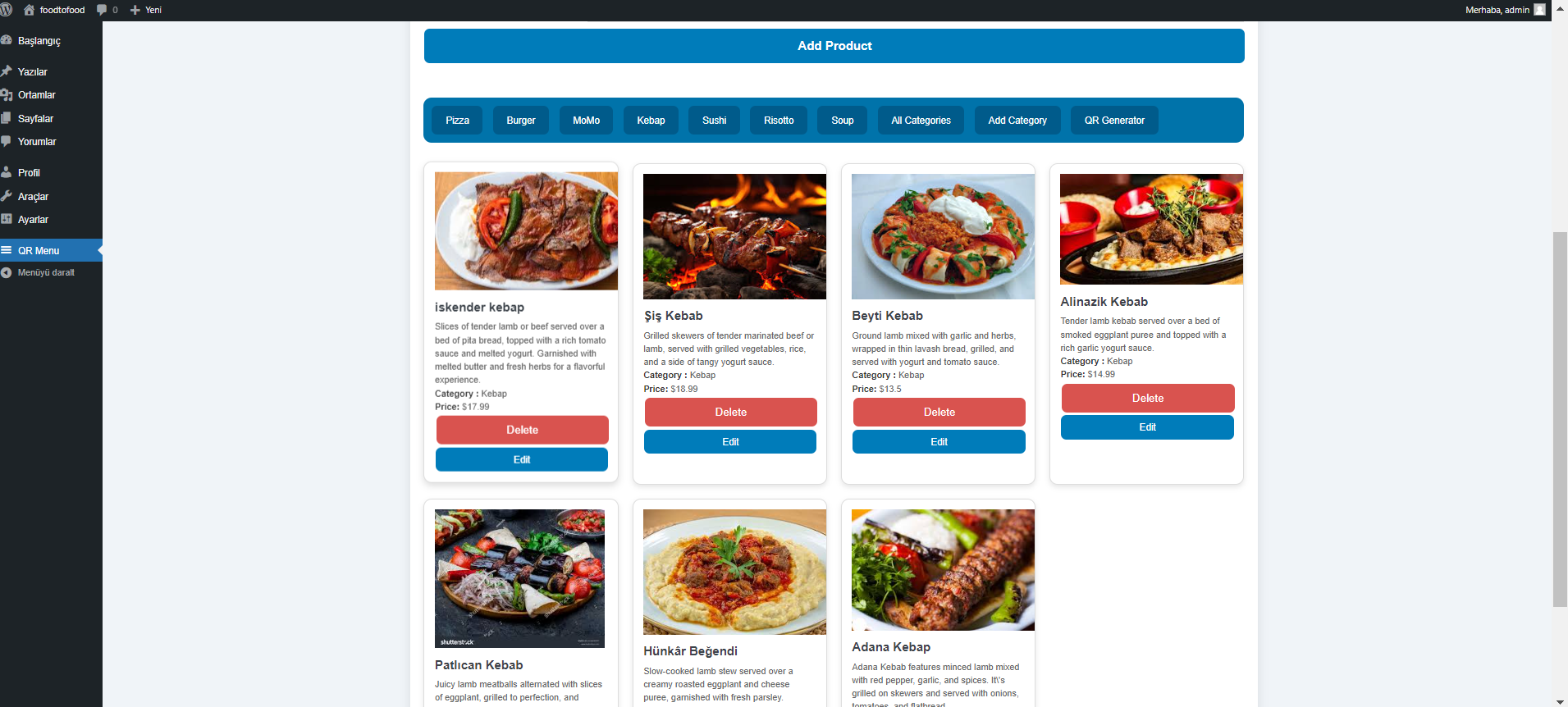
🗂️ Category Filtering
Products can be filtered using the category bar, providing users with a more organized view.
Image path: Photos/plugin3.png
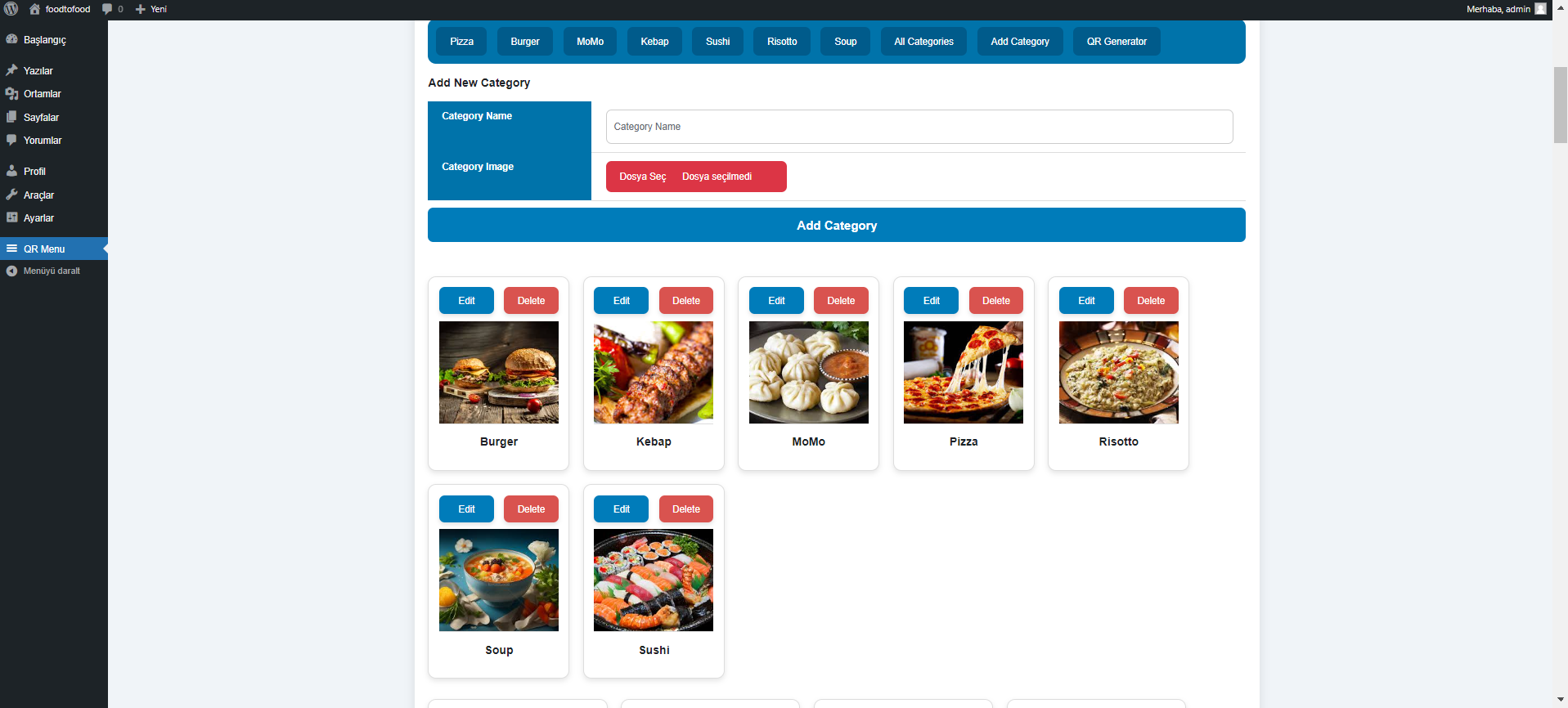
➕ Add Category
New categories can be easily created and assigned to products.
Image path: Photos/plugin4.png
🔄 QR Code Generation
An automatic QR code is generated for each menu created. This allows customers to quickly access the menu using their mobile phones.
Image path: Photos/plugin5.png
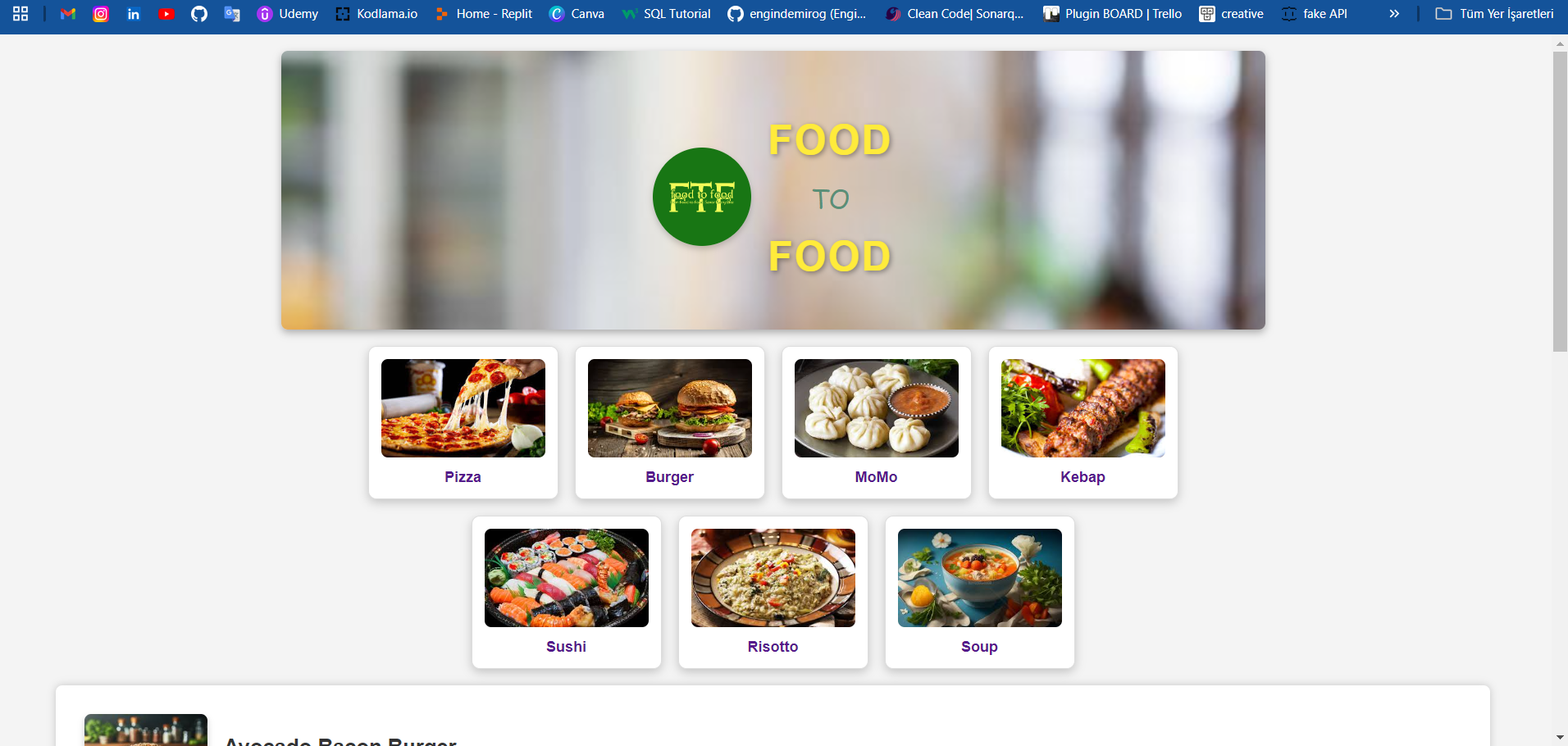
🍽️ Static Menu Example
A sample restaurant menu prepared as a demo:
Image path: Photos/Menu1.png
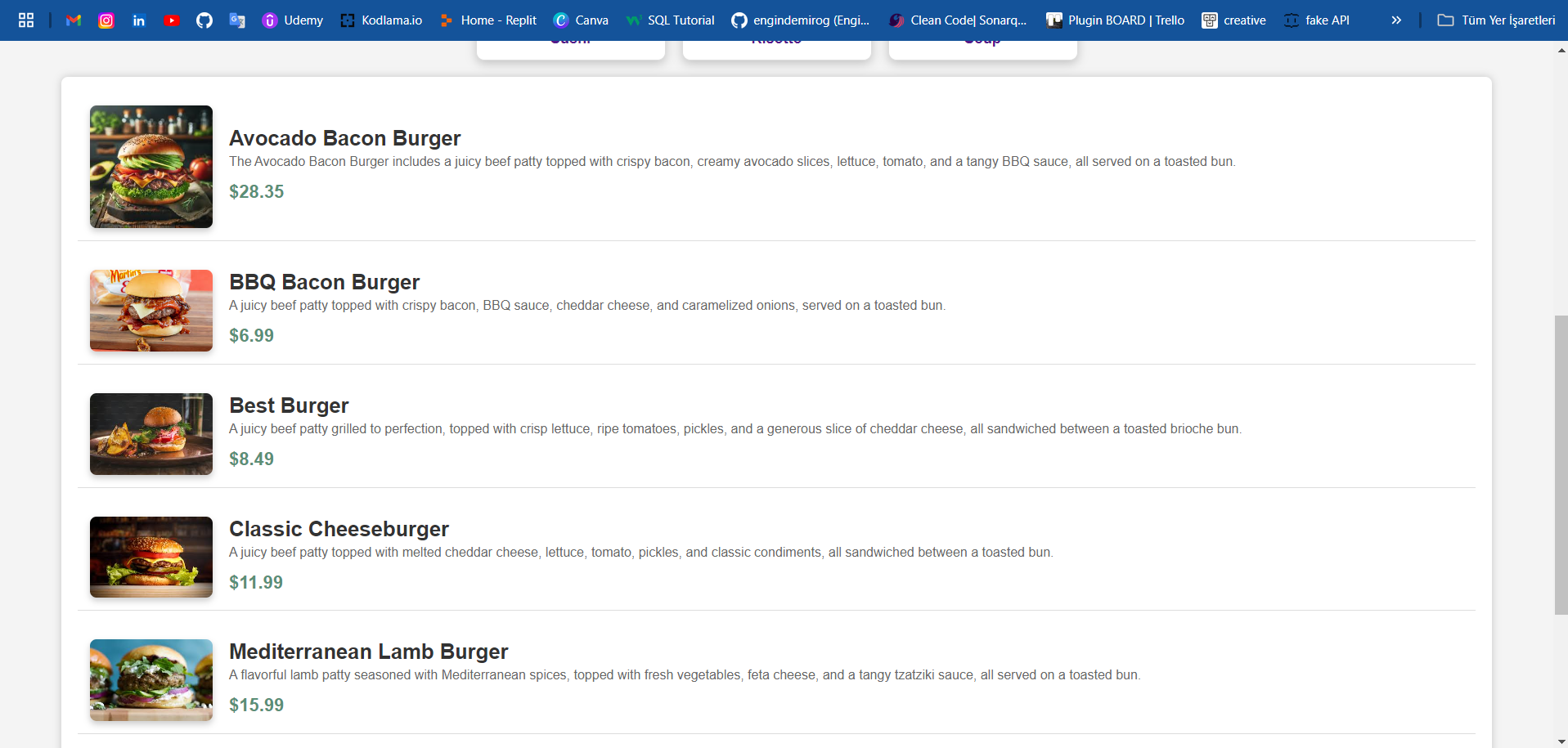
Categorized menu layout:
Image path: Photos/Menu2.png
📦 Installation Steps
- Upload the project folder to the
wp-content/plugins/directory. - Log in to the WordPress admin panel.
- From the “Plugins” section, activate the QR-Menu plugin.
- Start adding products and categories from the admin panel.
📌 Notes
- Development environment: WordPress 6.x, PHP 8.x
- The plugin has a mobile-friendly, simple, and functional interface.
- The project is complete and ready for distribution.
📬 Contact
You can contact us for feedback or support regarding the project.
This plugin was developed to provide modern, QR code-supported menu solutions for restaurants as part of their digital transformation process.
İstersen ben bunu sana direkt GitHub’da hazır Markdown formatında, görsellerin düzgün görüntüleneceği şekilde paketleyebilirim. Böylece README.md’yi kopyalayıp yapıştırman yeterli olur.