Install
This is the repository archive. It installs, but the folder name will carry the branch suffix and updates will not flow.
Install straight from GitHub with WP-CLI:
wp plugin install https://github.com/dev3tech/dev3-ai-product-image-studio-for-woocommerce/archive/refs/heads/main.zipAI background removal, white-background pack shots, lifestyle scenes, upscaling and alt text for WooCommerce product images, with batch mode and before/after approval.
Features
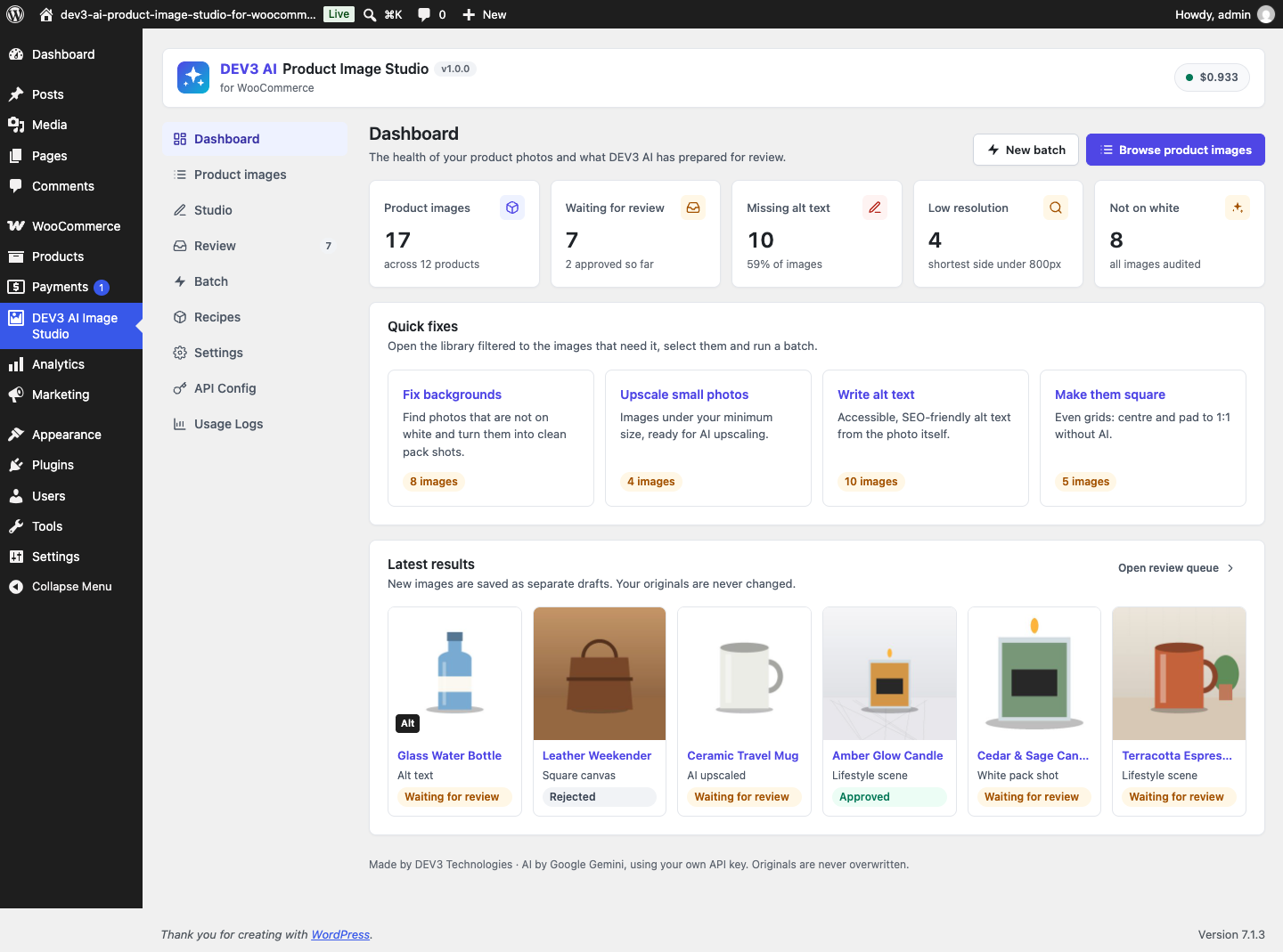
DEV3 AI Product Image Studio turns everyday product photos into clean, consistent shop images, right inside WooCommerce.
- Remove background to pure white, any colour, or a transparent PNG.
- White pack shots: centred, evenly lit, square canvas with your fill % and an optional soft shadow (marketplace-ready).
- Lifestyle scenes: place the product on a kitchen counter, marble, wood, outdoors… or describe your own setting. 1-4 variants, any aspect ratio, brand style.
- AI upscale: restore detail, then enlarge 2-4x.
- Custom edit: "remove the price sticker", "straighten the label".
- Alt text, title and caption written from the photo itself, or from a template without AI.
- Batch mode: run any edit or recipe over a category, a selection or your whole catalogue in the background.
- Originals are never overwritten. Every result is a new image that waits in the review queue with a before/after slider. Approve to replace the image in the product (or add it to the gallery); revert at any time.
- Works without AI: square canvas, resize, flatten, format conversion, alt templates, the image audit and the review queue need no API key.
- Product image library with health filters (missing alt, low resolution, not on white, not square), product metabox, Products bulk action and media library link.
- "Before & After Image" block and
[dev3is_compare]shortcode for your storefront.
AI is powered by Google AI with your own API key. The key stays on your server.
Requirements
- WordPress 6.0 or newer (tested up to 6.8)
- PHP 7.4 or newer
- WooCommerce 8.0 or newer (required)
- Optional: your own Google AI API key (from Google AI Studio) to switch on the DEV3 AI features. The rest of the plugin works without one.
Installation
From the release zip
- Download
dev3-ai-product-image-studio-for-woocommerce.zipfrom the latest release. - In WordPress, go to Plugins → Add New → Upload Plugin, choose the zip and click Install Now.
- Click Activate.
Build from source
git clone https://github.com/dev3tech/dev3-ai-product-image-studio-for-woocommerce.git
cd dev3-ai-product-image-studio-for-woocommerce
composer install --no-dev
npm ci
npm run build
Then copy the dev3-ai-product-image-studio-for-woocommerce folder into wp-content/plugins/ and activate it.
Getting started
- Upload the zip in Plugins › Add New › Upload Plugin and activate (WooCommerce must be active).
- Open DEV3 AI Image Studio › API Config and paste your Google AI API key (free at https://aistudio.google.com/apikey).
- Open Product images, pick an image and choose an edit. Full documentation is in the Documentation folder of the download.
FAQ
Are my original photos changed?
No. Results are saved as new media files. Approving swaps the attachment used by the product; the original stays in your media library and Revert puts it back.
Can it make real transparent PNGs?
Yes. The AI paints the product on a key colour and the plugin cuts it out on your server into a PNG with alpha.
What does it cost?
You pay Google for your own API usage. Set a monthly budget in API Config; AI pauses when it is reached.
Which data is sent to Google?
Only the product image being edited (downscaled to 1536 px), the product name, and for alt text the category and attributes.
Privacy
When you use an AI feature, the image and the product name are sent to Google AI (Google LLC) as processor. A privacy-policy snippet is added to Settings › Privacy.
Documentation
The full HTML guide (installation, settings, hooks and FAQ) is in docs/index.html. Open it in a browser after cloning or downloading the repository.
Changelog
1.0.0
- Initial release.
Licence
Released under the GNU General Public License v2.0 or later (GPL-2.0-or-later). See LICENSE.