Install
This is the repository archive. It installs, but the folder name will carry the branch suffix and updates will not flow.
Install straight from GitHub with WP-CLI:
wp plugin install https://github.com/dev3tech/dev3-ai-product-designer-for-woocommerce/archive/refs/heads/main.zipLet shoppers design T-shirts, mugs, posters, phone cases and more on a touch-friendly canvas, with AI artwork, slogan ideas, photo tools, a print-quality check and 300 DPI print-ready PDF, PNG and SVG files.
Features
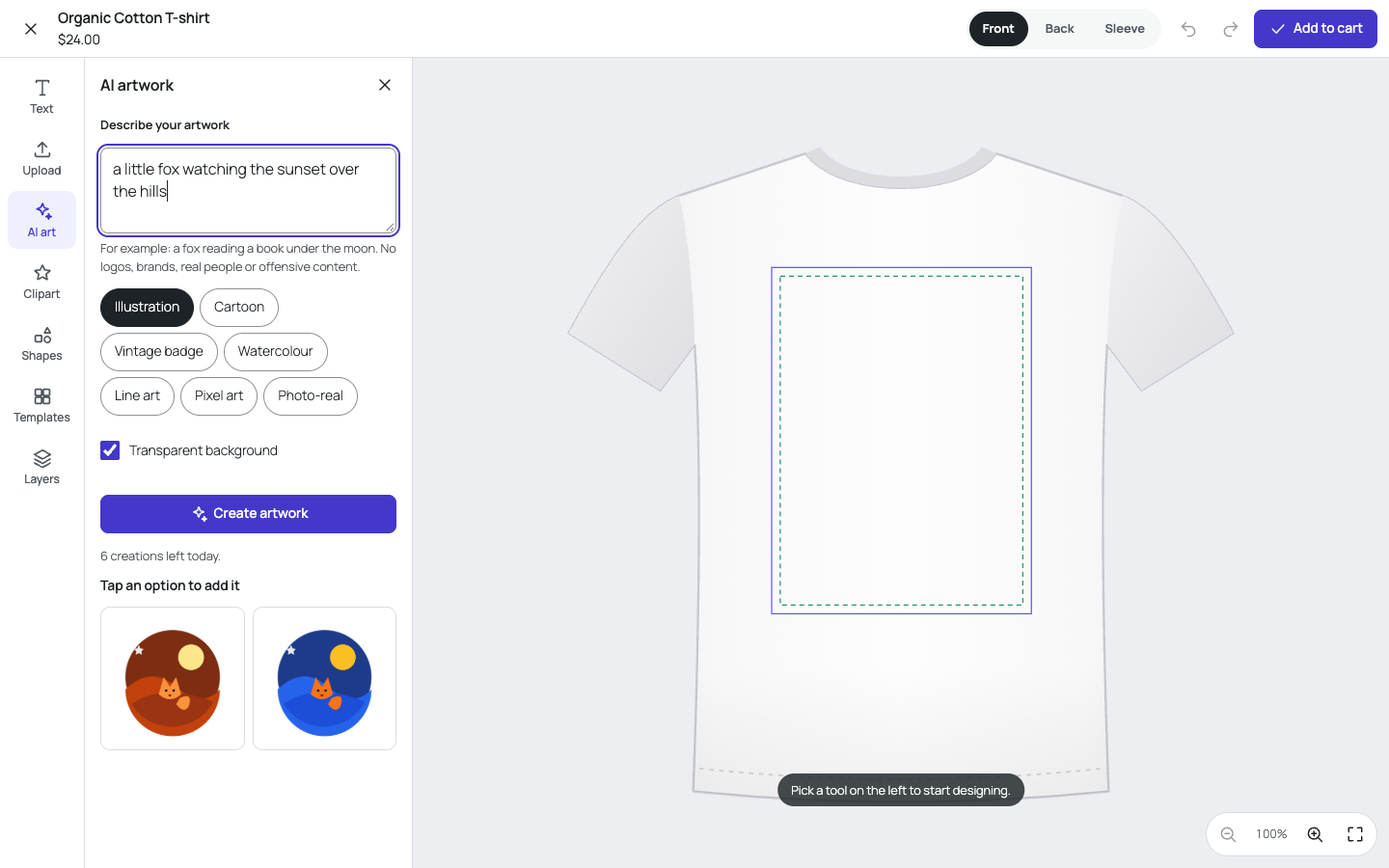
DEV3 AI Product Designer adds a full-screen design studio (built on Fabric.js) to WooCommerce products.
Design studio
- Text with 12 bundled fonts (plus your own uploads), shapes, clipart, photo uploads, layers, undo/redo, snapping and alignment.
- Multiple views per product (front, back, sleeve…) with mockup images, print areas, bleed and safe zones.
- Built for phones: bottom-sheet tool panels, a bottom tool bar, two-finger pinch to scale, twist to rotate and pinch-zoom the canvas.
- Templates per product type, colour palettes, price per element, per print area, per clipart item and per template.
- Designs are saved to the shopper's account ("My designs") and attached to the order with previews.
Print-ready output
- PDF at the exact physical size (bleed, TrimBox/BleedBox, optional crop marks), PNG with real 300 DPI metadata and vector SVG with embedded fonts and images.
- Rendered from the saved design with the same engine as the canvas, so files match what the customer saw.
- Files can be stored privately with the order.
DEV3 AI features (Google AI, your own API key)
- AI artwork: shoppers describe a design and pick from generated options. Blocklist + AI moderation + strict image safety settings, per-session daily limits and caching.
- AI slogan ideas by occasion and style (built-in ideas when AI is off).
- AI cut-out (background removal) and photo enhancement, next to free on-device tools.
- Print-quality check: resolution, text too close to the edge, cut-off elements, tiny text, low contrast and bright RGB colours, plus an optional AI review (spelling and layout).
- Admin: AI template generator for each product type. Every draft is reviewed before it is saved.
The plugin works fully without AI or an API key.
Requirements
- WordPress 6.0 or newer (tested up to 6.8)
- PHP 7.4 or newer
- WooCommerce 8.0 or newer (required)
- Optional: your own Google AI API key (from Google AI Studio) to switch on the DEV3 AI features. The rest of the plugin works without one.
Installation
From the release zip
- Download
dev3-ai-product-designer-for-woocommerce.zipfrom the latest release. - In WordPress, go to Plugins → Add New → Upload Plugin, choose the zip and click Install Now.
- Click Activate.
Build from source
git clone https://github.com/dev3tech/dev3-ai-product-designer-for-woocommerce.git
cd dev3-ai-product-designer-for-woocommerce
composer install --no-dev
npm install
npm run build
Then copy the dev3-ai-product-designer-for-woocommerce folder into wp-content/plugins/ and activate it.
Getting started
- Upload the zip under Plugins > Add New > Upload Plugin and activate it (WooCommerce must be active).
- Open DEV3 AI Designer > Product types and add a preset (T-shirt, mug, poster, phone case, tote) or create your own.
- Enable the designer on a product (Products tab, or the "DEV3 AI Designer" tab in the product editor).
- Optional: add a Google AI API key under API Config to turn on the AI features.
FAQ
Does it work without AI?
Yes. Everything except AI artwork, AI slogans, AI photo tools, the AI review and the template generator works without a key.
How are print files made?
In the admin, open Designs & orders, choose a design and click PDF, PNG or SVG. Files are rendered in your browser at the chosen DPI and can be saved privately with the order.
Does it support the block cart and checkout and HPOS?
Yes. Both are declared compatible and tested.
Privacy
AI features send the prompt, the photo being edited or small design previews to Google AI when a shopper or admin uses them. The plugin adds a suggested privacy-policy paragraph and a personal-data exporter and eraser for designs.
Documentation
The full HTML guide (installation, settings, hooks and FAQ) is in docs/index.html. Open it in a browser after cloning or downloading the repository.
Changelog
1.0.0
- Initial release.
Licence
Released under the GNU General Public License v2.0 or later (GPL-2.0-or-later). See LICENSE.