Install
This is the repository archive. It installs, but the folder name will carry the branch suffix and updates will not flow.
Install straight from GitHub with WP-CLI:
wp plugin install https://github.com/dev3tech/dev3-ai-membership-paywall/archive/refs/heads/main.zipMembership levels, content restriction, drip, Stripe/PayPal/WooCommerce checkout and a paywall with DEV3 AI tier designer, smart teasers, churn scores and a member Q&A assistant.
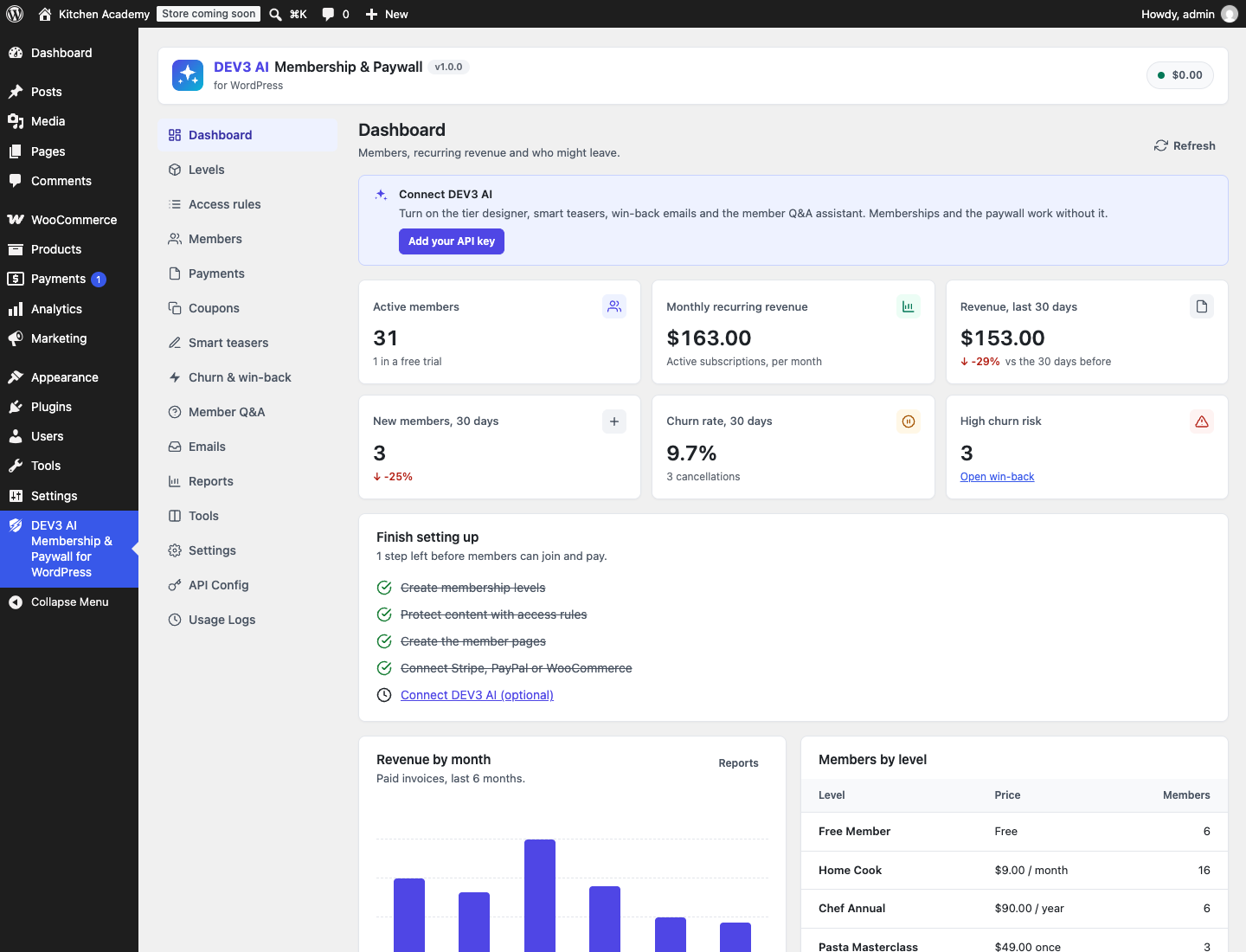
Features
Sell memberships on any WordPress site and lock content behind a paywall that converts.
Memberships
- Unlimited levels: free, one-time (lifetime or N days), recurring (day/week/month/year, every N periods) with free or paid trials.
- Restrict posts, pages, categories, tags, any custom post type, menu items, single blocks, files and WooCommerce products.
- Drip content (X days after joining or on a date), per-post overrides, "redirect" or "teaser + paywall" behaviour.
- Plans page, checkout, account (status, change plan, cancel, invoices, profile, privacy), login, registration, member directory and public profiles. Every screen is a Gutenberg block and a shortcode.
- Stripe Checkout (cards, subscriptions, trials, coupons, proration, refunds, signed webhooks), PayPal Checkout + PayPal Subscriptions, and the WooCommerce checkout (any Woo gateway; WooCommerce Subscriptions renewals synced). HPOS and block checkout compatible.
- Coupons (percent/fixed, first payment or every renewal, per level, limits, expiry), proration on plan changes, sequential invoices.
- Emails: welcome, receipt, payment failed, renewal reminder, cancelled, expired, admin notice, plus per-level welcome sequences.
- Reports (MRR, revenue, sign-ups, cancellations, churn rate, gateways), CSV export/import, config export/import, REST API, GDPR exporter/eraser.
DEV3 AI (Google AI, your own key)
- Tier designer: proposes levels, prices and the categories each level unlocks, from your content.
- Smart teaser: writes a paywall preview per post that sells the full article (single or bulk, always reviewed).
- Churn risk score per member (activity + payments) with AI win-back email drafts.
- Member Q&A assistant over members-only content that only answers from articles the asker can access.
- AI onboarding emails and welcome sequences, and rewrites of any email.
Nothing AI-written is saved or sent without your click. With AI off or no key, everything else works (scores, template emails, keyword Q&A).
Requirements
- WordPress 6.0 or newer (tested up to 6.8)
- PHP 7.4 or newer
- WooCommerce 8.0 or newer (optional integration)
- Optional: your own Google AI API key (from Google AI Studio) to switch on the DEV3 AI features. The rest of the plugin works without one.
Installation
From the release zip
- Download
dev3-ai-membership-paywall.zipfrom the latest release. - In WordPress, go to Plugins → Add New → Upload Plugin, choose the zip and click Install Now.
- Click Activate.
Build from source
git clone https://github.com/dev3tech/dev3-ai-membership-paywall.git
cd dev3-ai-membership-paywall
composer install --no-dev
npm ci
npm run build
Then copy the dev3-ai-membership-paywall folder into wp-content/plugins/ and activate it.
Getting started
- Upload the plugin zip in Plugins → Add New → Upload, then activate.
- Open DEV3 AI Membership & Paywall → Tools → Create missing pages.
- Create levels (or use the tier designer), add access rules, connect a gateway in Settings → Payments.
- Optional: add a Google AI API key in API Config.
Full documentation: docs/index.html in the download package.
FAQ
Do I need WooCommerce?
No. Stripe and PayPal work on any site. WooCommerce is optional.
Is the Google AI key exposed to visitors?
No. All AI calls run on your server; visitor features are rate limited and fall back to non-AI behaviour.
Can locked content leak through the REST API or RSS?
No. Locked posts return the teaser only in REST, feeds, excerpts and the Q&A assistant.
Documentation
The full HTML guide (installation, settings, hooks and FAQ) is in docs/index.html. Open it in a browser after cloning or downloading the repository.
Changelog
1.0.0
- Initial release.
Licence
Released under the GNU General Public License v2.0 or later (GPL-2.0-or-later). See LICENSE.