Install
This is the repository archive. It installs, but the folder name will carry the branch suffix and updates will not flow.
Install straight from GitHub with WP-CLI:
wp plugin install https://github.com/dev3tech/dev3-ai-events-tickets/archive/refs/heads/main.zipEvents, venues, recurring dates, tickets with WooCommerce or free RSVP, seat maps, QR check-in and DEV3 AI event pages, social posts and emails.
Features
A complete events and ticketing plugin with no paid add-ons:
- Events with venues, organisers, categories, time zones and statuses (scheduled, postponed, cancelled, rescheduled, moved online).
- Recurring events (daily, weekly on several days, monthly by date or weekday, yearly, until/count, skipped and extra dates), generated in the event time zone so start times stay correct across daylight-saving changes.
- Calendar, list and map views as Gutenberg blocks and shortcodes, responsive and theme-friendly, plus a combined view with a switcher.
- Ticket types with capacity per date, minimum/maximum per order, sale windows and prices.
- Free RSVP, WooCommerce checkout for paid tickets (HPOS and Cart/Checkout blocks compatible), optional pay at the door, and manual box-office orders.
- General admission or a simple seat map with ticket-type seat categories.
- PDF tickets and QR codes (built-in encoder), a printable ticket page and .ics / Google Calendar links.
- A phone-first QR check-in screen for door staff (camera scan in the browser with a manual code fallback) and an "Event check-in staff" role.
- Attendee lists with CSV export, emails (confirmation with PDF, reminder, cancellation, updates, recap) and Event + FAQ schema.
DEV3 AI (optional, your own Google AI API key): event page writer, social posts, recap emails and an FAQ drafted from the event details. Everything is a draft you accept, edit or reject. AI never runs on the storefront, never sends email and never changes tickets.
Requirements
- WordPress 6.0 or newer (tested up to 6.8)
- PHP 7.4 or newer
- WooCommerce 8.0 or newer (optional integration)
- Optional: your own Google AI API key (from Google AI Studio) to switch on the DEV3 AI features. The rest of the plugin works without one.
Installation
From the release zip
- Download
dev3-ai-events-tickets.zipfrom the latest release. - In WordPress, go to Plugins → Add New → Upload Plugin, choose the zip and click Install Now.
- Click Activate.
Build from source
git clone https://github.com/dev3tech/dev3-ai-events-tickets.git
cd dev3-ai-events-tickets
composer install --no-dev
npm ci
npm run build
Then copy the dev3-ai-events-tickets folder into wp-content/plugins/ and activate it.
Getting started
- Upload the plugin zip in Plugins > Add New > Upload, and activate it.
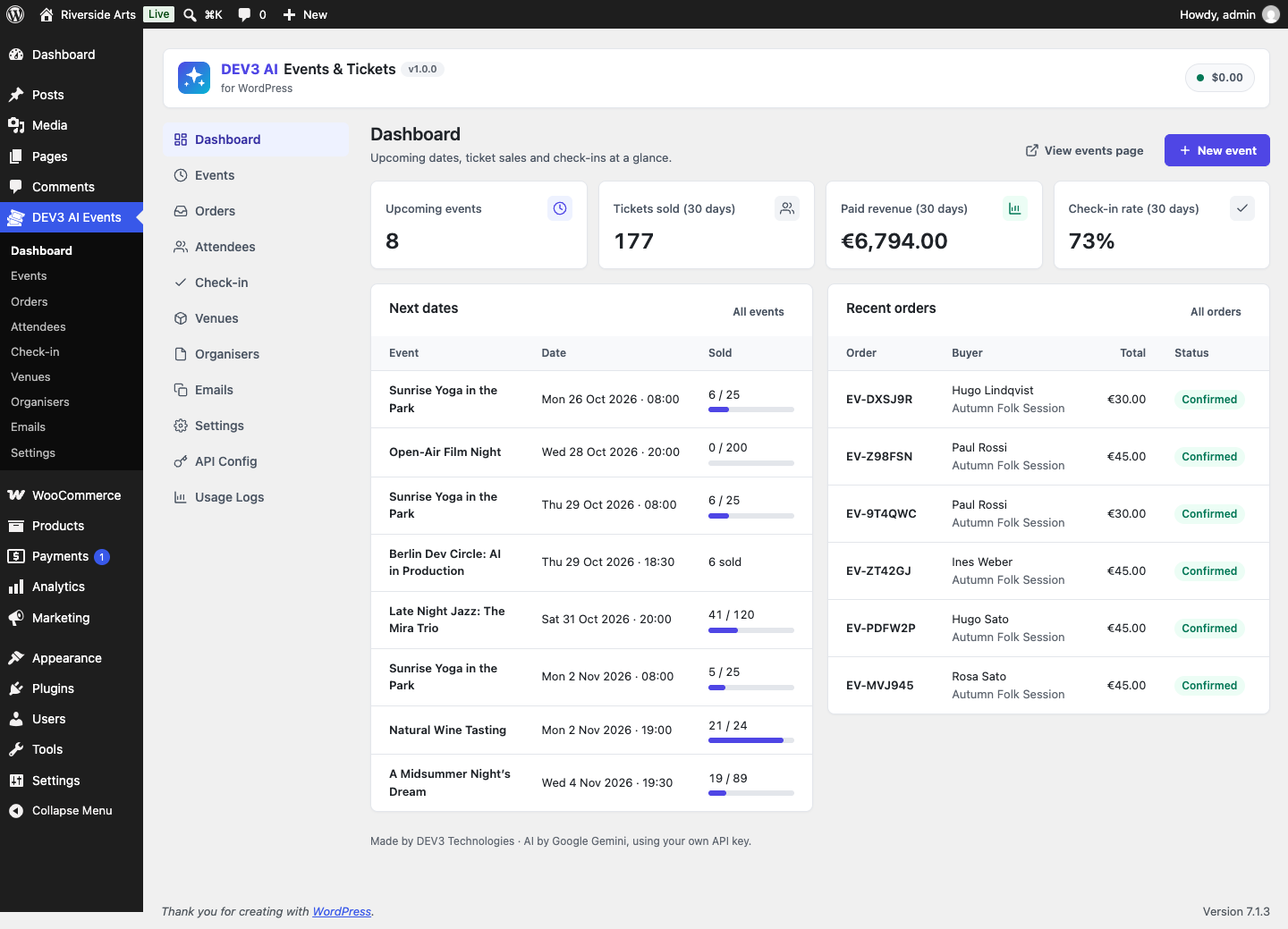
- Open "DEV3 AI Events" in the admin menu. An "Events" page (list, calendar and map) and a "My tickets" page are created for you.
- Add a venue, create an event and its ticket types, then publish.
- Optional: activate WooCommerce for paid tickets, and add a Google AI API key under API Config for DEV3 AI.
Full documentation: see the Documentation folder (index.html).
FAQ
Do I need WooCommerce?
Only for selling paid tickets online. Free RSVP, manual orders and "pay at the door" work without it.
Does the check-in screen need an app?
No. Open /dev3ev-checkin/ on any phone, log in and scan. The camera needs https; otherwise type the ticket code.
Is the AI required?
No. Every feature works without an API key.
Privacy
Buyer names, emails and phone numbers are stored in your database. A GDPR exporter and eraser are registered. When DEV3 AI is used, event details (never buyer data) are sent to Google AI.
Documentation
The full HTML guide (installation, settings, hooks and FAQ) is in docs/index.html. Open it in a browser after cloning or downloading the repository.
Changelog
1.0.0
- Initial release.
Licence
Released under the GNU General Public License v2.0 or later (GPL-2.0-or-later). See LICENSE.