Install
This is the repository archive. It installs, but the folder name will carry the branch suffix and updates will not flow.
Install straight from GitHub with WP-CLI:
wp plugin install https://github.com/dev3tech/dev3-ai-catalog-importer-for-woocommerce/archive/refs/heads/main.zipTurn supplier spreadsheets, PDF catalogs and web pages into clean WooCommerce products with AI-mapped attributes, variations and categories.
Features
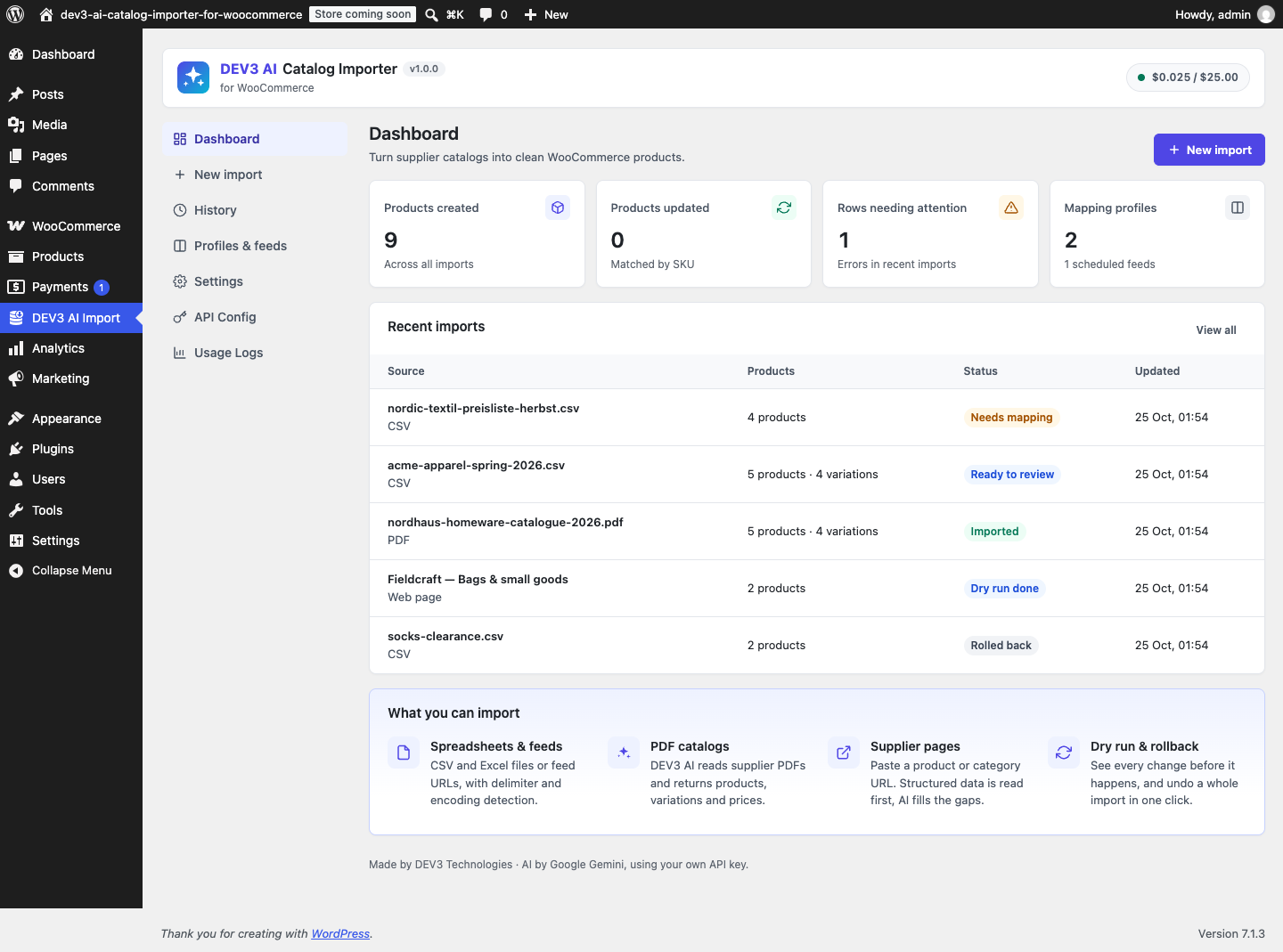
DEV3 AI Catalog Importer turns whatever your suppliers send you into WooCommerce products: a CSV or Excel price list, a PDF catalog, or a link to their product pages. A four-step wizard (Source → Map → Review → Import) shows every product before anything is written, and every import can be dry-run first and rolled back afterwards.
Sources
- CSV / TSV with automatic delimiter and encoding detection (UTF-8, UTF-16, Windows-1252), BOM handling and multi-line cells.
- Excel .xlsx (first worksheet, no extra PHP libraries).
- PDF catalogs, read by DEV3 AI (sent to Google AI as a document).
- Supplier web pages: schema.org Product / ProductGroup data is read without AI; DEV3 AI reads the rest of the page.
- Feed URLs (CSV/XLSX) with daily or weekly scheduled re-imports.
- Every URL is fetched server-side through an SSRF guard: http/https only, ports 80/443, every resolved address must be public, redirects re-checked hop by hop, connections pinned to the checked IP, optional host allow-list.
Mapping
- Automatic mapping of common supplier headers in English, German, French, Spanish, Dutch and Italian.
- "Map with DEV3 AI": column suggestions with confidence and reasons, applied per column only when you accept them.
- Targets: name, SKU, parent SKU (variations), prices, descriptions, categories (with hierarchy), tags, images, stock, weight and dimensions, GTIN/EAN, brand, attributes and custom fields.
- Saved mapping profiles: files with the same columns are mapped automatically next time.
Review
- Rows sharing a parent SKU become a variable product with variations; only attributes that differ become variation attributes.
- Per-row validation: missing names, invalid prices, sale price not lower than regular, duplicate SKUs in the file, SKUs that already exist in the store (update or skip).
- Filter by New / Update / Warnings / Errors / Skipped, search, edit any row in a drawer, skip or include rows.
- DEV3 AI category matching to your existing category tree, and DEV3 AI title/short-description polishing as reviewable drafts.
Import
- Background import job with progress, cancel and retry (Action Scheduler when available).
- Dry run: exactly what would be created or updated, field by field.
- Choose which fields an update may overwrite.
- Global or per-product attributes, category paths created on demand, images downloaded once and reused.
- One-click rollback: created products, variations, images, empty categories and attribute terms are removed; updated products get their previous values back.
- History with CSV reports, and a WP-CLI command:
wp dev3ci import <file|url> [--profile=<id>] [--dry-run],wp dev3ci rollback <session>.
DEV3 AI
AI features use your own Google AI API key. They are optional: CSV, Excel and structured web pages import fully without AI. Every AI result is a draft that you accept, edit or reject. A monthly budget cap, caching and usage logs are built in.
Requirements
- WordPress 6.0 or newer (tested up to 6.8)
- PHP 7.4 or newer
- WooCommerce 8.0 or newer (required)
- Optional: your own Google AI API key (from Google AI Studio) to switch on the DEV3 AI features. The rest of the plugin works without one.
Installation
From the release zip
- Download
dev3-ai-catalog-importer-for-woocommerce.zipfrom the latest release. - In WordPress, go to Plugins → Add New → Upload Plugin, choose the zip and click Install Now.
- Click Activate.
Build from source
git clone https://github.com/dev3tech/dev3-ai-catalog-importer-for-woocommerce.git
cd dev3-ai-catalog-importer-for-woocommerce
composer install --no-dev
npm ci
npm run build
Then copy the dev3-ai-catalog-importer-for-woocommerce folder into wp-content/plugins/ and activate it.
Getting started
- Upload the plugin zip under Plugins → Add New → Upload Plugin and activate it (WooCommerce must be active).
- Open "DEV3 AI Import" in the admin menu.
- Optional: add a Google AI API key under API Config (get one at https://aistudio.google.com/apikey).
- Click "New import" and drop a supplier file.
FAQ
Does it need an AI key?
No. Spreadsheets, feeds and pages with structured product data import without AI. PDF catalogs and free-form pages need DEV3 AI.
Can I undo an import?
Yes. Open the import and click "Roll back import". Products it created are deleted and products it updated are restored. Rollback data is kept for the history period set in Settings (30 days by default).
Will it touch orders?
No. The importer only writes products, variations, terms and media. It is compatible with HPOS and the block checkout.
What does DEV3 AI send to Google?
Only what a feature needs: column names and a few sample values for mapping, the PDF for catalog extraction, the page text for web pages, category names for matching, and names and short excerpts for polishing. PII masking can be enabled under API Config.
Privacy
When AI features are used, data is sent to Google AI (Google LLC) using your own API key. A suggested privacy-policy paragraph is added under Settings → Privacy. Uploaded files are stored in wp-content/uploads/dev3ci-imports (not web-listable) and removed after the history period.
Documentation
The full HTML guide (installation, settings, hooks and FAQ) is in docs/index.html. Open it in a browser after cloning or downloading the repository.
Changelog
1.0.1 (unreleased)
- Fix: rollback keeps images shared with other imports.
1.0.0
- Initial release.
Licence
Released under the GNU General Public License v2.0 or later (GPL-2.0-or-later). See LICENSE.