Install
This is the repository archive. It installs, but the folder name will carry the branch suffix and updates will not flow.
Install straight from GitHub with WP-CLI:
wp plugin install https://github.com/denisahac/local-pickup-only-for-woocommerce/archive/refs/heads/master.zipAllow local pickup only for certain WooCommerce products.
Setup
1. Add Shipping Zone
First, setup the shipping zone in WooCommerce > Settings > Shipping > Shipping zones > Add shipping zone.
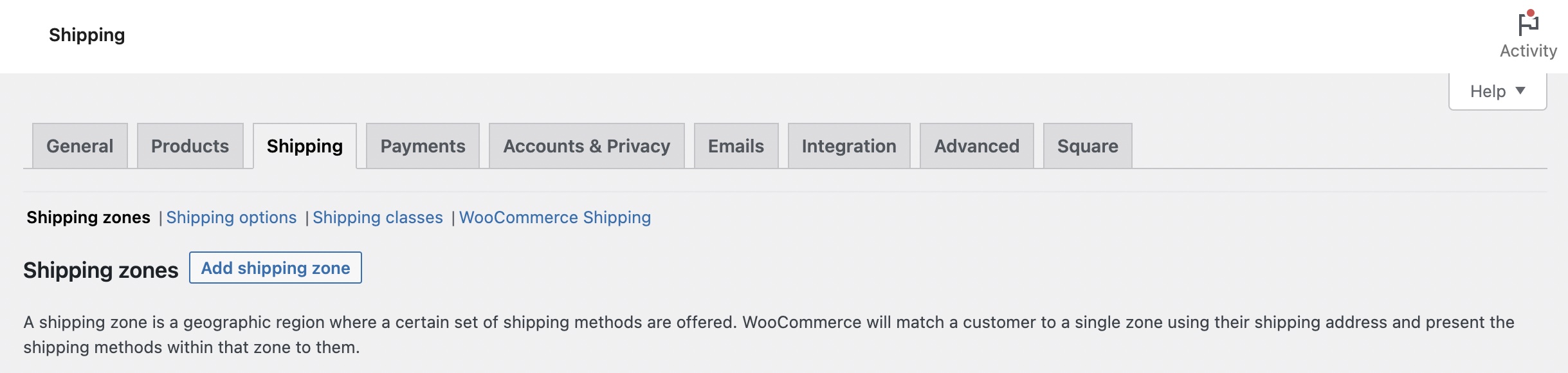
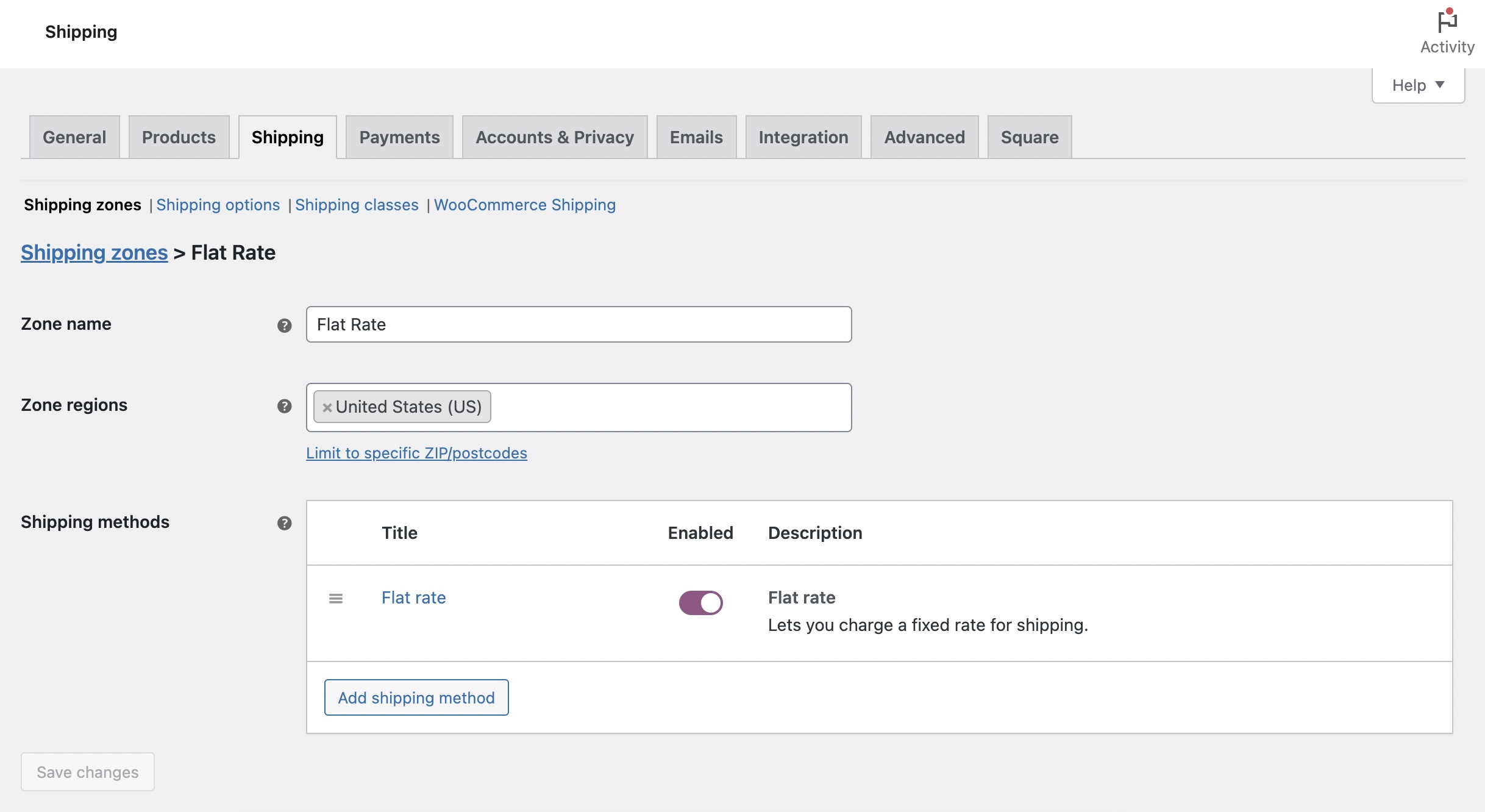
Zone name: Flat rate
Zone regions: United States (US)
1.1 Add Default Shipping Methods
Then, add the other shipping methods; i.e. Flat rate.
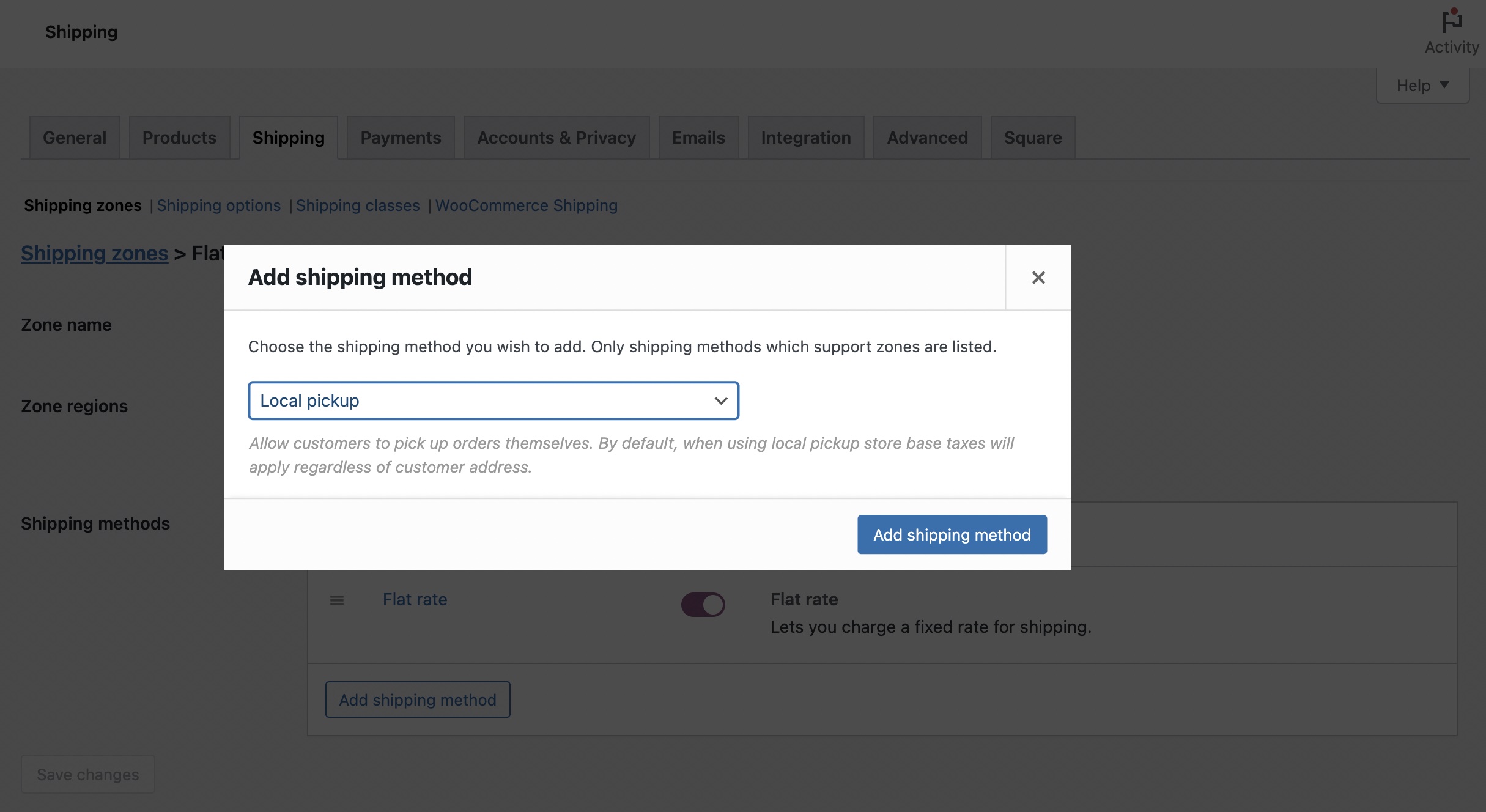
1.2 Add "Local pickup" Shipping Method
After adding the default shipping methods, it's now time to setup the "Local pickup". Still on the Shipping Zone edit screen, click the "Add shipping method" and this time, select the "Local pickup".
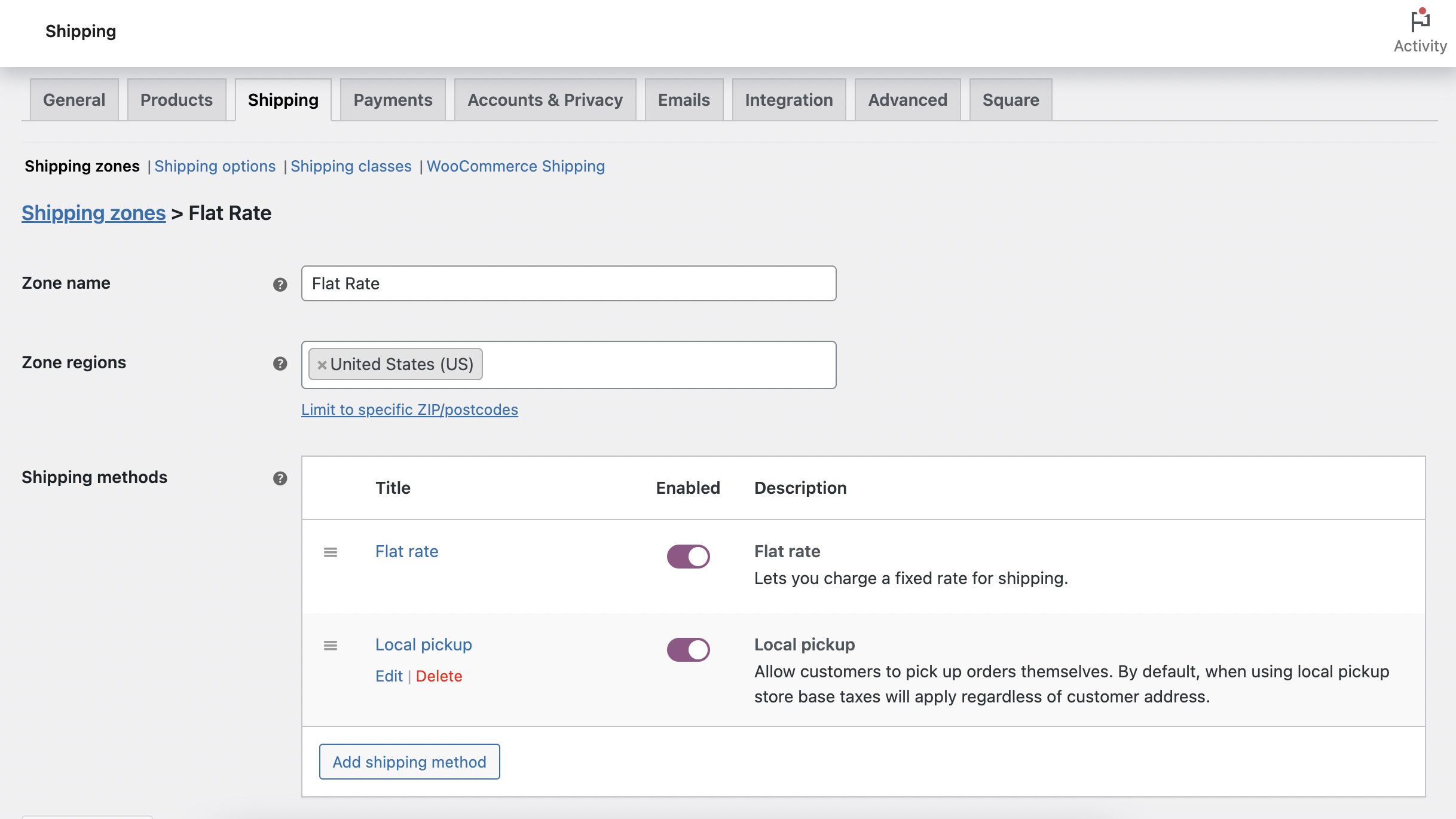
Here's how your shipping zone should look like after the above.
2. Add Shipping Class
On this section, we're going to configure the "Local Pickup" shipping class that is responsible for showing the local pickup option for certain products.
2.1 Add "Local Pickup" Shipping Class
Navigate to WooCommerce > Settings > Shipping > Shipping classes > Add shipping class
Shipping class name: Local Pickup
Slug: local-pickup
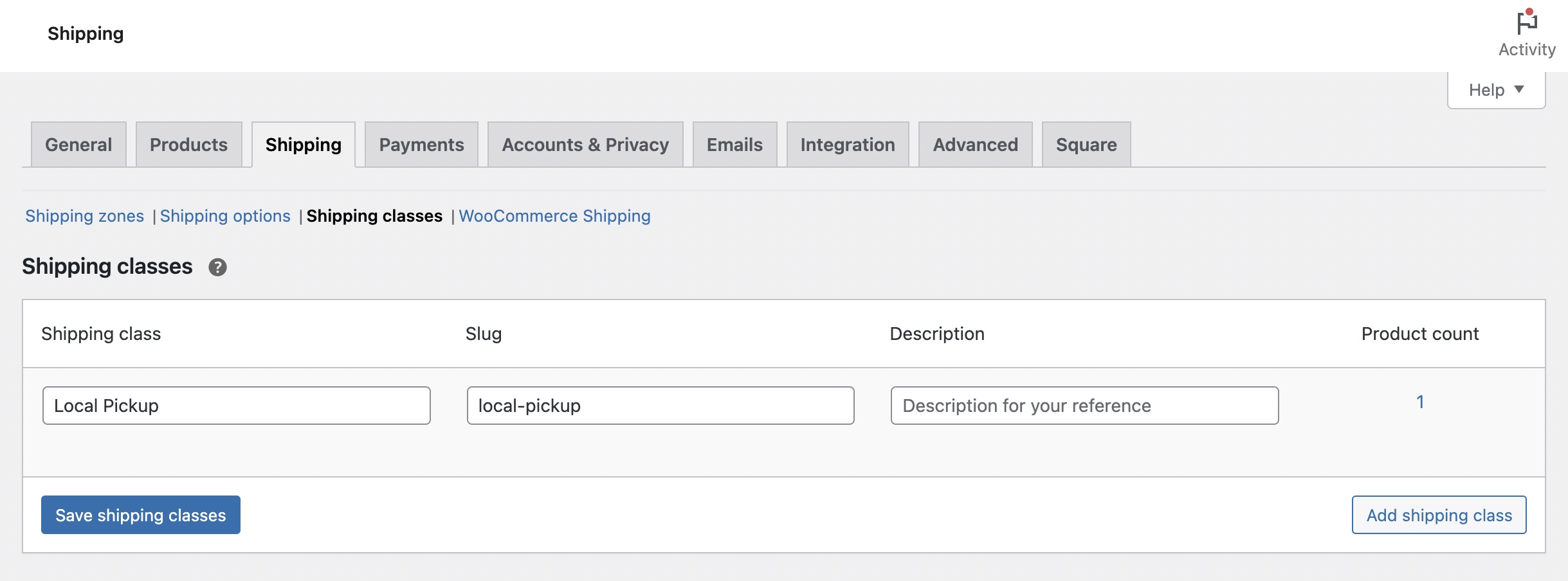
Don't forget to click the "Save shipping classes" button.
Note: The "local-pickup" slug is very important here as this is the exact string the code is using to filter the appropriate shipping methods.
3. Edit Product
Next, we now assign which products gets the "Local pickup" only shipping method by editing the product's shipping class.
3.1 Assign The "Local Pickup" Shipping Class
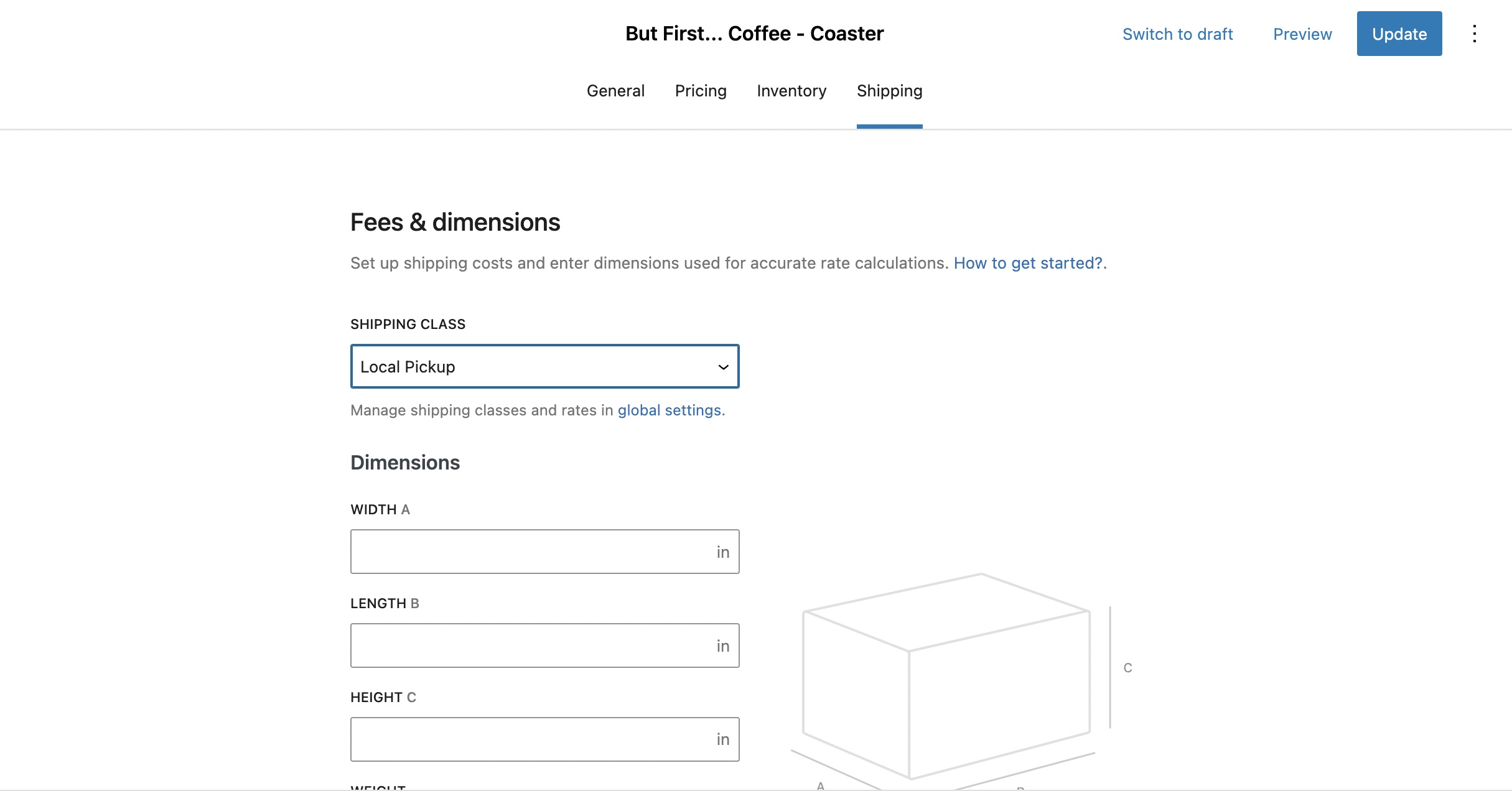
On the product's edit screen navigate to Shipping tab > Fees & dimensions > SHIPPING CLASS and select "Local Pickup" then save the product.
4. Testing
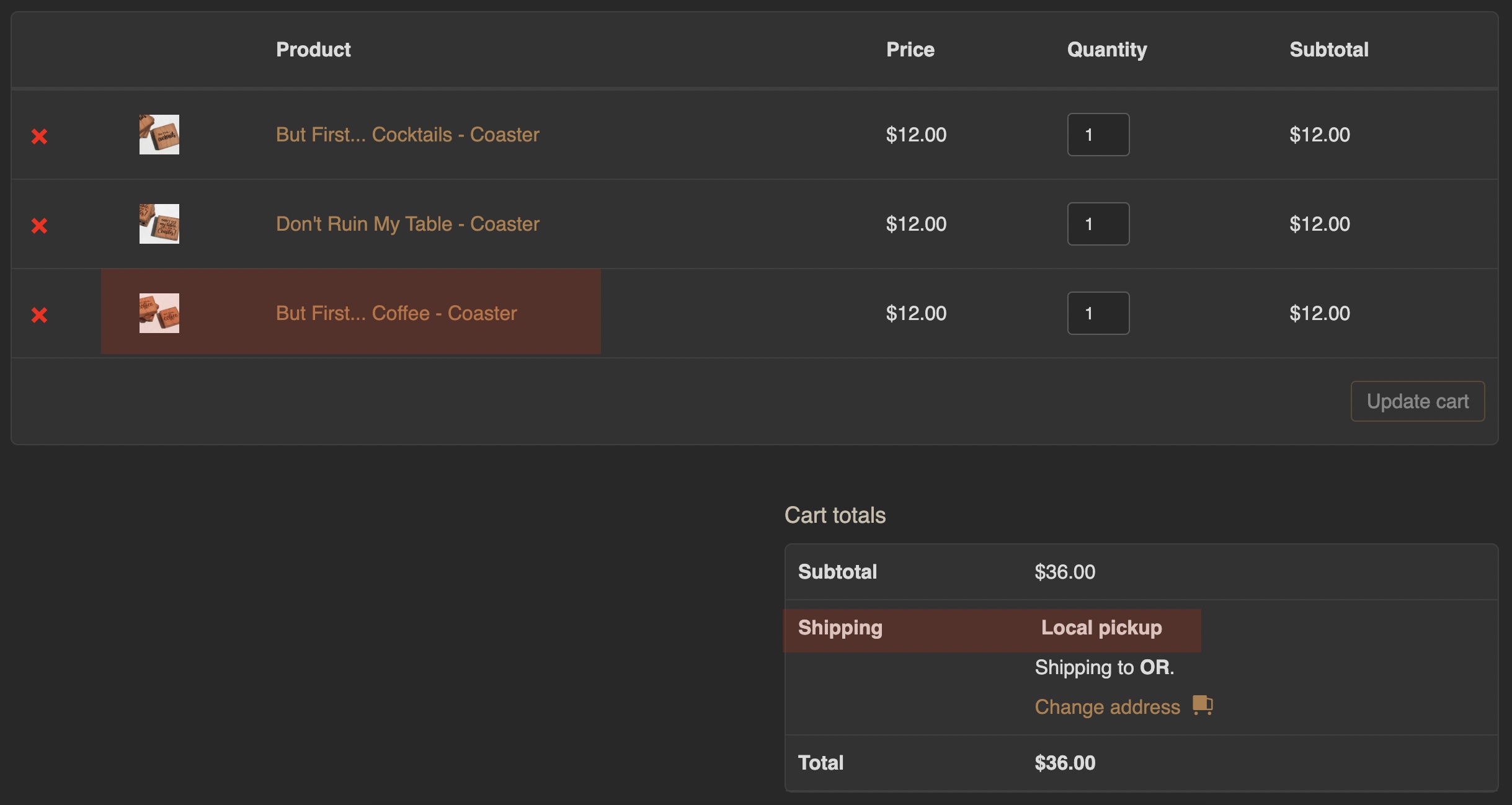
4.1 "Local Pickup" Only Products with Other Products
When products with "Local Pickup" shipping class are added together with other non local-pickup products, then only the "Local pickup" would show up as shipping method.
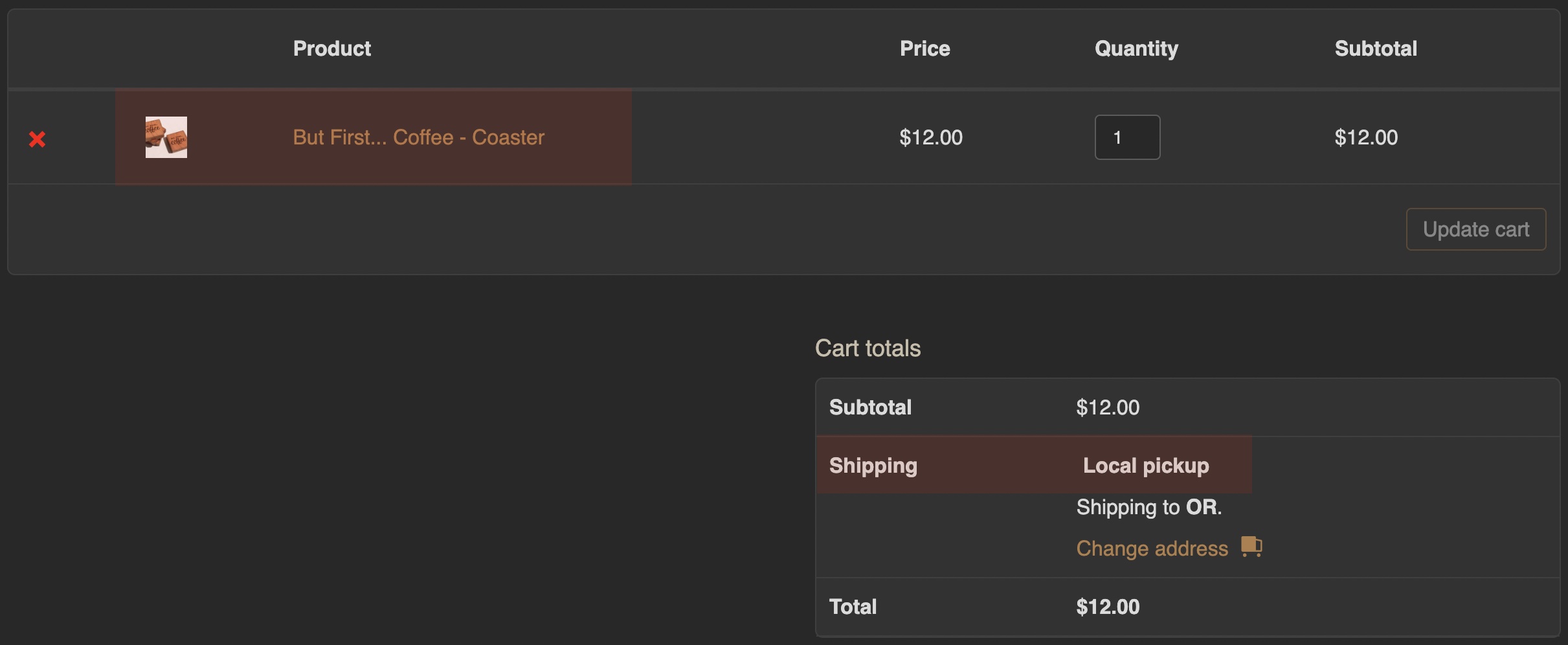
4.2 "Local Pickup" Only Products
When products with "Local Pickup" shipping class are only in the cart, then only the "Local Pickup" would show up as the shipping method.
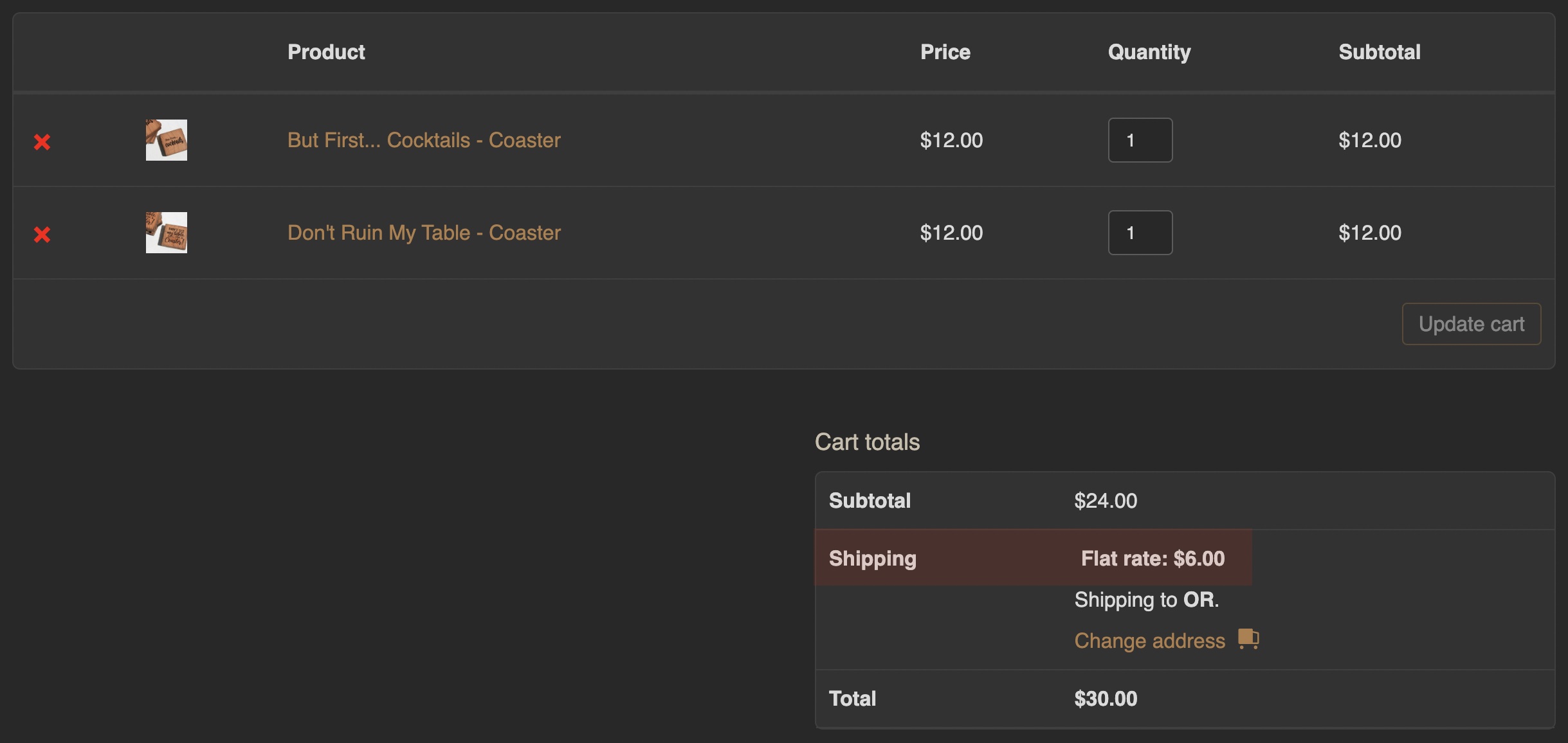
4.3 Other Products
When no "Local Pickup" products are on the cart, then the other shipping methods would show up.
Example 01:
Shipping Zone Methods:
- Free shipping
- Flat rate
- Local pickup
What would show up on the cart/checkout are:
- Free shipping
- Flat rate
Example 02:
Shipping Zone Methods:
- Flat rate
- Local pickup
What would show up on the cart/checkout is:
- Flat rate
5. Issues
- Feel free to open an issue on Github
- If you're having trouble setting up the plugin, shot me an email and would be happy to help.
6. Github
https://github.com/denisahac/local-pickup-only-for-woocommerce
7. License
License: GPL v2 or later
License URI: http://www.gnu.org/licenses/gpl-2.0.txt