Install
This is the repository archive. It installs, but the folder name will carry the branch suffix and updates will not flow.
Install straight from GitHub with WP-CLI:
wp plugin install https://github.com/deepquest-io/password-reset-guard/archive/refs/heads/main.zipA WordPress plugin that logs and rate-limits password reset abuse, then closes the user-enumeration holes that make that abuse worthwhile.
WordPress fires lostpassword_post for every password reset request — including requests for usernames that don't exist. That turns the "Lost your password?" form into a free username oracle and a free way to flood any user's inbox. This plugin makes it a dead end.
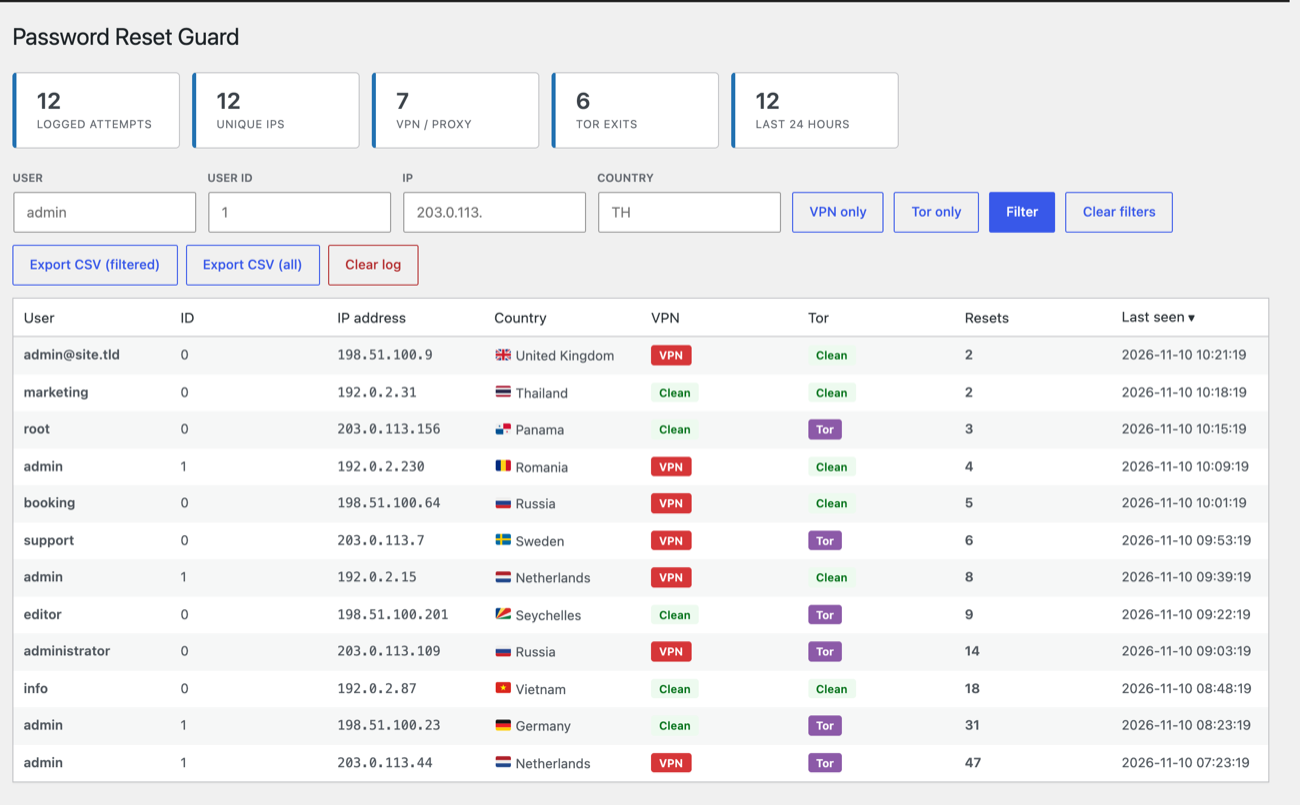
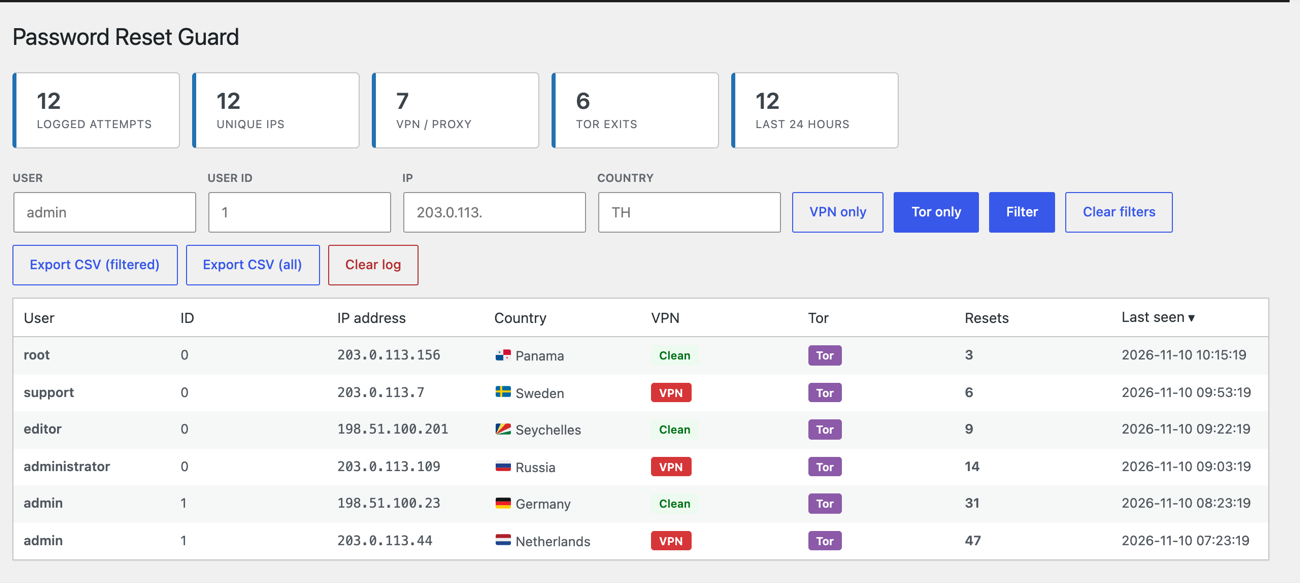
What it does
Logs every attempt. Username (valid or not), resolved user ID, IP, country, repeat count, first and last seen. Sortable, filterable, CSV-exportable, auto-pruned.
Throttles reset mail per IP. After N requests in a configurable window, the reset email is suppressed. The form still returns its generic response, so the attacker learns nothing.
Hard-blocks repeat offenders. After N total requests, all resets from that IP are refused for a configurable number of hours.
Closes enumeration vectors:
| Vector | Handling |
|---|---|
?author=N archive scan |
404 |
/wp-json/wp/v2/users (anonymous) |
Endpoint removed |
?author= on REST post queries |
Argument stripped |
xmlrpc.php |
403, xmlrpc_enabled off |
| WLW manifest / RSD / shortlink | Removed from <head> |
Optional threat lookup. Tor exit nodes from the Tor Project's official bulk exit list. Country and proxy status via an opt-in third-party lookup, or your own provider through a filter.
Safety rails
- Administrators are never blocked. A rate limit can't lock the site owner out.
- Whitelist accepts IPs and IPv4 CIDR ranges from the settings screen.
- Proxy headers are not trusted by default.
X-Forwarded-Foris spoofable; the client IP comes fromREMOTE_ADDRuntil you explicitly enable proxy trust (Cloudflare, reverse proxy). - Geolocation is opt-in, because it discloses visitor IPs to a third party.
- All logged data stays in your own database.
Installation
cd wp-content/plugins
git clone https://github.com/deepquest-io/password-reset-guard.git
Then activate it in Plugins, and open Reset Guard in the admin menu.
Requires WordPress 5.8+, PHP 7.4+.
Defaults
| Setting | Default |
|---|---|
| Suppress reset mail after | 2 requests |
| Hard-block after | 3 requests |
| Counting window | 60 minutes |
| Block duration | 24 hours |
| Row cap | 2,000 |
| Tor lookup | on |
| Geolocation | off |
| Enumeration hardening | all on |
Why these defaults
Admins are never blocked. Any logged-in user with manage_options bypasses every limit, so a tight threshold can slow an attacker down but cannot lock the owner out of their own recovery flow.
Proxy headers are not trusted. X-Forwarded-For is spoofable by any client. The client IP comes from REMOTE_ADDR until you enable proxy trust for Cloudflare or a reverse proxy you control.
Geolocation is opt-in. Enabling it discloses visitor IPs to a third party. It ships off, and the provider is replaceable via pwrg_geo_lookup / pwrg_geo_endpoint.
Nothing outside the database. One table on activation; uninstall drops the table, options, transients and cron event, on every site of a multisite network.
Hooks
// Replace the geolocation provider entirely.
add_filter( 'pwrg_geo_lookup', function ( $geo, $ip ) {
    return array(
        'country'      => 'Thailand',
        'country_code' => 'TH',
        'is_proxy'     => false,
    );
}, 10, 2 );

// Override any setting at runtime.
add_filter( 'pwrg_settings', function ( $settings ) {
    $settings['hard_block_attempts'] = 5;
    return $settings;
} );

// Resolve the client IP yourself (e.g. a proxy list).
add_filter( 'pwrg_client_ip', function ( $ip ) {
    return $ip;
} );

// React to a block.
add_action( 'pwrg_ip_blocked', function ( $ip, $count ) {
    error_log( "Blocked {$ip} after {$count} reset attempts" );
}, 10, 2 );
Requirements
- WordPress 5.8+
- PHP 7.4+
- MySQL 5.7+ / MariaDB 10.2+ (
INSERT ... ON DUPLICATE KEY UPDATE)
No theme, page builder, cache plugin or host is required.
Uninstalling
Deactivation only clears the scheduled maintenance event. Deleting the plugin through the admin removes the log table, options, transients and cron event.
License
GPL-2.0-or-later. See LICENSE.