Install
Upload it under Plugins → Add New Plugin → Upload Plugin, then activate.
Install straight from GitHub with WP-CLI:
wp plugin install https://github.com/davetheprofessor/higham-time-card-tracker/releases/download/v1.0.3/higham-time-card-tracker-1.0.3.zipA WordPress staff time clock and administrator timecard manager, developed for Higham Ventures' payroll workflow.
Features
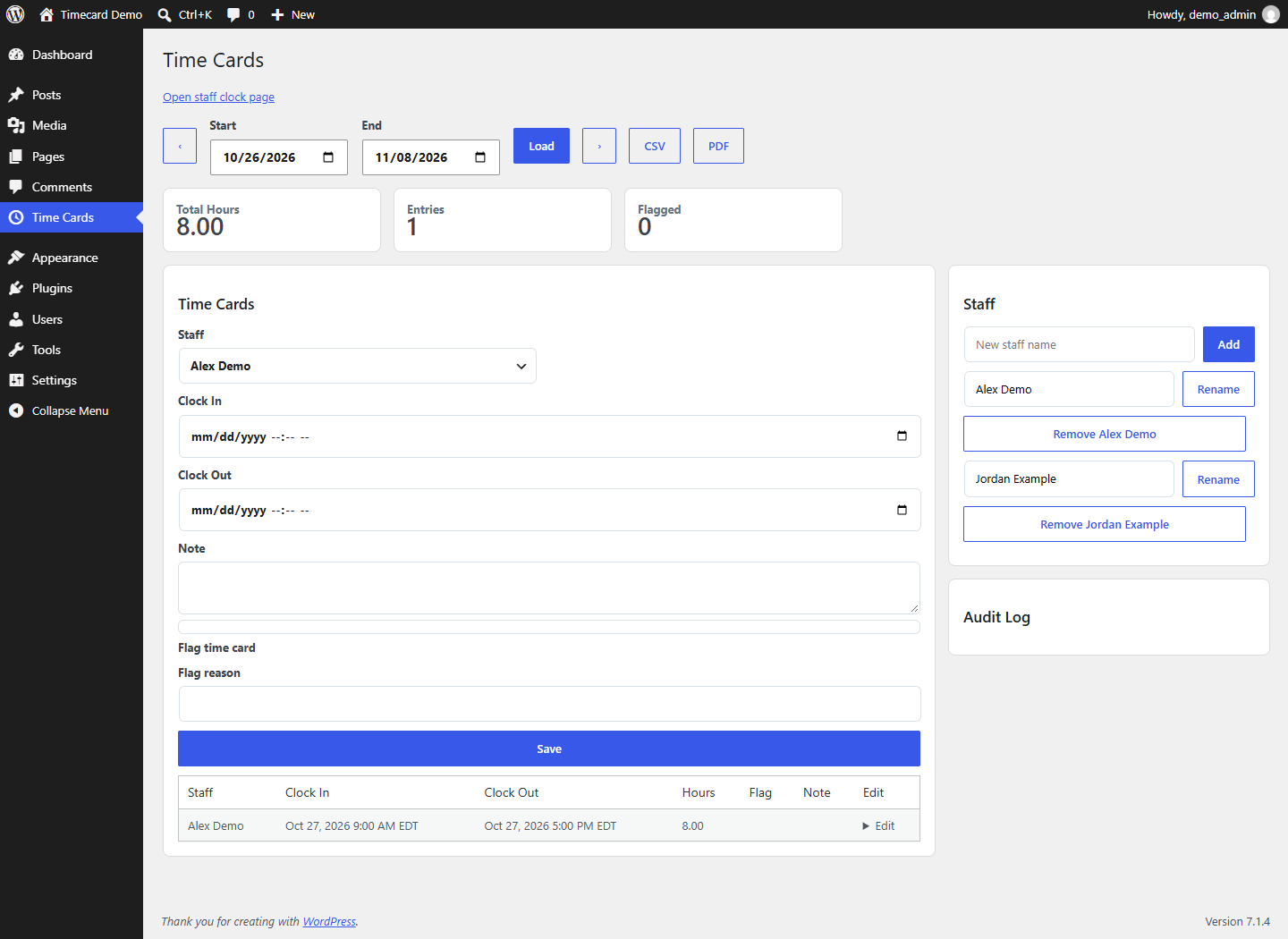
- Staff clock-in/clock-out screen through the
[higham_time_clock]shortcode. - Administrator staff management and timecard corrections.
- Biweekly pay periods, UTC storage, and America/New_York display.
- CSV and basic PDF exports, entry flags, and an audit history.
- Automatic closure and flagging of shifts that reach 16 hours when the relevant clock/timecard logic runs. This is not a scheduled background payroll service.
- REST endpoints for authorized administration and exports.
Install
Requires WordPress and PHP 8.0+. Tested runtime details are in VERIFICATION.md.
- Download the repository and place its contents in
wp-content/plugins/higham-time-card-tracker/. The filetime-card-tracker.phpmust be directly inside that folder. - Activate Higham Time Card Tracker in WordPress Plugins.
- Activation creates three plugin tables and, if the
timepage does not already exist, publishes a Time Clock page containing[higham_time_clock]. - Open Time Cards in the administrator menu and add staff.
- Visit the Time Clock page while signed in to WordPress. Staff choose their name and press the clock button.
You can also zip the higham-time-card-tracker directory and upload it through WordPress's Plugins → Add New → Upload Plugin screen. Do not include a second nested repository folder.
No employees, time entries, passwords or database exports are bundled. Deactivating the plugin does not delete its tables.
Access model
The public release requires a WordPress login for clock state and clock-in/out actions. Administrators need manage_options for timecard management and exports.
The clock is a shared staff-selection interface, not a system that proves the selected employee's identity. Anyone permitted to use it can select an active staff member. Use it only for a trusted team and restrict access to the page accordingly.
For an access-controlled shared kiosk, an administrator can explicitly enable anonymous clock access in wp-config.php:
define('HV_TIME_CLOCK_ALLOW_ANONYMOUS_KIOSK', true);That setting allows anonymous clients to see active staff names and submit clock actions. Use it only behind network or web-server access controls. noindex is not access control.
Pay periods and exports
The current implementation uses an America/New_York timezone, a Monday 2026-05-25 biweekly anchor and a 16-hour maximum shift. These constants are near the top of time-card-tracker.php; review them for your payroll calendar before use. The interface shows recorded hours, not wages, withholding or overtime pay.
CSV and PDF exports are available from the Time Cards administrator page. The PDF generator is a basic single-page, ASCII-only summary; long reports can exceed one page's visible area, so use CSV for larger payroll exports. Entries spanning a pay-period boundary are selected as overlapping entries and their full durations are reported; review/split such entries before treating a report as payroll-ready.
REST API
Namespace: /wp-json/higham-time-card/v1.
| Routes | Access |
|---|---|
/public-state, /clock |
WordPress login by default, or explicit trusted-kiosk opt-in. |
/staff, /staff/{id}, /entries, /entries/{id}, /audit, export routes |
Administrator capability checks. |
Use standard WordPress authentication for integrations: application passwords over HTTPS, or authenticated same-origin requests with a WordPress REST nonce. Never put an application password in browser JavaScript or source control. See route registration in time-card-tracker.php for the exact methods and parameters.
Background and release scope
Developed by David Higham / Dave the Professor around a real staff-hours workflow. The public package is based on the installed 1.0.2 source. Version 1.0.3 adds login-by-default clock access, excludes an obsolete duplicate entry file, and includes installation documentation and synthetic-data verification. Existing live sites are not changed by publishing this repository.
Licensed under GPL-2.0-or-later.
Releases
1 release. Each count is every asset in that release; expand a row for the breakdown.