WP n8n
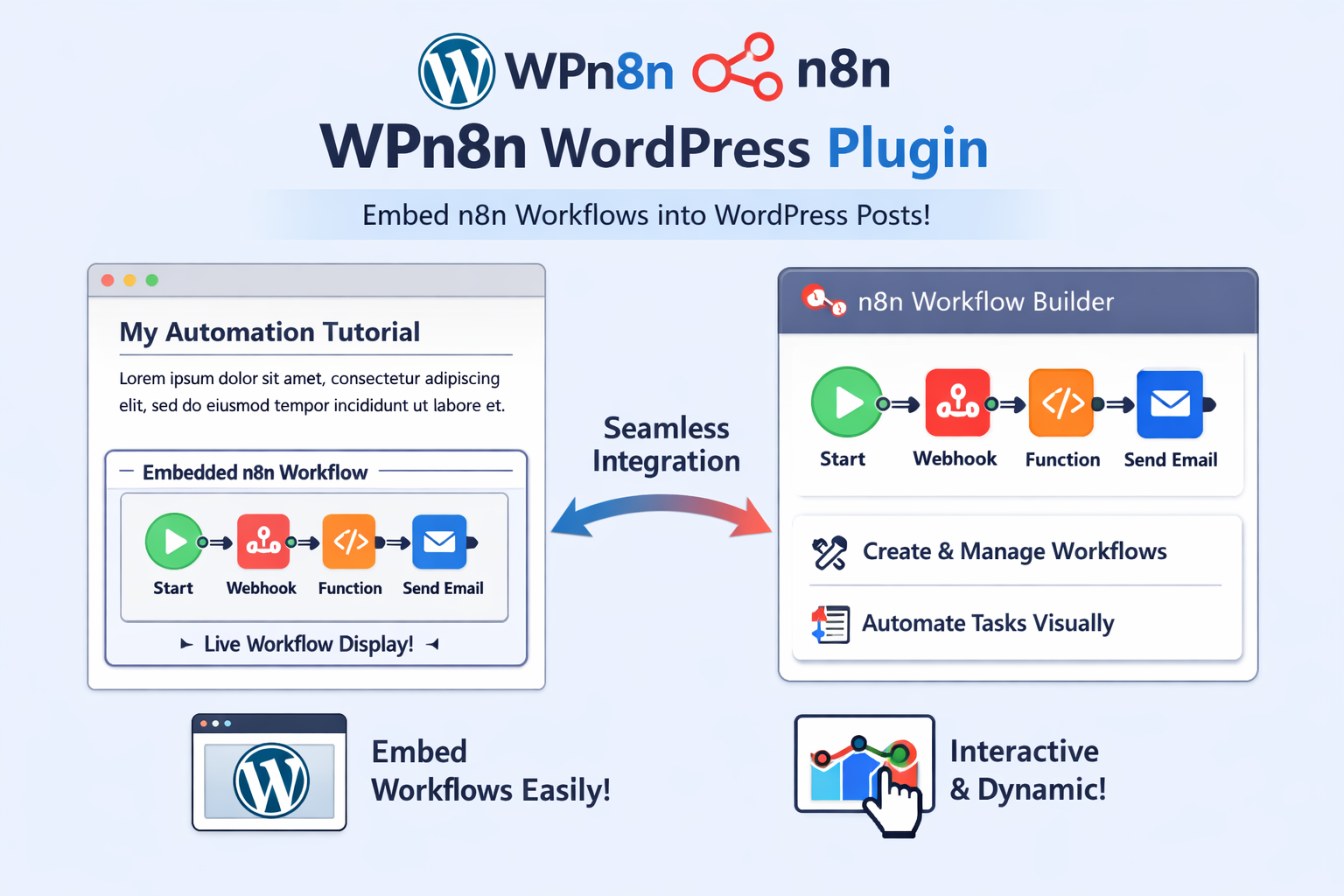
Embed interactive n8n workflow demos directly in your WordPress posts, pages, and comments using a simple shortcode.
Install
This is the repository archive. It installs, but the folder name will carry the branch suffix and updates will not flow.
Install straight from GitHub with WP-CLI:
wp plugin install https://github.com/danny-source/wpn8n/archive/refs/heads/master.zipEmbed interactive n8n workflow demos directly in your WordPress posts, pages, and comments using a simple shortcode.
WP n8n is a powerful WordPress plugin that seamlessly integrates n8n workflow demonstrations into your WordPress website. Whether you're documenting automation workflows, showcasing integration examples, or creating tutorials, this plugin makes it easy to display interactive n8n workflow demos that your visitors can explore directly on your site.
Version
Current Version: 1.0.1
Features
Core Functionality
- Simple Shortcode Integration - Use
[n8n]...[/n8n]shortcode to embed workflows anywhere in your content - Interactive Workflow Demos - Visitors can interact with your n8n workflows directly on your website
- Universal Compatibility - Works with posts, pages, widgets, and comments
- Automatic Resource Loading - Automatically loads all required JavaScript libraries from CDN
- Security First - Validates and sanitizes all workflow JSON to prevent XSS attacks
- Zero Configuration - Works out of the box with no settings required
- Lightweight - Minimal performance impact, loads resources only when needed
- Gutenberg Ready - Works seamlessly with both Classic and Gutenberg editors
- Admin Settings Page - Includes helpful settings page with usage examples and documentation
Technical Features
- JSON format validation
- HTML entity encoding to prevent XSS
- Uses WordPress
esc_attr()function for safe escaping - Invalid JSON handling with graceful error messages
- Support for multiple workflows on the same page
- Compatible with caching plugins
- Multisite compatible
Requirements
- WordPress 5.2 or higher
- PHP 7.2 or higher
- Modern web browser (for viewing workflows)
Installation
Automatic Installation
- Log in to your WordPress admin panel
- Navigate to Plugins > Add New
- Search for "WP n8n"
- Click "Install Now" and then "Activate"
Manual Installation
- Download the plugin ZIP file
- Log in to your WordPress admin panel
- Navigate to Plugins > Add New > Upload Plugin
- Choose the ZIP file and click "Install Now"
- Click "Activate Plugin"
Via FTP
- Extract the plugin ZIP file
- Upload the
WPn8nfolder to/wp-content/plugins/directory - Log in to your WordPress admin panel
- Navigate to Plugins
- Find "WP n8n" and click "Activate"
After activation, visit Settings > WP n8n to view the usage guide and examples.
Usage
Basic Example
In your posts, pages, or comments, use the WordPress shortcode:
[n8n]
{
  "nodes": [
    {
      "name": "Webhook",
      "type": "n8n-nodes-base.webhook",
      "position": [250, 300],
      "parameters": {
        "path": "webhook",
        "httpMethod": "POST"
      },
      "typeVersion": 1
    },
    {
      "name": "Set",
      "type": "n8n-nodes-base.set",
      "position": [450, 300],
      "parameters": {},
      "typeVersion": 1
    }
  ],
  "connections": {
    "Webhook": {
      "main": [
        [
          {
            "node": "Set",
            "type": "main",
            "index": 0
          }
        ]
      ]
    }
  }
}
[/n8n]
Complete Workflow Example
[n8n]
{
  "nodes": [
    {
      "name": "Start",
      "type": "n8n-nodes-base.webhook",
      "position": [240, 300],
      "parameters": {
        "path": "demo",
        "httpMethod": "GET"
      },
      "typeVersion": 1
    },
    {
      "name": "HTTP Request",
      "type": "n8n-nodes-base.httpRequest",
      "position": [460, 300],
      "parameters": {
        "url": "https://api.example.com/data",
        "method": "GET"
      },
      "typeVersion": 1
    },
    {
      "name": "Set",
      "type": "n8n-nodes-base.set",
      "position": [680, 300],
      "parameters": {
        "values": {
          "string": [
            {
              "name": "message",
              "value": "Hello from n8n!"
            }
          ]
        }
      },
      "typeVersion": 1
    }
  ],
  "connections": {
    "Start": {
      "main": [
        [
          {
            "node": "HTTP Request",
            "type": "main",
            "index": 0
          }
        ]
      ]
    },
    "HTTP Request": {
      "main": [
        [
          {
            "node": "Set",
            "type": "main",
            "index": 0
          }
        ]
      ]
    }
  }
}
[/n8n]
Alternative Syntax
You can also use the workflow attribute for single-line JSON:
[n8n workflow='{"nodes":[...],"connections":{}}']How It Works
The plugin automatically:
- Loads the necessary JavaScript resources (Web Components Loader, Lit polyfill, n8n-demo-component)
- Validates the JSON format
- Sanitizes the content to prevent XSS attacks
- Converts the shortcode to
<n8n-demo workflow='...'></n8n-demo>Web Component - Renders the interactive n8n workflow demo on the frontend
How to Get Workflow JSON
- Open your workflow in n8n (locally or cloud)
- Click the three-dot menu (⋮) in the top right corner
- Select "Download" or "Export"
- Open the downloaded JSON file in a text editor
- Copy the entire JSON content
- Paste it into the
[n8n]...[/n8n]shortcode in your WordPress content
Use Cases
Perfect for:
- Technical documentation sites
- Automation and integration tutorials
- SaaS product documentation
- Developer blogs
- Workflow showcase pages
- API documentation
- Integration guides
Security
The plugin follows WordPress security best practices:
- JSON Validation - All workflow JSON is validated before rendering
- XSS Prevention - HTML entity encoding prevents cross-site scripting attacks
- WordPress Functions - Uses WordPress built-in sanitization functions (
esc_attr()) - Error Handling - Invalid JSON is safely replaced with error comments
- No Data Collection - The plugin does not collect or store any user data
- CDN Resources - Only loads trusted resources from official CDNs
Frequently Asked Questions
What is n8n?
n8n is a powerful workflow automation tool that allows you to connect different services and automate tasks. This plugin allows you to showcase n8n workflows on your WordPress site.
Do I need an n8n account to use this plugin?
No, you don't need an active n8n account. You only need the workflow JSON file exported from n8n. However, you'll need n8n to create or edit workflows.
Can I use this in Gutenberg blocks?
Yes! You can use the Shortcode block in Gutenberg and paste your [n8n]...[/n8n] shortcode there. Alternatively, you can use the Classic block or any block that supports shortcodes.
Will this plugin affect my existing content?
No. The plugin only processes shortcodes when content is displayed. Your original content remains completely unchanged in the database. You can safely deactivate or uninstall the plugin without losing any content.
Does this work with page builders?
Yes, the plugin works with any page builder that supports WordPress shortcodes, including Elementor, Beaver Builder, Divi, and others. Simply add a shortcode widget/module and paste your [n8n]...[/n8n] shortcode.
Is this plugin secure?
Yes. The plugin follows WordPress security best practices:
- Validates all JSON input to ensure it's properly formatted
- Sanitizes content using WordPress built-in functions (
esc_attr()) - Prevents XSS attacks through proper HTML entity encoding
- Invalid JSON is safely replaced with error comments instead of breaking your site
Does this plugin collect user data?
No. The plugin does not collect, store, or transmit any user data. It only loads the n8n-demo-webcomponent library from a CDN to render workflows.
Can I use multiple workflows on the same page?
Yes! You can use the [n8n]...[/n8n] shortcode multiple times on the same page, each with a different workflow.
What happens if I paste invalid JSON?
The plugin will validate the JSON format. If invalid, it will display an HTML comment with an error message (visible only in page source) and skip rendering that particular workflow. Your page will continue to load normally.
Does this work with caching plugins?
Yes, the plugin is compatible with caching plugins. However, if you're using aggressive caching, you may need to clear your cache after adding or modifying workflows.
Is there a limit to workflow size?
There's no hard limit enforced by the plugin, but very large workflows may impact page load times. It's recommended to keep workflows reasonable in size for optimal user experience.
Does this work with multisite?
Yes, the plugin is compatible with WordPress multisite installations. You can activate it network-wide or per-site.
Screenshots
- Admin Settings Page - View plugin information, version details, and comprehensive usage examples
- Shortcode Usage - Simple
[n8n]...[/n8n]shortcode syntax in the editor - Rendered Workflow - Interactive n8n workflow demo displayed on the frontend
- Multiple Workflows - Showcase multiple workflows on a single page
- Gutenberg Integration - Using the shortcode block in Gutenberg editor
Changelog
1.0.1
- Enhancement: Changed from code block syntax to WordPress shortcode syntax for better compatibility
- Improvement: Enhanced shortcode handler to support both attribute and content-based workflow JSON
- Improvement: Better error handling for invalid JSON
- Documentation: Updated all documentation and examples to reflect shortcode usage
1.0.0
- Initial Release
- Support for WordPress shortcode
[n8n]...[/n8n]for embedding workflows - Automatic loading of n8n-demo-webcomponent library
- JSON validation and sanitization for security
- Admin settings page with usage examples
- Support for posts, pages, and comments
- Gutenberg and Classic editor compatibility
- Lightweight implementation with minimal performance impact
Upgrade Notice
1.0.1
This update changes the syntax from code blocks to WordPress shortcodes. If you were using the previous code block syntax, please update your content to use [n8n]...[/n8n] shortcode format. This provides better compatibility with WordPress editors and page builders.
1.0.0
Initial release. Start embedding interactive n8n workflow demos in your WordPress content today!
Credits
This plugin uses the n8n-demo-webcomponent library developed by n8n.io.
n8n-demo-webcomponent
- Copyright (c) n8n.io
- Website: https://n8n.io/
- Component Documentation: https://n8n-io.github.io/n8n-demo-webcomponent/
n8n
- n8n is a powerful workflow automation tool
- Website: https://n8n.io/
- Documentation: https://docs.n8n.io/
Support
For support, feature requests, or bug reports:
- WordPress.org Support Forums: https://wordpress.org/support/plugin/wp-n8n/
Privacy
This plugin:
- Does not collect any personal data
- Does not store any user information
- Does not track user behavior
- Only loads external resources (n8n-demo-webcomponent) from CDN when workflows are displayed
- All processing happens locally on your server
License
This plugin is licensed under the GPL v2 or later.
This program is free software; you can redistribute it and/or modify it under the terms of the GNU General Public License as published by the Free Software Foundation; either version 2 of the License, or (at your option) any later version.
This program is distributed in the hope that it will be useful, but WITHOUT ANY WARRANTY; without even the implied warranty of MERCHANTABILITY or FITNESS FOR A PARTICULAR PURPOSE. See the GNU General Public License for more details.
Contributing
We welcome contributions! Please see our Contributing Guidelines for details.
Security
If you discover any security related issues, please email security@da2.35g.tw instead of using the issue tracker.
Releases
1 release.
These releases are tags only. The author does not attach a packaged zip, so there are no download counts to report.