Install
This is the repository archive. It installs, but the folder name will carry the branch suffix and updates will not flow.
Install straight from GitHub with WP-CLI:
wp plugin install https://github.com/daniloalvess/wp-active-campaign-lists/archive/refs/heads/master.zipOverview
This plugin provides a URL on the website that allows logged users to subscribe or unsubscribe to Active Campaign lists.
Configuration
-
Download the code here on Github, go to the plugin folder and run
composer installthen activate the plugin in your WordPress installation. -
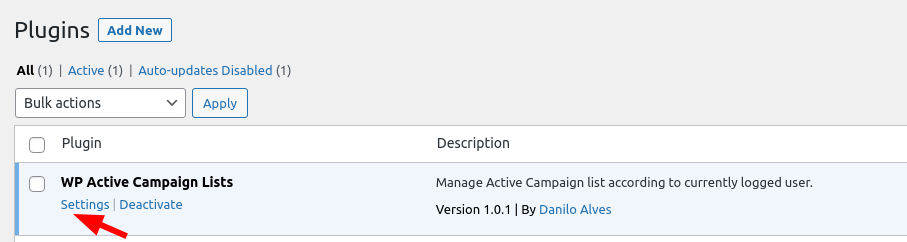
Go to the settings:
-
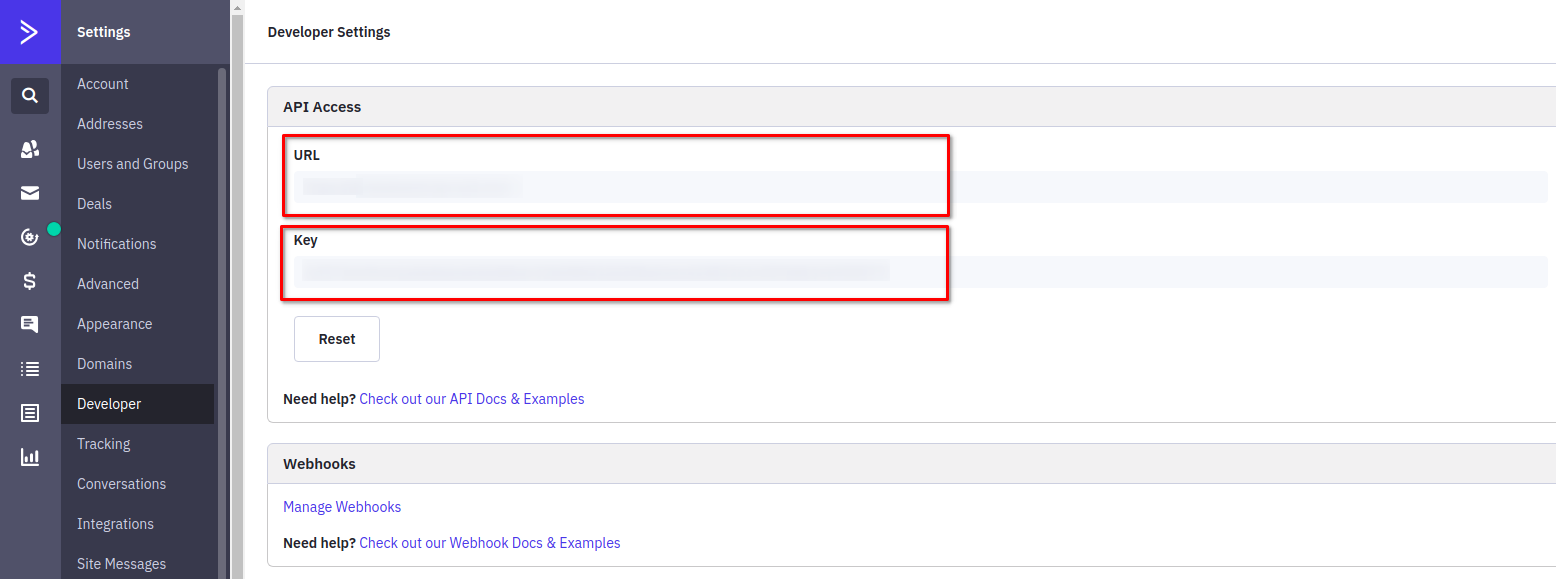
Fill in your Active Campaign credentials, which you get from their dashboard in the "Developer" section:

-
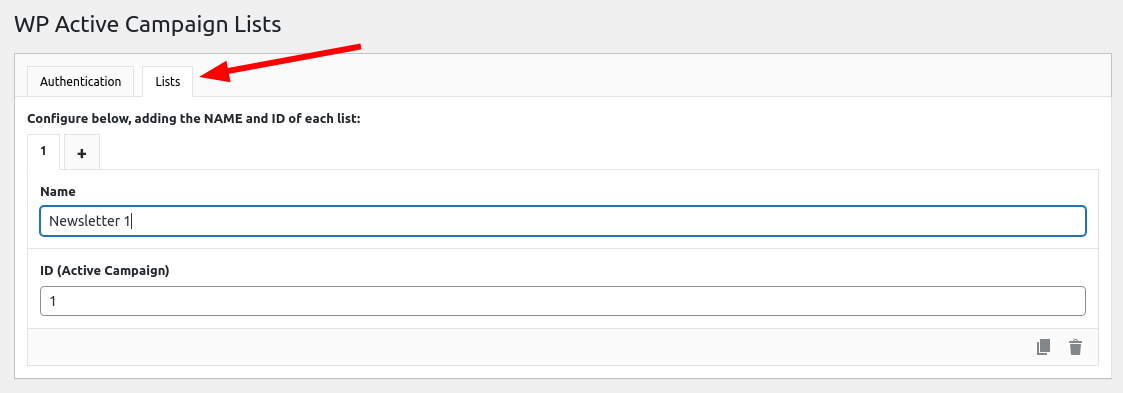
Register one or more lists with any name you wish. The ID has to be the same in the Active Campaign platform:
-
Go to https://yourwesbite.com/wpacl-notifications and you will see all registered lists. From now on, the current user has already been registered in Active Campaign and can decide whether or not to receive notifications.
