Install
Upload it under Plugins → Add New Plugin → Upload Plugin, then activate.
Install straight from GitHub with WP-CLI:
wp plugin install https://github.com/danielk-am/os-wp/releases/download/v3.5.0/os.zipGive your agents somewhere to live. OS turns a WordPress site you own into the system of record for your skills, notes, memory, reminders, and code. Anything you store, an agent can read and write over one MCP connection.
One plugin. Nine modules. Your data, on your server.
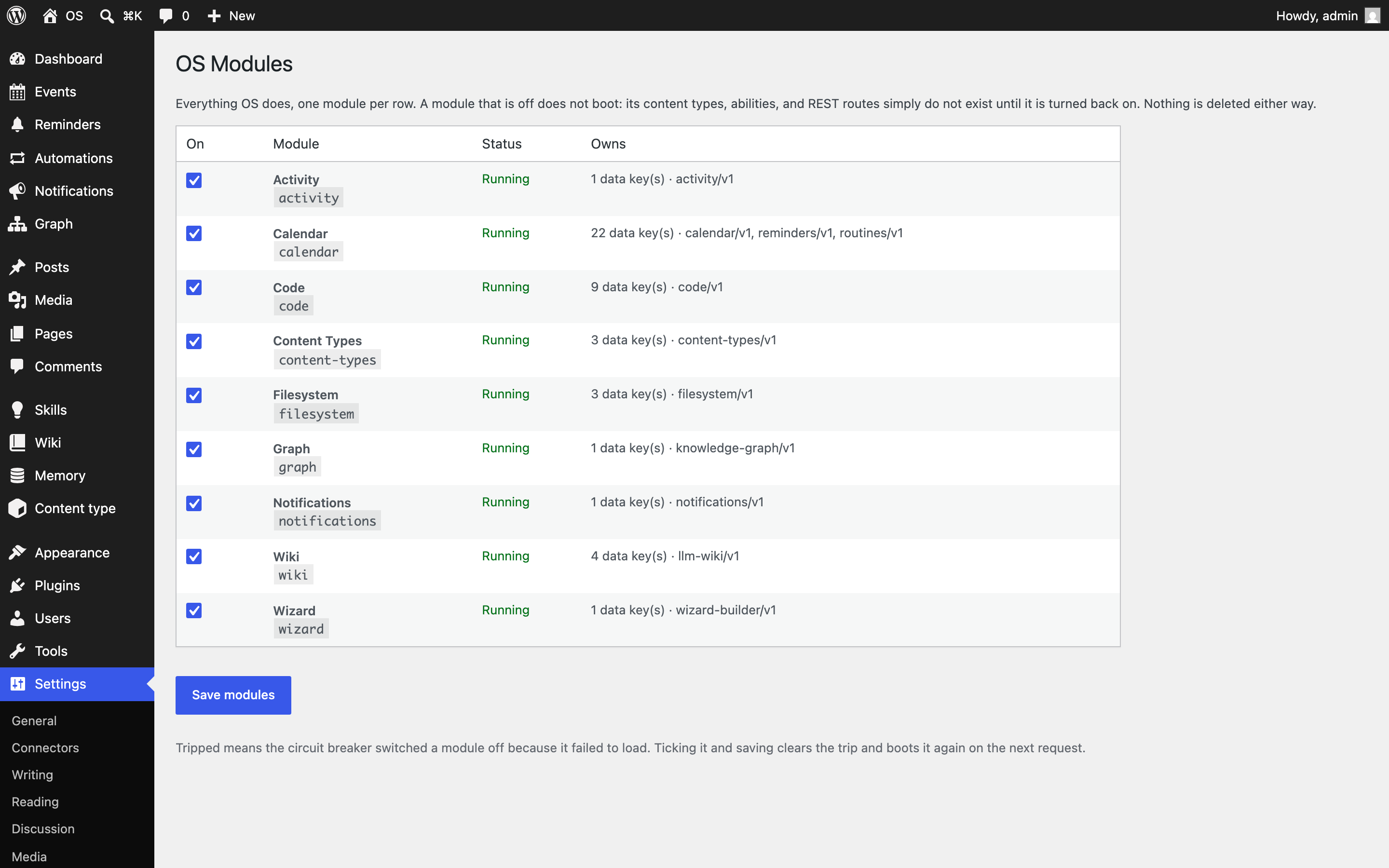
What you get
| Module | What it does for you |
|---|---|
| Wiki | A knowledge base for how you work: skills, wiki pages, memory, snippets. |
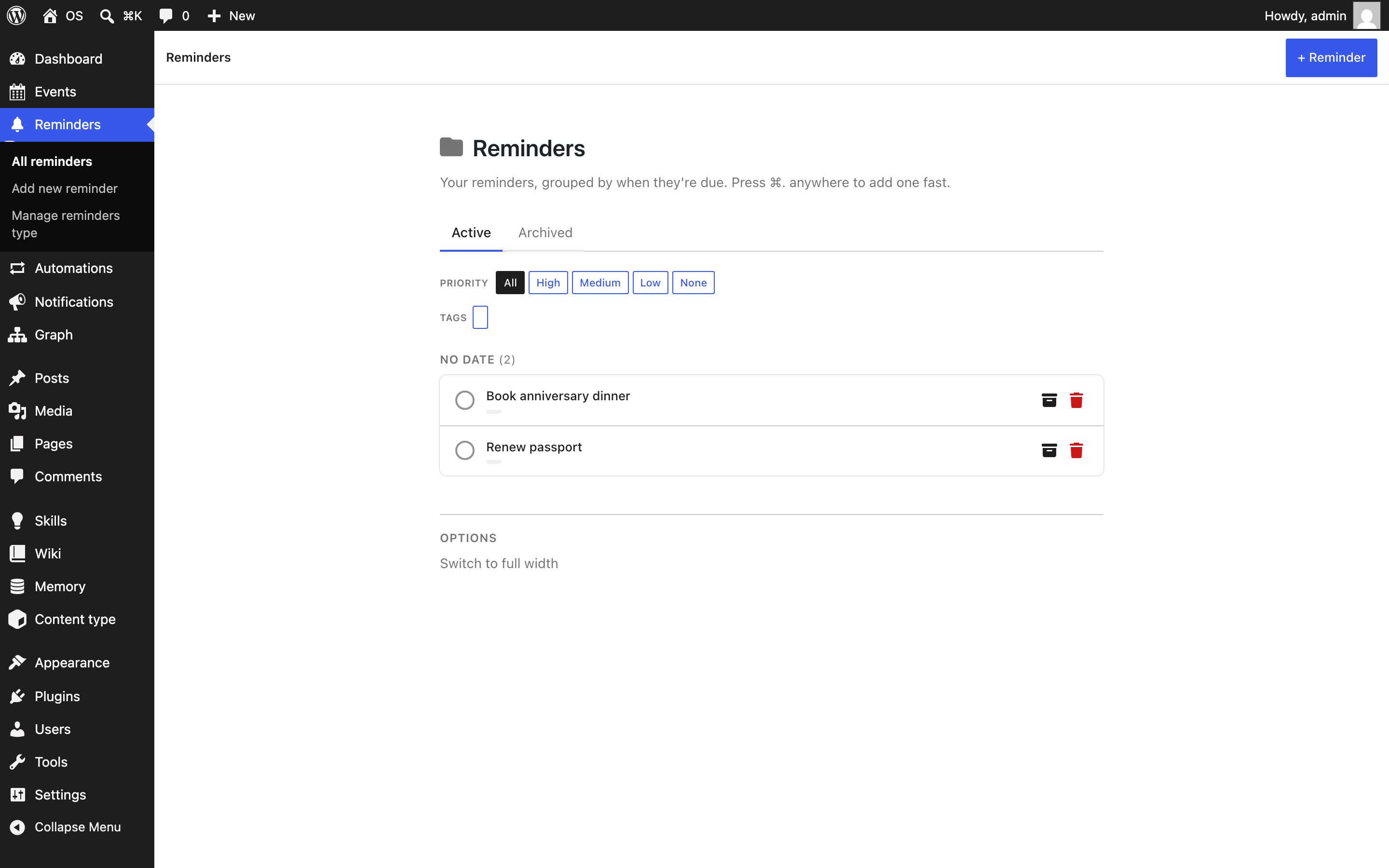
| Calendar | Reminders, events, and automations that run on your schedule. |
| Content Types | Invent your own record types, no code required. |
| Code | Small PHP, JS, and CSS changes, with a circuit breaker that catches fatals. |
| Filesystem | A jailed window onto server files. |
| Graph | The connections between everything you keep. |
| Activity | A stream of everything that happened, and who did it. |
| Notifications | One tray for every alert. |
| Wizard | Checklists that walk you through, step by step. |
Everything works together from the first activation. Reminders surface in Notifications, changes land in Activity, and nothing needs configuring to talk to anything else.
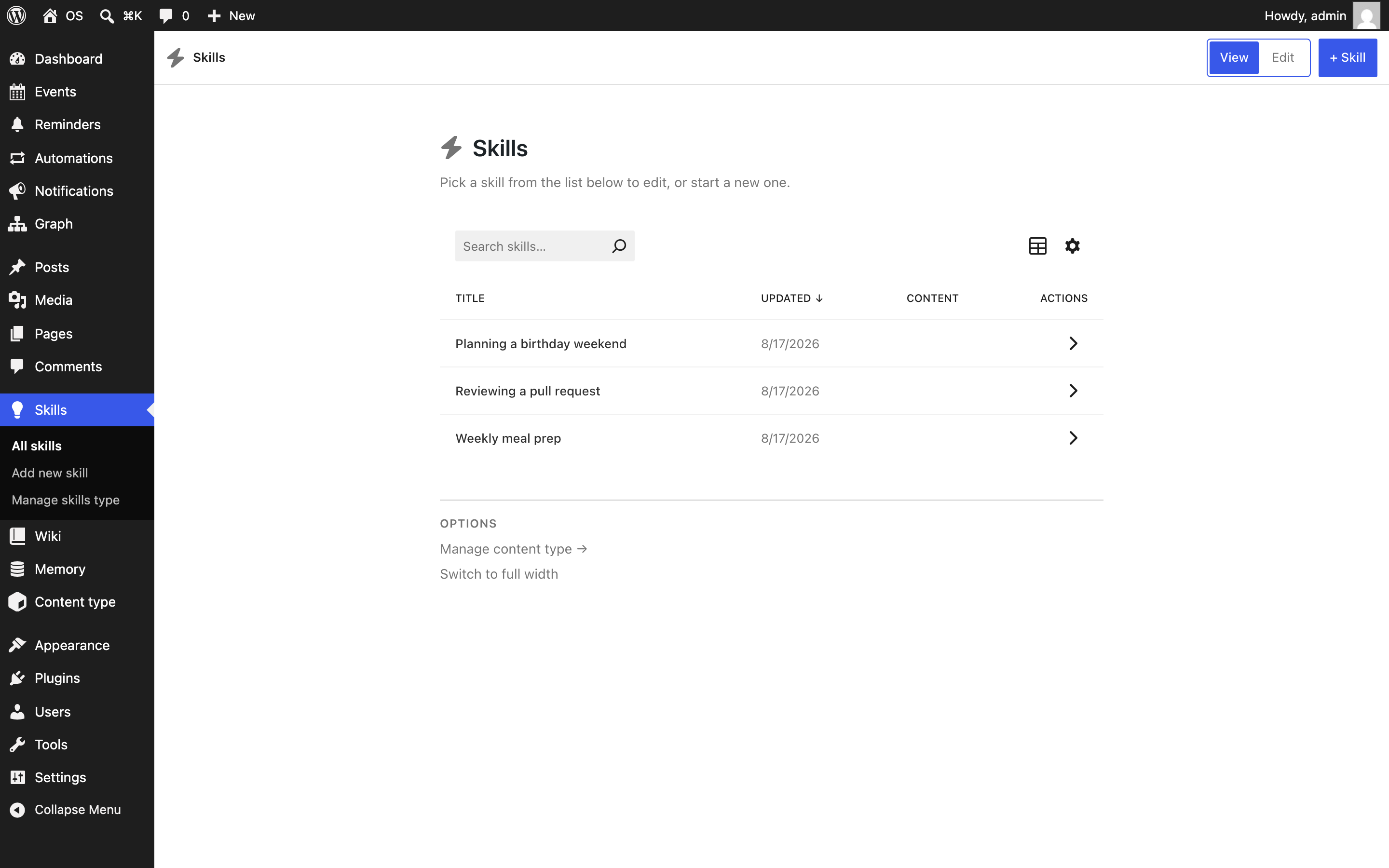
A memory your agent keeps
Skills record how you do things, memory holds what stays true, and wiki pages carry the reference notes. Your agent reads them before acting and writes back what it learns, so every session starts warmer than the last.
One connection for every tool
Install the MCP Adapter and every module's tools appear on a single endpoint, registered through the WordPress Abilities API. Point your agent at one URL and it sees the whole system.
Underneath, it's all WordPress content: posts, revisions, users, and permissions you already understand. Back it up, export it, move it. Nothing is locked in.
Take only what you need
Every module is a switch under Settings → OS Modules. A module that's off doesn't boot, and nothing is deleted either way. On multisite the switches are per site, so each site on a network runs its own mix.
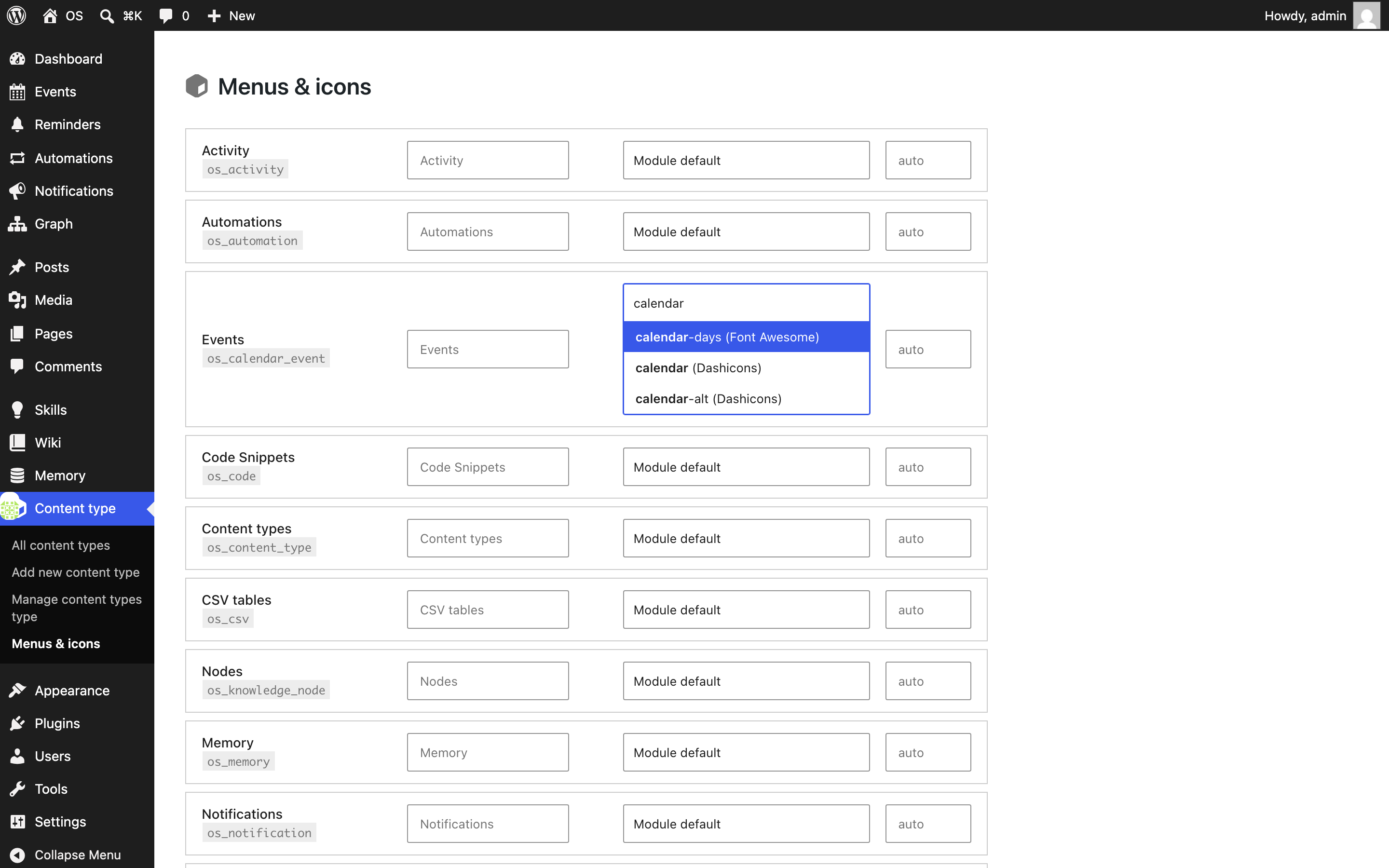
Arrange it your way
Every type has its own menu item and icon. Pick from the bundled Font Awesome set or any dashicon, set the label and position, all from Content type → Menus & icons; the Manage screen on each type handles its fields.
Breaks safely
A module that fails to load is switched off on its own, and the rest of the site carries on. The modules screen shows what tripped and why. Tick it and save once it's fixed. Recovery never needs SSH.
Get started
- Download
os.zipfrom the latest release. - Go to Plugins → Add New Plugin → Upload Plugin.
- Choose
os.zipand click Install Now. - Click Activate.
Updates arrive on the Plugins screen like any other plugin. You install once.
You'll need:
- WordPress 6.9 or newer
- PHP 8.1 or newer
- MCP Adapter, optional, for agent access
Ready when you are:
License
GPL-2.0-or-later. See license.txt. Module internals are documented in docs/contracts/MODULES.md.
Releases
10 releases. Each count is every asset in that release; expand a row for the breakdown.