Block Editor Product Descriptions for WooCommerce
Enable the block editor (Gutenberg) for WooCommerce product descriptions and short descriptions. Keeps the classic product screen.
Install
Upload it under Plugins → Add New Plugin → Upload Plugin, then activate.
Install straight from GitHub with WP-CLI:
wp plugin install https://github.com/danielk-am/block-editor-product-descriptions-for-woocommerce/releases/download/v1.0.0/block-editor-product-descriptions-for-woocommerce-1.0.0.zip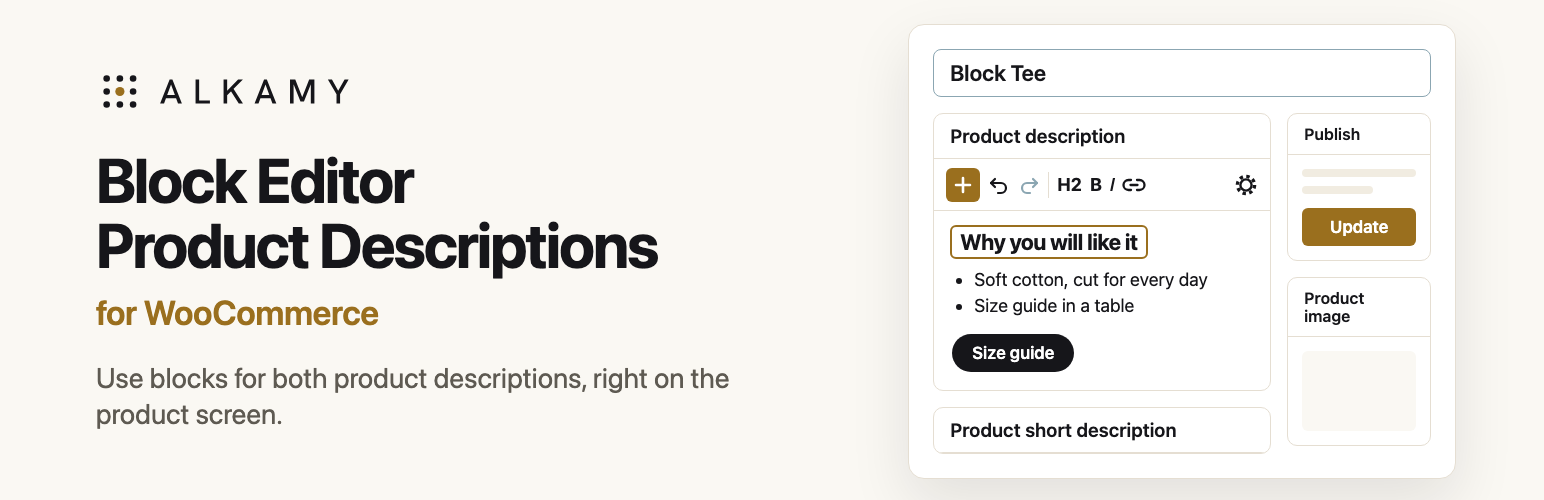
Block Editor Product Descriptions for WooCommerce
Enable the block editor (Gutenberg) for WooCommerce product descriptions and short descriptions, without switching the whole product screen.
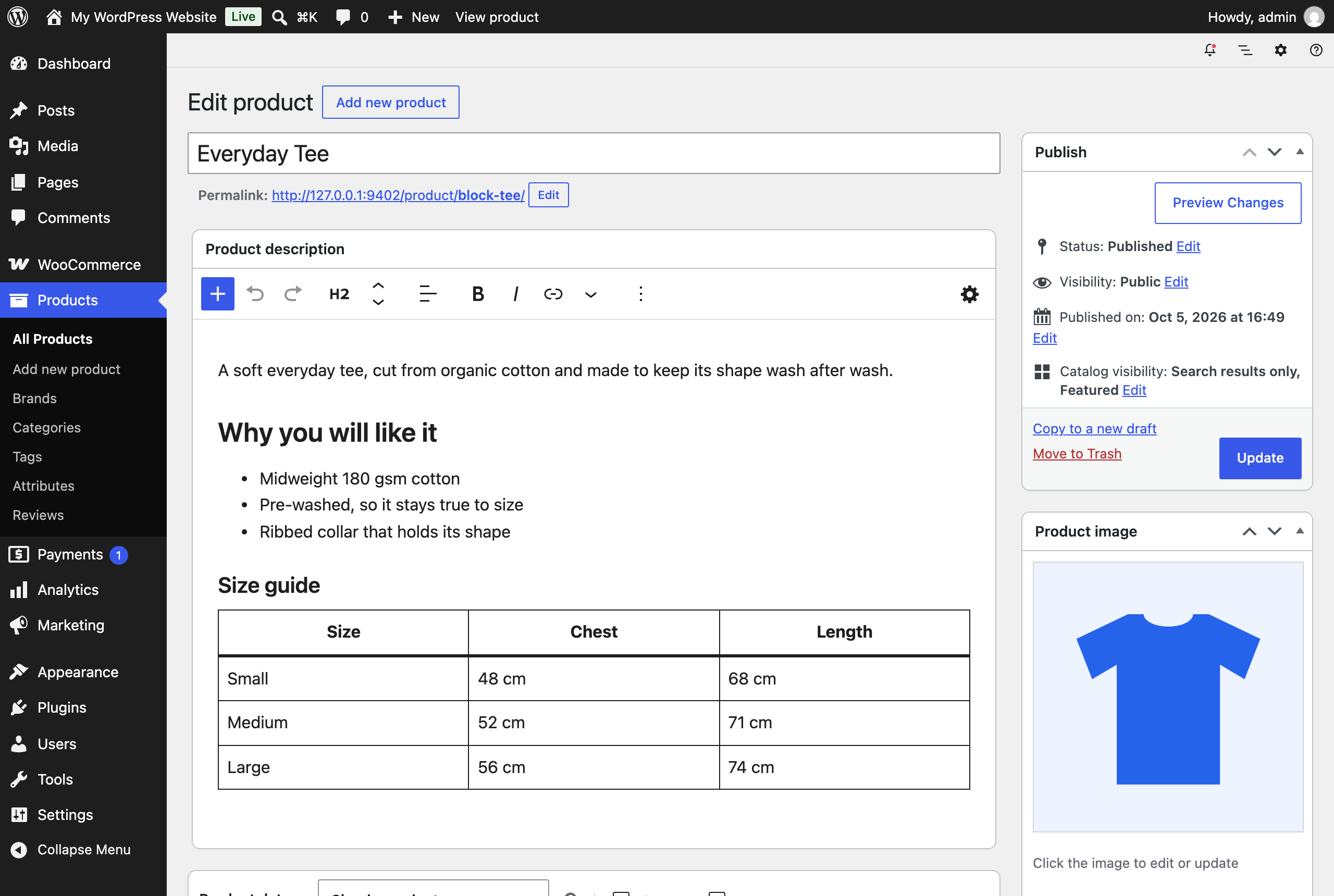
Activate the plugin and the two description boxes become block editors. You get headings, lists, images, tables, buttons and columns in your product copy. The rest of the screen stays where it is: Product data, the publish box, the gallery, categories and the meta boxes your extensions add.
How it works
Each editor keeps its form field (content, excerpt) in sync as block markup. The product form posts those fields with everything else, so price, Featured, catalog visibility, the gallery and variations are saved by the same Update button as before.
- Existing descriptions are safe. A description written in the classic editor is shown as blocks, and is only saved as blocks once you edit it.
- The short description keeps its formatting. On a block theme, the product's own page keeps the formatting that the Post Excerpt block would otherwise flatten.
- Google for WooCommerce gets plain text. The plugin hands Google for WooCommerce every product description as text, without HTML or block markup.
- It stands aside when it should. Product screens that already use the block editor, and users who turned off the visual editor, are left alone.
There is no build step. The editor is one script that uses the wp.* packages WordPress ships: a BlockEditorProvider over a block list, with a fixed toolbar and the inserter as a popover.
Limits worth knowing
- The editors draw blocks with WordPress's default block styles, so fonts and colours can differ from the storefront.
- Only the blocks that come with WordPress load in these editors. The short description keeps to text: Paragraph, Heading, List and Quote.
- Panels that belong to the full post editor, such as an SEO plugin's sidebar, are not available here.
Filters
| Filter | What it does |
|---|---|
pdblocks_allowed_block_types |
Blocks an editor offers. Receives the list and the editor (description or short_description). |
pdblocks_format_post_excerpt_block |
Return false to let the Post Excerpt block show the short description as plain text on the product page. |
pdblocks_google_description_as_text |
Whether a description goes to Google for WooCommerce as plain text. True by default. Return false to leave descriptions as Google for WooCommerce prepares them. |
Requirements
WordPress 7.0 or later, WooCommerce 11.1 or later, PHP 7.4 or later. Tested on WordPress 7.1.2 with WooCommerce 11.1.2.
Install
Build the plugin as shown below, zip build/block-editor-product-descriptions-for-woocommerce, and upload it under Plugins > Add Plugin > Upload Plugin. Or copy that folder into wp-content/plugins.
Develop and test
Build the files that ship, without tests, design sources or repo files:
rsync -a --delete --exclude-from=.distignore ./ build/block-editor-product-descriptions-for-woocommerce/Start a disposable store with WordPress Playground. It installs WooCommerce and Plugin Check, adds Google for WooCommerce for the feed checks, mounts the build and logs you in:
npx @wp-playground/cli@3.1.56 server --port=9402 --workers=1 --login --blueprint=./tests/blueprint.json --mount=./build/block-editor-product-descriptions-for-woocommerce:/wordpress/wp-content/plugins/block-editor-product-descriptions-for-woocommerce --mount=./tests:/wordpress/wp-content/pdblocks-testsThen, in the browser:
http://127.0.0.1:9402/wp-admin/admin-post.php?action=pdblocks_seedadds two sample products.http://127.0.0.1:9402/wp-admin/admin-post.php?action=pdblocks_runruns the checks intests/run.php.- Tools > Plugin Check runs the WordPress.org checks.
Directory assets
.wordpress-org/ holds the WordPress.org icon, banner and screenshots. icon.svg is the icon's source. The banners are rendered from design/banner.html at 1544 x 500, and at 772 x 250 with ?scale=0.5. The type is Instrument Sans, under the SIL Open Font License. The screenshots are captured from the test store with node design/screenshots.mjs, which needs Google Chrome and Node 22 or later.
Licence
GPL-2.0-or-later. See LICENSE.
Releases
1 release. Each count is every asset in that release; expand a row for the breakdown.