Install
This is the repository archive. It installs, but the folder name will carry the branch suffix and updates will not flow.
Install straight from GitHub with WP-CLI:
wp plugin install https://github.com/dani-j-d/pulsecheck/archive/refs/heads/main.zipPulseCheck is a lightweight WordPress plugin that provides high-signal diagnostic checks for developers and agencies maintaining WordPress sites.
What PulseCheck Does
-
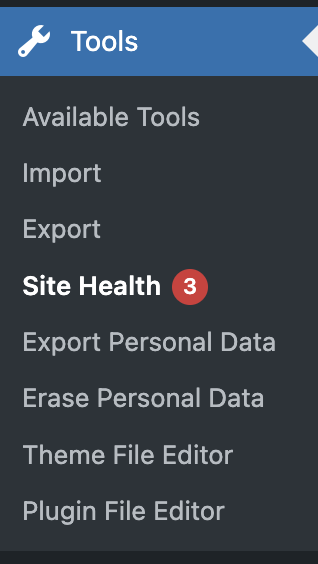
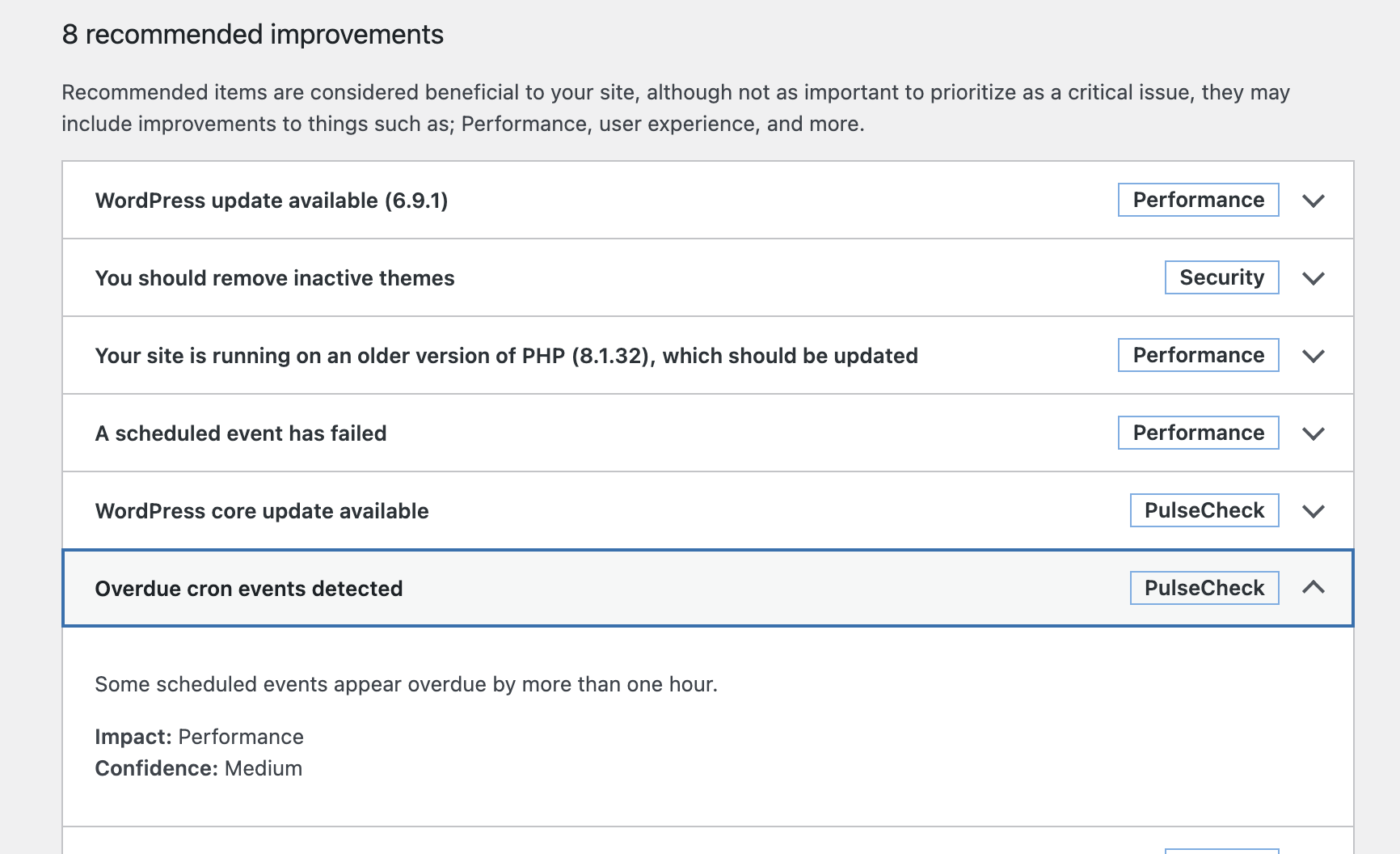
Adds custom checks to the WordPress Site Health screen
-
Evaluates environment and configuration risks
-
Provides clear, developer-readable explanations
-
Makes no changes to the site
What PulseCheck Does Not Do
- Automatically fix issues
- Scan for vulnerabilities or CVEs
- Replace security or performance plugins
- Provide guarantees about exploitability
Current Checks (v0.3)
- PHP version compatibility and risk assessment
- WordPress core version currency and update recommendation
- Cron Health / Missed Schedules detection
How to use PulseCheck
Installation
For users, the easiest installation option is to upload a ZIP file via WP Admin.
-
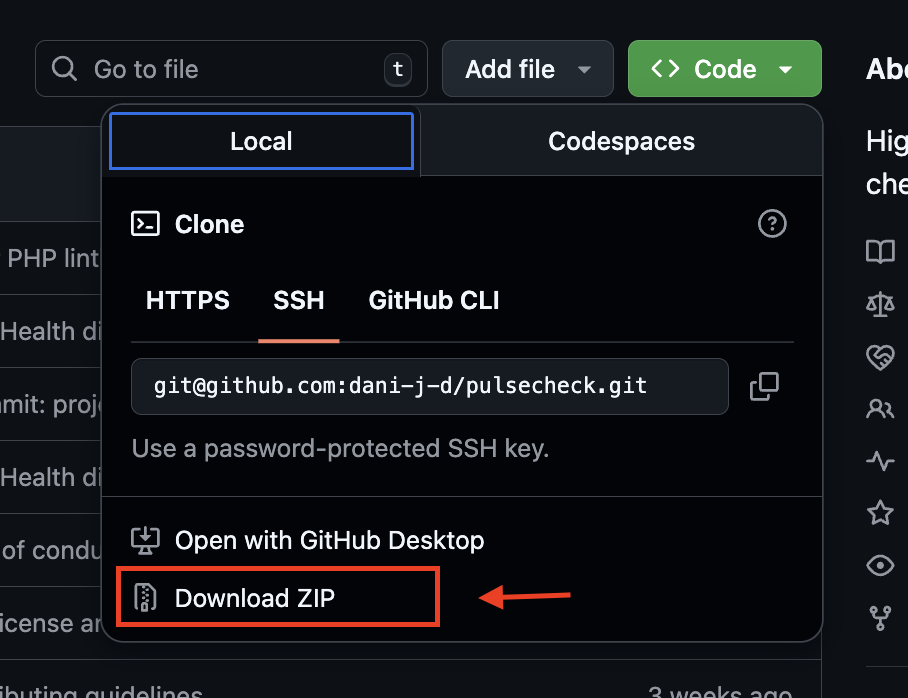
Download the repository as a ZIP file
-
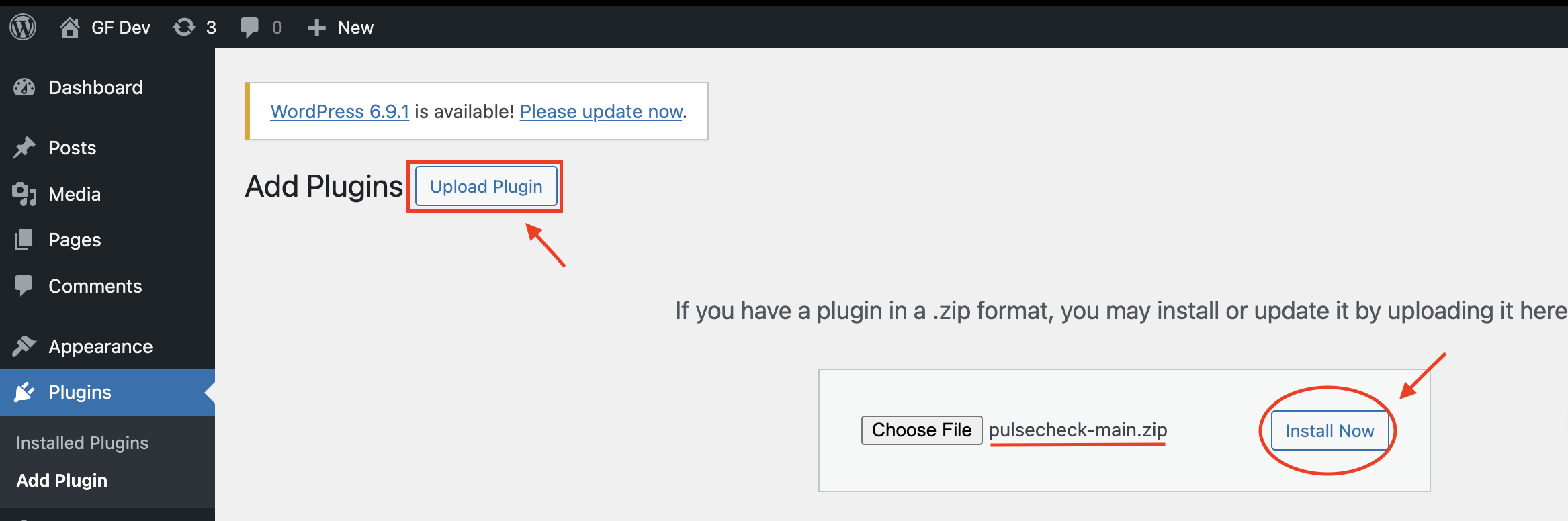
In your WordPress admin dashboard, go to: Plugins → Add New → Upload Plugin
-
Upload the ZIP file
-
Click Install Now
-
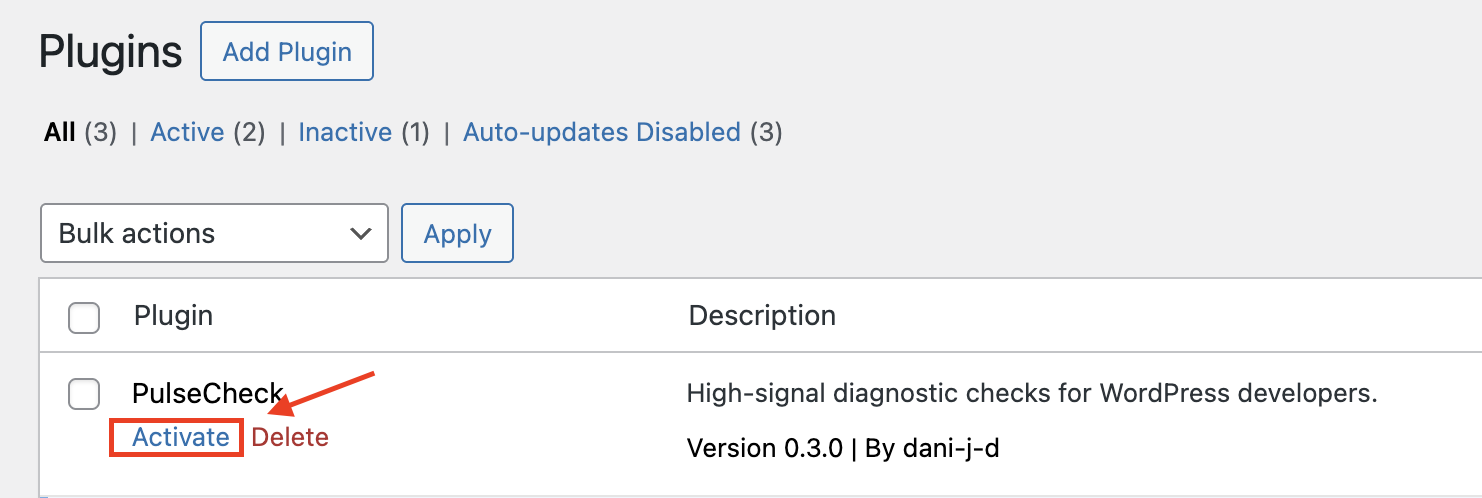
Activate PulseCheck
Philosophy
PulseCheck is intentionally limited.
The intent is to add useful information for preventative maintenance, site stability, and navigating security risks.
This plugin prioritizes:
- Signal over coverage
- Diagnostics over remediation
- Explanation over enforcement
Design Principles
- Extends native WordPress Site Health instead of replacing it
- Uses WordPress hooks and filters, not direct database manipulation
- Read-only diagnostics (no mutation of site state)
- Small, composable check classes
- Designed for incremental extension
License
GPL-2.0-or-latest