Actions Safety Feature WP Registry grade A. No security issues foundWP RegistryNo security issues foundOpen the reportA
A plugin to enhance security of interacting with plugins on a production site.
Install
This is the repository archive. It installs, but the folder name will carry the branch suffix and updates will not flow.
Install straight from GitHub with WP-CLI:
wp plugin install https://github.com/dalbeck/wp-plugin-safety-check/archive/refs/heads/main.zipThis is a WordPress plugin that introduces a warning modal for critical plugin activations/deactivations, logs these actions for accountability, and supports CSV exports of the log. It also includes a purging feature for log management and protects mission-critical plugins from accidental deactivation, including bulk action prevention. Optionally extendable for custom purge timelines and modal timeouts.
Features
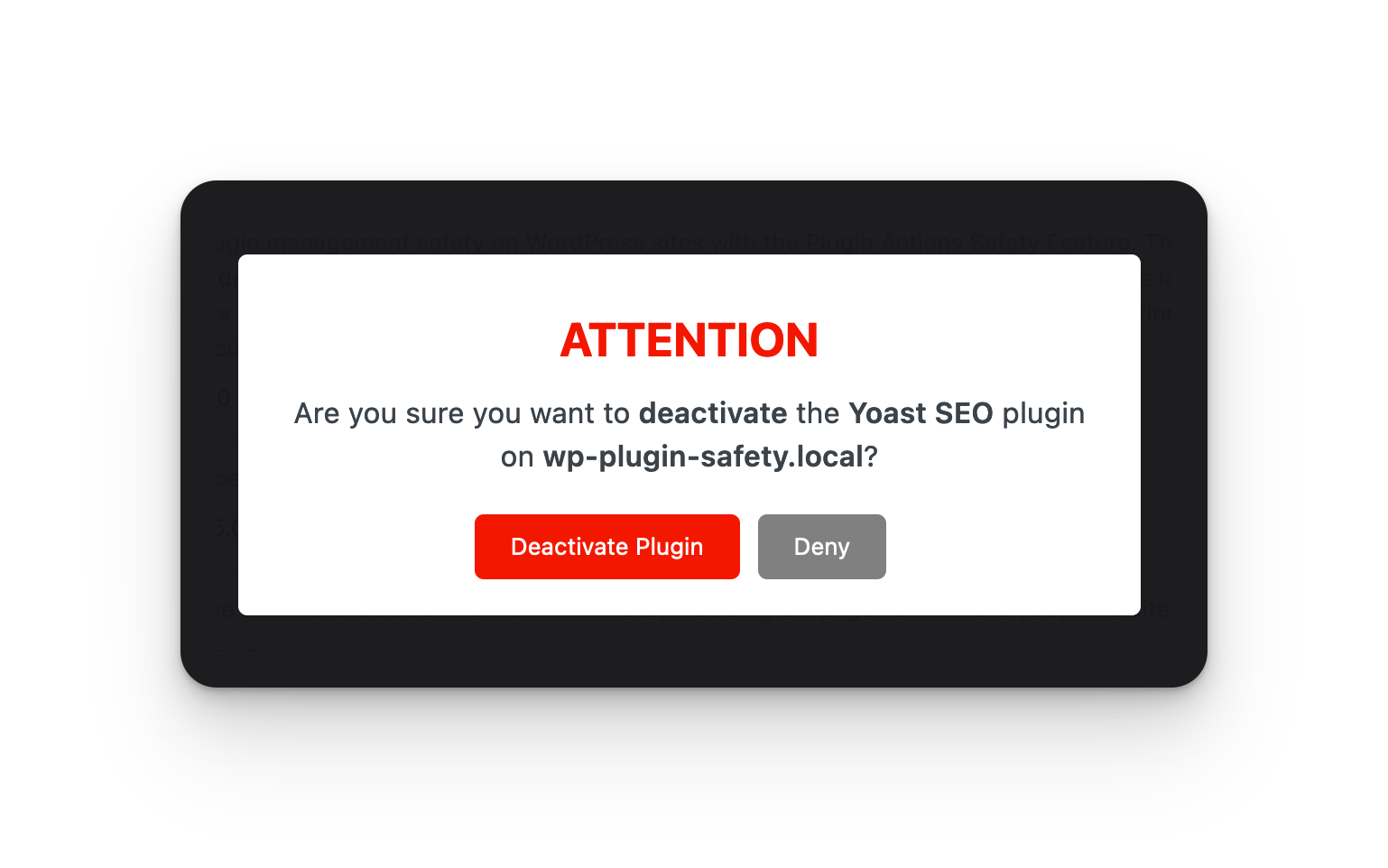
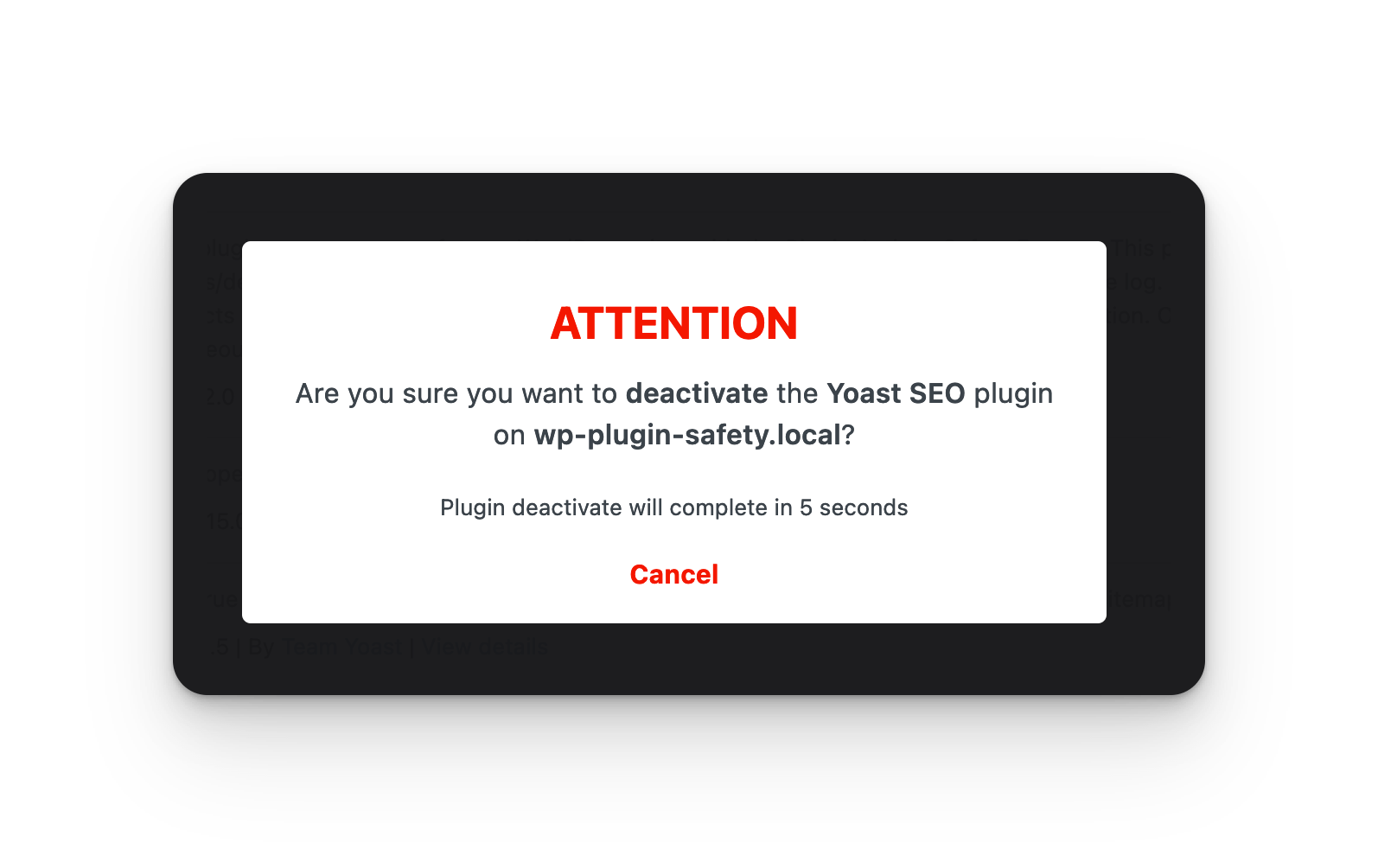
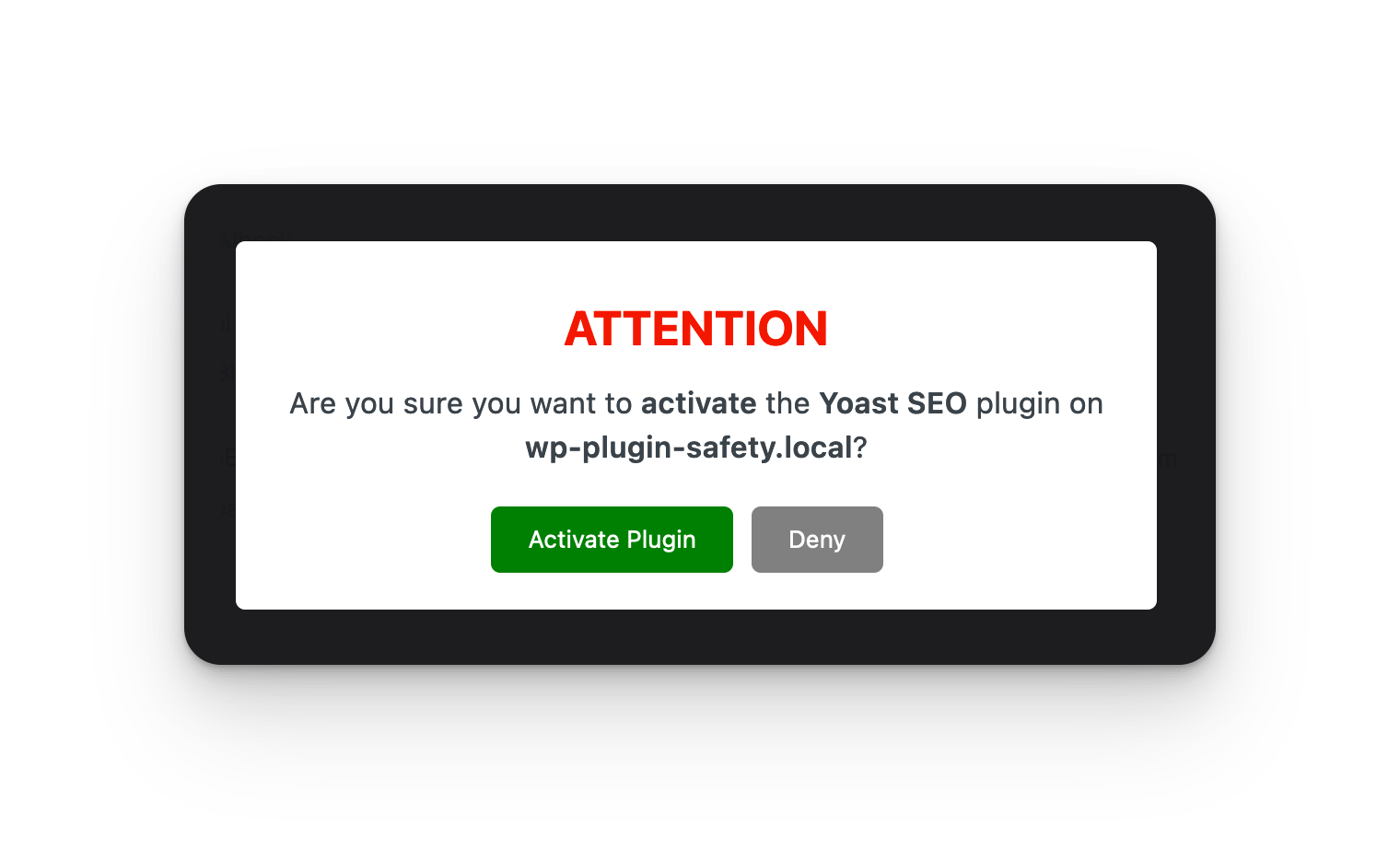
- Warning Modal: Prevents accidental activation/deactivation with a confirmation modal, and a timer (defaults to 10 seconds) before action fires.
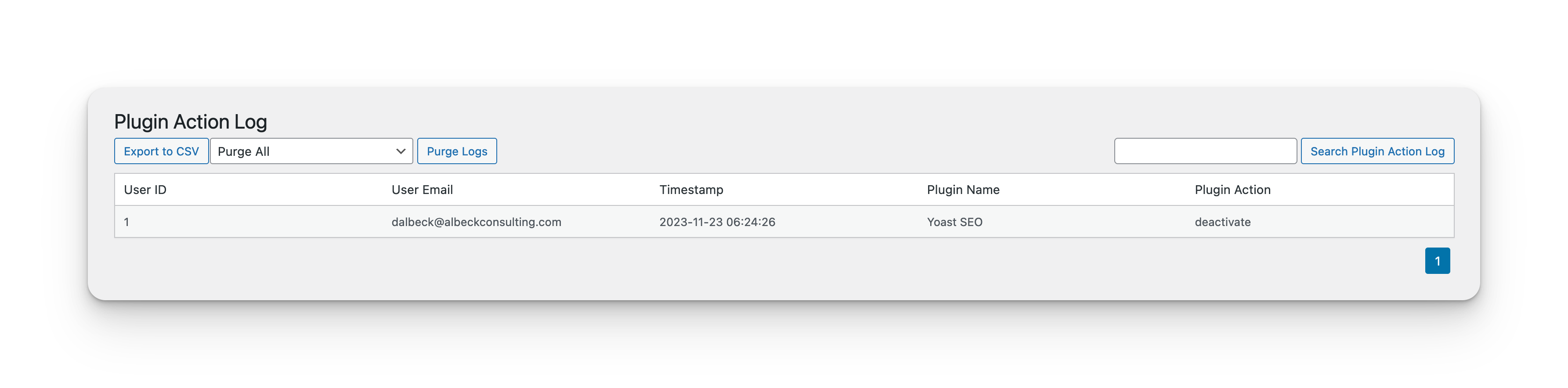
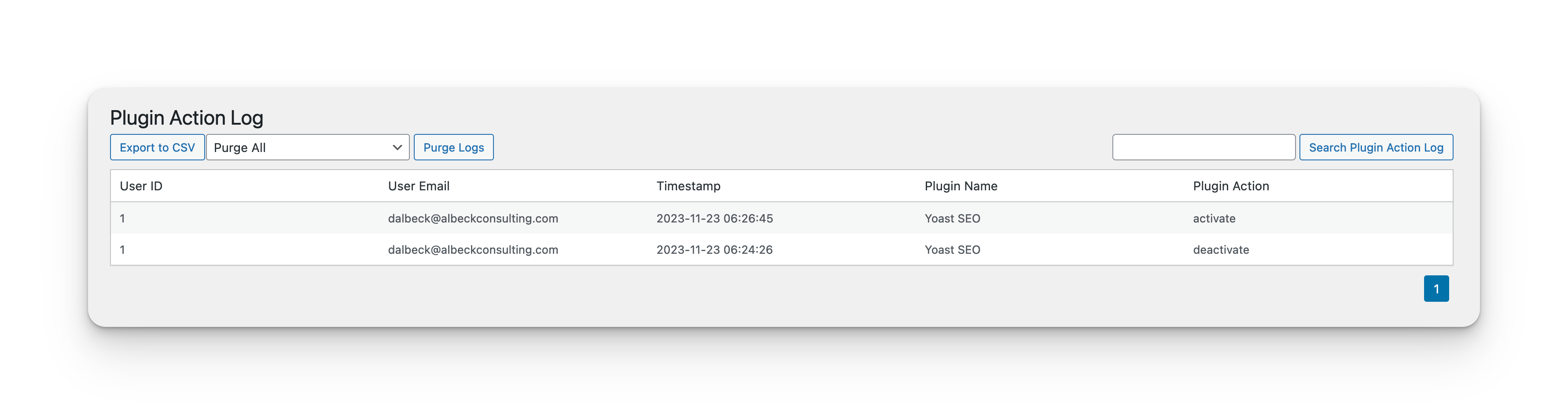
- Action Logging: Records plugin activations/deactivations in a custom database table.
- CSV Export: Export the log of plugin actions to a CSV file.
- Log Purge: Ability to purge database log to prevent bloat over time.
- Log Search: Ability to search the log by user ID, user email, plugin name and plugin action.
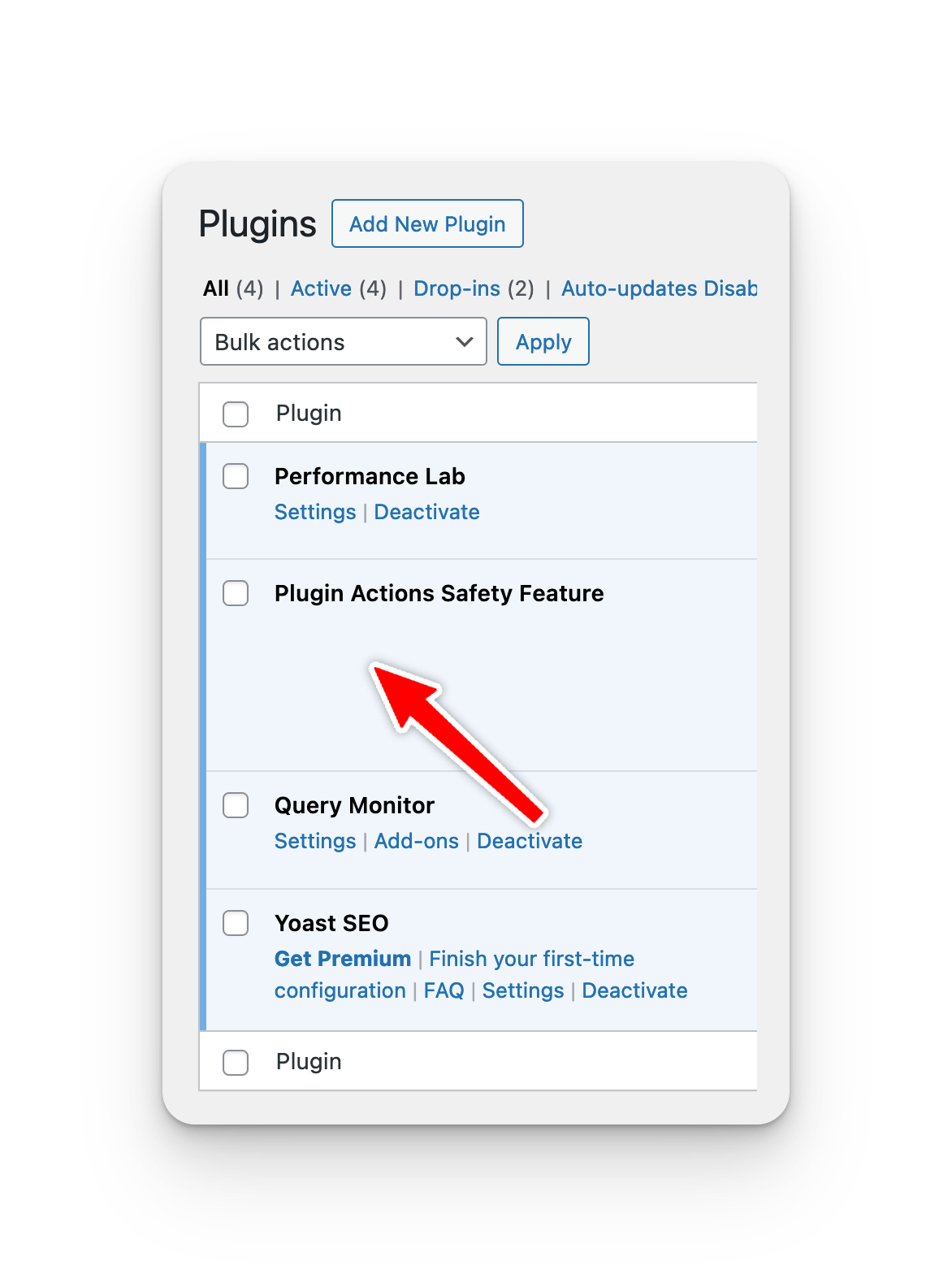
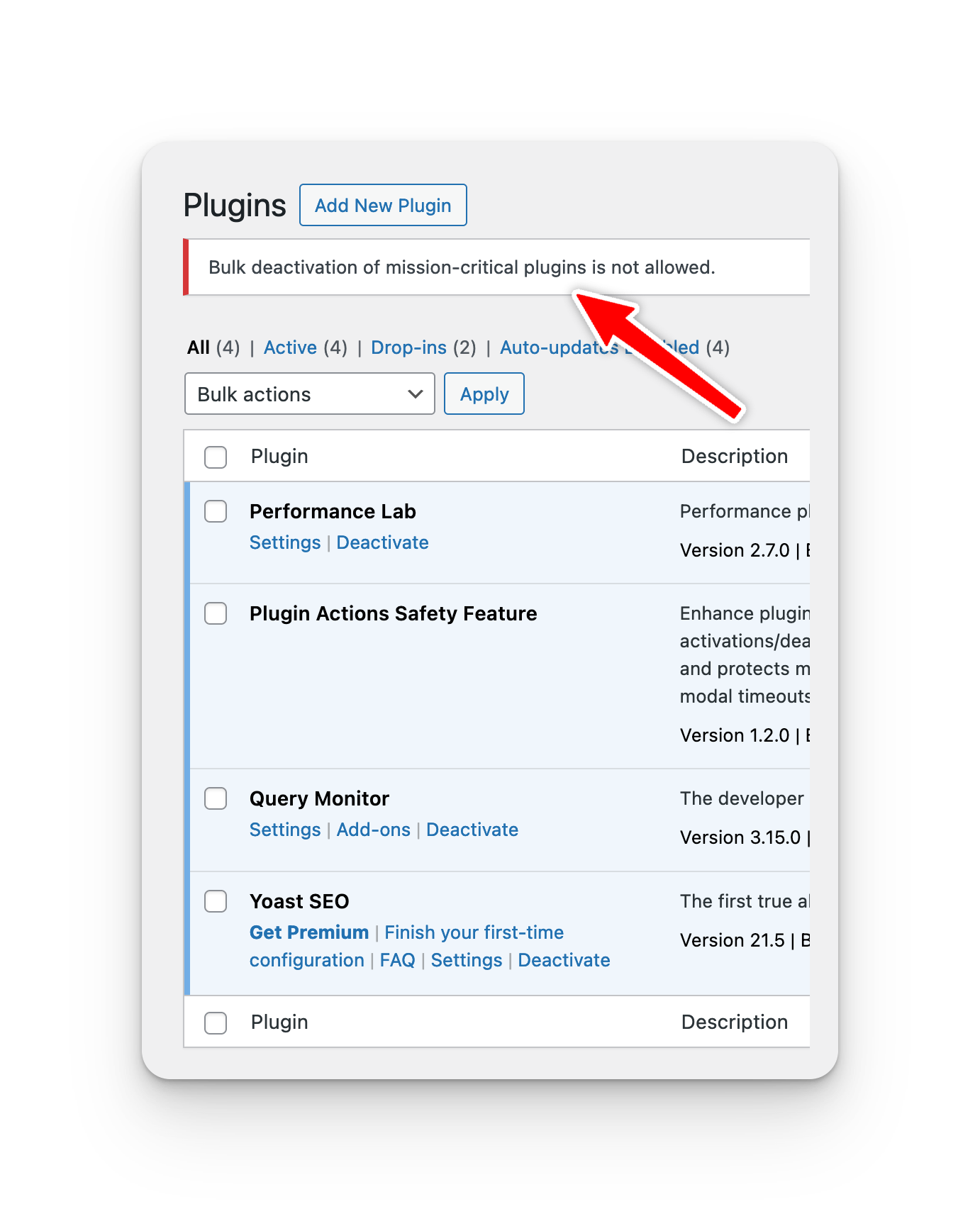
- Critical Plugin Protection: Disables deactivation links for specified essential plugins, and also prevent workaround of bulk actions.
- Extensibility: Offers hooks to modify modal timeout, disable modal timeout, set critical plugin list, and modify pagination of action log.
Usage
- Works upon activation. Critical plugin deactivation links are disabled.
- Confirmation modal appears for any plugin activation/deactivation.
- View the plugin actions log under 'Plugins > Plugin Action Log' in the dashboard.
- Export the log using the 'Export to CSV' button on the Plugin Action Log page.
Customizations
The following customizations can be made by adding the appropriate filter to your theme's functions.php file.
Adjust Modal Timeout
add_filter('dawp_modal_timeout', function($timeout) {
    return 15000; // New timeout in milliseconds
});
Disable Modal Timer
add_filter('dawp_disable_modal_timer', '__return_true');Adjust Action Log Pagination
add_filter('dawp_log_pagination_count', function($count) {
    return 20; // New items per page count
});
Adjust Critical Plugins list
function my_custom_critical_plugins($critical_plugins) {
    $critical_plugins[] = 'my-custom-plugin/my-custom-plugin.php'; // Add a plugin
    if (($key = array_search('gravityforms/gravityforms.php', $critical_plugins)) !== false) {
        unset($critical_plugins[$key]); // Remove a plugin
    }
    return $critical_plugins;
}
add_filter('da_mission_critical_plugins', 'my_custom_critical_plugins');
Screenshots
Mission Critical Plugin
Bulk Actions Error
Deactivate Plugin Modal Warning
Deactivate Plugin Modal Countdown
Plugin Action Log
Activate Plugin Modal
Plugin Action Log Multiple Records
Optimizations
All scripts are programmed to only load on the plugins.php and /wp-admin/plugins.php?page=plugin-action-log screens within WP Admin Dashboard. The database table created for the plugin is indexed, and all queries will only execute when necessary between these two URLs. On plugin deletion, all data created by the plugin will be removed from the database.
Support
For support please use the GitHub Discussions feature, if there is a bug, please open an issue in the repository. Feature requests are welcome, but not guarenteed.
Releases
4 releases.
These releases are tags only. The author does not attach a packaged zip, so there are no download counts to report.