Lenviqa WP Registry grade A. No security issues foundWP RegistryNo security issues foundOpen the reportA
Connect WordPress to modern frontends.
Install
Upload it under Plugins → Add New Plugin → Upload Plugin, then activate.
Install straight from GitHub with WP-CLI:
wp plugin install https://github.com/daiosity/lenviqa/releases/download/v0.3.0/lenviqa-0.3.0.zipLenviqa helps developers use WordPress as a CMS while React handles the public frontend.
It is a WordPress plugin plus starter frontends with validated support for:
- common route resolution
- common Gutenberg layout handling
- preview-flow foundations
- repeatable package/install/runtime confidence
This repo is for developers evaluating a practical WordPress-to-React bridge, not a theme-cloning system.
Beta Status
Lenviqa v0.3.0 is a beta-core release focused on predictable setup, clear failure behavior, and repeatable validation.
That means the current public promise is limited to the validated core scope:
- route scenarios
- Gutenberg scenarios
- preview guardrails
- packaging/install/runtime validation
See Beta scope for the validated boundary and v0.3.0 release notes for this release.
Who This Is For
- developers who want WordPress content and editorial workflows without building a bridge from scratch
- agencies or product teams that want a safer WordPress backend + React frontend baseline
- technical WordPress teams that want preview, routing, and starter structure handled more consistently
Why It Exists
Rolling your own headless WordPress bridge usually means re-solving the same problems repeatedly:
- route truth spread across frontend code
- brittle preview behavior
- unclear fallback behavior when content gets messy
- more packaging and setup drift across projects
Lenviqa takes a narrower approach:
- WordPress stays the CMS
- Lenviqa owns the bridge layer
- React owns the public presentation layer
WordPress (CMS + editorial backend)
  ->
Lenviqa (route + preview + bridge layer)
  ->
React frontend (public presentation)
Visual Proof
Same content. Two frontends.
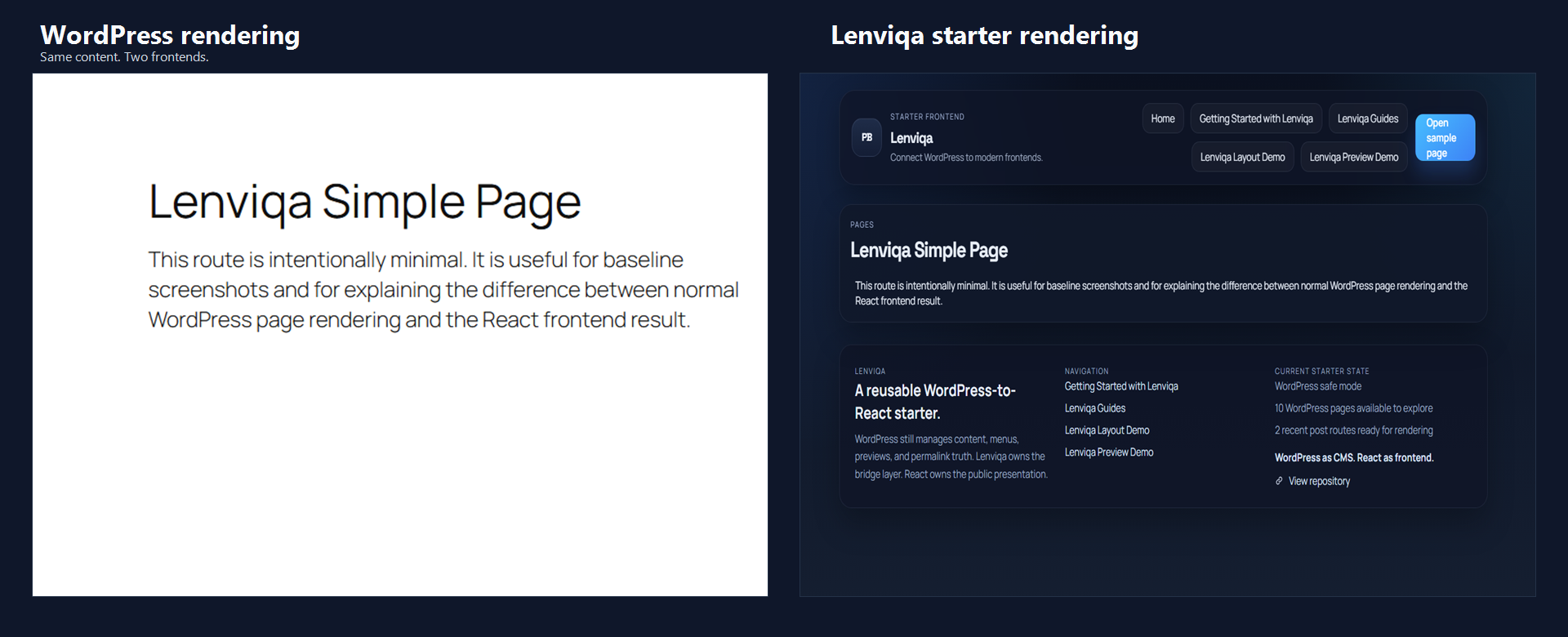
Caption:
- Same content. Two frontends.
A starter frontend is included so you are not beginning from a blank bridge.
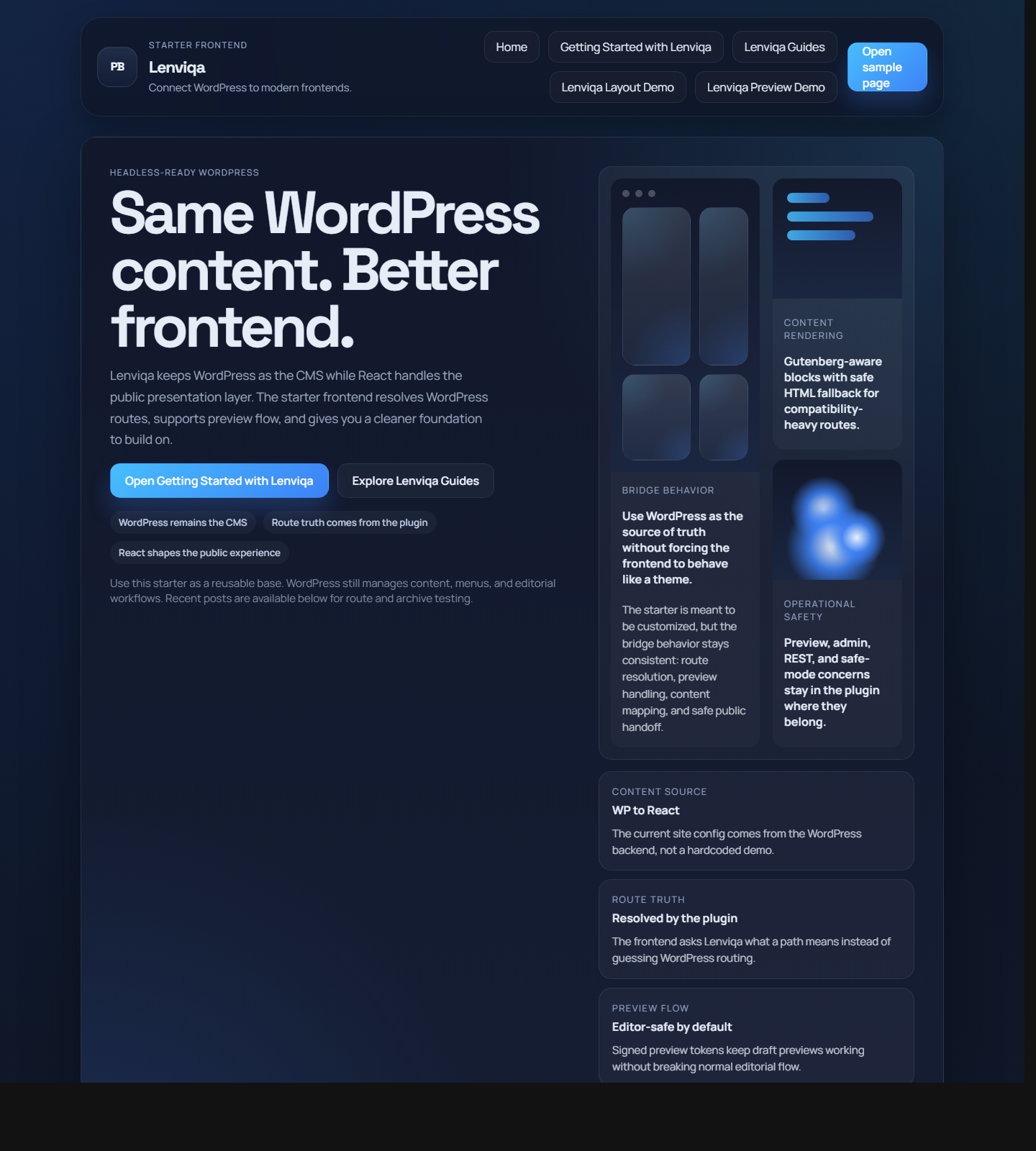
Caption:
- A starter frontend is included so you are not beginning from a blank bridge.
Common Gutenberg layouts render with stable structure and safe fallback behavior.
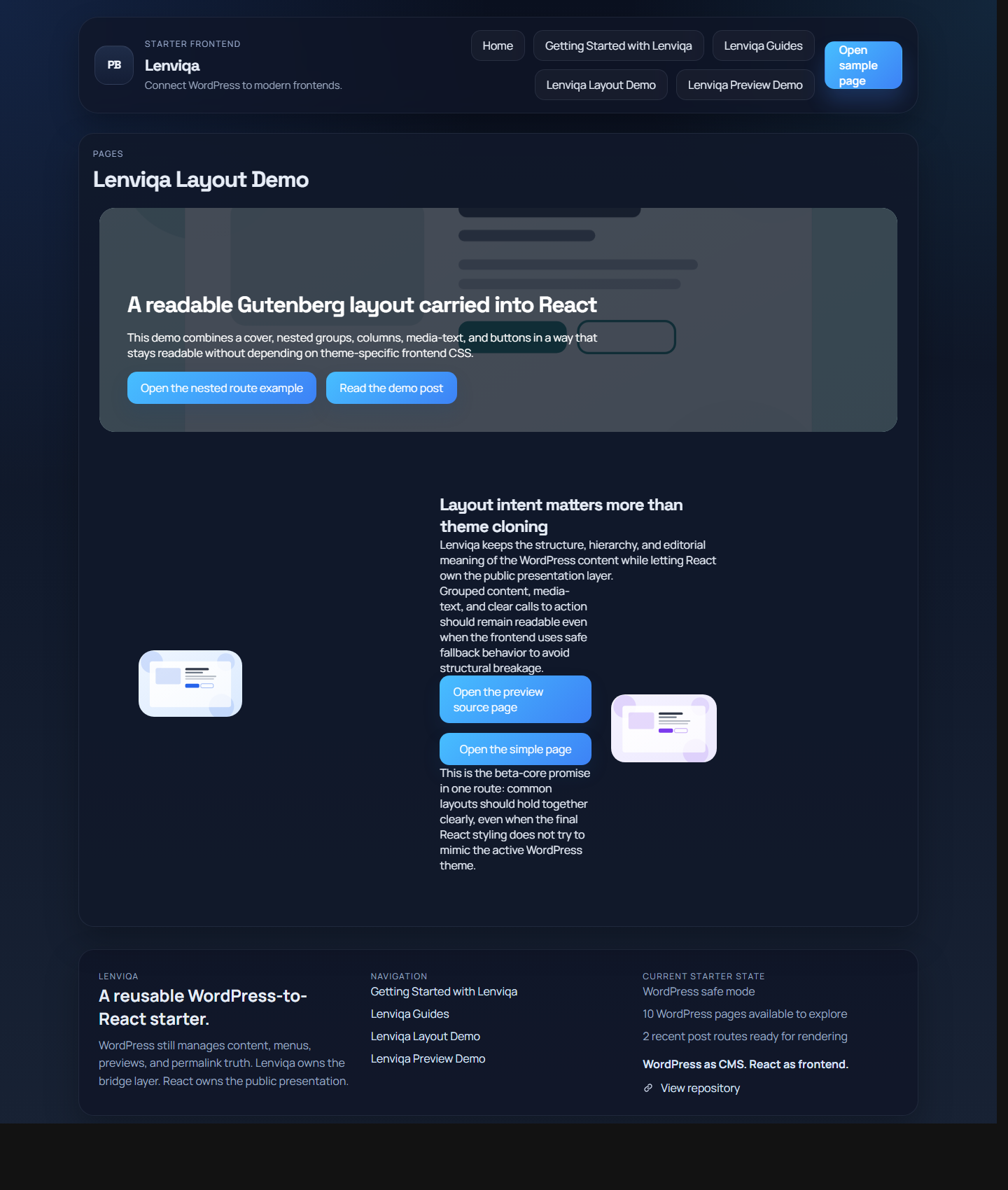
Caption:
- Common Gutenberg layouts render with stable structure and safe fallback behavior.
Preview content through the frontend without breaking editorial flow.
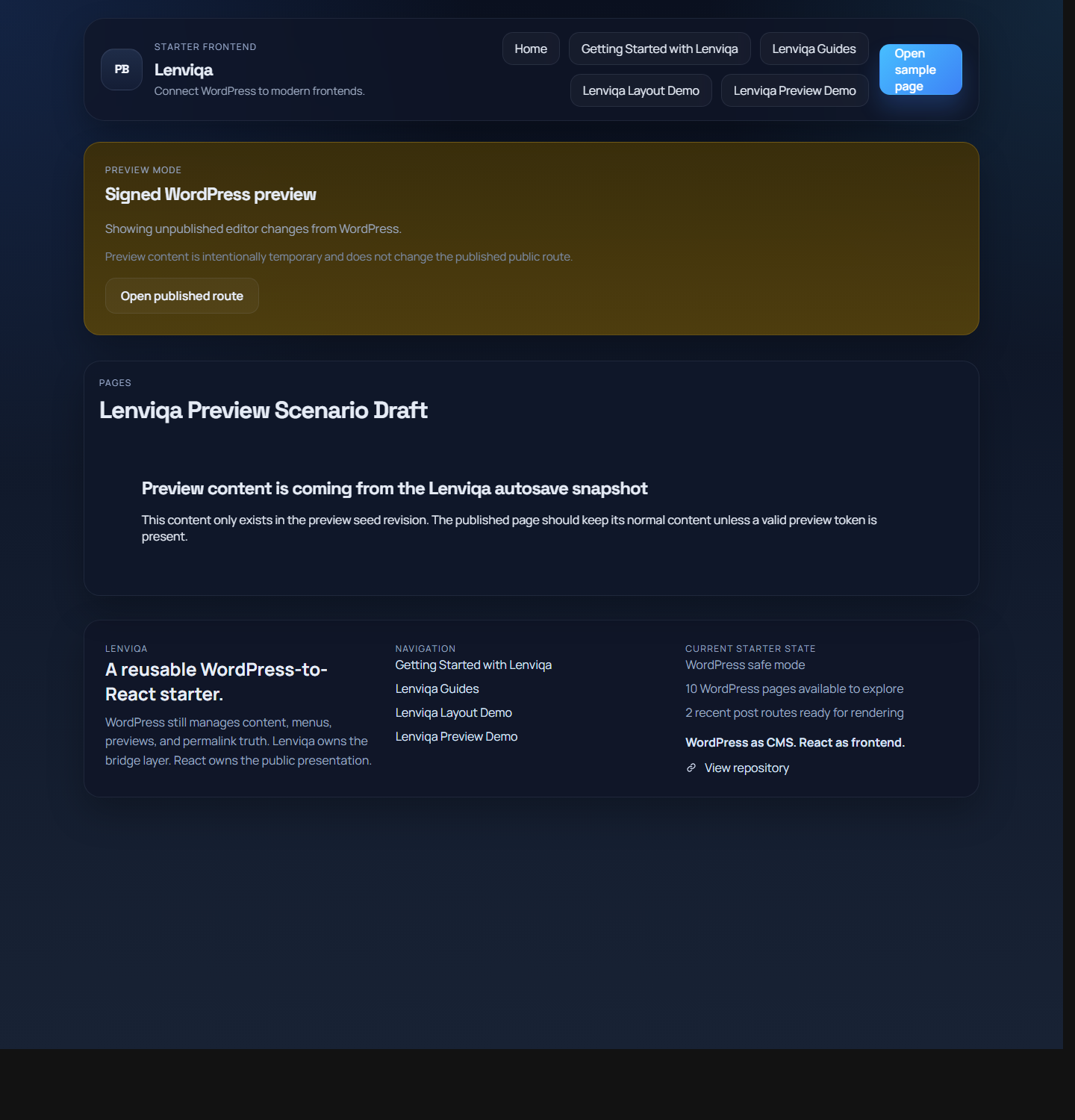
Caption:
- Preview content through the frontend without breaking editorial flow.
Resolve nested WordPress routes without guessing in the frontend.
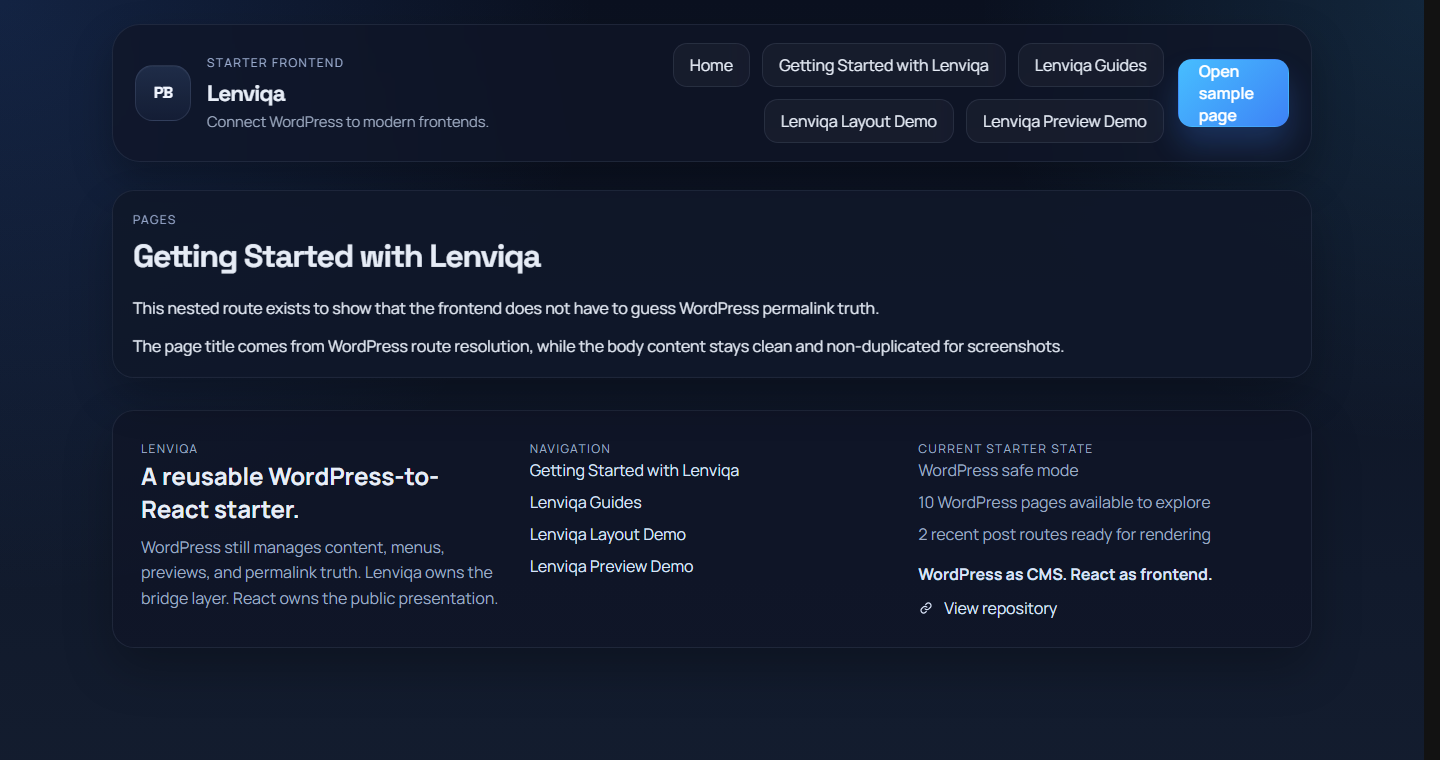
Caption:
- Resolve nested WordPress routes without guessing in the frontend.
Normal WordPress pages and posts still resolve cleanly through the bridge.
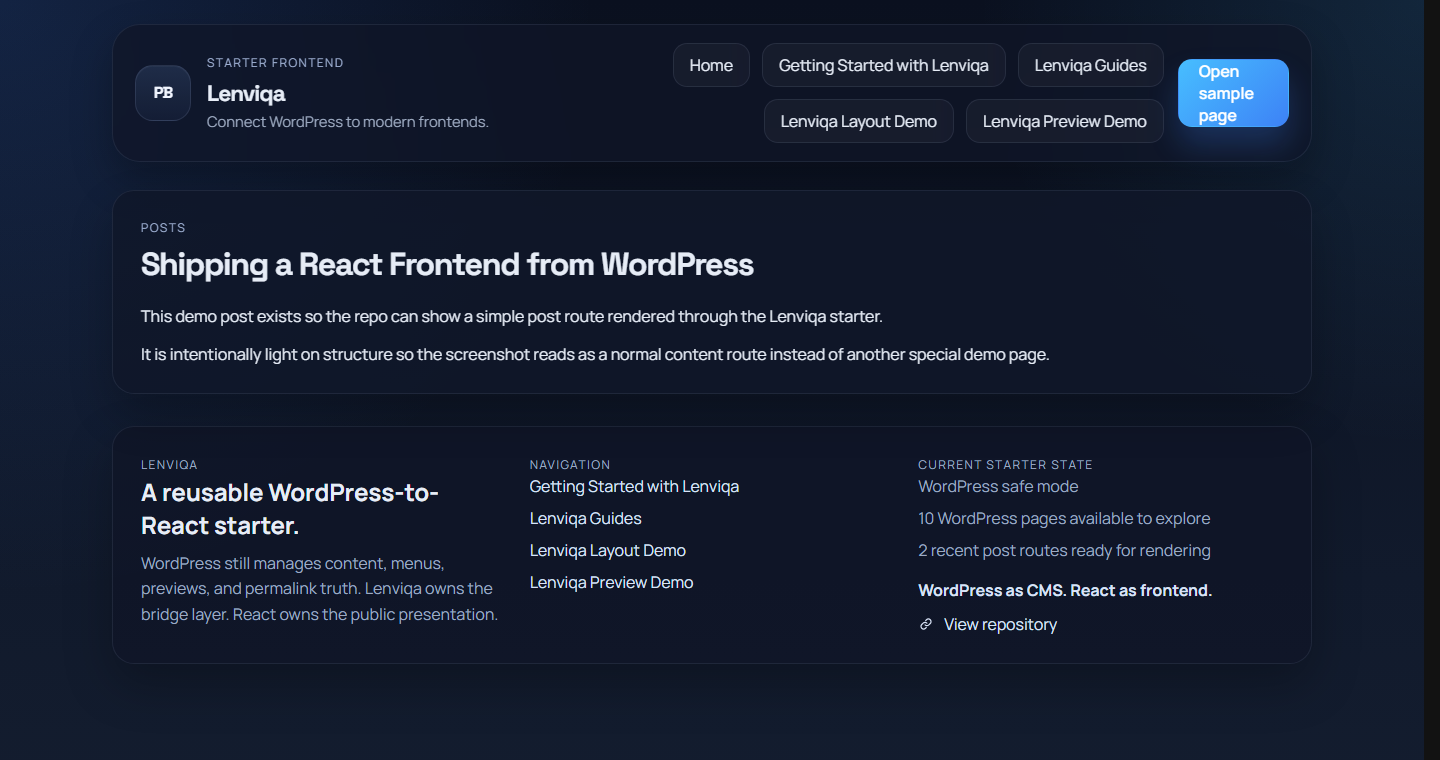
Caption:
- Normal WordPress pages and posts still resolve cleanly through the bridge.
The exact capture plan lives in Repo screenshot plan.
What Core Currently Handles
The current beta-safe boundary is defined in Beta scope.
In practical terms, core currently handles:
- route resolution for:
- home route
- standard page routes
- nested hierarchical page routes
- standard post routes
- unresolved-route honesty
- basic path normalization
- Gutenberg-aware rendering for common layout patterns:
- nested groups
- columns inside groups
- media-text recovery from saved markup
- cover sections with inner content
- gallery fallback from saved markup
- button-group layout intent
- preview foundations:
- signed preview token resolution
- honest invalid/expired preview failure
- preview content staying separate from normal public routing
- package/install/runtime confidence:
- plugin ZIP builds repeatably
- package structure validates
- activation defaults seed correctly
- starter export hook registration is present
- deactivation and uninstall behavior have runtime checks
What Core Does Not Promise
Lenviqa core does not currently promise:
- WooCommerce as a solved core feature
- ACF integration
- Elementor compatibility
- theme-specific CSS fidelity
- pixel-perfect Gutenberg parity with the active WordPress theme
- support for third-party/custom block ecosystems
- support for interactive blocks that rely on WordPress frontend JS
- full frontend parity between the main starter and the lightweight smoke frontend
Those boundaries are intentional. The current promise is stable bridge behavior, not universal WordPress frontend parity.
Quick Start
- Build or install the plugin ZIP.
- Activate Lenviqa in WordPress.
- Open
Settings > Lenviqa. - Set the frontend URL to
http://localhost:5173. - Run the main starter:
cd frontend-app
npm install
npm run dev- Verify:
http://wp-to-react.local/wp-json/pressbridge/v1/sitehttp://wp-to-react.local/wp-json/pressbridge/v1/resolve?path=/http://localhost:5173/
For a lightweight smoke frontend:
cd frontend-lite
python server.py
Documentation
Start here
Validation docs
- Route scenario matrix
- Gutenberg scenario matrix
- Preview scenario matrix
- Packaging and install confidence
Wiki-ready docs
Releases
2 releases. Each count is every asset in that release; expand a row for the breakdown.