Install
This is the repository archive. It installs, but the folder name will carry the branch suffix and updates will not flow.
Install straight from GitHub with WP-CLI:
wp plugin install https://github.com/cruftbox/controlled-atmosphere/archive/refs/heads/main.zipA WordPress plugin that makes your posts eligible for Bluesky's native "View Publication" article card, without ever posting to your feed.
What it does
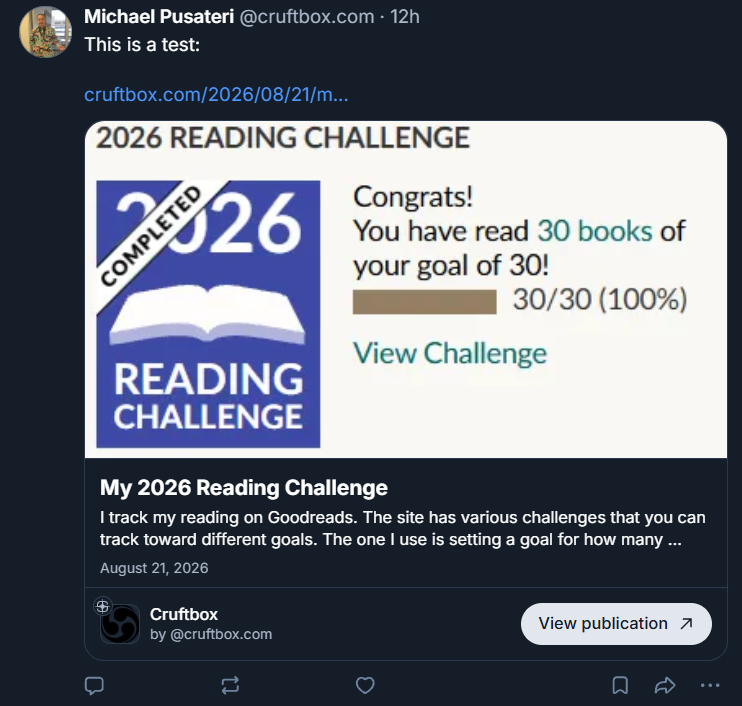
Most syndication plug-ins for Bluesky work by posting for you. This one doesn't post at all.
When you publish a WordPress post, Controlled Atmosphere writes a
Standard.site site.standard.document record to your
AT Protocol repo and adds a <link> tag to that post's HTML head pointing at
the record.
Later, whenever you feel like it or never, you open Bluesky, write a post in your own words, and paste the URL. Bluesky reads the link tag, resolves the record, and renders a native article card instead of a plain link preview.
The plugin makes your posts eligible for the card. You decide if and when to use it.
It never creates an app.bsky.feed.post. It publishes title, description, date,
tags, and optionally a cover image, but never your article text.
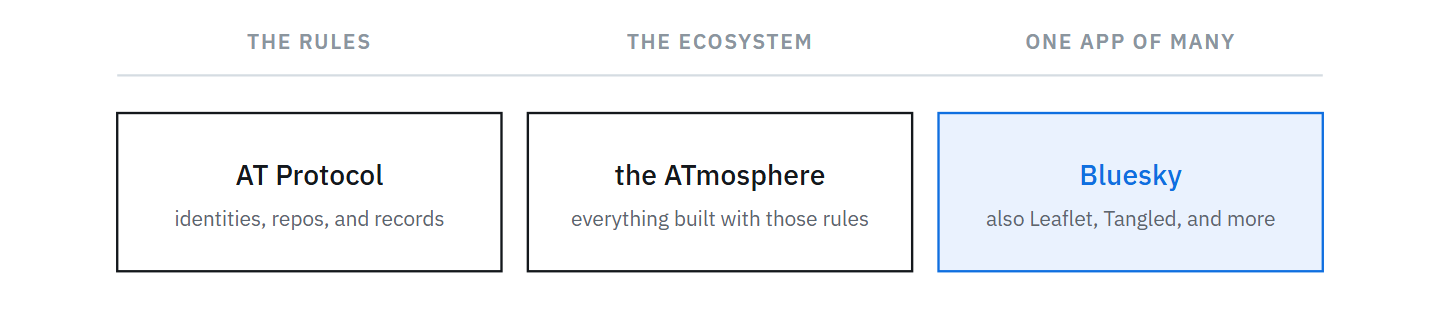
The records live in your own AT Protocol repo, not in Bluesky. Bluesky is simply the app that reads them and draws a card.
Requirements
- WordPress 6.0 or later
- PHP 8.0 or later
- A Bluesky account and an app password
- A publicly reachable site. Bluesky's crawler must fetch your pages and your
.well-knownendpoint, so this cannot work on localhost.
Installation
Download the repository as a ZIP and upload it via Plugins → Add New → Upload Plugin. Then activate it in Plugins.
Or clone into your plugins directory:
cd wp-content/plugins
git clone https://github.com/cruftbox/controlled-atmosphere.git
Setup
- In Bluesky, go to Settings → Privacy and Security → App Passwords and
create one. It looks like
xxxx-xxxx-xxxx-xxxx. Do not use your account password. - In WordPress, go to Settings → Controlled Atmosphere.
- Enter your handle (for example
example.bsky.social) or your DID, plus the app password. Save. - Click Sync publication and verify.
- Confirm every row in the Status panel is green.
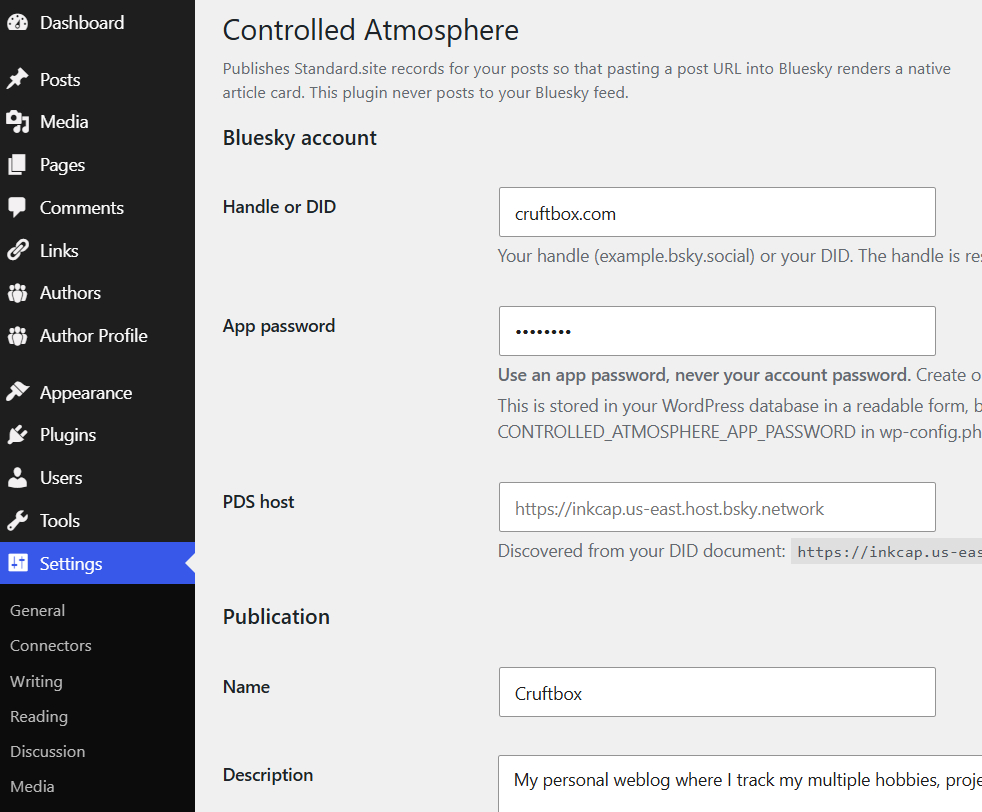
The PDS host fills itself in once your handle resolves; you should not need to type it.
Step 5 is not optional. Bluesky proves you own the domain by fetching
/.well-known/site.standard.publication, and the card will not render until
that succeeds. Sync publication and verify handles this for you on most
hosts: it tries answering the request from PHP, and writes a real file when your
web server owns that path instead. If both fail it prints the exact path and
contents you need.
If a row is not green, see
Troubleshooting the .well-known endpoint.
Everyday use
Publishing. Nothing to do. Each published post gets its record and its link tag automatically.
Excluding a post. Each post has an Exclude from Bluesky publications checkbox in the editor sidebar, in both the block and classic editors. Ticking it on a post that already has a record deletes that record from your repo, not just the link tag.
Existing posts. Configuring the plugin does not create records retroactively. A backfill on the settings page handles the most recent N posts (default 10, capped at 50).
Checking on things. The Posts screen gains a Bluesky column showing each post's record status, including any write that failed.
Privacy
Records written to your repo are public data on the AT Protocol. Anyone can read them with any repo browser, whether or not you ever link to the post. This is inherent to publishing on atproto, not a choice this plugin makes.
Uninstalling does not delete records from your repo.
More
- Controlled Atmosphere: a WordPress plug-in for creating standard.site records for Bluesky posting: the blog post explaining what this is and why it exists
docs/advanced.md:.well-knowntroubleshooting, keeping the app password out of the database, extending the document recorddocs/learnings.md: what this cost to discoverdocs/specification.md: the full design- Standard.site: lexicons and verification
- Integrating Standard Site Into Bluesky
License
GPL-2.0-or-later. See LICENSE.