Install
This is the repository archive. It installs, but the folder name will carry the branch suffix and updates will not flow.
Install straight from GitHub with WP-CLI:
wp plugin install https://github.com/crocoblock/jet-engine-relation-hierarchy/archive/refs/heads/main.zipJetEngine Relations Extended Addon
This addon extends the default JetEngine Relations module, allowing you to filter listings not only by parent and child related items, but also by grandchildren and grandparents.
It integrates directly with JetSmartFilters dynamic queries, providing support for nested relations filtering.
📖 How It Works
In JetSmartFilters, to filter listings by related items you use query variable keys like:
related_children*12related_parents*31
Where 12 and 31 are the relation IDs.
This addon adds two new query types:
related_grandchildren*12related_grandparents*31
The logic is exactly the same as for parents and children — but allows you to fetch grandchildren or grandparents in multi-level relations.
📄 Documentation
🔗 JetEngine documentation already covers how to work with
related_childrenandrelated_parentsfilters in both the old and new UI.You can follow those guides — the only difference is the query type:
- Replace
related_childrenwithrelated_grandchildren- Replace
related_parentswithrelated_grandparents
Documentation:
The configuration process for grandchildren and grandparents works the same way.
📸 Screenshots
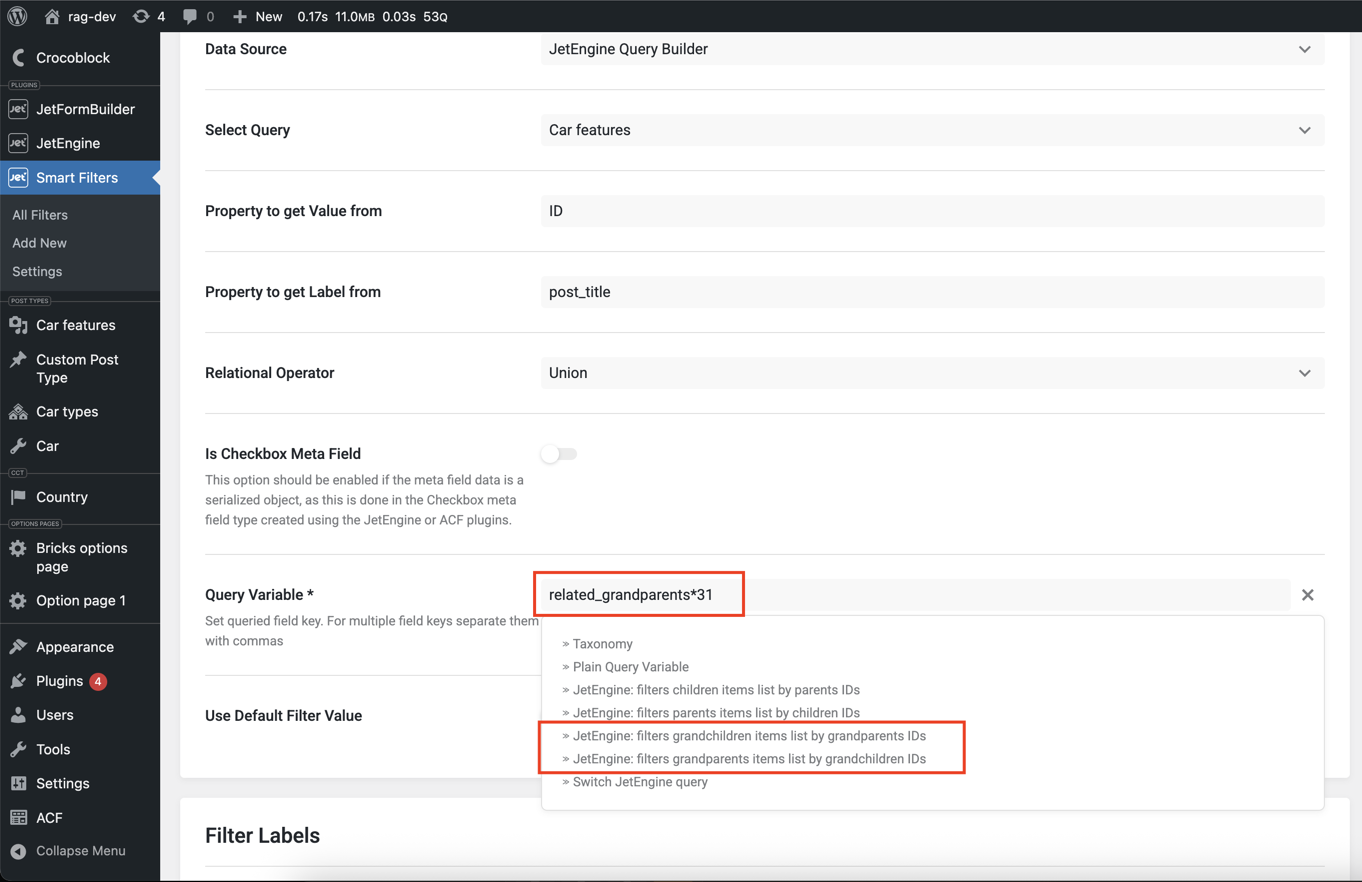
📌 Requirements
- JetEngine v3.7.3+
📥 Installation
- Upload the plugin to your
/wp-content/plugins/directory. - Activate it via WordPress Plugins menu.
- Create relations as usual via JetEngine.
- Use new query variable types (
related_grandchildren*ID,related_grandparents*ID) in your JetSmartFilters.
📌 Summary
If you already work with related_children and related_parents — using grandchildren and grandparents will be familiar to you.
Just change the query type prefix — the setup and filtering logic stays the same.