Yoast SEO Bulk Meta Editor
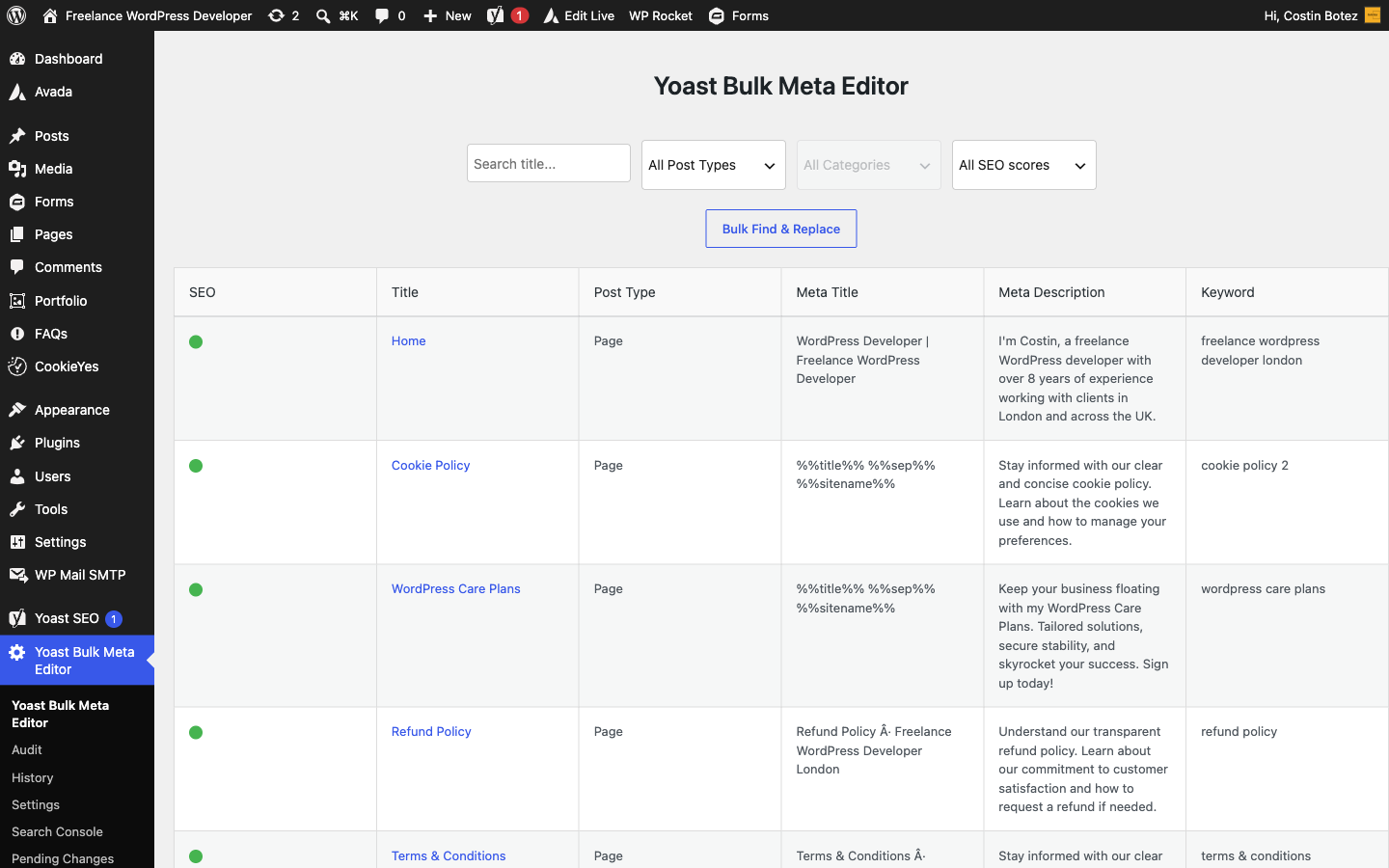
Yoast SEO Bulk Meta Editor is a WordPress plugin that adds a dedicated admin page for managing Yoast SEO metadata in bulk. It displays the title, meta description and focus keyword for each post, page and any public custom post type in a sortable table so you can update multiple entries quickly.
Install
This is the repository archive. It installs, but the folder name will carry the branch suffix and updates will not flow.
Install straight from GitHub with WP-CLI:
wp plugin install https://github.com/costibotez/seo-bulk-meta-editor/archive/refs/heads/main.zip
Yoast SEO Bulk Meta Editor
See every title and meta description at once. Rewrite them fast. Undo anything.
A WordPress plugin for anyone who maintains SEO metadata across a whole site — it puts the meta title, description and focus keyword for every post, page and public custom post type into one sortable table, adds a live Google preview and per‑row SEO scoring as you type, lets you find & replace across hundreds of posts at once, and records every change so a bad edit is always one click from being reverted. Works with Yoast SEO, Rank Math and SEOPress.
Quick start · Features · Screenshots · Roadmap · Development
Author: Costin Botez · Nomad Developer · GitHub
Why this plugin exists
Editing SEO metadata one post at a time is slow and error-prone. Opening every post in the block editor just to fix a truncated title, spotting duplicate descriptions across a site, or rolling out a brand rename across hundreds of snippets — none of that scales in the default WordPress UI. This plugin turns all of it into a single spreadsheet-style screen with a safety net, so you can move fast without writing metadata you can't take back.
What the plugin includes
📝 Bulk inline editor
- Every post, page and public custom post type in one sortable table
- Edit meta title, description and focus keyword inline, saved via AJAX
- Character counters, an unsaved-changes guard, and dirty-cell highlighting
- Filter by search text, post type and category; "Load More" for large sites
- Configurable rows per page and selectable columns
- WPML-aware — filter by language with flag icons in the table
🔍 Live SERP preview & scoring
- Live Google preview in desktop or mobile layout, truncated like real results
- Per‑row SEO health score — a traffic-light dot flags missing or over/under-length fields
- "Show only problems" filter to jump straight to the rows that need work
🔁 Bulk find & replace
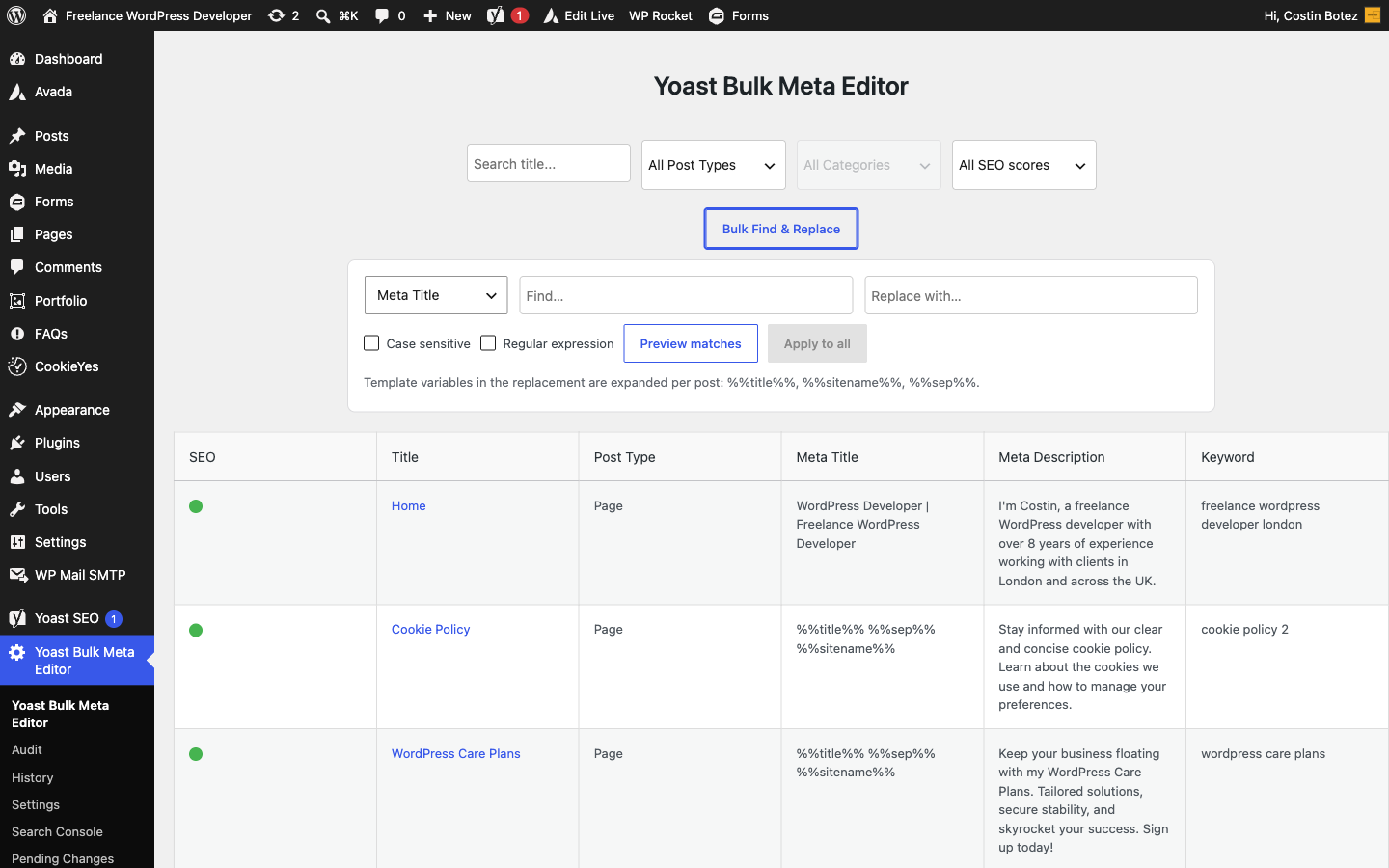
- Search and replace across meta titles, descriptions or keywords site-wide
- Preview affected rows before you apply anything
- Case sensitivity, regular expressions, and template variables (
%%title%%,%%sitename%%,%%sep%%)
📊 Site-wide SEO audit
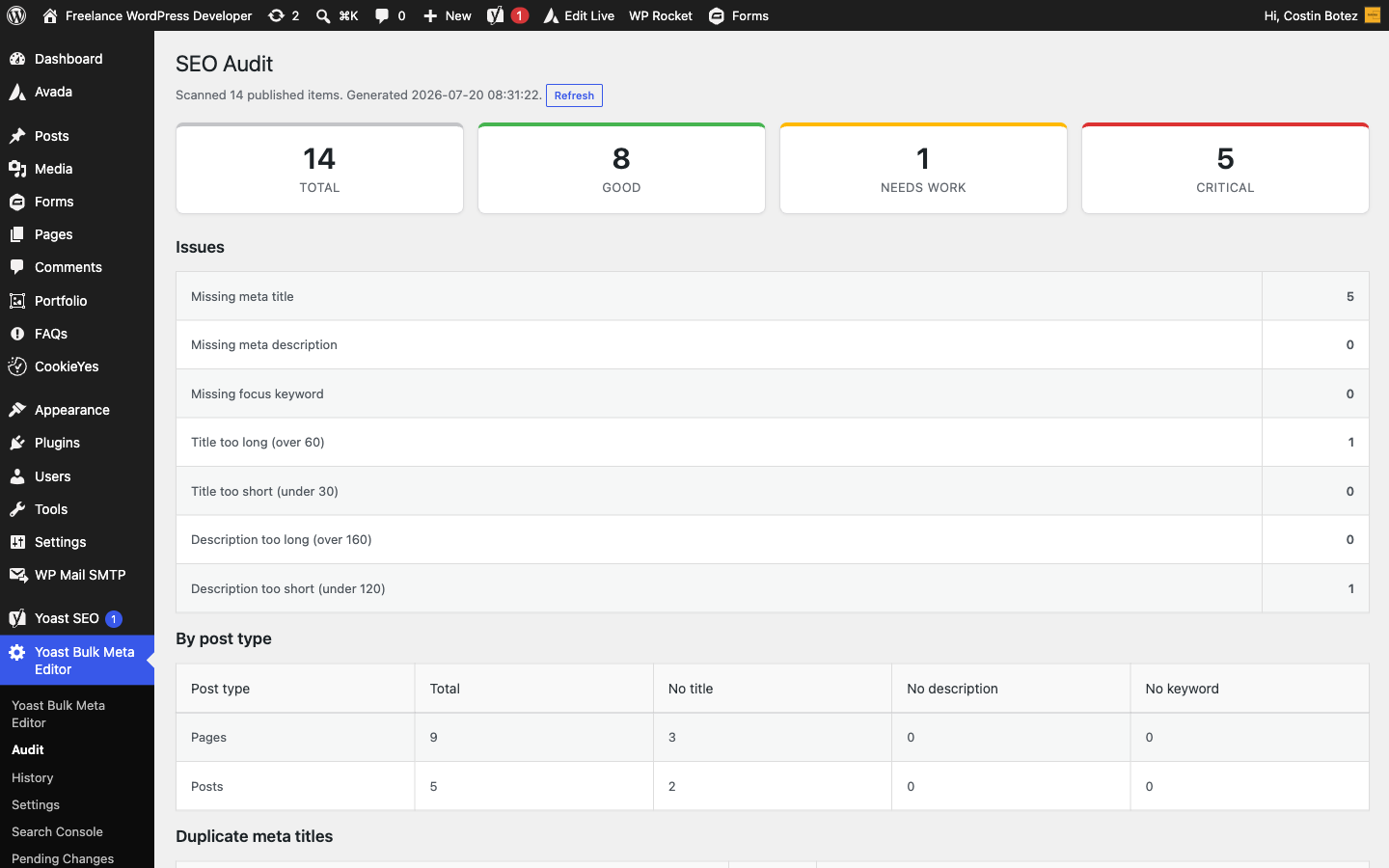
- A dashboard of your whole site: score distribution and per-post-type breakdown
- Missing / over-length / under-length titles and descriptions, missing keywords
- Cross-post duplicate title & description detection
- One-click jumps into the editor with the right filter pre-applied
📈 Google Search Console metrics
- Connect a property over OAuth and pull the last ~28 days of data
- Optional Clicks / Impressions / CTR / Position columns in the editor
- Prioritise rewriting metas on high-impression, low-CTR pages
🤖 AI meta generation
- Draft meta titles and descriptions from page content with your own Claude or OpenAI key
- Per-row Generate button, or "AI: fill problem rows" in bulk
- Always inserted as unsaved, highlighted edits — nothing is written until you approve it
🕓 Change history & approvals
- Every edit (single, undo, revert or bulk) is logged with old value, new value, user and time
- One-click revert of any logged change from the History page
- Draft & scheduled changes — submit edits for review; an admin approves, rejects or schedules them, and scheduled changes apply automatically
🔒 Secure by design
- Nonces and capability checks on every AJAX action
- Meta writes restricted to an allow-list of SEO keys, with per-post
edit_postchecks - All values escaped on output and sanitized per field on save
- Uninstall cleanup removes options, the custom capability and history tables on delete
⚡ Quick start (under 5 minutes)
- Upload
seo-bulk-meta-editortowp-content/plugins/and activate it (or install from the Plugins screen) - Make sure one supported SEO plugin is active — Yoast SEO, Rank Math or SEOPress
- Open Yoast Bulk Meta Editor from the main admin menu
- Click any cell to edit — the Google preview and SEO score update live — then Save Changes
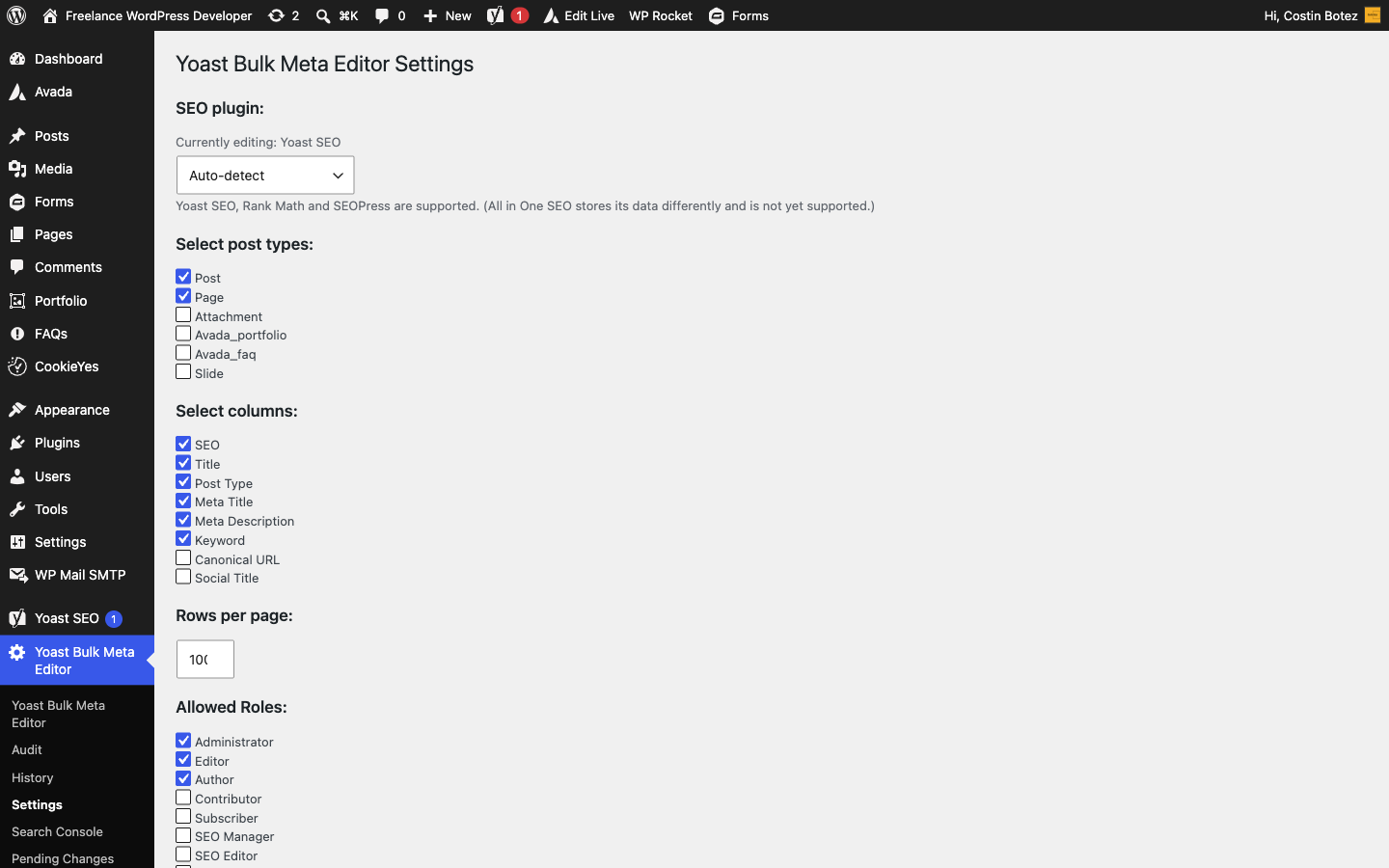
Requirement: one of Yoast SEO, Rank Math or SEOPress must be installed and active. All in One SEO is not supported — it stores data in a custom table rather than post meta. The active plugin is auto-detected (Yoast → Rank Math → SEOPress), or pick one explicitly in Settings.
Admin pages
| Page | What it does |
|---|---|
| Editor | The bulk table with inline editing, live SERP preview, scoring and find & replace |
| Audit | Site-wide score distribution, issue breakdown and duplicate detection |
| History | Full change log with one-click revert |
| Pending Changes | Approve, reject, schedule or cancel submitted draft edits |
| Search Console | Connect a GSC property and refresh clicks/impressions/CTR/position |
| AI Assistant | Choose provider (Claude / OpenAI), enter your API key and optional model |
| Settings | Post types, columns, allowed roles, rows per page, active SEO provider, license key |
Screenshots
| Bulk editor & live preview | Bulk find & replace |
|---|---|
 |
 |
| SEO audit dashboard | Settings & SEO provider |
|---|---|
 |
 |
Roadmap
WP_List_Tablefor the editor & history pages, with server-side search and pagination- History retention policy and filters
- Batched find & replace and full class split into
includes/ - Export-only CSV of metadata
Development
WordPress 5.0+, PHP 7.2+. No build step. A composer.json provides
PHP_CodeSniffer with the WordPress Coding
Standards ruleset (phpcs.xml.dist), run in CI on every push (.github/workflows/ci.yml).
seo-bulk-meta-editor.php   Bootstrap, editor page, audit, history, settings + AJAX handlers
includes/
  gsc.php                  Google Search Console integration (OAuth, columns, cron)
  pending.php              Draft & scheduled changes + approval workflow
  ai.php                   AI meta generation (Claude / OpenAI)
css/style.css              Admin styles
js/
  bulk-meta-editor.js      Editor UI — inline edit, SERP preview, scoring, find & replace
  history.js               History page interactions
  jquery.tablesorter.min.js  Column sorting
languages/                 Translation files (text domain: seo-bulk-meta-editor)
uninstall.php              Removes options, capability and tables on delete
Extension hooks (used by the bundled modules and available to your own code):
| Hook | Type | Purpose |
|---|---|---|
ybme_available_columns |
filter | Register additional read-only editor columns |
ybme_render_column_cell |
filter | Render a cell for a custom column ($cell, $col, $post_id, $permalink) |
ybme_editor_actions |
action | Add buttons to the editor toolbar |
ybme_editor_js_vars |
filter | Inject JS variables / i18n strings |
ybme_install_tables |
action | Create module tables on activation |
Lint locally with composer install && composer lint (composer lint:fix to auto-fix).
Contributing
Pull requests and issues are welcome — submit improvements or report problems on GitHub.
License
GPL-2.0-or-later.
Built by Costin Botez — Nomad Developer · Buy me a coffee