Gravity Forms Notification Guard
A WordPress plugin for anyone whose leads arrive through Gravity Forms — it reconciles every entry against the notifications that should have fired, retries the ones that failed, and alerts you through an independent channel the moment a lead exists but no email went out.
Install
This is the repository archive. It installs, but the folder name will carry the branch suffix and updates will not flow.
Install straight from GitHub with WP-CLI:
wp plugin install https://github.com/costibotez/gf-notification-guard/archive/refs/heads/main.zip
Gravity Forms Notification Guard
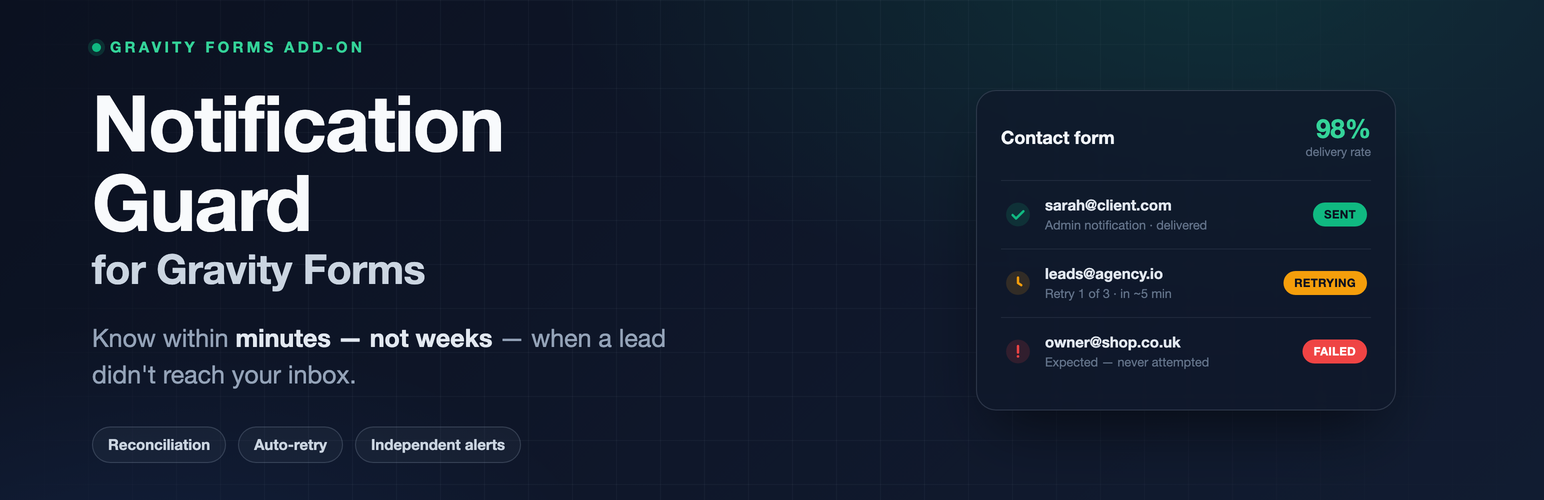
Know within minutes — not weeks — when a Gravity Forms lead didn't reach your inbox.
A WordPress plugin for anyone whose leads arrive through Gravity Forms —
it reconciles every entry against the notifications that should have fired, retries the ones that failed,
and alerts you through an independent channel the moment a lead exists but no email went out.





Quick start · Features · How it works · Screenshots · Pricing · Development
Author: Costin Botez (@costinbotez) · Portfolio · Instagram · GitHub
Why Notification Guard exists
Gravity Forms notifications fail silently. A wp_mail() / SMTP failure, a merge-tag or PHP error that swallows the send, conditional logic that misroutes after a form edit, a notification someone toggled off by accident — none of them raise an alarm. The lead is captured, the confirmation looks fine, and the email that should have reached your inbox simply never arrives. Businesses usually find out weeks later, by accident — a customer chasing "did you get my enquiry?"
SMTP plugins watch your email. Nothing watches your leads. SMTP logs record the mail transport; none of them know an entry existed for which no notification was ever attempted. Notification Guard closes that gap with entry↔notification reconciliation — was a send even attempted, and if so, did it succeed? — and tells you the moment the answer is no.
- A lead lands at 2pm, its notification is silently aborted by a plugin conflict — Notification Guard reconciles the entry ~2 minutes later, flags the notification that was expected but never attempted, and alerts a secondary inbox on a different mail system.
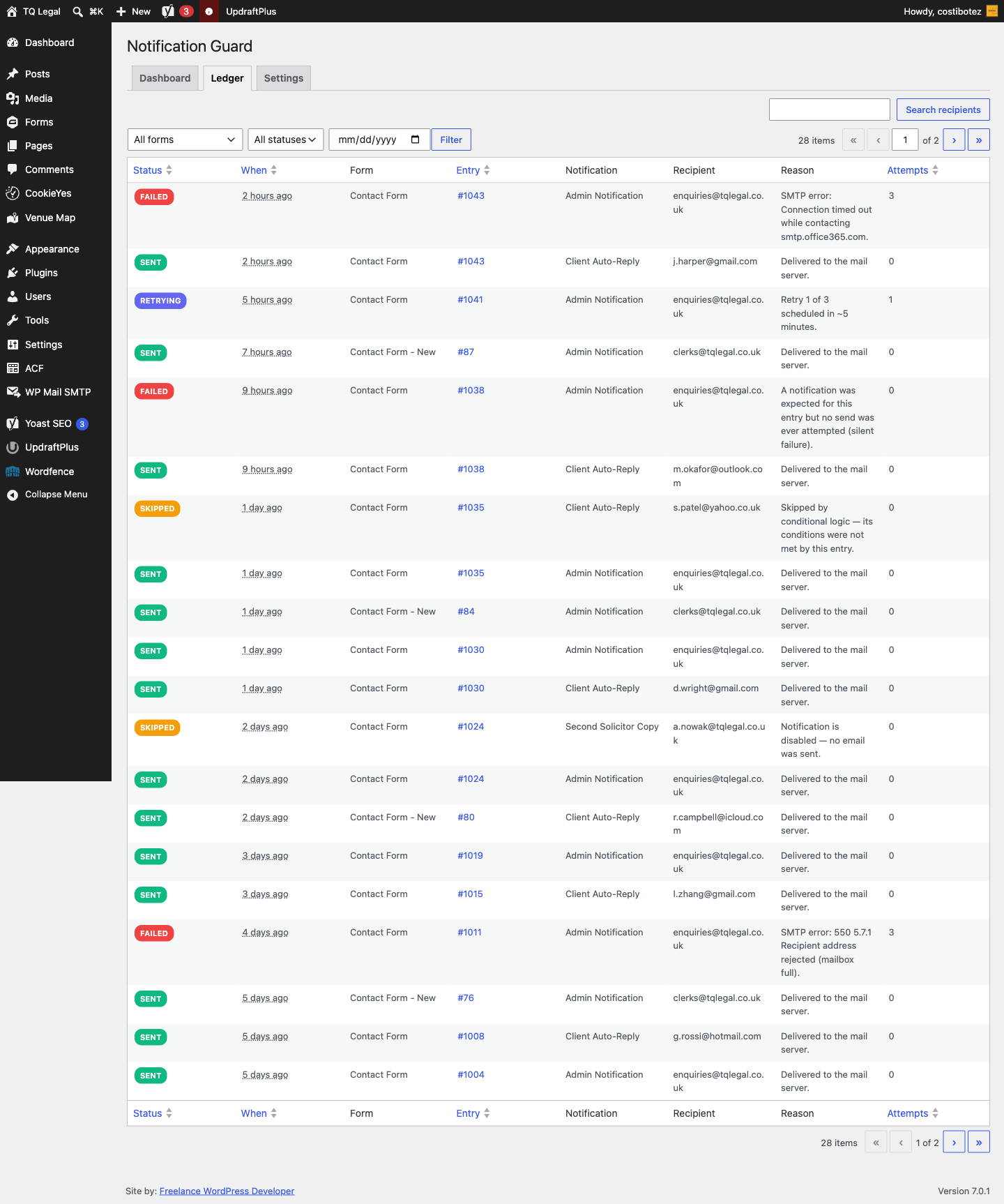
- A month of submissions becomes a filterable ledger: every attempt, every recipient, a plain-English reason and a one-click Resend on any row.
What the plugin includes
📒 Notification Ledger
- Logs every attempt per entry — notification, recipient, status (
sent/failed/skipped/retrying), a plain-English reason and an attempt count — in a custom, indexed database table - A filterable
WP_List_Table(by form, status and date) with recipient search and a Resend row action - Baseline
sentrows too, so a healthy form is provably healthy — not just silent
🔍 Silent-failure detection
- Snapshots the notifications that should fire the moment a form is submitted
- Reconciles the entry ~2 minutes later and flags any notification that was expected but never attempted — the disabled toggle, the conditional-logic misroute, the swallowed send
- Distinguishes an intentional skip (disabled notification, conditions not met) from a genuine failure (transport error, or expected-but-never-attempted)
🔁 Auto-retry & one-click resend
- Failed sends are retried automatically — 3 attempts, 5 / 30 / 120-minute backoff via WP-Cron
- Resend any row straight from the ledger once you've fixed the underlying cause
- Retry state is visible in the ledger — "Retry 1 of 3 scheduled in ~5 minutes"
🔔 Independent alerts
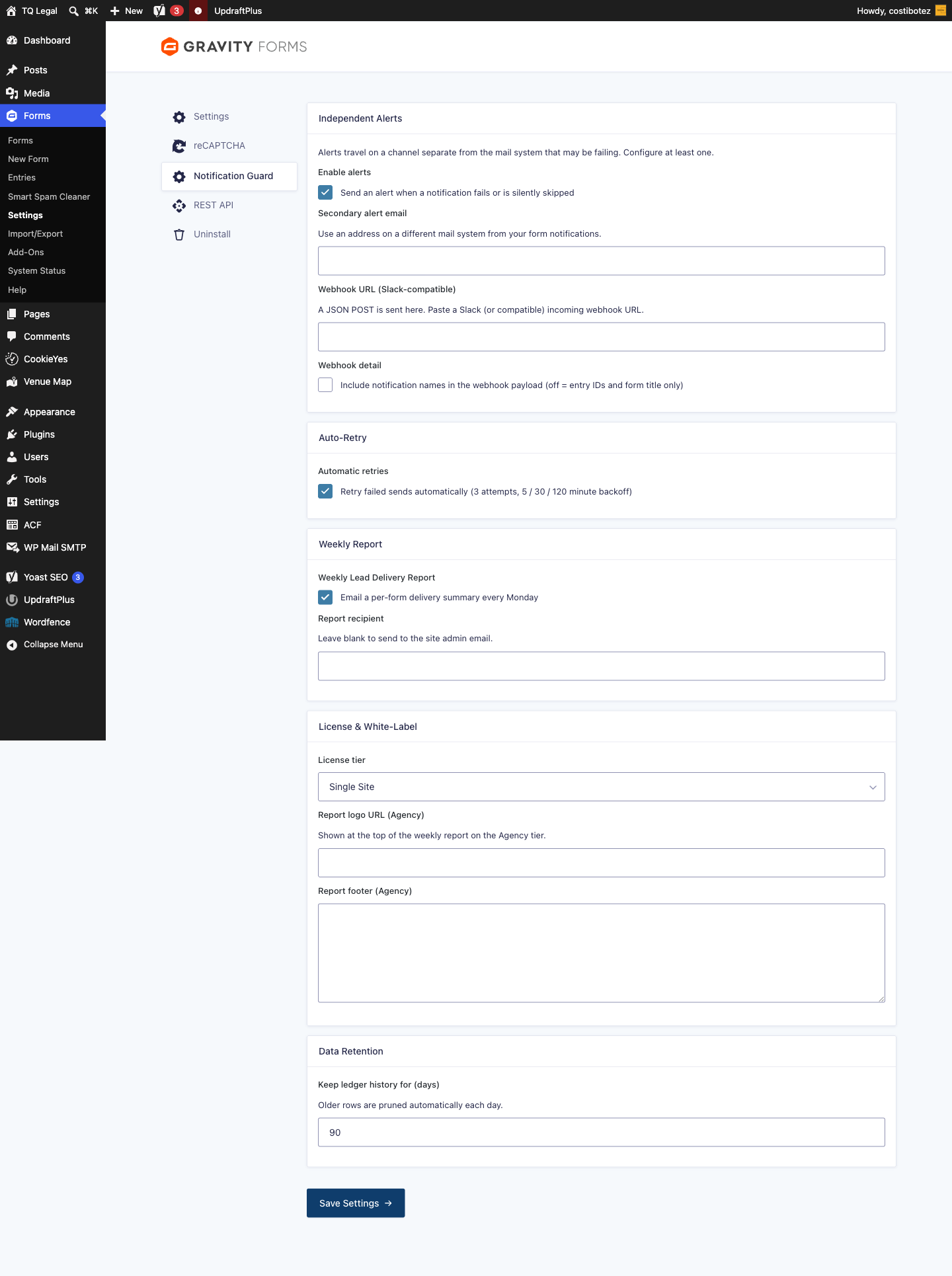
- On failure or silent skip, alerts a secondary email and/or a Slack-compatible webhook — a channel deliberately separate from the mail system that may itself be failing
- Throttled (1 alert / form / 15 min) so a broken form can't flood you
- Privacy-safe by default: the webhook payload carries only the entry ID and form title — no recipient PII unless you opt in
📊 Delivery dashboard & weekly report
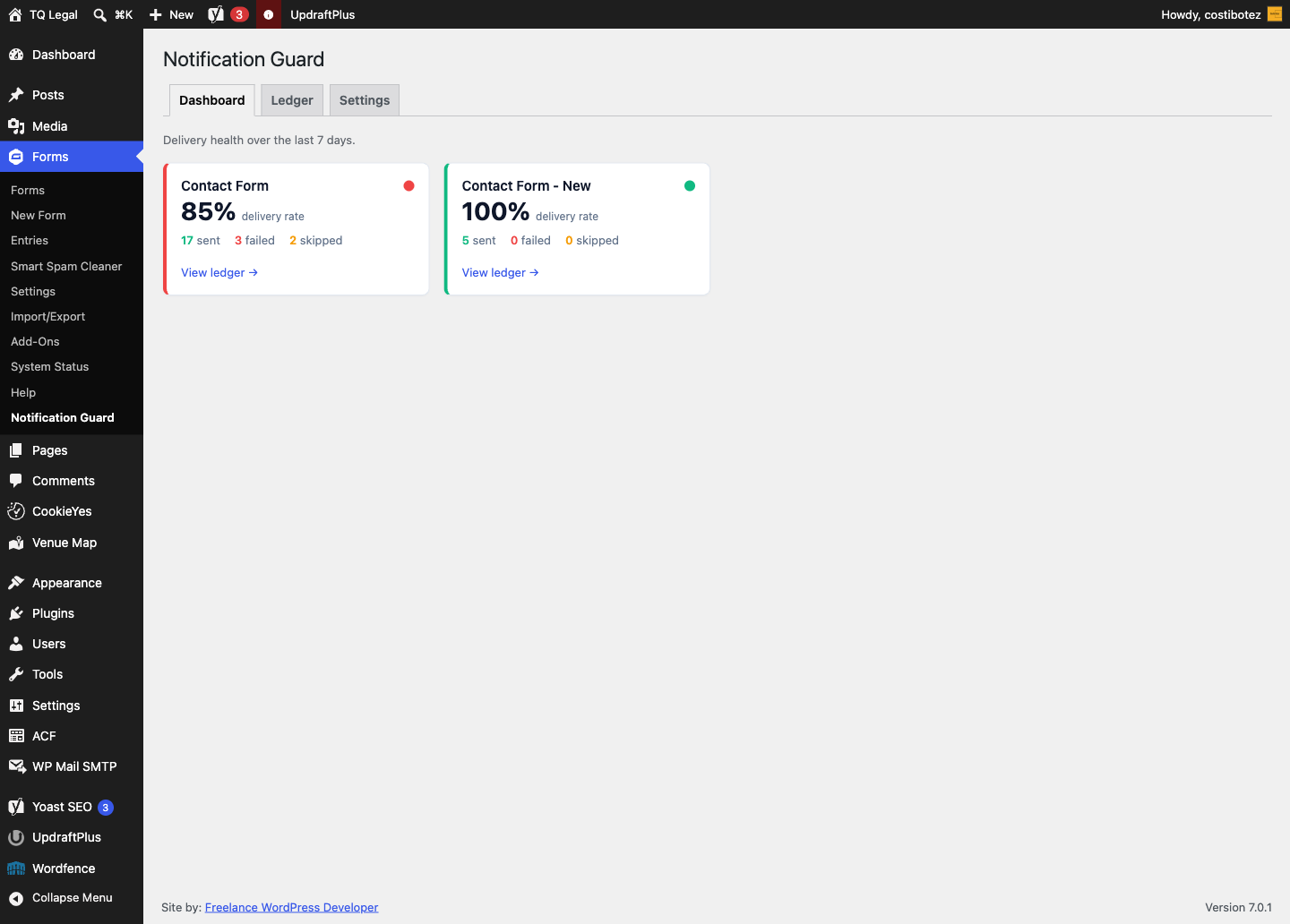
- Per-form health cards with a 7-day delivery rate and a traffic-light badge (green sent · amber skipped · red failed), deep-linking into the filtered ledger
- A per-form HTML Weekly Lead Delivery Report (sent / failed / skipped and delivery rate) emailed each Monday
- The Agency tier adds a white-label logo and footer to the report
🔒 Private & safe by design
- Capability gate
gravityforms_edit_formson every admin surface and the Resend action; nonces on all actions - Input sanitized, output escaped; direct DB access uses
$wpdb->preparewith a fixed column allow-list - Webhook URL validated as
https://; ledger retention (default 90 days) with a daily auto-prune; full cleanup on uninstall
⚡ Quick start (under 5 minutes)
- Install and activate the plugin (Gravity Forms 2.7+ must be active).
- Go to Forms → Notification Guard → Settings.
- Set your independent alert channel — a secondary email on a different mail system from your form notifications, and/or a Slack incoming webhook.
- Submit a test entry and open the Ledger — the first
sentrow appears immediately, and monitoring is live for every form.
How reconciliation works
A submission may fire notifications synchronously or asynchronously (some SMTP plugins defer sends), so "never attempted" can't be decided at submission time. Notification Guard settles it in three passes:
- At submission — each notification bound to the submission event is classified: disabled →
skippednow; conditional logic not met →skippednow; otherwise expected (tracked in a transient, no row yet). - As real results arrive (
gform_after_email) — writesent/failedand drop the notification from the expected set. - Two minutes later (
gfng_reconcilecron) — anything still expected was never attempted →failed(a silent failure). This is the reconciliation the SMTP-log competitors can't do.
Admin UI
Under Forms → Notification Guard, a tabbed screen:
- Dashboard — per-form health cards with a 7-day delivery rate and a traffic-light badge.
- Ledger — the filterable
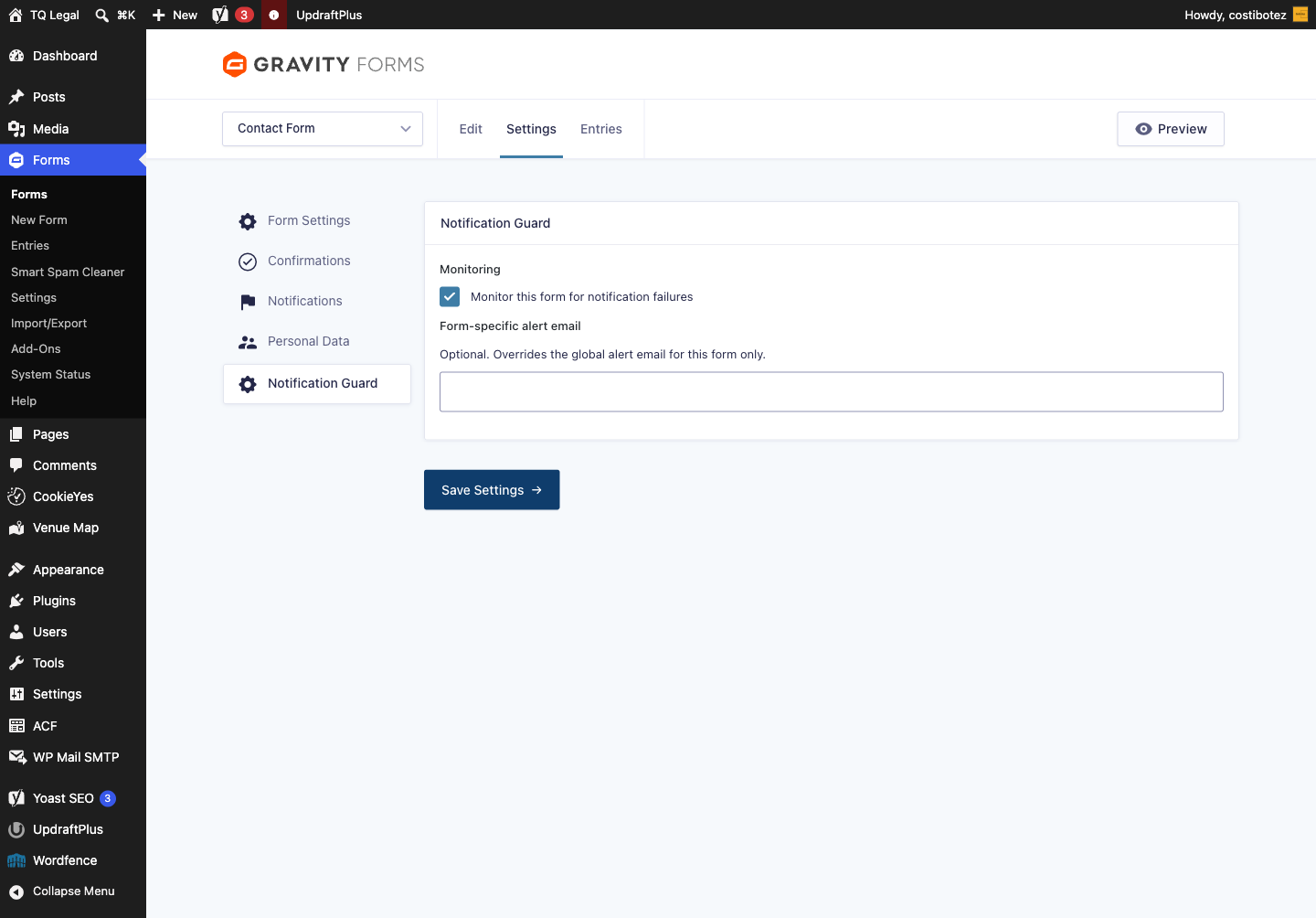
WP_List_Table(form, status, date), recipient search and Resend. - Settings — global options (alert channels, retries, weekly report, license tier, retention) plus per-form overrides via the Gravity Forms form-settings tab.
Screenshots
| Dashboard | Ledger |
|---|---|
 |
 |
| Settings | Per-form monitoring |
|---|---|
 |
 |
Requirements
- WordPress 6.4+
- PHP 8.0+
- Gravity Forms 2.7+
Installation
- Copy this repository into
wp-content/plugins/gf-notification-guard/, or upload a zip via Plugins → Add New → Upload Plugin. - Activate Gravity Forms Notification Guard from the Plugins screen.
- Go to Forms → Notification Guard → Settings and configure your independent alert channel — a secondary email on a different mail system from your form notifications, and/or a Slack incoming webhook.
Development
- WordPress 6.4+, PHP 8.0+. Built on the official Gravity Forms Add-On Framework (
GFAddOn), so settings, per-form tabs, logging and uninstall behave like a native GF add-on — no build step, no framework. - Text domain
gf-notification-guard; coded to the PHPCSWordPress-Extrastandard (phpcs.xml.dist). - Graceful degradation: if Gravity Forms is inactive the add-on never registers and an admin notice explains the requirement — no fatals.
gf-notification-guard.php     Bootstrap: GFAddOn registration, activation,
                              graceful degradation when Gravity Forms is inactive
includes/
  class-gfng-addon.php        GFAddOn: settings, per-form tab, admin UI, boot
  class-gfng-ledger.php       {prefix}gfng_ledger schema, CRUD, stats, prune
  class-gfng-capture.php      Snapshot → attempt recording → reconciliation
  class-gfng-retry.php        WP-Cron backoff retries + manual resend
  class-gfng-alerts.php       Independent alerts (email + webhook), throttled
  class-gfng-report.php       Weekly HTML report + daily retention prune
  class-gfng-ledger-table.php WP_List_Table for the Ledger tab
uninstall.php                 Drop table, delete options, clear cron
Key WordPress/Gravity Forms hooks:
| Hook | Type | Purpose |
|---|---|---|
gform_after_submission |
action | Snapshot the notifications expected for an entry |
gform_after_email |
action | Record the real sent / failed result of a send |
gfng_reconcile |
cron | Two-minute pass that flags expected-but-never-attempted sends |
gfng_retry |
cron | Backoff retries for failed sends |
gfng_weekly_report |
cron | Weekly per-form delivery report |
gfng_daily_prune |
cron | Ledger retention prune |
QA shortcut: force wp_mail() to fail, submit a form, and watch the ledger row move failed → retrying → failed and then flip to sent on manual Resend. The full manual test plan lives in TESTING.md — simulated transport failure, conditional-logic skip, disabled notification, silent-failure reconciliation, dashboard / report / retention and clean uninstall.
Security & privacy
- Capability gate
gravityforms_edit_formson every admin surface and the Resend action; nonces on all actions. - Input sanitized, output escaped; direct DB access uses
$wpdb->preparewith a fixed column allow-list. - Webhook URL validated as
https://; the default webhook payload contains only the entry ID and form title — no recipient PII unless you opt in. - Ledger retention (default 90 days) with a daily auto-prune; full cleanup on uninstall (table dropped, options deleted, cron cleared).
Pricing
One-off purchase (no subscription):
| Tier | Price | Includes |
|---|---|---|
| Single Site | £29 | All features, 1 site, 12 months of updates |
| Agency | £79 | Unlimited sites, white-label weekly report, priority support |
License
GPL-2.0-or-later. See license.

Built and maintained by Costin Botez — Nomad Developer · @costinbotez
WordPress development, care plans and Gravity Forms work for agencies and small businesses.